TOOLNAVIA / BUYING GUIDE
Close CRM Pipeline Reports: Is Your Forecast Revenue or Just Deal Value?
The short answer
Close CRM pipeline reports can justify Essentials when your weekly sales review depends on rebuilding totals by hand. The useful upgrade is a consistent view of deals, dates and assumptions. It is not a machine that turns uncertain opportunities into guaranteed revenue.
This guide uses official documentation and an original numerical example; it does not claim forecasting accuracy.
At a glance
- Best for
- Teams willing to keep opportunity values, dates and confidence definitions consistent.
- Price model
- USD $35/user/month billed annually ($420/year) or $49 monthly; usage and tax extra.
- Check first
- Teams expecting weighted pipeline to equal guaranteed cash or clean data automatically.
Read the value basis before reading the total
Close's Pipeline View defaults to annualized actual opportunity value. It can display one-time, monthly or annual values, and expected values calculated from value and confidence. “Actual” here should not be read as cash already collected.
Choose the basis that fits the question. A monthly retainer, a one-time implementation and a renewed contract cannot be casually added without deciding what the total represents. Write that definition at the top of your review notes before comparing a CRM number with a finance report.
Use weighted value to expose assumptions
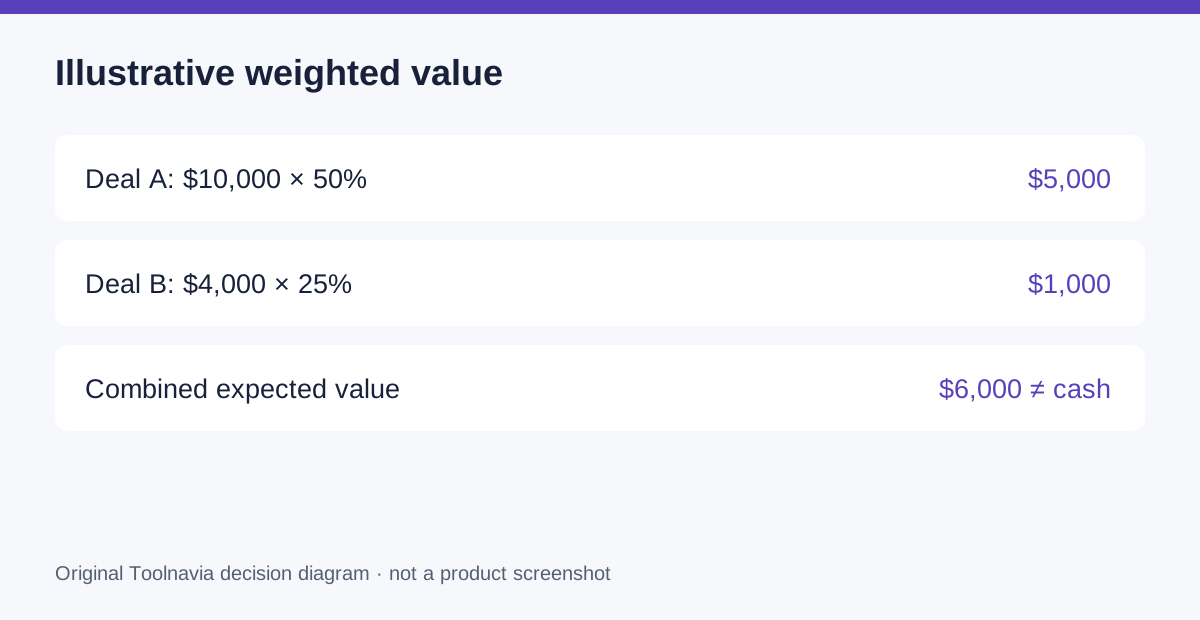
Suppose two one-time opportunities have values of $10,000 and $4,000. Assigning confidence of 50% and 25% yields $5,000 plus $1,000, or $6,000 expected value. The nominal pipeline is still $14,000. Neither number tells you how much cash will arrive this month.
This is an illustrative application of the documented value-times-confidence rule. Its practical advantage is making uncertainty explicit. The weakness is equally clear: optimistic inputs produce optimistic totals. Agree on what evidence supports a confidence change, and keep a short reason for material changes.
Separate deal decisions from activity counts
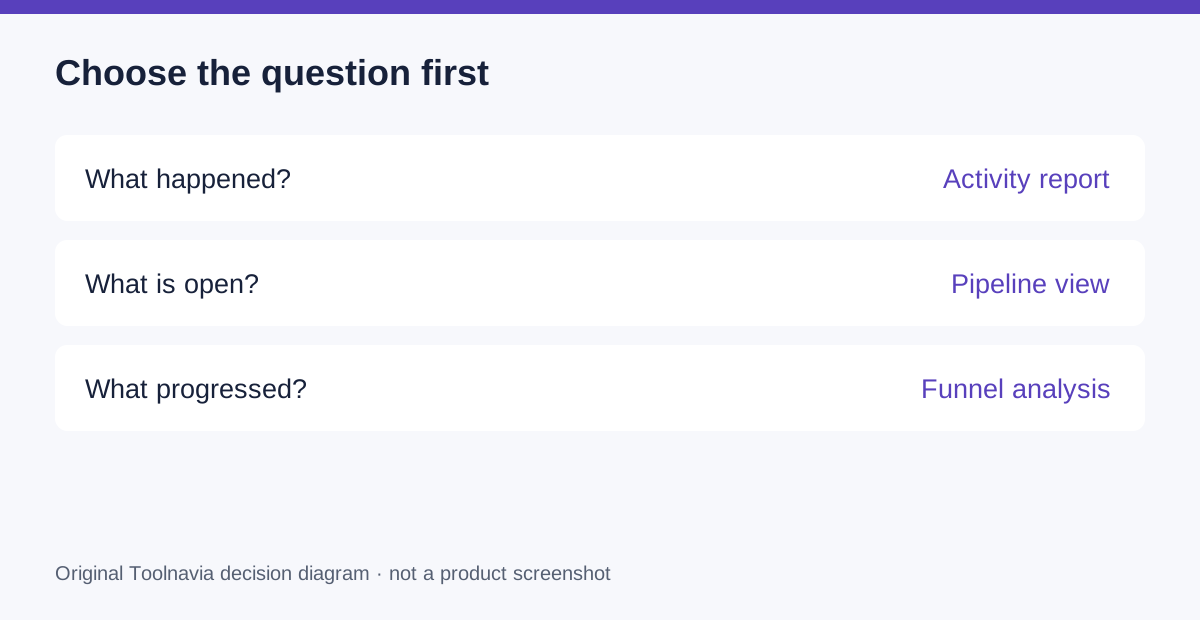
Stage-based opportunity cards make it easier to discuss the next decision on a deal. Date and pipeline filters narrow the population. Close also separates activity reports from opportunity reporting. Those are four useful capabilities: visible stages, weighted values, scoped populations and a separate view of effort.
Use them for distinct questions. A manager might ask which proposals need a decision, which opportunities are expected to close during the period, and whether the team is doing the necessary outreach. A larger call count alone does not establish that a deal is healthier.
Price a reporting process, not a dashboard screenshot
Four Essentials seats currently cost $1,680 upfront annually at the $35 annual-equivalent rate, or $196 per month on monthly billing. Add applicable usage, tax and the time spent maintaining records. Check current renewal terms before accepting the annual commitment.
If your spreadsheet already reconciles quickly and sales communication happens reliably elsewhere, a new dashboard may not justify switching. Close becomes more interesting when the same people both work opportunities and maintain the evidence used in review. Essentials does not include automated Workflows; do not budget on the assumption that every field update will happen automatically.
Reconcile a small sample before retiring the spreadsheet
Choose several representative deals, including one lost opportunity, one recurring agreement and one with an uncertain close date. Record the source value, currency, billing basis, confidence, owner and expected date. This is a proposed exercise, not a native template.
Reproduce the total manually, select the equivalent report settings and compare. Investigate differences one record at a time. Then move a test opportunity to a different stage and confirm what changed. Repeat the date filter using created date and close date so everyone sees why they answer different questions.
Buy when the team can explain the number
Choose Essentials when the review becomes easier to run and every important total can be explained. Keep the existing method if the team cannot maintain the inputs or requires analysis not demonstrated in the intended plan.
Use the official Close entry to inspect current options, then reconcile your own sample. Toolnavia may earn a commission on qualifying subscriptions. Neither the referral nor this example promises better forecasts or additional sales.