TOOLNAVIA / BUYING GUIDE
Moving to Close CRM? Test These Records Before You Pay
The short answer
Close can be a sensible upgrade from a fragile sales spreadsheet, but the first purchase decision is whether your working data survives the move. A successful upload is only the start. Before committing, prove that contacts belong to the right companies, meaningful fields remain usable and the team can continue an existing opportunity.
At a glance
- Best for
- Teams moving from a spreadsheet or another CRM with existing customer relationships.
- Price model
- USD35/user/month annual-equivalent or USD49/user/month monthly; nominal USD420 vs USD588 per seat/year before usage/tax
- Check first
- Buyers expecting a basic contact import to preserve all communications history automatically.
Separate contact import from full history migration
Close's Lead Importer accepts spreadsheet files, but it does not import notes, calls, emails or SMS as ordinary lead columns. Its documentation directs buyers needing other CRM history toward a migration route or support. Decide which records are essential before choosing your method.
Make three lists: information needed on day one, historical material that can remain in a reliable archive, and information that no longer serves a business purpose. Keep the source system available during the pilot. Do not cancel it because a progress bar says the upload finished.
Build a difficult sample before the full transfer
Use a small authorized sample containing multiple contacts at one company, a similar company name, an international phone number, a date and one incomplete record. Ten records is an example exercise size, not a product limit. Write down the intended result for each before importing.
The importer supports field mapping and grouping contacts under leads. Its guidance also calls for explicit country codes on phone numbers and an unambiguous year-month-day date format. Those details matter because a readable spreadsheet cell may become a different value after import.
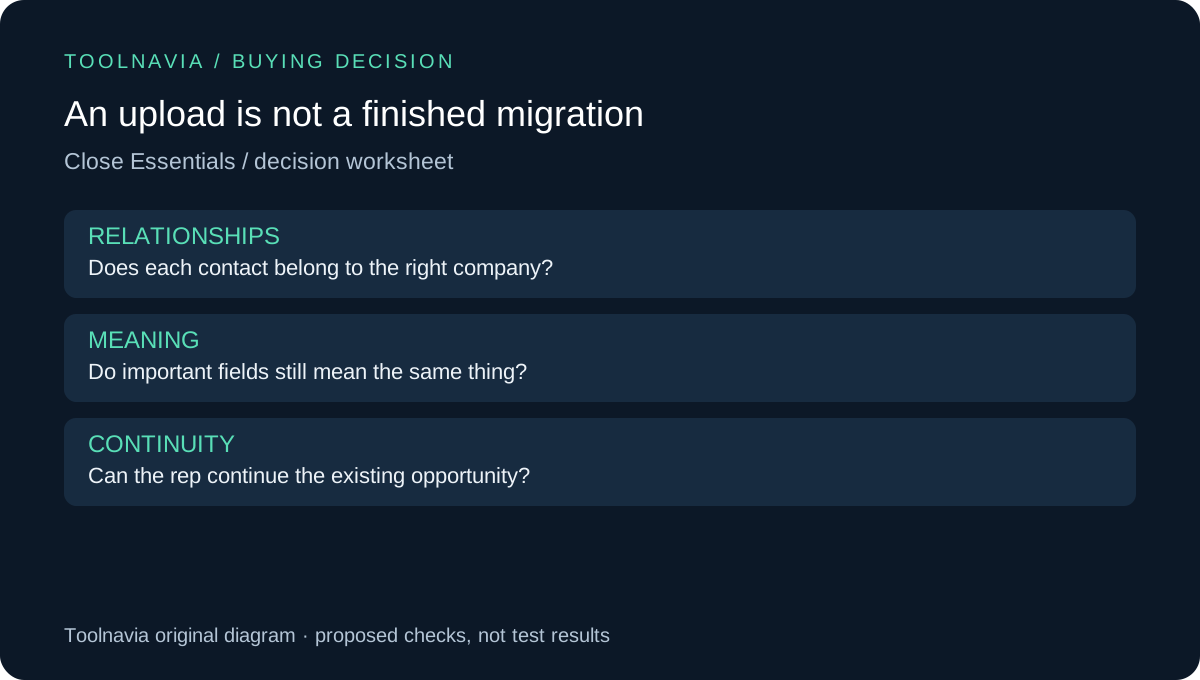
Inspect relationships as carefully as row counts. Twenty imported contacts do not prove that the right people sit under the right company. Ask a colleague who knows the account to open the sample and identify the buyer, the decision maker and the current next step.
Map the sales process before mapping columns
Close recommends defining stages and fields before importing data. Translate your existing labels deliberately: a column called “hot” may mean budget confirmed to one rep and merely opened an email to another. A migration is an opportunity to fix that ambiguity, not automatically preserve it.
Create a short mapping worksheet with source column, destination field, example value and business meaning. Keep a separate exception list for fields that have no clear destination. If a historical activity is essential to the team's next action, verify the correct migration path rather than forcing it into a text field and calling the move complete.
Then test an update on the sample using the documented matching choices. Confirm that you changed the intended record instead of creating a second one. Preserve the original export and note what was changed so a later correction has an understandable starting point.
Compare migration routes on the same evidence
Other CRMs also require deliberate preparation. Pipedrive's Import2 instructions distinguish CRM migration from spreadsheet import and call out setup order for users and pipelines. HubSpot's file guide explains identifiers and associations. Zoho's legacy guide separates module imports from migration; follow the guide matching the interface you actually have.
Use those alternatives as a comparison of work required, not a feature-count contest. Ask each shortlisted vendor which objects transfer, what needs rebuilding and how exceptions are reported. A route that preserves a crucial history may be more useful than one that imports simple contacts quickly.
Put transition work in the buying budget
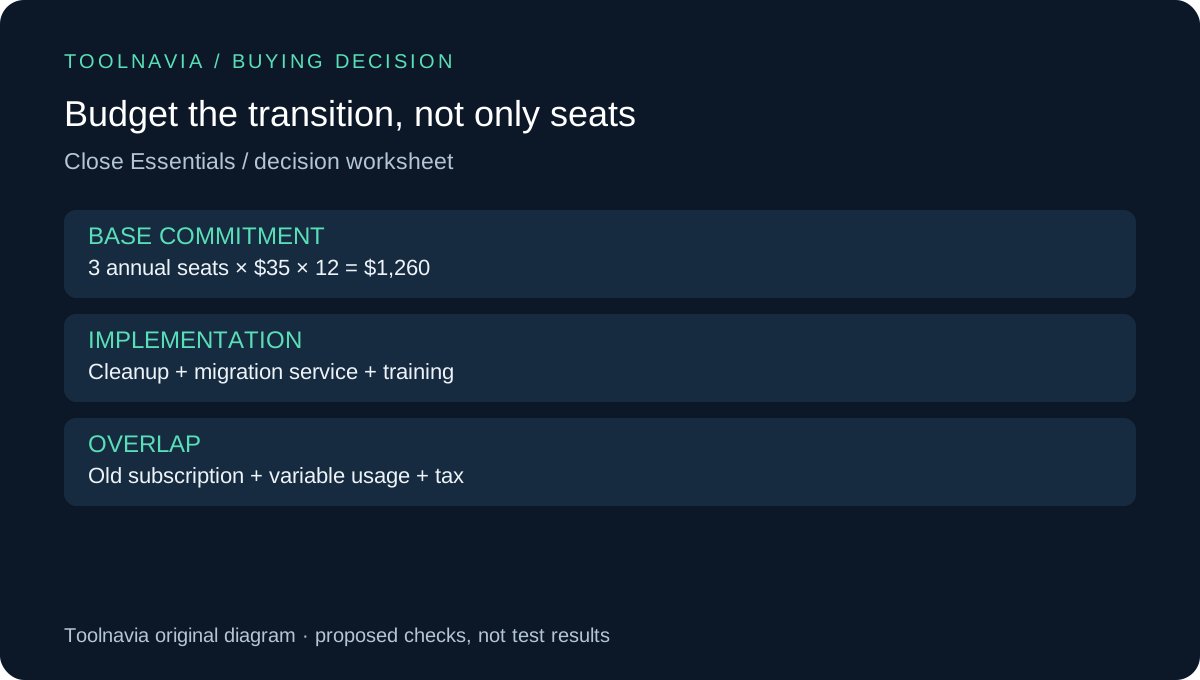
For Essentials, the displayed annual-equivalent seat rate is $35 per user per month, billed annually; variable usage is separate. Three seats therefore mean a $1,260 annual base commitment before tax and usage. This is arithmetic from the public rate, not a custom quote. Our [billing guide](/en/software/close-essentials) covers the term comparison.
Add data cleanup, any paid migration service, overlapping subscriptions and training. As an illustration, an eight-hour cleanup belongs in the implementation budget even if no migration tool charges you. Use your own hourly cost and actual quote; this article does not claim the move pays back in a fixed number of weeks.
Buy after the sample becomes a usable sales record
Approve the move when the sample's relationships, important fields and next actions work, and the missing-history plan is acceptable. Expand in controlled batches and reconcile the result against the source. Agree on which system becomes authoritative and when, so two people do not update different versions of the same opportunity.
Close is a stronger candidate when consolidating the process removes a real daily obstacle and the migration plan is understood. Start with the trial through the official referral button; keep the old records until acceptance is complete. Toolnavia may receive commission on qualifying subscriptions. No migration service, data transfer or guaranteed discount is included with the link.