TOOLNAVIA / BUYING GUIDE
CCleaner Software Updater: What to Update, Skip or Pause
The short answer
CCleaner Professional can simplify a home PC's app updates when you want a reviewable list and selective controls. It is less compelling if your applications already update reliably through their own vendors. Buy for a recurring maintenance task, not the assumption that one scan covers everything.
At a glance
- Best for
- A home user who already values CCleaner's maintenance bundle and wants to review supported app updates in one place.
- Price model
- Current upgrade page displays USD24.95 against USD44.95; exact term, tax, seat count and renewal must be confirmed in checkout.
- Check first
- A guarantee that every installed app is patched, a driver rollback tool for applications, or a business deployment license.
Select applications before starting installation
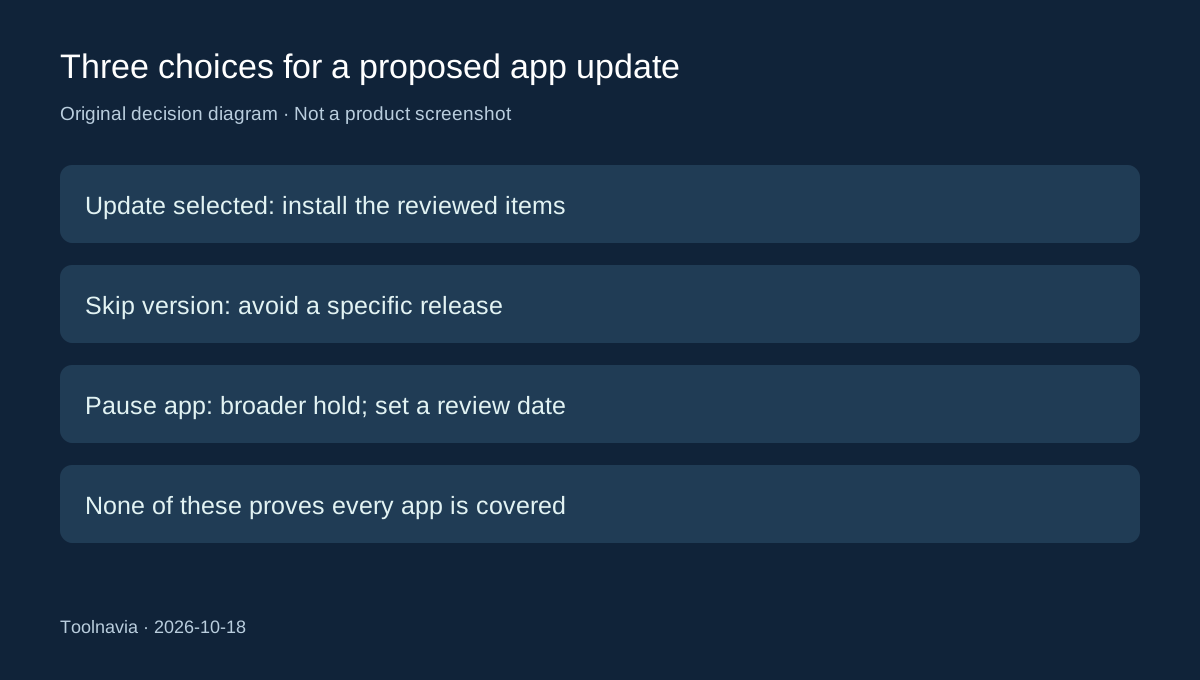
Software Updater first scans and separates outdated software from items it considers current. The documented workflow preselects outdated entries; you can change the checkboxes before choosing Update Selected, which retrieves and installs the chosen updates.
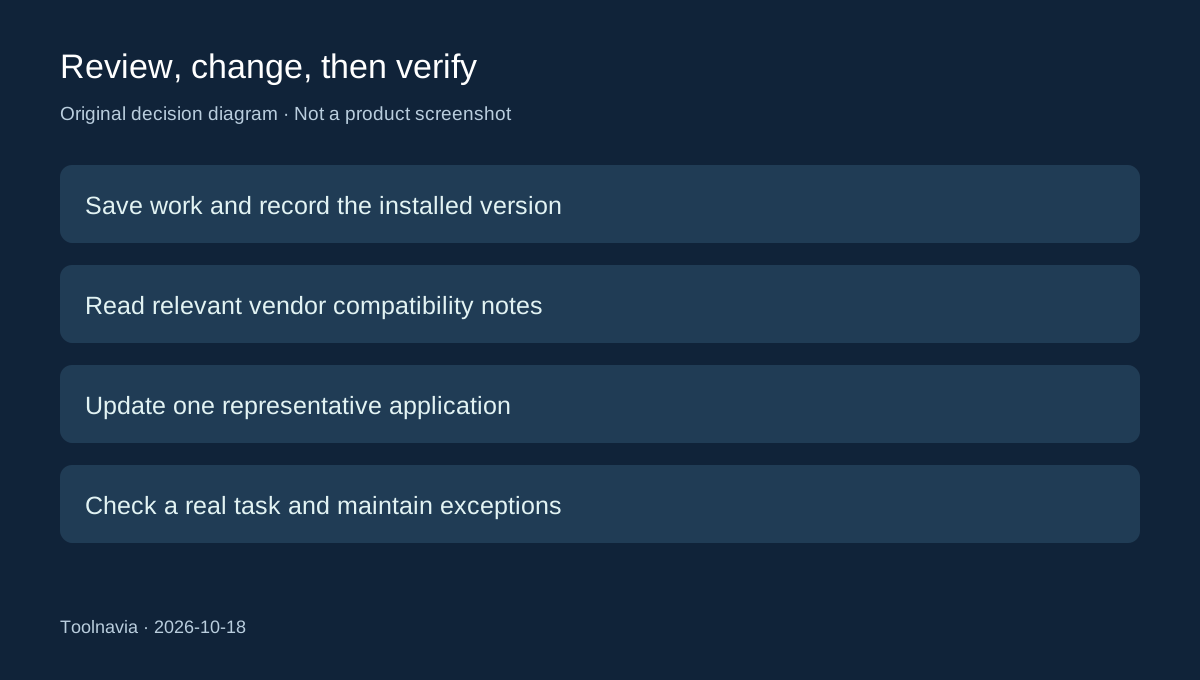
That gives you two useful controls: a consolidated review point and a selected installation batch. Neither means every proposed change deserves immediate approval. Save open work, check the affected applications and choose a time when an installer interruption will not matter.
A version label is only the beginning of the decision. If an editor depends on a plug-in or an older project format, consult that application's release notes before accepting a major change. Do not interpret an empty updater list as an independent audit of the whole computer.
Skip one version or pause the application
CCleaner's dated release history matters here. Version 7.09.1432, released July 2, 2026, added Professional controls to skip a particular software version or pause updates for an application. Older advice saying Software Updater has no such controls is no longer a reliable description of this version.
Use a version skip for a specific release you have reason to avoid. An application pause is broader, so keep a note of why it exists and when you will reconsider it. The product offers the controls; the review date is our suggested maintenance practice.
These are useful compatibility-management options, not proof that leaving an old release indefinitely is safe. If a vendor reports a relevant security fix, revisit the exception promptly. The appropriate decision depends on that application and its release details.
Keep software updates separate from driver updates
Software Updater concerns application releases. Driver Updater is a different CCleaner tool for hardware drivers, with its own restore and selection documentation. Its official help says it does not have an independent automatic scheduling function.
Do not copy driver rollback promises into an application-update plan. Before changing an important application, preserve its data and understand its vendor's reinstall or downgrade route. A skipped version also does not undo an update that has already happened.
For a home PC, that separation keeps the task manageable: review ordinary app updates without treating every proposed hardware-driver change as part of the same maintenance session.
Compare the paid bundle with an existing update routine
The current upgrade page lists Software Updater under Professional and Professional Plus. It displays Professional at US$24.95 beside a crossed-out US$44.95. That is a public page observation, not a verified renewal quote or final cart; confirm term, device count, tax and renewal before buying. Free and Professional are described as home-use products.
If app updating is your only requirement, compare your existing vendor update tools first. Patch My PC Home Updater provides a free, noncommercial alternative with a supported catalog and scheduling. For users comfortable with Terminal, Microsoft's `winget upgrade` without arguments lists available upgrades before a separate installation command. Neither alternative should be assumed to cover every application.
Professional becomes easier to justify when its broader maintenance features are already useful and the selected-update workflow reduces repeated effort. The [Professional versus Plus guide](/en/software/ccleaner-professional-vs-plus-recuva-speccy) addresses the separate question of extra devices and bundled utilities.
Rehearse one representative update
On a noncritical home PC, select one supported, reinstallable application with no unique unsaved data. Record its installed version, inspect the proposed update, and perform a normal task afterward. Also locate the skip and pause controls so you understand how to manage an exception. These are suggested checks, not Toolnavia test results.
Keep a short exception list rather than approving every update or pausing everything. If the workflow adds little beyond your existing routine, do not buy solely for the updater. For a direct annual purchase, the policy describes 30-day refund-request windows for initial and renewal charges; stopping auto-renewal is a separate action.