TOOLNAVIA / BUYING GUIDE
AOMEI FoneBackup Incremental Backups: Will Storage Keep Growing?
The short answer
For Windows iPhone owners, AOMEI FoneBackup may make later backups faster, but “incremental” does not mean your backup folder will stop growing.
AOMEI’s current upgrade page says the product uses incremental backup technology, while its Backup Management help shows that one task can contain multiple versions and that versions may share underlying data. This is a documentation-based analysis, not a device test; the claim is not a published retention formula.
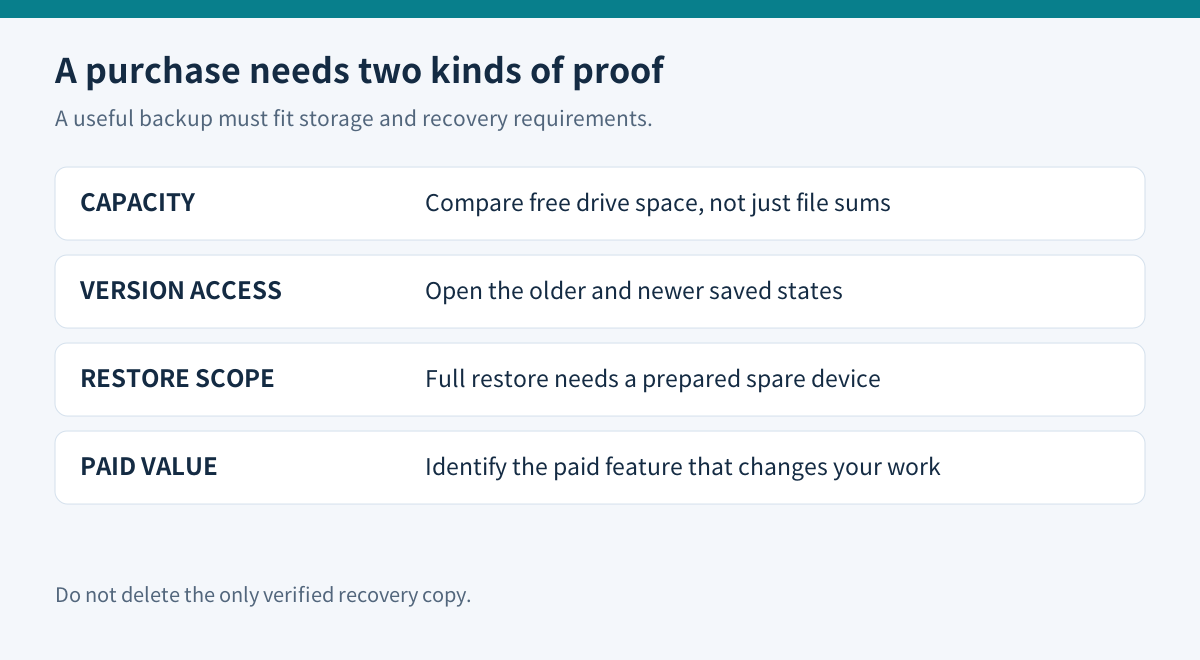
The buying rule is simple: first use the available workflow for a controlled second-run test that checks the disk delta, version behavior and restore path on your own Windows PC. If you need a vendor-documented storage cap or automatic pruning policy before buying, FoneBackup’s current public documentation does not provide enough certainty.
At a glance
- Best for
- Buyers willing to measure repeated backups and verify repository recovery.
- Price model
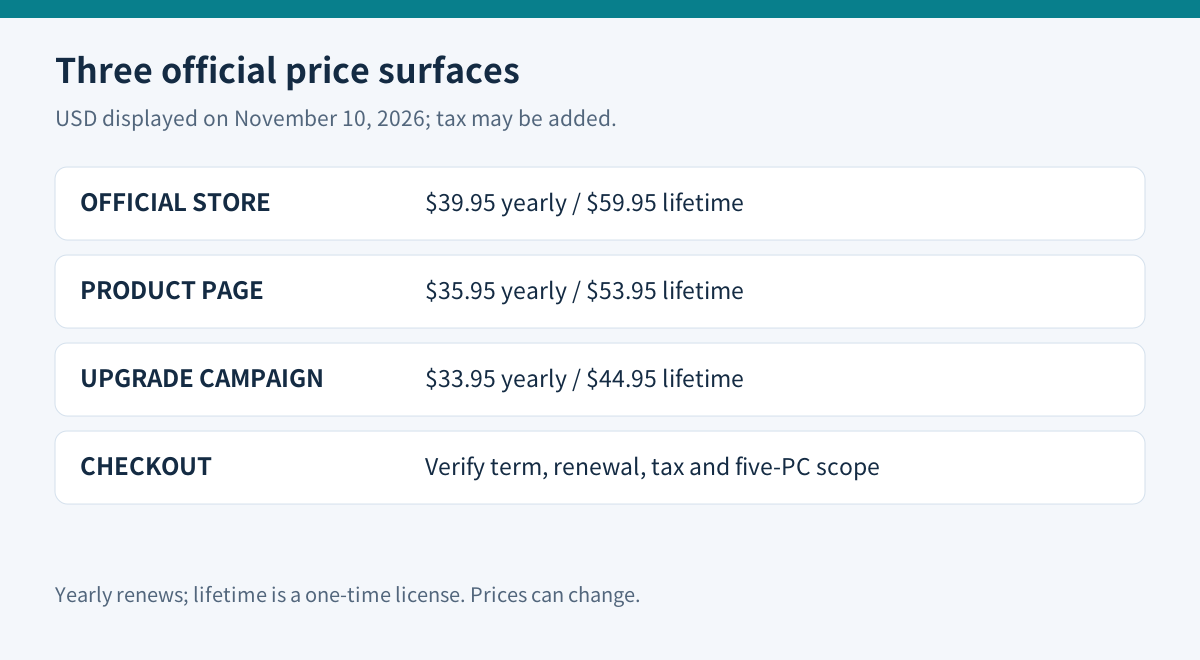
- $33.95–$39.95 yearly; $44.95–$59.95 lifetime; checkout controls
- Check first
- Mac-only users or buyers requiring a documented automatic storage cap.
What AOMEI actually documents
The commercial page says incremental technology speeds the backup process. Backup Management adds the operational detail: finished backups appear in Backup History, versions can be managed individually, and the program can locate the repository.
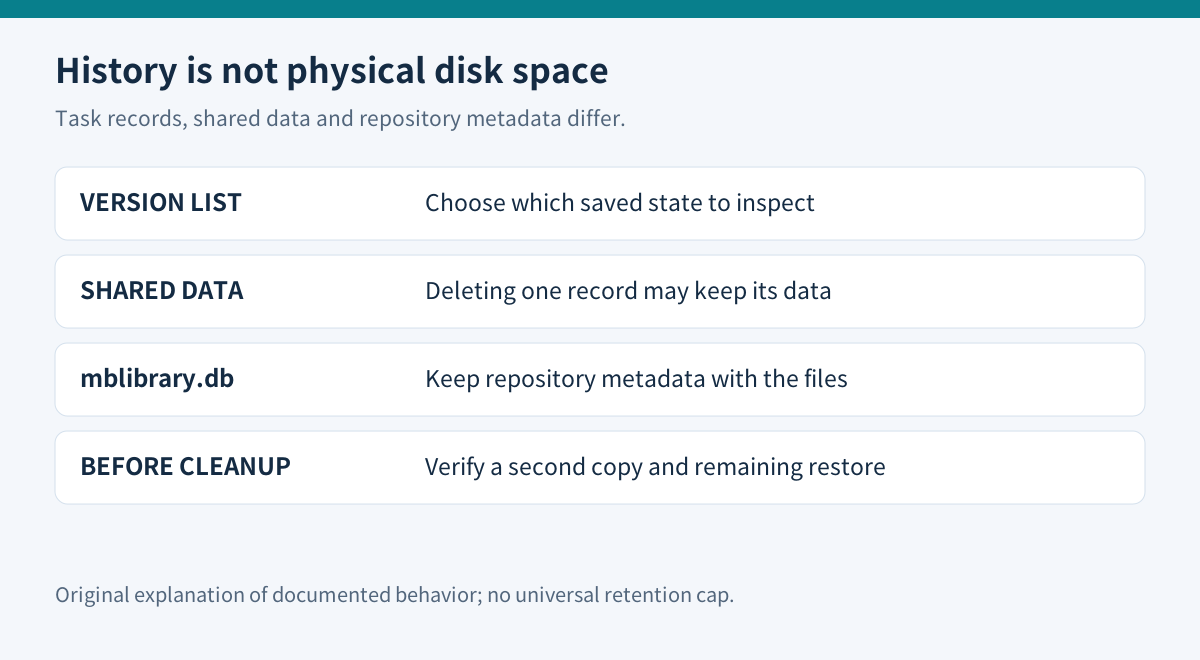
AOMEI also warns that deleting one version may remove only that version’s task record when its data is associated with other versions. Deleting all versions from the task can remove version records without deleting the corresponding files.
That distinction matters. A smaller second run does not prove that every old byte disappeared, and a clean-looking version list does not prove that the repository folder shrank. Metadata, shared blocks and files can have different lifecycles.
The repository is not just a pile of obvious media files. AOMEI says importing a backup on another computer requires the repository file named mblibrary.db; importing it restores the task and corresponding versions. If you copy only selected data folders, the backup may still exist on disk but become harder to browse or restore as a coherent task.
Full Backup has a separate scope. AOMEI lists photos, contacts, call history, messages, memos, calendars, Safari data, application data files/preferences and system settings, with exclusions such as store content and material already stored in iCloud. It lets you choose a storage path, but the help page does not state a universal maximum number of retained versions or a predictable growth ratio.
Run a storage-growth experiment before paying
Use a disposable test, not your only recovery copy.
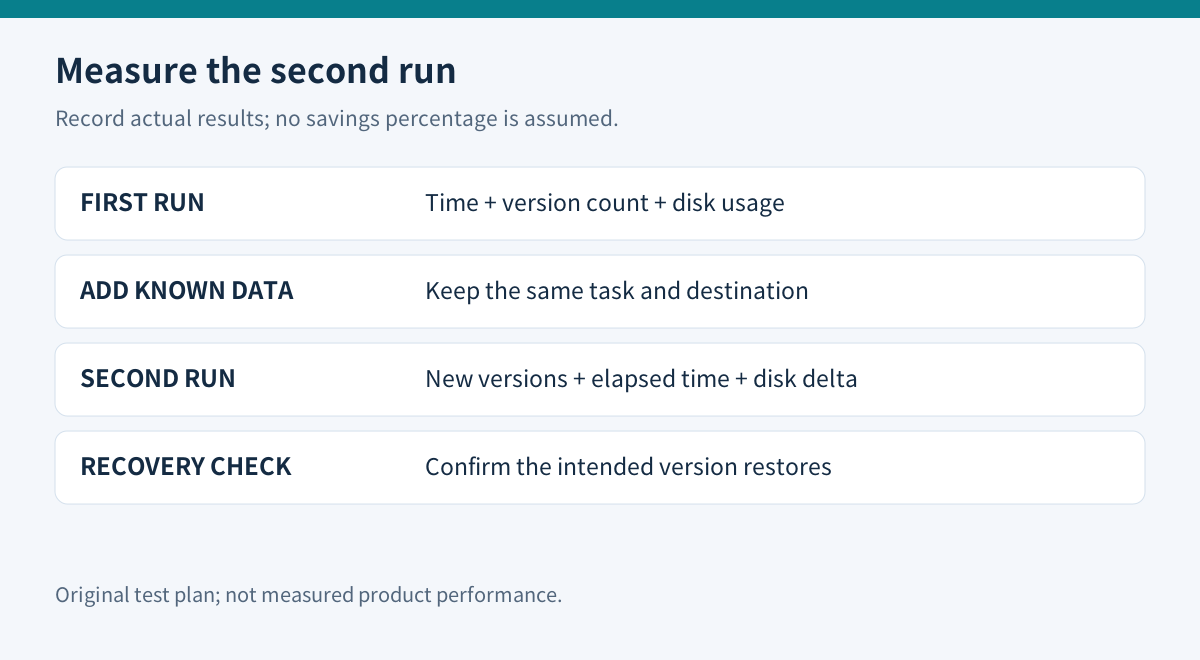
1. Choose a dedicated folder on a drive with enough free space. 2. Create the first FoneBackup task and record the start time, finish time, repository folder size and visible version count. 3. Add a known small data set to the iPhone—for example, 20 ordinary photos whose combined size you have measured. 4. Run the same task again. Record elapsed time, new version count and the folder-size delta. 5. Browse both versions. For selective backups, restore a few disposable items; test full-backup restoration only on a spare device prepared for corresponding data replacement. 6. Close FoneBackup and copy the entire repository, including mblibrary.db, to a second location. 7. Import that copy on another Windows profile or PC only if cross-PC continuity matters to your purchase. 8. Delete a disposable version from inside the app, then compare both the task list and physical folder size.
Keep a table with run, elapsed time, version count, folder size, free drive space and restore result. Pause unrelated disk writes. File sizes can double-count shared data, so compare free drive space as well. Do not assume FoneBackup uses iMazing’s hard-link implementation. The second-run delta is more valuable than the headline word “incremental.”
If 100 MB of new phone data produces a much larger repository increase, investigate encryption, cache, thumbnails or a new full task before paying for any additional capability.
Do not manually delete shared repository files to reclaim space. AOMEI’s own description shows that version records and shared data can be linked. First keep a verified second copy, delete through the application, and prove that the remaining version still restores.
Competitors make the missing policy easier to see
iMazing publicly describes incremental snapshots, retention choices and storage-cap behavior. AnyTrans says later backups can include only changed or added data. CopyTrans describes a first full backup followed by paid “Latest changes” backups that complete the earlier copy.
These pages do not prove that FoneBackup behaves the same way. They show which questions a buyer should ask: Is a later version dependent on the first? Can the oldest version be pruned safely? Is there an automatic cap? Does deleting history delete physical data? FoneBackup’s public help answers parts of that list, especially version association and repository import, but not all of it.
If your existing local-backup workflow already meets your restore and history needs, keep it. Incremental technology alone is not proof that a paid upgrade is necessary; identify the specific paid limit or capability that changes your work.
Price is a range until checkout
AOMEI’s official pages displayed three different price pairs on November 10, 2026. The general store showed $39.95 yearly and $59.95 lifetime.
The product page showed $35.95 and $53.95. The upgrade campaign showed $33.95 and $44.95. All three described the personal license around unlimited devices and five PCs; the yearly option renews, while the lifetime option is presented as a one-time payment with lifetime upgrades.
Treat those figures as official surface observations, not one universal checkout promise. Open the approved AOMEI product link, confirm the final price, tax, currency, renewal wording, five-PC scope and refund terms, and save the order screen. Do not calculate a break-even point from a promotional price that may disappear.
Buy, wait or skip
Consider FoneBackup Pro only when an identified paid feature matters, the second run is materially faster and smaller on your real library, both versions browse correctly, a sample restore works, and the final checkout terms fit the number of Windows PCs you actually use. Preserve mblibrary.db and an independent repository copy.
Wait when the version list works but disk growth is unclear. Run a third controlled backup and ask AOMEI support for the current pruning and shared-data rules in writing.
Skip when you require an automatic storage cap, cannot tolerate a repository whose shared files need application-aware cleanup, use only macOS, or already have an Apple/iMazing workflow that passes the same restore test. The purchase should be justified by a measured recovery workflow, not by a faster progress bar.
For recovery scope, read our [selective versus full restore guide](/en/software/aomei-fonebackup-selective-vs-full-restore-existing-data). Affiliate disclosure: Toolnavia may earn a commission from an eligible purchase through its AOMEI link.