TOOLNAVIA / BUYING GUIDE
FoneBackup Selective Backup vs Apple Encrypted Backup: Which One Do You Need?
The short answer
At a glance
- Best for
- Windows households that need selective local archives and item-level restores in addition to an Apple encrypted recovery path.
- Price model
- $35.95 yearly or $53.95 lifetime on the canonical page opened 2026-11-11; verify checkout and tax
- Check first
- Mac-only users, buyers who need managed cloud retention, anyone unwilling to document the encryption password, or people who have not completed a test restore.
Verdict
Use Apple’s encrypted local backup when your priority is the broadest Apple-native recovery path for passwords, Health data, Wi-Fi settings and device replacement. Pay for AOMEI FoneBackup Professional when you are on Windows and need to choose specific photos, messages, contacts, music or videos, restore selected items without rebuilding the whole phone, or keep a separate local archive that you can inspect. These are complementary jobs, not interchangeable checkboxes.
The purchase gate is simple: first prove that FoneBackup can see the categories you need, create a small encrypted full backup, and restore one disposable item. Only then decide whether the current $35.95 yearly or $53.95 lifetime Pro license is worth buying. Those prices were directly opened on AOMEI’s canonical product page on November 11, 2026 and can change.
The decision in one minute
Choose an Apple encrypted backup if losing Health, saved passwords, Wi-Fi settings or call history would be the worst outcome. Apple says those categories require encryption, while Face ID, Touch ID and the device passcode are excluded even from an encrypted backup.
Choose FoneBackup selective backup when you want a smaller, category-level copy of photos, videos, contacts, messages or music, or when you need to restore chosen items without a full-device reset. AOMEI’s product page positions selective and one-click full backup as separate workflows.
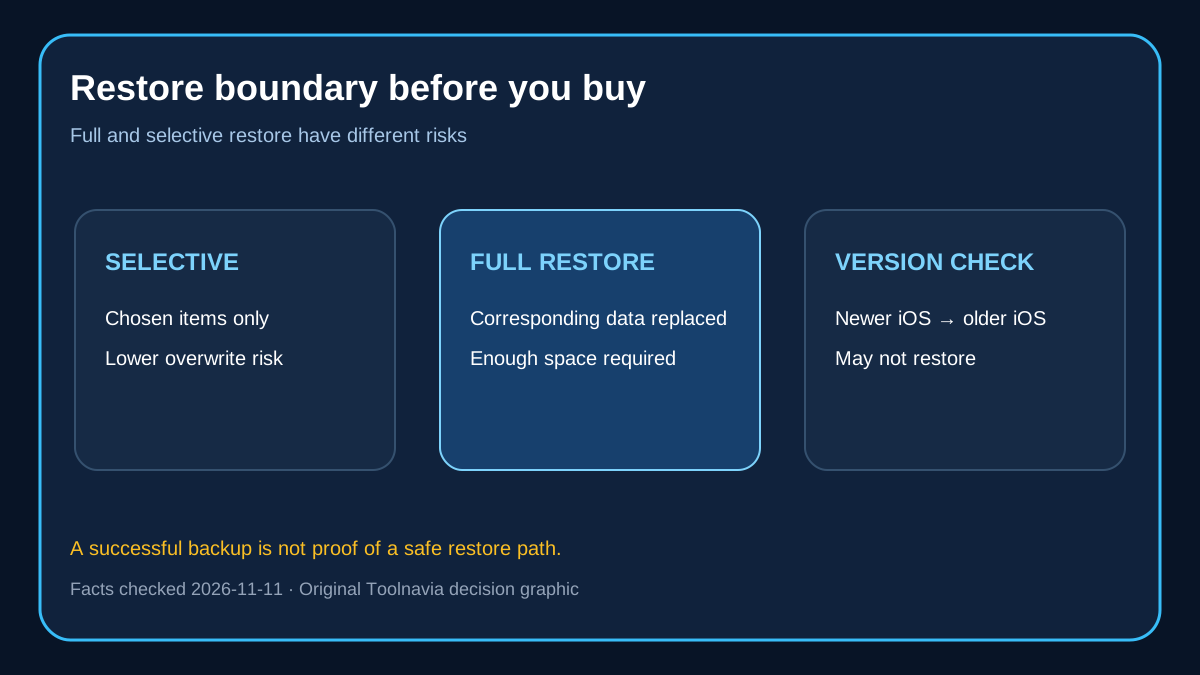
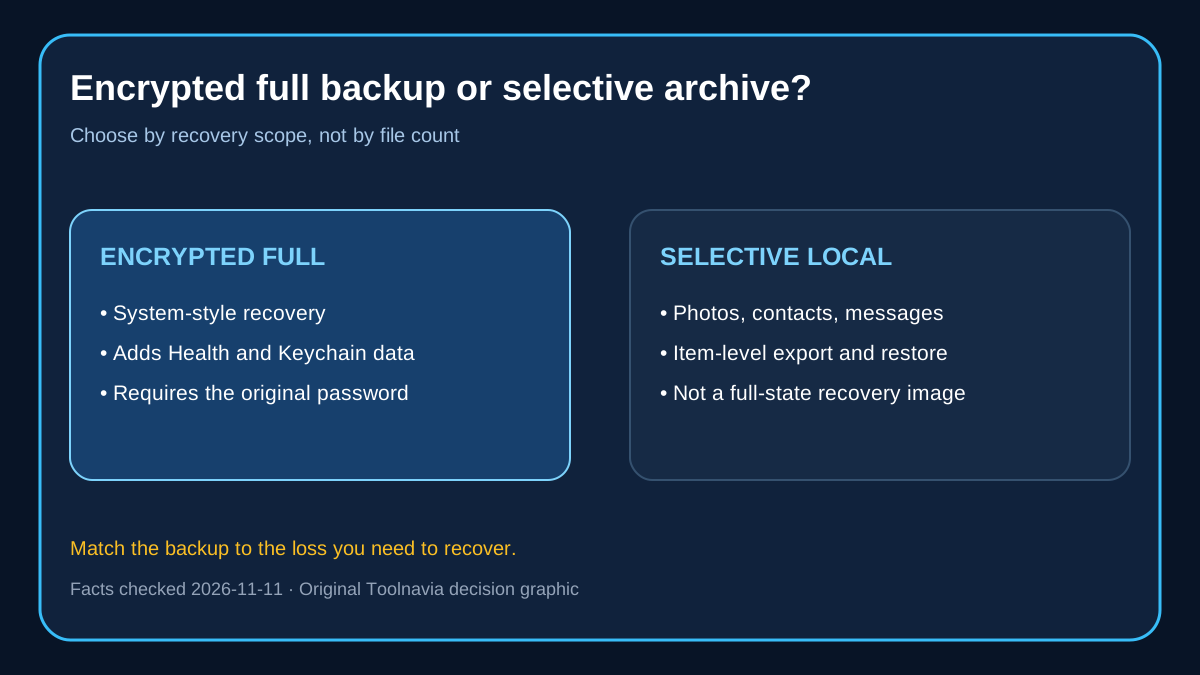
Choose FoneBackup encrypted full backup when you want a Windows-managed recovery image that also includes private categories. AOMEI says encryption adds Fitness records, Health and Keychain, but the full-backup restore can overwrite corresponding data on the target device and requires enough free space.
Keep both when the phone matters: one Apple encrypted recovery path plus one FoneBackup selective archive gives you a system-level fallback and a browsable, task-specific copy. Two tools on the same disk are still one failure domain, so copy the backup folder to a second drive.
Full backup is not selective backup
FoneBackup’s full backup covers photos, contacts, call history, messages, memos, calendars, Safari history/bookmarks, app data files/preferences and system settings. It excludes store content, books, Finder/iTunes-synced media, data already stored in iCloud, Face ID/Touch ID, Apple Pay and Mail. App data can be backed up, but the app itself must be downloaded again after restore.
That scope is closer to an Apple computer backup than to a simple photo export. The restore behavior also matters: AOMEI says restoring a full backup overwrites corresponding data on the target. A higher-iOS backup cannot be restored to a lower-iOS device.
Selective backup is better for everyday handoffs. You choose the categories and later restore the needed items. This reduces the amount you must inspect and can avoid an all-or-nothing phone restore. It is not a substitute for a full encrypted recovery image when Health or Keychain data matters.
Encryption changes what is captured
Encryption is not just a privacy switch. Both AOMEI and Apple tie it to additional sensitive categories. AOMEI names Fitness, Health and Keychain; Apple lists saved passwords, Wi-Fi settings, website history, Health and call history.
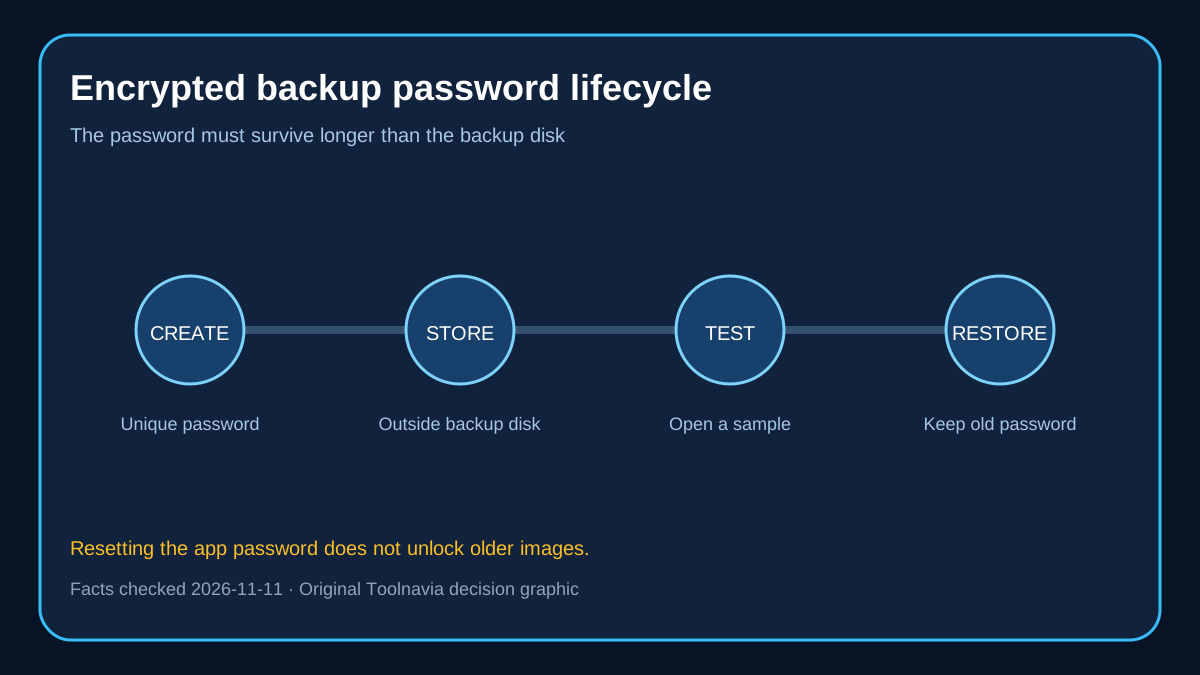
The password becomes part of the recovery plan. AOMEI says the password is used across full backup, restore, transfer, WhatsApp and data-erasure workflows that touch private data. It cannot be viewed directly, and previous encrypted backups continue to require the password that protected them even after a new password is created.
Store the password in a password manager and document which backup generation uses it. Do not put the only copy of the password inside the encrypted backup folder. Before paying, disconnect the phone, reopen FoneBackup and verify that the backup appears in Backup History.
AOMEI’s current help page says FoneBackup cannot modify or display the existing device backup password. For future backups, its prescribed recovery is iPhone Settings > General > Transfer or Reset iPhone > Reset > Reset All Settings, then set a new backup password. That does not decrypt an old backup; old images still need their original password.
Apple makes the same practical boundary clear: you need the encryption password to use an encrypted local backup. Resetting the setting lets you create future backups with a new password, not recover the contents of an old locked backup.
This is the largest operational risk in the paid workflow. A backup that exists but cannot be decrypted is not a recovery point. Run a password-authenticated restore test before deleting the source data or trading in the old phone.
How FoneBackup differs from paid alternatives
iMazing emphasizes multiple timestamped snapshots, custom storage locations and scheduled backups. That is attractive when you want history rather than one current image.
AnyTrans promotes full, selective and incremental backup, plus preview and item-level restore. Its positioning overlaps closely with FoneBackup, but the license, supported categories and restore behavior must be compared on the buyer’s actual Windows/iOS combination.
MobileTrans focuses on USB local backup across iOS and Android, 18+ data types, selective restore and opening iTunes backups. It is a stronger comparison when the household mixes Android and iPhone.
FoneBackup’s current purchase case is narrower: Windows-first iPhone management, five PCs, unlimited mobile devices, selective transfer and an encrypted full-backup path. Do not pay merely because a competitor has a longer feature list; pay for the recovery workflow you can actually test.
Price and license decision
The directly opened AOMEI page showed $35.95 for one year and $53.95 for lifetime Pro, both covering unlimited mobile devices on five PCs. The lifetime price equals roughly 1.5 current annual payments.
Choose yearly if this is a one-time migration, you are unsure about future iOS compatibility, or you have not completed a restore test. Choose lifetime only if the workflow already works on your devices and you expect to keep using a Windows PC for more than about 18 months. “Lifetime” does not remove platform or compatibility risk.
AOMEI also lists a Pro Unlimited lifetime tier, but that is for unlimited PCs and sharing with family or friends. Most households should not pay for it unless five PCs are genuinely insufficient.
A 20-minute pre-purchase test
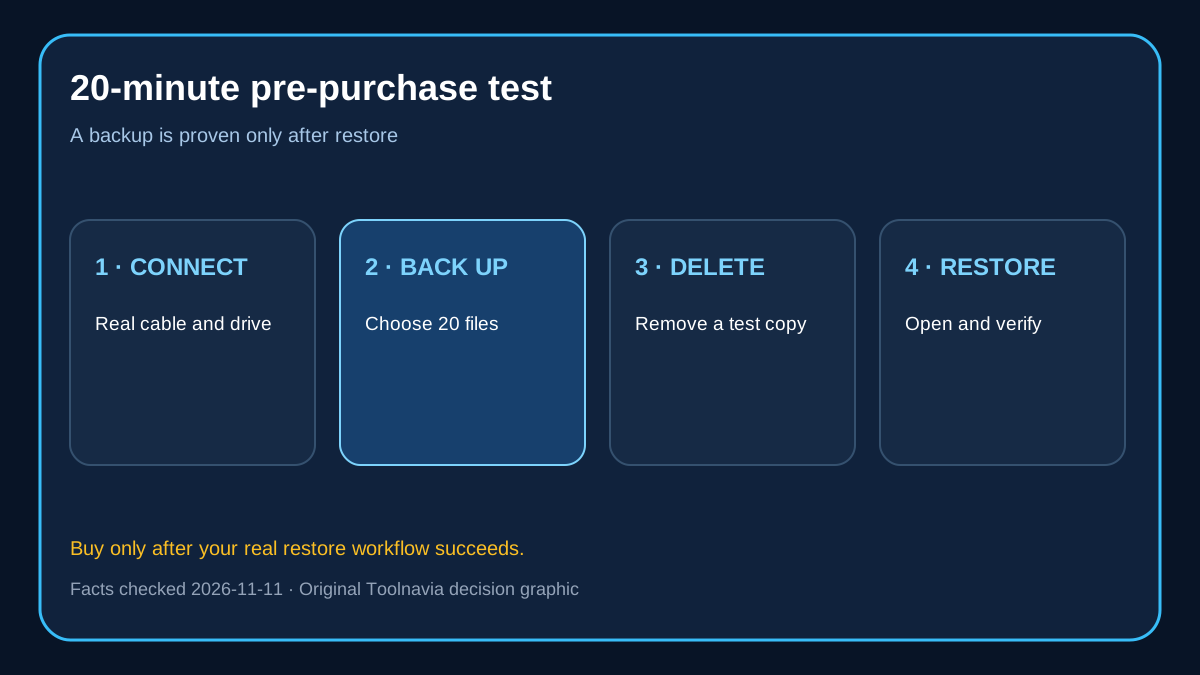
1. Install the free edition on the Windows PC that will hold the real backup. 2. Create a selective backup of a few photos, one contact and one disposable message. 3. Create an encrypted full backup and record the password outside the backup disk. 4. Confirm the full backup appears in Backup History and note its size. 5. Restore only the disposable item; then verify the phone still contains current data. 6. Copy the backup folder to a second drive and confirm both copies are readable. 7. Compare the time, storage and restore control with Apple Devices or iTunes.
If the test fails at device recognition, category visibility, password verification or restore, do not buy to “unlock” a process that has not worked.
Do not buy FoneBackup solely for an Apple-native disaster-recovery image; Apple Devices, Finder or iTunes already provides that role. Do not buy if you use only a Mac, need managed cloud retention, or cannot maintain a second backup copy. Do not assume selective backup includes every private category, and do not assume a full restore preserves all current target data.
Apple encrypted backup is the safer default for broad system recovery. FoneBackup earns its price when selective local archives, item-level restore, Windows control and a five-PC household license solve a real problem. Use both for important devices, keep the encryption password separately, and make the purchase conditional on one successful restore.