TOOLNAVIA / BUYING GUIDE
AOMEI FastRecovery and BitLocker: Do You Still Need the Recovery Key?
The short answer
At a glance
- Best for
- Stable BitLocker drives with the correct key and verified previews.
- Price model
- Verify current Professional term, tax and renewal at official checkout.
- Check first
- Cannot crack encryption or replace a lost key; not for unstable hardware; recover to another drive.
Verdict
AOMEI FastRecovery can help with a BitLocker-encrypted drive only when you can first unlock that drive with its password or 48-digit recovery key. “BitLocker support” means credentialed scanning and file recovery; it does not mean password cracking. Buy only when the key is available, the device is physically stable, FastRecovery recognizes the unlocked volume, several important files preview correctly, and you can restore to a different healthy drive. If the key is missing, delay the purchase and search official key locations first. If the drive clicks, disappears or becomes harder to read, stop scanning and use a specialist.
The purchase gate is the key, not the scan
AOMEI’s FAQ and scan help say FastRecovery supports BitLocker partitions. Its product page adds the critical boundary: an encrypted disk requires the password. Those statements are compatible when “support” is read as recovery after authorized access. FastRecovery is not a way around BitLocker, and this article does not test or endorse password cracking.
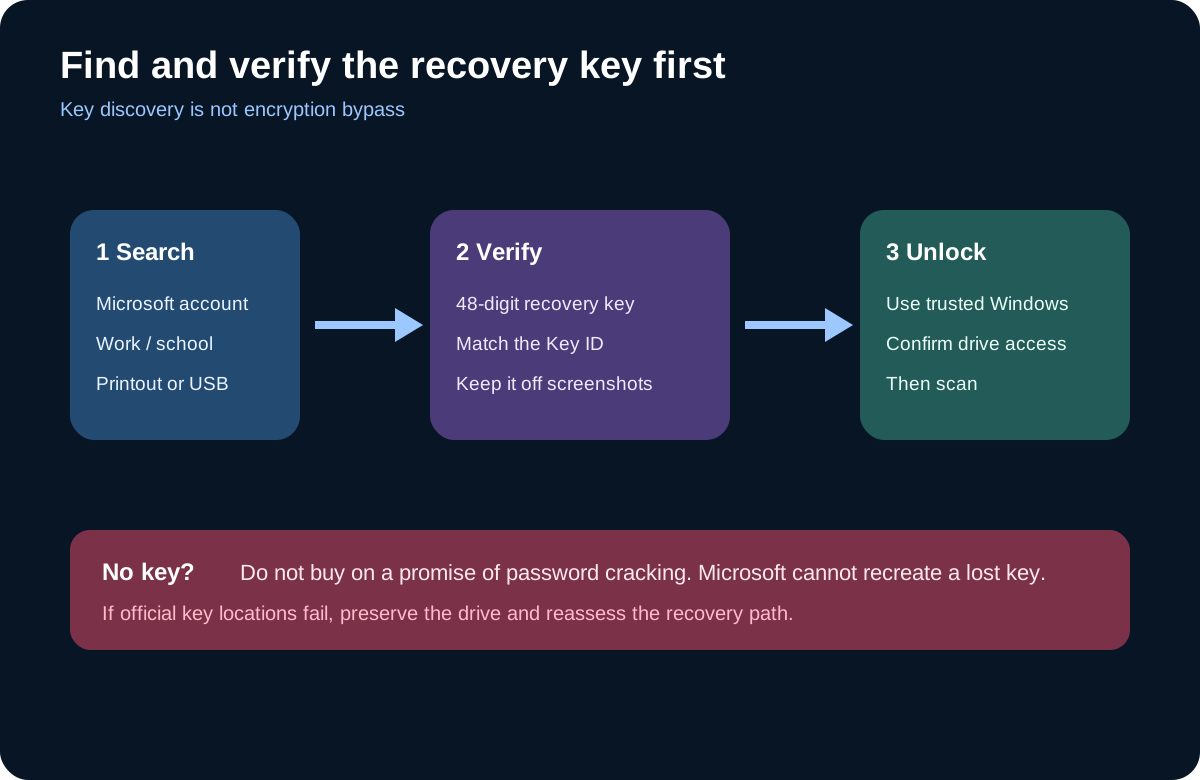
Microsoft describes the BitLocker recovery key as a 48-digit number. It may be stored in a personal Microsoft account, a work or school account, a printout or a USB device.
Match the Key ID shown by Windows before using a saved key. Microsoft also says it cannot retrieve, provide or recreate a key that is lost. If those official locations do not produce the correct key, paying for a recovery app does not change the encryption boundary.
Decide which state the drive is in
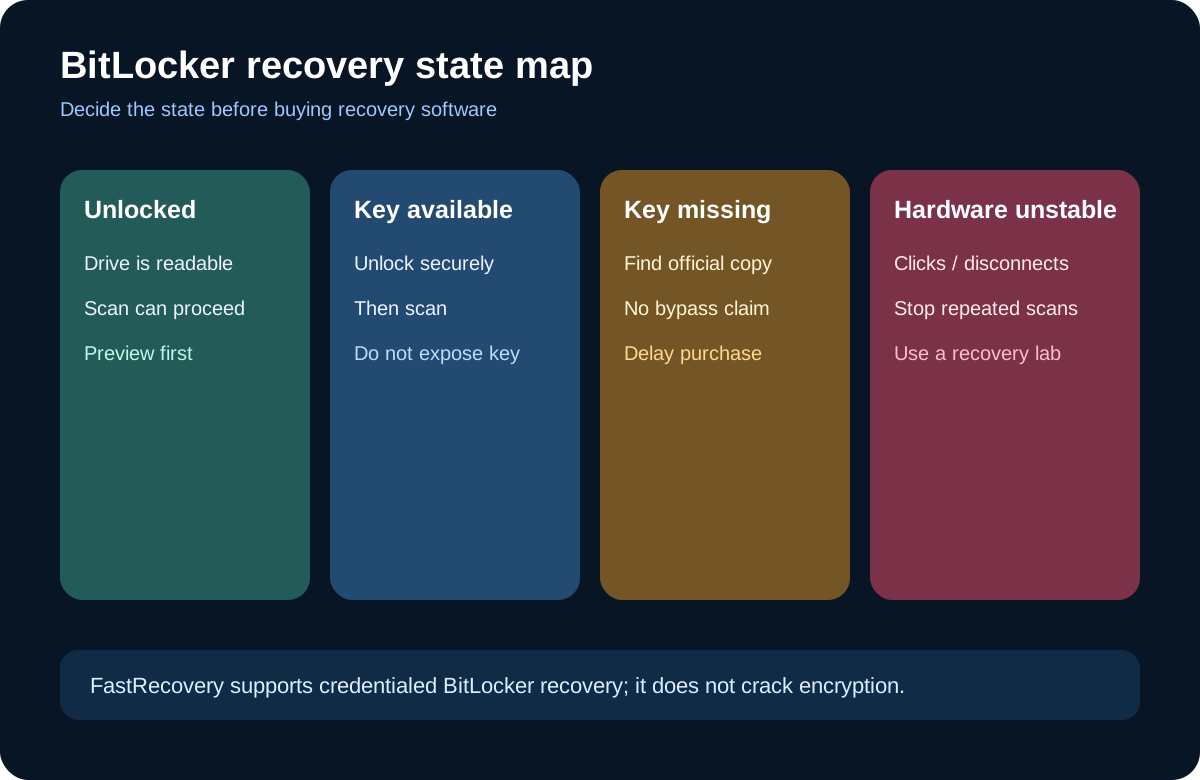
An unlocked, stable drive is the simplest case: stop normal use, install recovery software on another healthy disk, and scan the affected volume. A locked drive with the correct key is also eligible, but unlock it through a trusted Windows environment before the scan. Never paste the key into screenshots, support chats, article examples or recovery filenames; possession of the recovery password grants access to the protected data.
A locked drive without a key is a delay case. EaseUS uses “automatically decrypt” language, but its described workflow searches the Microsoft account or the system drive for an existing key. That is key discovery, not bypass.
Recoverit likewise says recovery software needs the encrypted drive unlocked. This distinction matters because a buyer should not pay for a scan that cannot start.
A physically unstable drive is a stop case. Repeated scans can add stress and reduce later recovery options. Ordinary recovery software addresses logical loss; it does not repair a clicking disk or unstable USB bridge. If the volume has severe BitLocker metadata damage, Microsoft’s repair-bde workflow may require both a valid recovery password/key and a matching key package.
Safe FastRecovery workflow
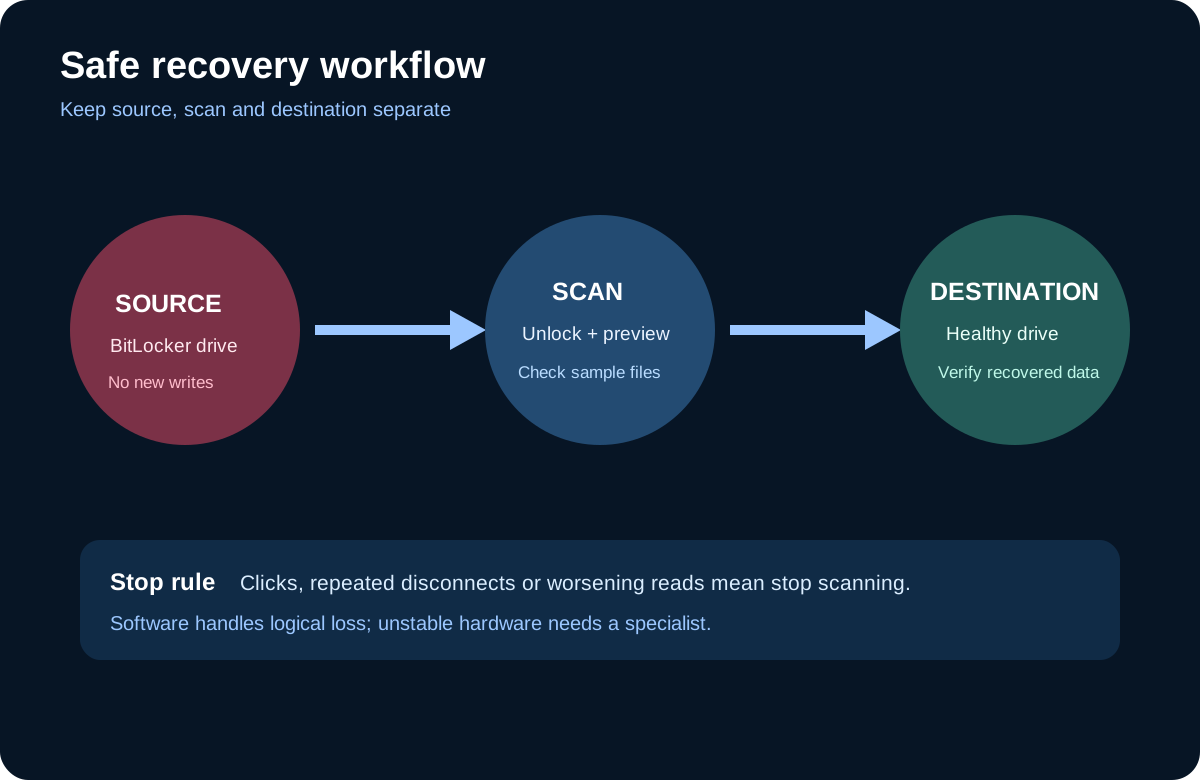
First, preserve the source. Do not format it, initialize it, run repair tools casually or save recovered files back to it. Second, locate and verify the recovery key using Microsoft’s official routes. Third, unlock the volume and confirm Windows can access it consistently. Fourth, run FastRecovery’s scan and preview several high-value files—not just filenames.
Fifth, recover to a separate healthy destination and open the restored files there.
AOMEI documents quick and deep scanning for common file systems, while other file systems may use deep recovery. Its FAQ also says unallocated-space recovery is not supported. These limits reinforce the preview-first rule: the product is worth paying for only when the actual build can see the real drive and show usable previews.
How competitors frame the same boundary
Recoverit’s BitLocker guide says the encrypted drive must be unlocked and that the tool cannot crack or bypass BitLocker. It also tells users to save recovered data elsewhere. EaseUS asks for a password or recovery key; its automated option may locate an existing key in the Microsoft account or Windows installation. Both competitors therefore support the same buying rule: credentials come before recovery software.
The practical comparison is not which vendor promises “BitLocker recovery.” Test all candidates under the same conditions: correct key available, stable hardware, logical file loss, representative previews and a separate output drive. A product that cannot preview the needed files should not win merely because its marketing page names BitLocker.
Buy, delay or stop
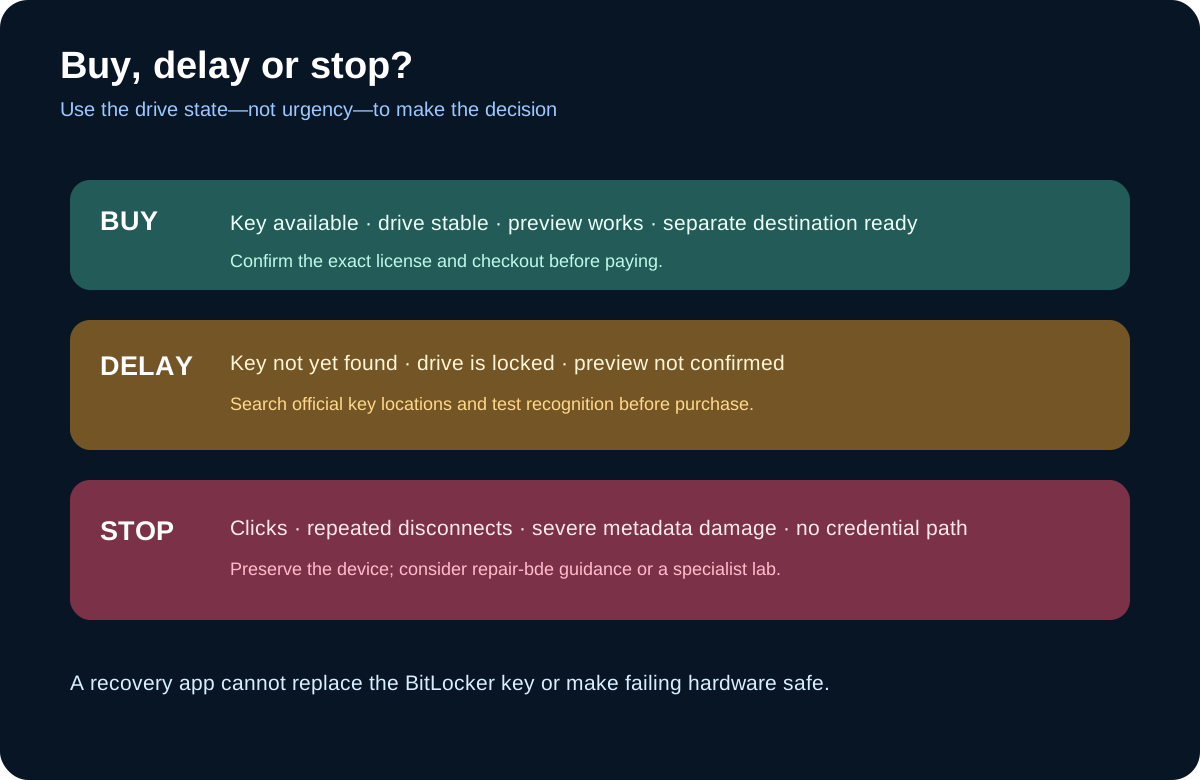
Buy FastRecovery Professional only when the exact offer fits your device and license needs, the current build recognizes the unlocked BitLocker volume, and previews confirm the target files. Toolnavia’s approved AOMEI offer leads to the official FastRecovery product page; checkout controls the current term, price, tax and renewal language.
We may earn a commission if you buy through the affiliate link.
Delay when you have not found the correct key, cannot unlock the volume, or have not verified previews. Stop when the device is mechanically unstable, the connection repeatedly drops, or metadata damage requires a lower-level Microsoft or laboratory path. The safest purchase is the one made after credentials, device health and previews all pass—not before.