TOOLNAVIA / BUYING GUIDE
Is AOMEI Cyber Backup Agentless? VMware vs Hyper-V Deployment
The short answer
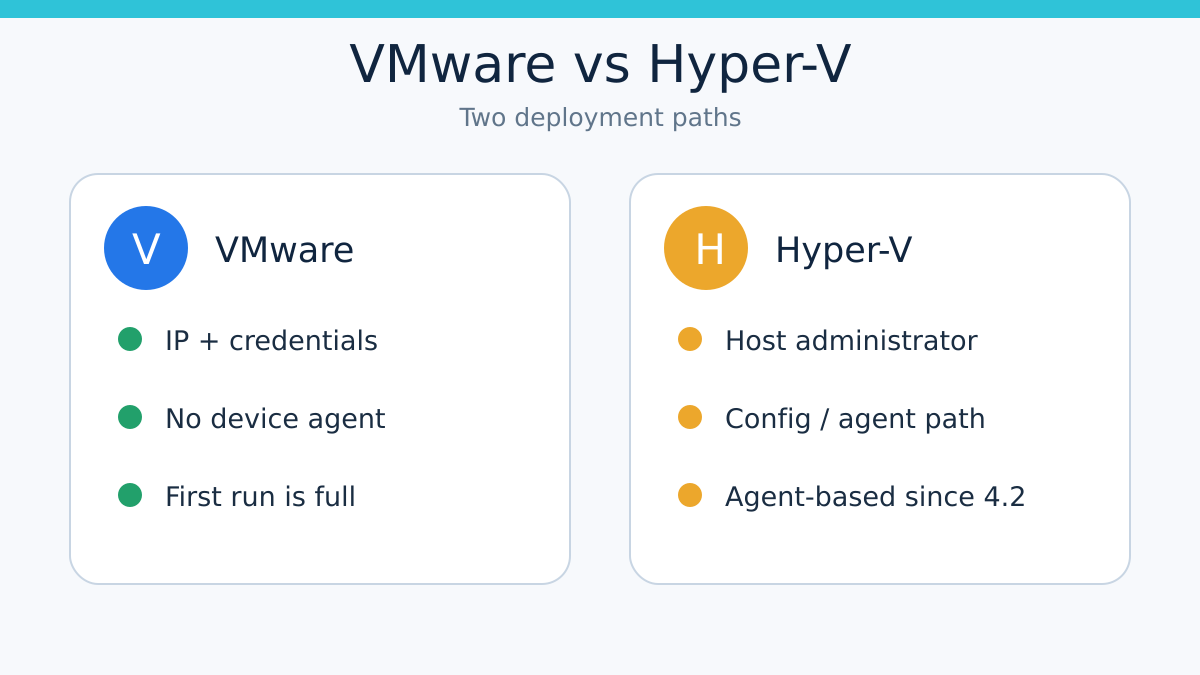
AOMEI Cyber Backup is not universally agentless. Its current VMware onboarding is documented as an agent-free connection to vCenter or standalone ESXi, using the host IP address and credentials. Hyper-V is different: AOMEI’s dated version 4.2.0 changelog says Hyper-V backup and restore moved from agentless to agent-based operation and that agentless Hyper-V is no longer supported. If your environment mixes both hypervisors, evaluate two deployment paths—not one marketing label—before buying.
This guide is based on official documentation and comparison research. Toolnavia did not install the software, inspect its credential store, or run a backup. Prices and checkout totals can change.
**Quick buying decision**
| Question | VMware ESXi / vCenter | Hyper-V | |---|---|---| | Device-side agent for core onboarding | AOMEI says none | Current changelog says agent-based | | Connection input | IP address, username, password | Hyper-V host IP and Windows host account | | Extra host action | Add vCenter or standalone ESXi | Run the downloaded configuration file on the Hyper-V host | | Privilege boundary | Hypervisor or vCenter credentials | Administrator account for the Hyper-V host | | First protected run | Full backup | Full backup | | Best fit | Teams comfortable with centralized, credential-based image backup | Teams willing to manage a host-side component and its lifecycle | | Stop and test first | Credential rotation, network reachability, supported ESXi build | Agent deployment, service health, upgrades, uninstall and rollback |
The approved offer is the yearly customized VM license. On November 6, 2026, the official upgrade page displayed US$99 per VM per year, sold in a minimum quantity of five. That makes the displayed minimum before tax US$495 per year, but the live cart, regional pricing, volume discount, renewal terms and tax remain the buyer’s final authority.
At a glance
- Best for
- Teams that accept centralized controller credentials, can operate a Hyper-V host component, and will rehearse backup, restore, credential rotation and rollback before purchase.
- Price model
- Official page displayed US$99/VM/year with a five-VM minimum on 2026-11-06; confirm cart total, region, tax, discount and renewal terms.
- Check first
- Buyers requiring zero host-side components on Hyper-V, refusing administrator credentials, or lacking an owner for patching, monitoring and rollback.
“Agentless” tells you where software is absent
For VMware, AOMEI’s device-management guide says no agent program needs to be installed on the device. The controller connects to vCenter or a standalone ESXi host with an IP address, username and password. The same page currently says the VMware field supports an IP address rather than a domain name.
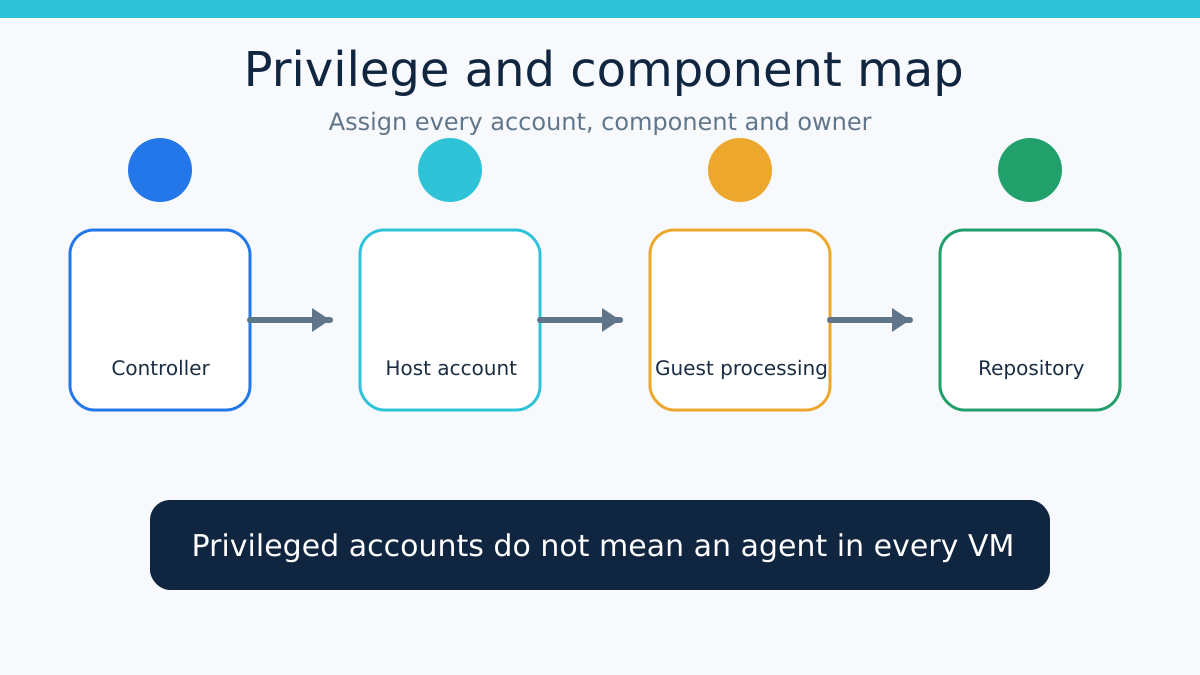
That removes an in-guest installation step from the core image-backup route. It does not remove the controller, repository, network permissions, hypervisor credentials, snapshots or operational testing. “No agent inside the VM” is not the same as “no software or privileged connection anywhere.”
Official competitor documentation makes the distinction clearer. Veeam describes VMware image backup as retrieving data through vSphere snapshots without installing an agent inside the guest. Its guest-processing documentation separately requires guest credentials and can deploy runtime or persistent components for application-aware processing, indexing or related functions. NAKIVO likewise describes core image backup as agentless at the guest-data layer.
The practical question is therefore not just “Is it agentless?” Ask: which machine receives a component, which account is stored or used, which optional feature crosses into the guest, and what happens when that component or credential changes?
Hyper-V now has a different deployment contract
AOMEI’s device guide asks for the Hyper-V host IP and the Windows account used to log in to that host. Its FAQ says an administrator account is required. The device page also instructs the operator to download a configuration file and run it on the Hyper-V device.
More importantly, the official changelog records a dated product change. Version 4.2.0, released December 16, 2025, upgraded Hyper-V backup and restore from agentless to agent-based mode and says agentless backup is no longer supported.
That change matters to a buying decision because a host-side agent creates an operational lifecycle:
1. approve the installer or configuration package; 2. identify the Windows service, account and network ports it uses; 3. patch it with the controller; 4. monitor when the service is offline; 5. rotate credentials without silently breaking jobs; 6. document removal and rollback before production deployment.
AOMEI’s help overview still uses broad “agentless” wording for VM protection. The dated changelog is more specific and newer for Hyper-V, so this guide treats VMware as the documented agentless route and Hyper-V as the current agent-based route. The unresolved wording conflict is disclosed rather than averaged away.
Build the credential map before the first backup
Start with four boxes: controller, source hypervisor or host, protected guest, and repository.
For VMware, record the vCenter or ESXi account, its minimum practical permissions, the controller-to-hypervisor network path and who rotates the credential. AOMEI’s public guide confirms the credential input but does not establish that a particular least-privilege role is sufficient for every backup, restore and granular-recovery action. Do not convert “username and password” into an unsupported security guarantee.
For Hyper-V, record the administrator account required for onboarding, the component installed or configured on the host, its update route, service recovery behavior and removal path. AOMEI’s changelog mentions jobs becoming stuck when an agent unexpectedly goes offline in some environments, which is another reason to test monitoring rather than assume the controller will always recover automatically.
Then separate image consistency from application consistency. Microsoft documents that Hyper-V can capture a VM from the host without custom backup software inside the guest, while also distinguishing host-level VM protection from guest-level application protection. A platform can support host-driven backup even when a vendor chooses a host agent, and application-aware outcomes may still require guest interaction.
Price the operating burden, not only the license row
The official annual VM row displayed US$99 per VM with a minimum of five when checked. The page also says a license can be unassigned from one VM and assigned to another.
The cash price is only one line in the decision:
- How many VMware and Hyper-V hosts need onboarding? - How many privileged accounts must be created, reviewed and rotated? - Who patches the Hyper-V agent? - Does a maintenance window exist for host-component upgrades? - How much repository space will the initial full backup consume? - What alerts prove an agent, controller or schedule is unhealthy? - Can your team rehearse restore and removal without touching production?
AOMEI’s task documentation says the first run is always full. A restored VM or an incomplete prior backup can also trigger another full, and scheduled backup pauses when the related device is not bound to a license. Those behaviors affect bandwidth, capacity and monitoring before they affect feature checklists.
Compare alternatives on the same boundary
Do not score Veeam, NAKIVO or Microsoft as “more agentless” from one sentence. Compare the same layers.
Veeam and NAKIVO both document agentless, snapshot-based VMware image capture. Veeam separately documents guest credentials and components for guest-processing features. Microsoft’s Hyper-V guidance shows that host-level and guest-level protection solve different recovery needs, and its DPM example installs agents on Hyper-V hosts while reserving guest-level protection for application recovery.
This comparison does not rank products or prove performance. It gives you a vocabulary for the trial: guest agent, host agent, controller, proxy, repository, privileged account and application-consistency component. A vendor can be agentless in one layer and agent-based in another.
Run this acceptance test before paying
Use one non-production VMware VM and one non-production Hyper-V VM if both platforms matter.
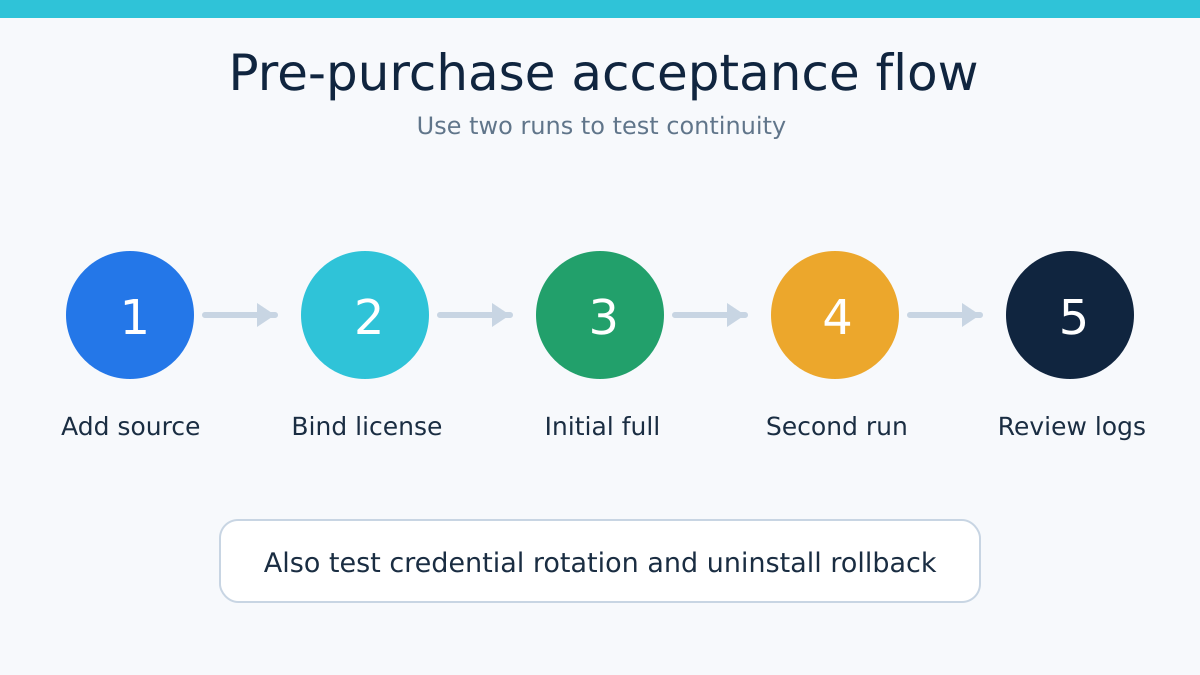
1. Install the current AOMEI controller build and record its exact version. 2. Add vCenter or standalone ESXi using a dedicated test credential. Confirm that no AOMEI agent is installed in the guest or on the ESXi device for the core route. 3. Add the Hyper-V host. Record the required administrator account and every file, service or firewall change created by the configuration/agent step. 4. Bind the intended license route and confirm the scheduled job is not suspended. 5. Run the initial full backup. Measure duration, source impact, repository growth and log clarity; do not borrow a vendor performance claim. 6. Run the next backup and verify whether the expected incremental behavior occurs. 7. Rotate the VMware and Hyper-V credentials, then verify how failures are reported and how access is restored. 8. Stop or isolate the Hyper-V agent in the test environment. Confirm alerting, job behavior and recovery steps. 9. Restore a test VM to a safe location and validate boot plus application readiness. 10. Remove the Hyper-V component and document what remains on the host.
Pass only if the component inventory, privilege model, backup continuity, restore result and rollback steps are acceptable to the people who will operate them.
Who should buy this route?
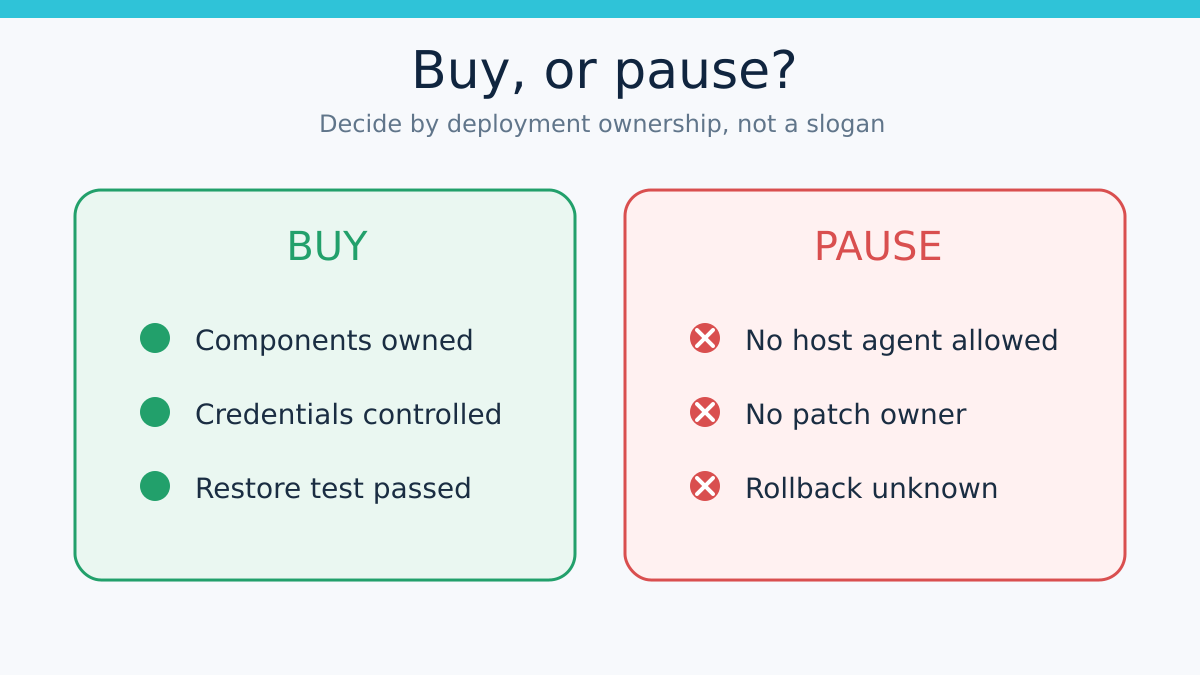
AOMEI Cyber Backup can fit a small team that wants centralized VMware and Hyper-V protection, accepts privileged host or hypervisor credentials, and is prepared to operate a Hyper-V agent. The yearly customized VM offer is easier to justify when the team will use at least the displayed five-VM minimum and can repeat the acceptance test after upgrades.
Keep your current product or continue evaluating alternatives if “agentless” means zero host-side software on Hyper-V, administrator credentials are unacceptable, or no one owns patching and service monitoring. A successful first backup is not enough; you need a repeatable second backup, a tested restore and a documented rollback.
**Bottom line**
Treat AOMEI Cyber Backup as agentless for the documented VMware onboarding path, not as a universal agentless platform. Treat current Hyper-V protection as agent-based, inventory the host component and administrator account, and test the lifecycle before committing to the five-VM annual minimum.
Disclosure: Toolnavia may earn a commission if you buy through the approved AOMEI link, at no additional cost to you. That commercial relationship does not change the documented conflict, the test requirements or the recommendation to keep an existing solution that already passes your recovery standard.