TOOLNAVIA / BUYING GUIDE
WPX Business Multisite: Save Site Slots—but Lose Native Staging?
The short answer
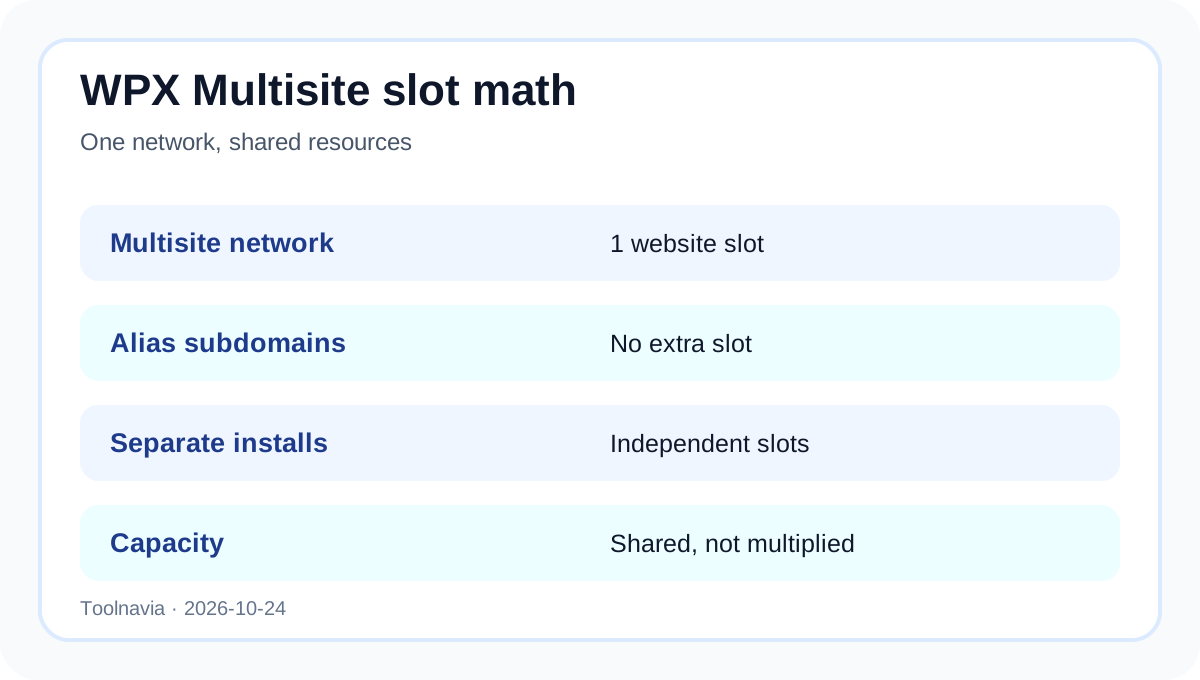
WPX Business can make one WordPress Multisite network look economical: the network occupies one website slot, and subdomains or mapped domains added as aliases do not consume extra plan slots. The tradeoff is operational, not merely numerical. Every subsite shares that installation's resources, WPX discourages Multisite for that reason, and its native Staging Area does not support Multisite. Buy only if shared administration is genuinely useful and you can replace the missing native staging workflow.
At a glance
- Best for
- Teams with centrally governed, similar sites that can operate custom DNS/SSL and a non-native Multisite staging workflow.
- Price model
- Live WPX checkout; no fixed amount asserted
- Check first
- Teams requiring host-native Multisite staging, per-site resource isolation, independent plugin stacks or effortless SSL for every mapped domain.
One slot is not five independent websites
WPX says a Multisite installation uses the resources of one website slot. Subsites created as subdomains or folders can live inside that network, and Multisite subdomains added as aliases do not take additional hosting slots. That does not create independent CPU, memory, databases or failure domains for each subsite. A traffic spike, plugin conflict or network-wide update can affect the shared installation.
WPX Business still allows up to five ordinary WordPress installations under the exact registered offer. The purchase decision is therefore architectural: one shared network with many subsites, or several separate installations with stronger operational separation. Do not multiply the advertised site count by the number of Multisite aliases.
[Figure 1: wpx-multisite-slot-en.svg]
Alias domains need DNS and certificate planning
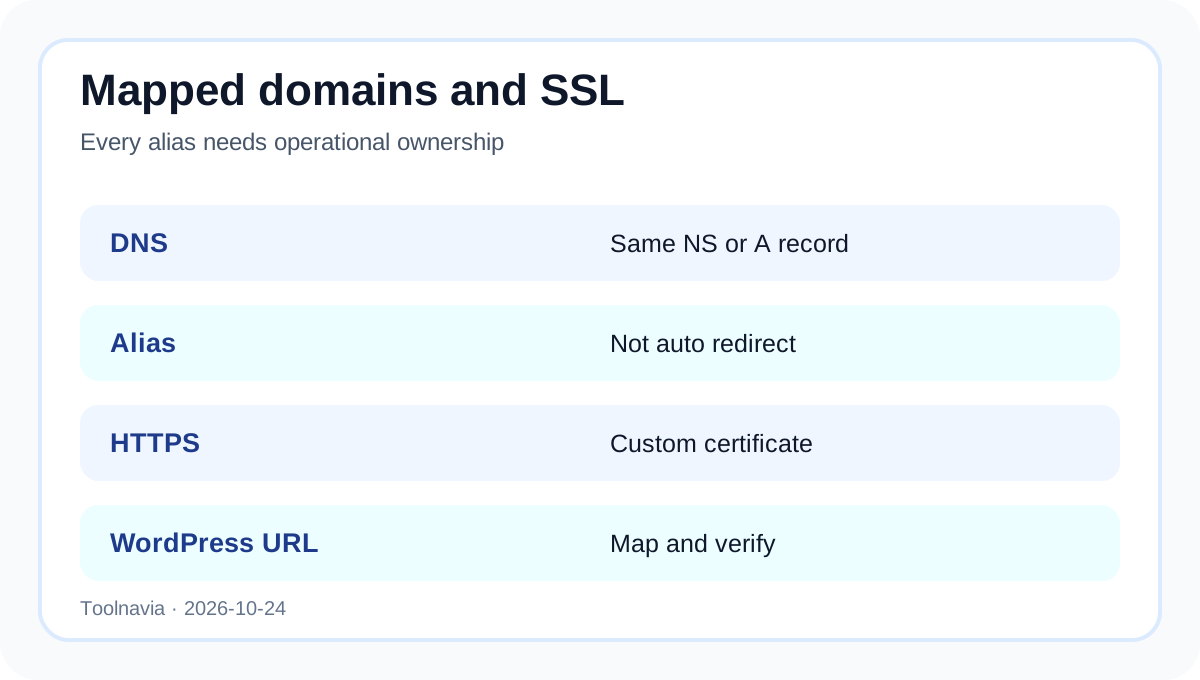
WPX instructs Multisite owners to add a mapped child domain as an alias of the parent site. Its alias guide says the alias must point to the same nameservers or A record, is not automatically a redirect, and does not receive its own SSL certificate by default; a custom certificate must include the alias. WordPress's domain-mapping guide likewise requires DNS setup and SSL for every mapped domain.
Before migration, inventory every domain, DNS owner, certificate name, email dependency and redirect rule. A domain that resolves is not necessarily a domain that has valid HTTPS, correct cookies and the intended WordPress Site Address.
[Figure 2: wpx-multisite-alias-ssl-en.svg]
Native staging is the decisive limitation
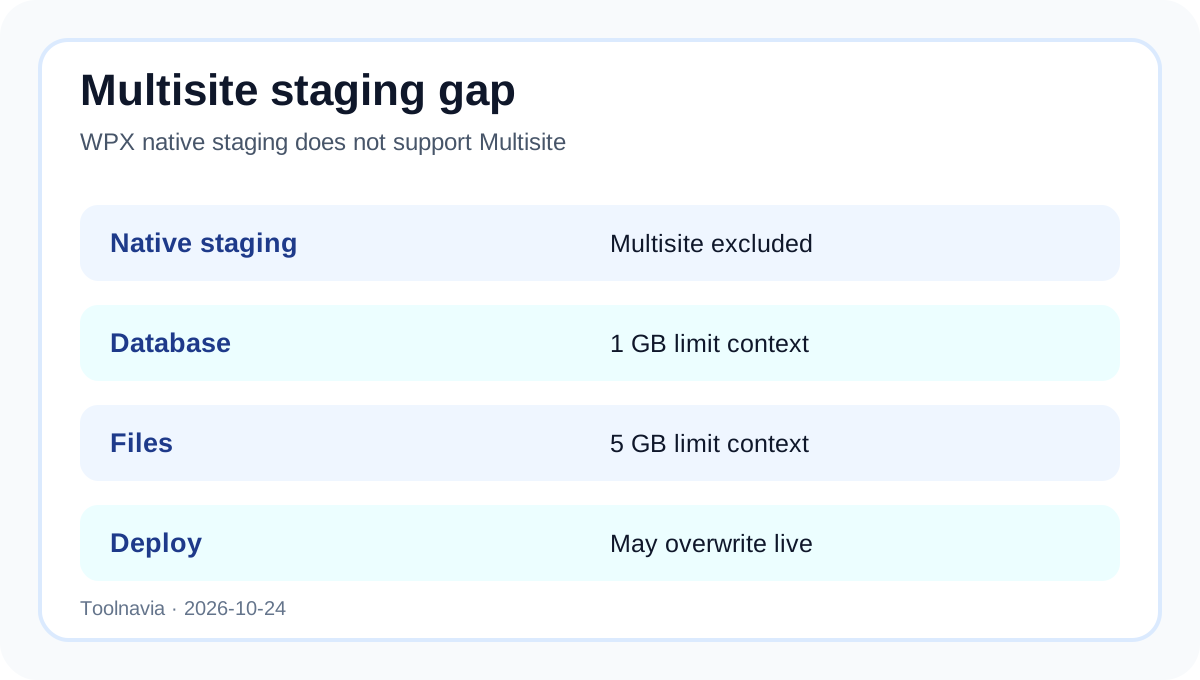
WPX's Staging Area supports ordinary WordPress sites but explicitly excludes WordPress Multisite. For supported WordPress sites, a staging copy on the standard WordPress plan consumes a website slot, requires the database to remain under 1 GB and files under 5 GB, needs enough disk space, and is limited to one copy per site. Those details are useful context, but they do not create a supported Multisite staging path.
WPX also warns that pushing staging to live replaces live content, so changes made after the copy may be lost. A Multisite team therefore needs a separate tested workflow: an independent clone, selective deployment, backups, rollback ownership and a maintenance window appropriate to all subsites.
[Figure 3: wpx-multisite-staging-en.svg]
When Multisite is the better fit
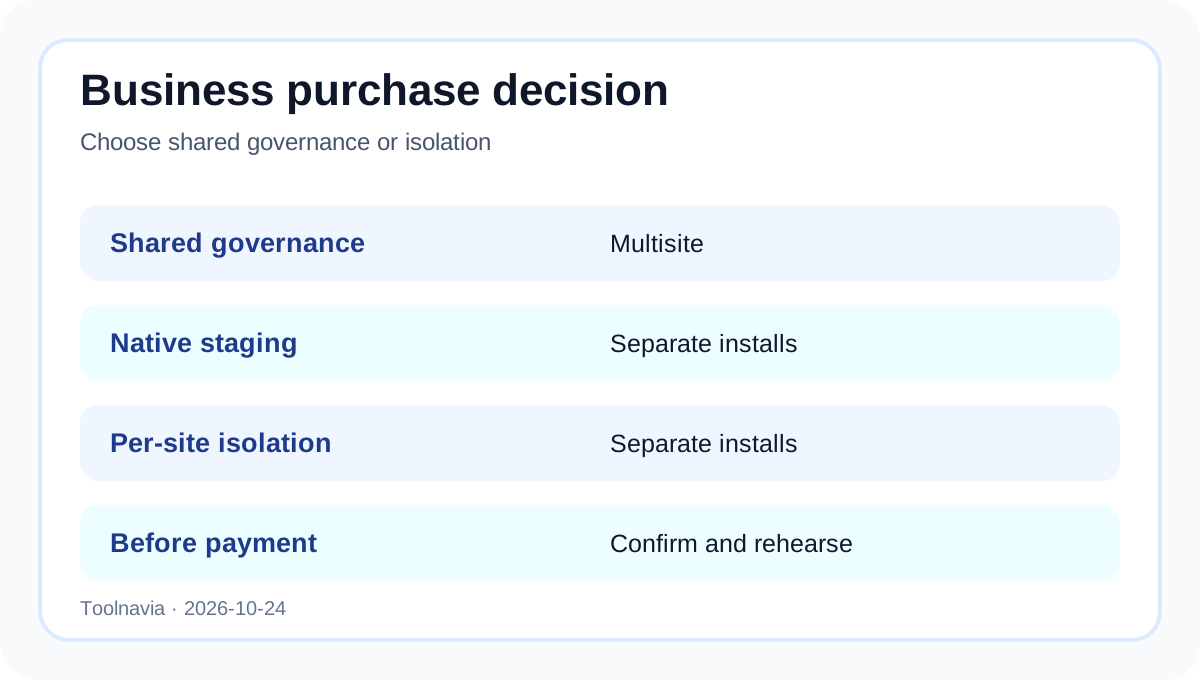
Multisite can suit a centrally governed group of similar sites that share themes, plugins, user policy and release timing. It is a poor fit when clients need isolated plugin stacks, separate administrators, independent scaling, different security boundaries or one-click host staging. Independent Multisite hosting guidance also emphasizes resource isolation, backups, development workflow and network-level administration rather than headline site count alone.
Test three failure scenarios before committing: one plugin breaks the network, one mapped domain loses HTTPS, and one subsite needs an urgent rollback while others remain live. If the team cannot isolate and recover those cases, separate installations may be worth the extra slots.
Cost decision without a frozen price
Independent pages show different monthly and long-term WPX Business equivalents. Because the official checkout was not directly readable during this review, this guide does not freeze a price or renewal claim. The current Toolnavia exact offer remains approved, market-confirmed and enabled, but checkout must control the billing term and total.
[Figure 4: wpx-multisite-decision-en.svg]
Verdict
Choose WPX Business Multisite when shared governance and alias-based domain mapping matter more than per-site isolation and native staging. Choose separate installations when staging, rollback, security or ownership must be independent. Before payment, obtain written confirmation for the exact network, validate DNS and SSL for every mapped domain, document a non-native staging path, and run a full backup-and-rollback drill.
No TOOLNAVIA coupon is claimed. The commercial button uses Toolnavia's registered exact-offer route; the raw tracking URL is not exposed.
[Check the current WPX Business offer](/go/wpx-managed-wordpress-business-official-usd)