TOOLNAVIA / BUYING GUIDE
WPX Professional Staging Capacity: How Many Live Sites Fit?
The short answer
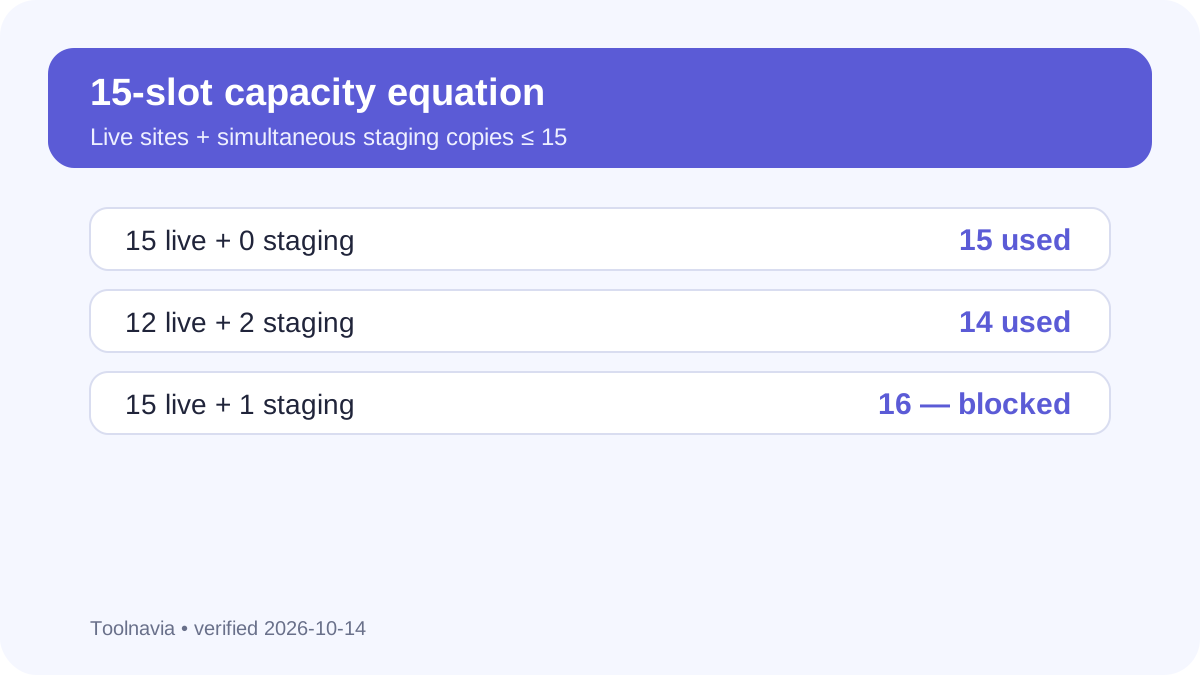
**Quick verdict:** WPX Professional advertises **15 websites**, but each WordPress staging copy uses a site slot. So **live sites + simultaneous staging copies must stay at or below 15**. It fits agencies that schedule staging work; it does not provide 15 live sites plus 15 test environments.
At a glance
- Best for
- Agencies whose live sites plus simultaneous staging copies fit 15 slots and 40GB shared storage.
- Price model
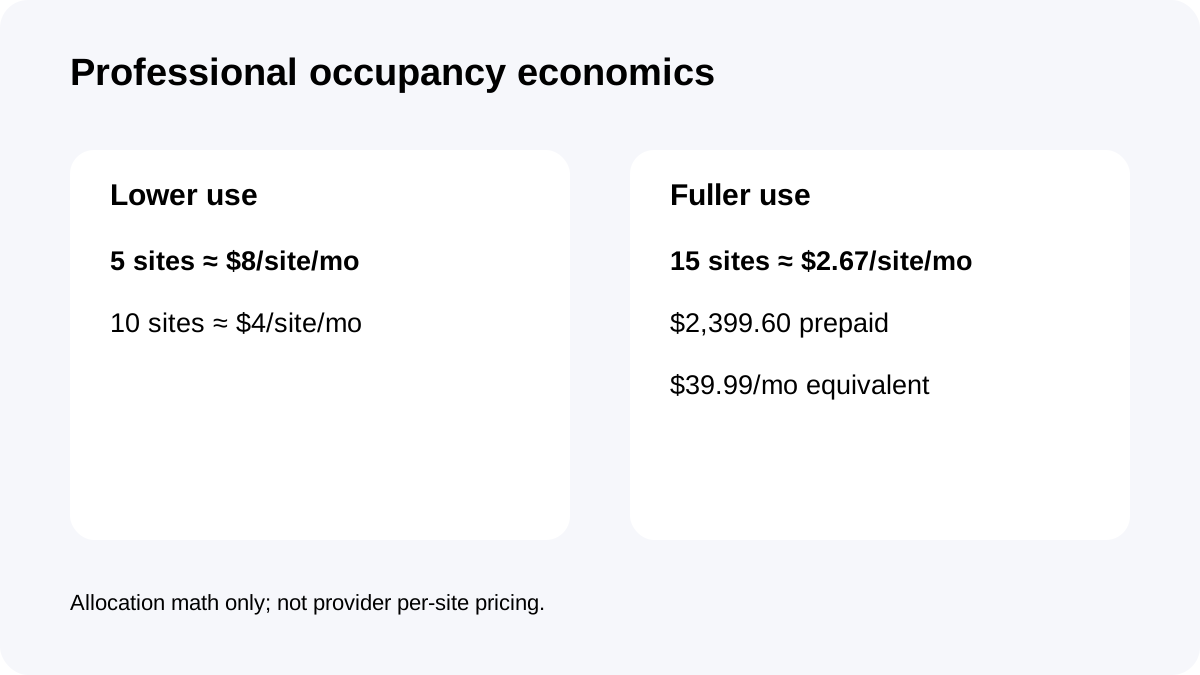
- $59.99 monthly or $2,399.60 prepaid five years / $39.99 equivalent
- Check first
- Staging uses a website slot, requires database under 1GB and files under 5GB, needs disk headroom, excludes Multisite, and shares account resources.
The 15-site ceiling counts staging copies
WPX's current knowledge base, control-panel guide and terms example all say that a staging copy needs a free website slot on WordPress hosting. A Professional account with 15 live sites has no spare slot for staging until one live or test site is removed. Fourteen live sites plus one staging copy fills the account; ten live sites plus five concurrent staging copies also fills it.
That does not mean every client needs a permanent staging copy. It means the advertised 15-site number is a slot budget, not a promise of 15 live sites plus 15 hidden test environments.
Plan concurrent staging, not theoretical staging
For many freelancers, the right sizing question is how many projects are actively changing at once. If only two of twelve live sites need staging during a normal week, Professional uses 14 of 15 slots and keeps one spare. If seven live sites need seven simultaneous copies, 14 slots are occupied.
This makes workflow discipline valuable. Delete abandoned test installs, create staging only when a change is ready for testing, and avoid treating old client sandboxes as free storage. Independent reviews flag the same limitation: staging and old test sites count against the firm plan limit.
A site must pass the staging eligibility gates
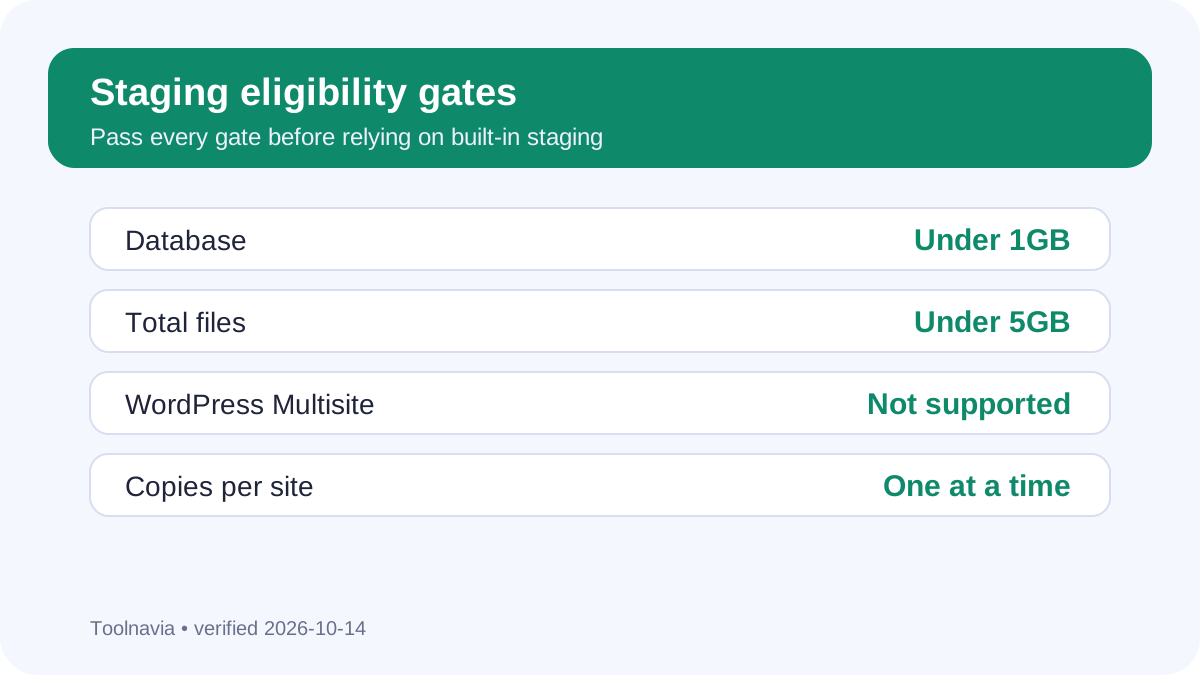
The slot is only the first check. WPX currently requires the source database to be **under 1GB** and total files to be **under 5GB**. The plan must also have enough available disk space, WordPress must already be installed, WordPress Multisite is not supported, and only one staging copy per site may exist at a time.
A portfolio can fit the 15-slot count and still have a site that cannot use the staging tool. Media-heavy sites, oversized databases and Multisite networks need a different test or migration plan before purchase.
Forty gigabytes is shared by live and staging data
Professional publishes **40GB storage** across the account. A staging copy duplicates files and a database, so the slot budget and disk budget interact.
For example, ten small sites may leave comfortable disk headroom, while a few large media libraries can make a staging copy impossible even with unused site slots. Before committing, inventory current file size, database size and expected growth for every live site. Keep a reserve for temporary copies and backups outside the hosting account.
Treat deployment as replacement, not a safe merge
WPX's current canonical staging article warns that deploying staging **completely replaces the live-site content** and that live changes missing from staging can be lost. An older WPX knowledge-base copy described merge behavior that preserved some live posts, pages and comments.
Because those official descriptions conflict, this guide follows the current canonical warning: back up or export recent live data, freeze content changes where practical, and test the deployment sequence before using it on an active client site. Do not assume orders, form submissions or comments created after the staging copy will be merged automatically.
Professional resources are shared across the portfolio
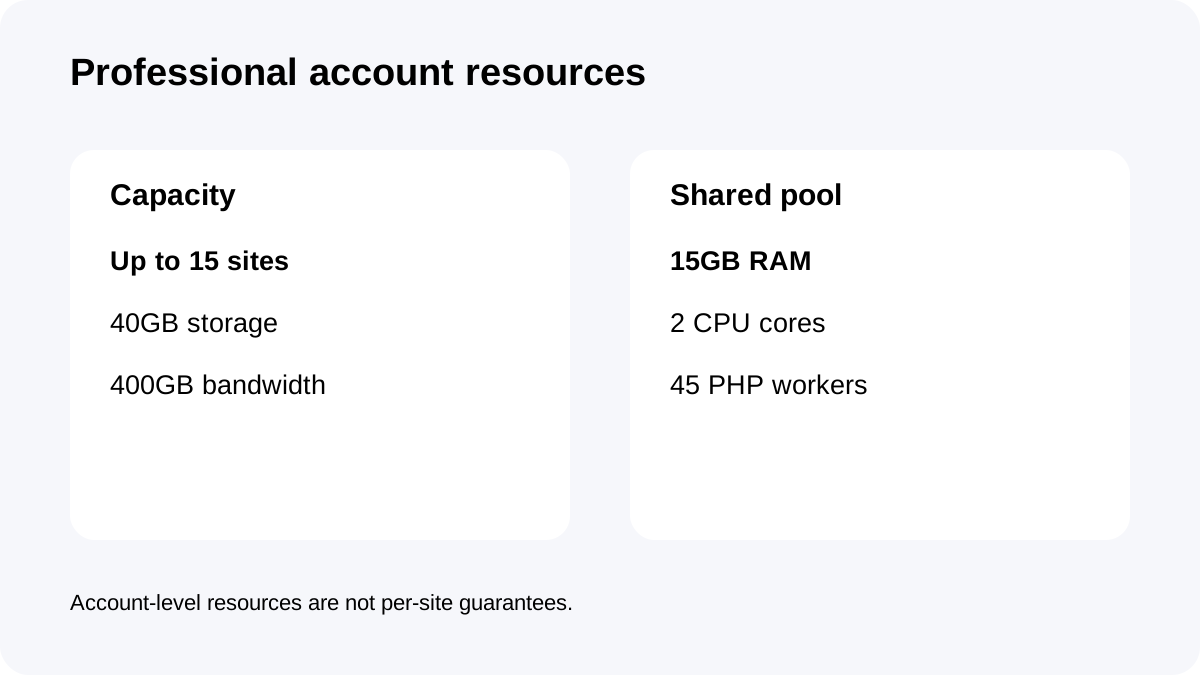
Professional currently includes **15GB RAM, 2 CPU cores, 45 PHP workers, 400GB bandwidth and 40GB storage** for the account. Site slots do not isolate those resources per website.
A staging copy can run plugins, imports, cache warmups or database work while live sites are serving traffic. Agencies should schedule heavy testing away from peak periods and watch resource usage. The 45-worker figure is account capacity, not 45 workers guaranteed to every site.
**What current reviews add.** Nica Digital, JoshWP and Gizmodo all surface the staging-slot tradeoff, while NerdyNav confirms the current Professional tier and long-prepayment framing. Official WPX documentation controls the exact slot, file, database and plan-resource facts. Reviews are best used to stress-test the buying decision, not replace the current cart or knowledge base.
Price the workflow, not just the headline site count
Professional currently shows **$59.99 month-to-month** or a **$39.99 monthly equivalent** when **$2,399.60 is prepaid for five years**. The lower equivalent price can work for a stable agency portfolio, but five-year prepayment magnifies a sizing mistake.
Before choosing it, list live sites, maximum simultaneous staging copies, sites above the 1GB/5GB gates, total storage, and peak dynamic workloads. If live sites plus required staging regularly approach 15, compare Elite or a separate development environment rather than relying on constant cleanup.
**Bottom line:** WPX Professional is not simply a 15-client plan. It is a **15-slot shared-resource plan** where staging copies consume slots and disk. Buy it when your real workflow fits the equation, the eligibility limits and the shared resource pool—not because “15 websites” sounds comfortably above today's live-site count.