TOOLNAVIA / BUYING GUIDE
Verpex 4GB vs WPX Professional: 100GB Server or 15-Site WordPress?
The short answer
**Quick answer:** choose Verpex for a managed cPanel/WHM server with **100GB storage**; choose WPX Professional for **up to 15 managed WordPress sites** with 15GB RAM and daily backups. Verpex's public price is not readable, so checkout verification is mandatory.
At a glance
- Best for
- Buyers deciding between a managed cPanel cloud server with unpublished public pricing and a transparent 15-site managed WordPress platform.
- Price model
- Verpex current price requires checkout verification vs WPX $2,399.60 exact 5y prepay
- Check first
- Verpex numeric price is not publicly readable; backup/refund wording requires verification; no benchmark equivalence.
Price transparency: Verpex is hidden, WPX is explicit
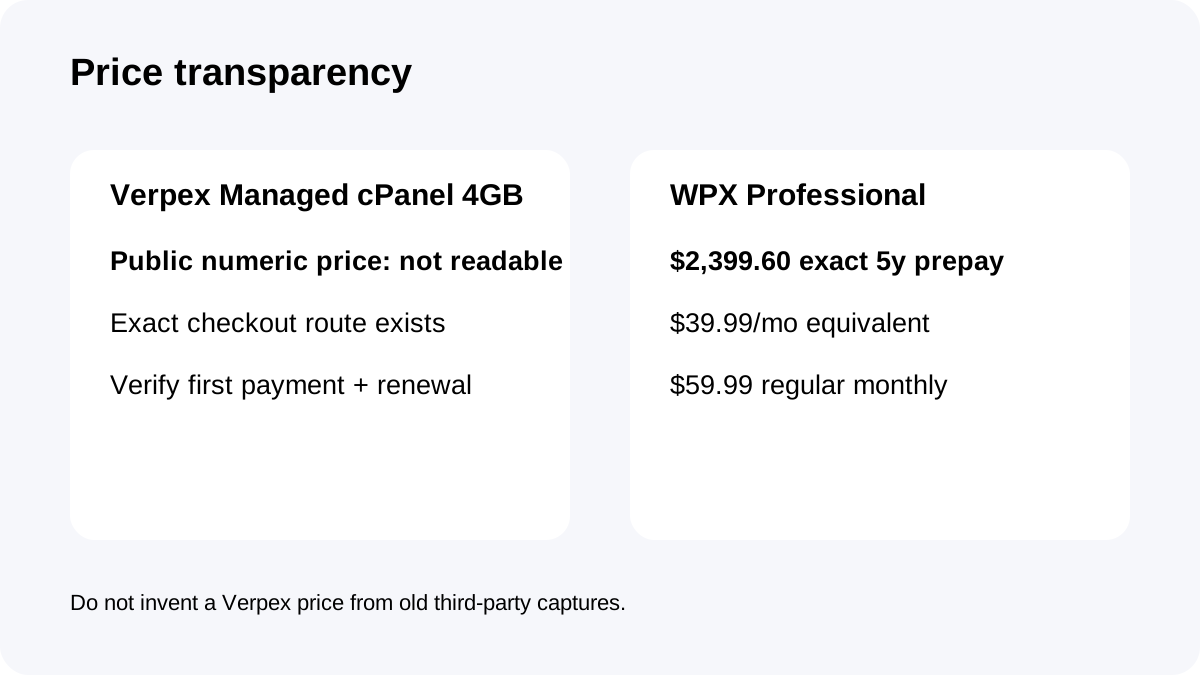
Verpex publishes the Managed cPanel 4GB specification and a Buy button, but the public product page does **not** show a readable numeric plan price. The exact checkout route is identifiable, yet the retrieved checkout still does not expose a reliable public total.
An independent September 2026 directory also marks the Managed Cloud Servers price as not publicly published; Toolnavia uses that only as confirmation of the missing-price problem, not as product authority.
WPX Professional is much clearer: **$59.99 regular monthly**, or **$39.99/month equivalent** with **$2,399.60 prepaid for five years**.
That means this article does **not** invent a Verpex price or five-year total. Open Verpex checkout, record the actual first payment and renewal terms, then compare them against WPX's published options.
Architecture: managed cPanel cloud server versus managed WordPress
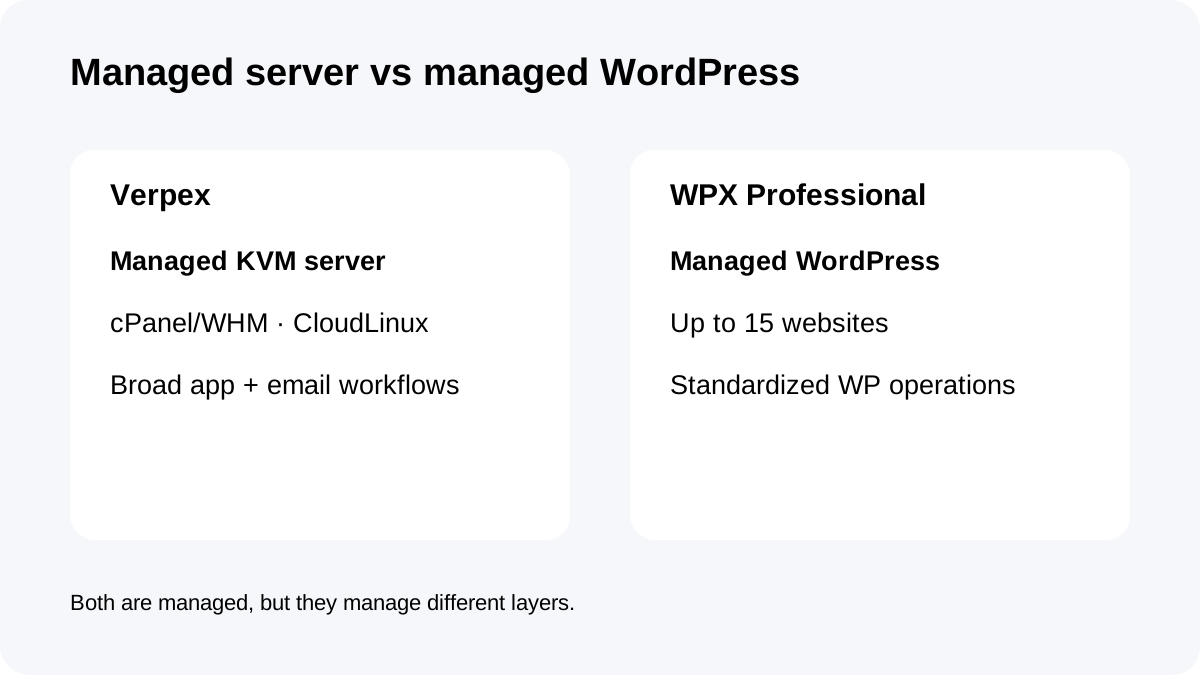
Verpex Managed cPanel 4GB is a **managed KVM cloud server** with cPanel/WHM, CloudLinux, one IP, free migration, monitoring and broad web-stack support.
WPX Professional is a **WordPress-only managed platform** for up to 15 websites. Its service scope is built around WordPress security, malware removal, backups, migrations and support.
If you need email-heavy cPanel workflows, multiple application types, server-level account management or software beyond WordPress, Verpex has the more flexible architecture. If all workloads are WordPress and the goal is fewer infrastructure decisions, WPX has the cleaner operating model.
Same 2 CPU headline, very different memory and concurrency
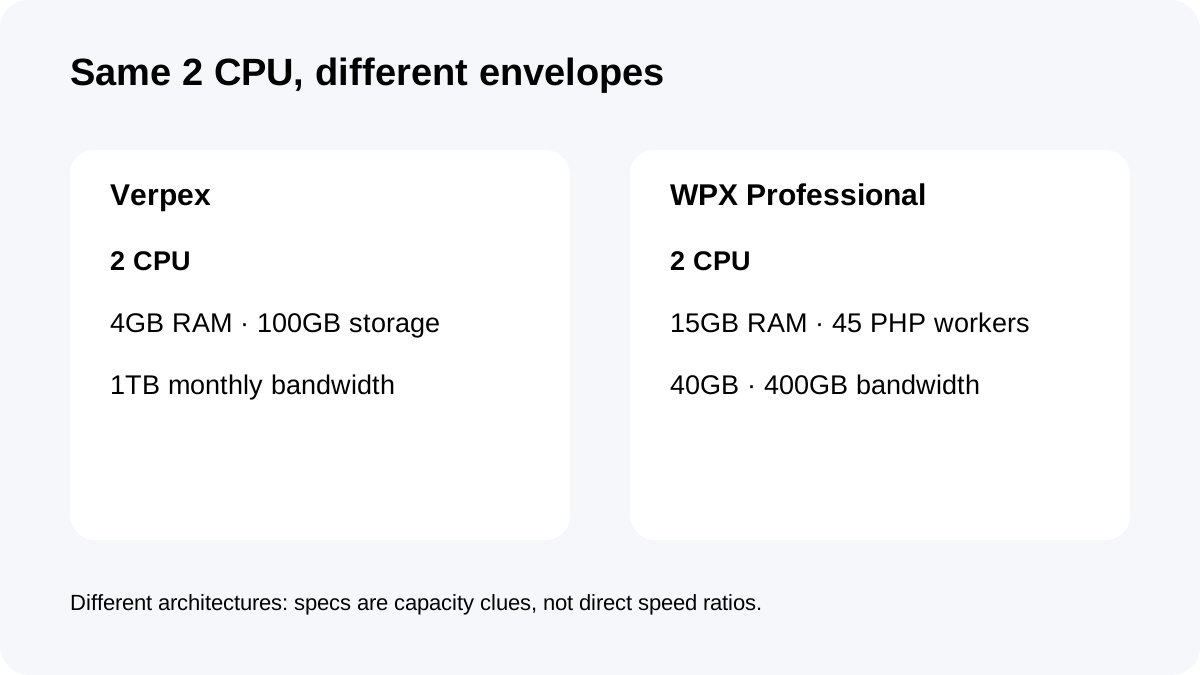
Both plans publish **2 CPU cores**. Verpex lists **4GB RAM and 100GB storage**. WPX Professional lists **15GB RAM, 45 PHP workers and 40GB storage**.
Those figures are not benchmark-equivalent. A managed cloud server exposes server resources; WPX exposes a managed WordPress resource envelope with worker limits and a specialized stack.
The useful question is what the workload needs. Verpex gives more local storage and a traditional server environment. WPX gives much more published memory and WordPress-specific concurrency for a fixed 15-site portfolio.
Site and account model: cPanel/WHM versus 15 managed sites
Verpex uses cPanel/WHM and lists cPanel Solo on the managed-server plan. That is a server/account-control model, not the same thing as a fixed number of WordPress site slots.
WPX Professional publishes **up to 15 websites**.
Agencies should decide whether they want a server/account hierarchy or a managed WordPress portfolio. If client isolation, email accounts and non-WordPress applications matter, cPanel/WHM can be valuable. If every client site is WordPress and operations should be standardized, WPX's site-slot model can be simpler.
Backups: current page says daily; older Verpex guidance says up to twice daily
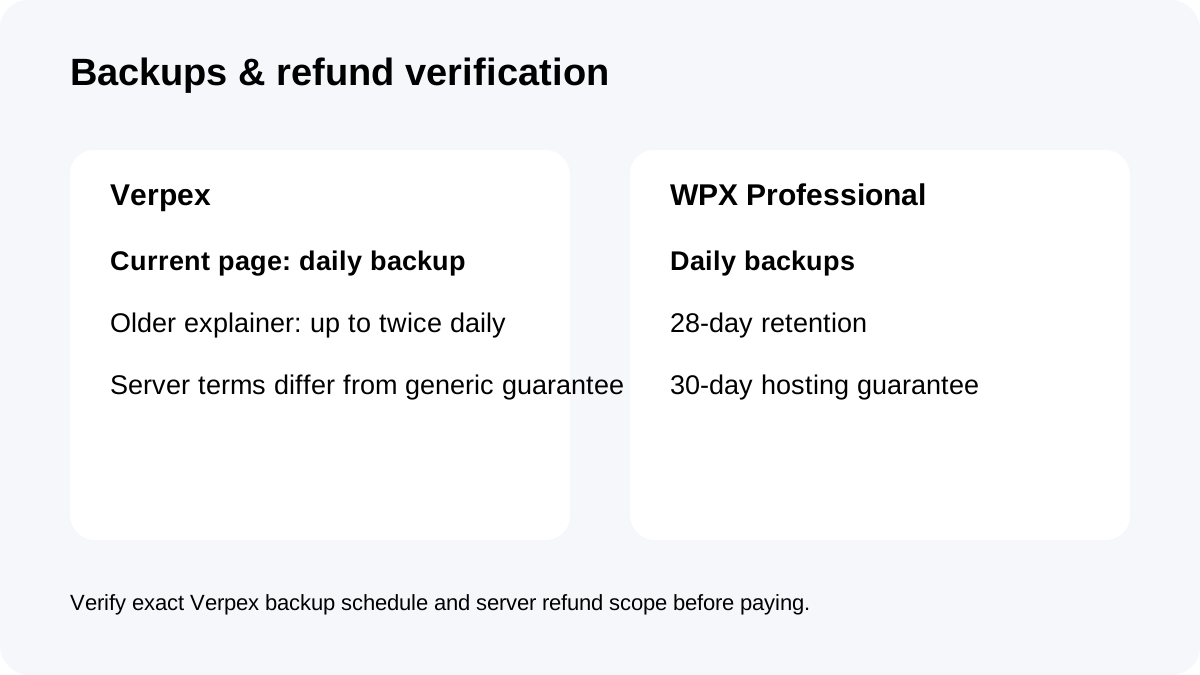
Verpex's current managed-server page advertises **daily backups**.
An August 2026 Verpex explainer described JetBackup offsite backups **up to twice daily**.
Because those first-party descriptions are not identical, buyers should confirm the exact backup schedule and retention at checkout or with support rather than assuming the older twice-daily statement still defines the 4GB plan.
WPX is clearer here: **daily automatic backups retained for 28 days** on a separate server.
Refund terms need extra care on Verpex servers
Verpex's general pricing page promotes a **30-day money-back guarantee** for hosting.
But Verpex's formal terms exclude **Servers** from the general no-quibble guarantee and say ordinary early cancellation generally does not create refunds for unused prepaid months.
For a managed cloud server, the specific server terms should control over generic marketing language. This matters even more because the public price is not visible before checkout.
WPX's hosting plan surface advertises a 30-day money-back guarantee, giving buyers a clearer testing window around the published Professional plan.
Management workload and migration
Verpex bundles monitoring, free migration and the cPanel/CloudLinux stack. Its managed-cloud explainer also notes that a managed service may trade some root-level freedom for provider operation.
WPX narrows the environment further to WordPress and then absorbs more WordPress-specific work. Approved migrations are normally transferred within **24 hours**, with a separate request for each site.
The choice is therefore not “managed versus unmanaged.” Both are managed; they manage **different layers**.
Who should buy which?
**Choose Verpex Managed cPanel 4GB** when you need a managed cPanel/WHM server, 100GB storage, email/server flexibility and broader application support—and you are willing to verify price, renewal, backup frequency and server-specific refund terms before ordering.
**Choose WPX Professional** when you run up to 15 WordPress sites and value 15GB RAM, 45 PHP workers, daily 28-day backups, malware removal and standardized WordPress operations more than server-level flexibility.
If Verpex checkout comes in far below WPX, its 100GB managed-server model can be compelling. If the prices are close, WPX's published resource/backup terms and WordPress-specific scope reduce more uncertainty.
Checkout checklist
For **Verpex**, confirm the actual price and renewal, 2 CPU, 4GB RAM, 100GB storage, 1TB bandwidth, cPanel/WHM licensing, backup frequency/retention, server refund eligibility and migration scope.
For **WPX**, confirm Professional, the **$2,399.60 five-year prepayment** or selected billing mode, 15-site limit, 40GB storage, 15GB RAM, 2 CPU, 45 PHP workers, 28-day backup retention and migration workflow.
**Bottom line:** Verpex sells a flexible managed cPanel server whose public price still needs checkout verification; WPX sells a more transparent, specialized 15-site WordPress platform. Price opacity makes verification itself part of the Verpex buying decision.