TOOLNAVIA / BUYING GUIDE
Bluehost VPS vs WPX Professional: Same 2 CPU, Totally Different Hosting
The short answer
**Quick answer:** choose Bluehost for a cPanel/WHM managed VPS with **100GB NVMe** and broader server control; choose WPX Professional for **up to 15 managed WordPress sites** with 15GB RAM, 45 PHP workers and automatic backups. Both list 2 CPU, but they are not equivalent architectures.
At a glance
- Best for
- Buyers deciding between a cPanel managed VPS with broader server control and a 15-site managed WordPress platform with bundled backups/security.
- Price model
- Bluehost $49.99/mo × 36 signup vs WPX $2,399.60 exact 5y prepay
- Check first
- Bluehost renewal references conflict; no five-year Bluehost total. Resource semantics differ; no benchmark winner.
Price and commitment: $49.99 for 36 months versus $2,399.60 for 5 years
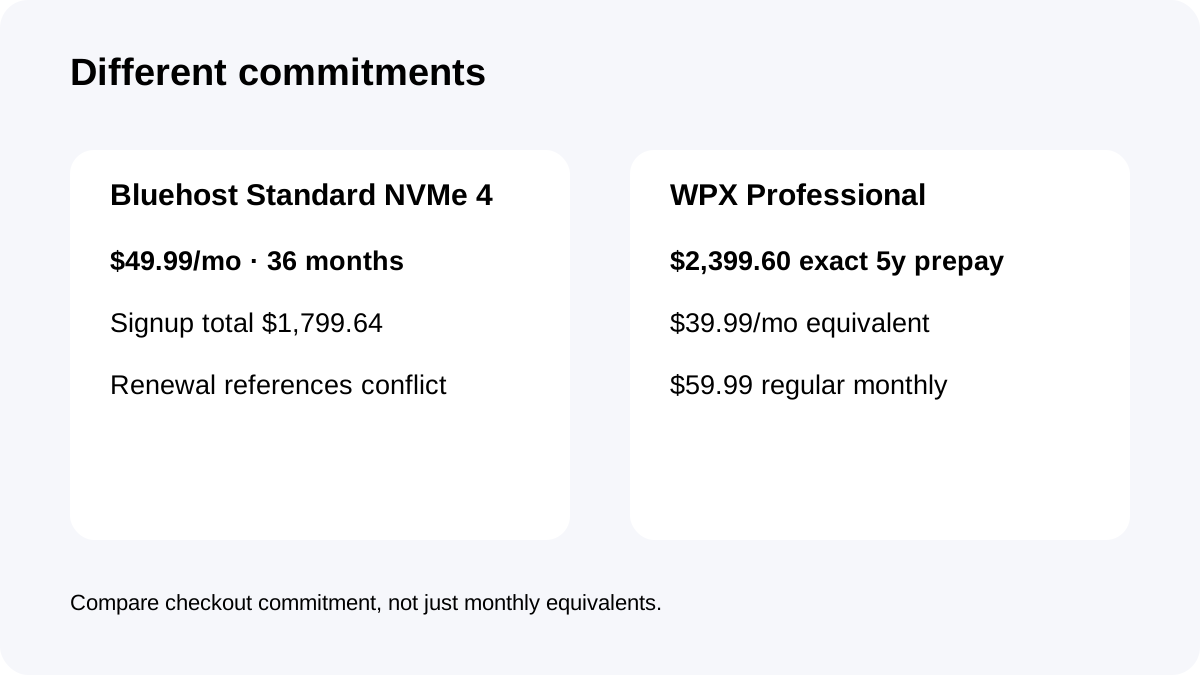
Bluehost's live Managed VPS page currently shows Standard NVMe 4 at **$49.99/month for a 36-month term**, or **$1,799.64** for that signup period. The same page displays **$68.99/month** as the renewal reference.
WPX Professional shows **$59.99 regular monthly**, or **$39.99/month equivalent** when **$2,399.60 is prepaid for five years**.
These are not the same commitment. Bluehost asks for a 36-month signup term; WPX's lowest displayed effective rate requires a much longer five-year prepayment. Buyers should compare cash timing as well as monthly equivalents.
Bluehost has a first-party renewal-price conflict—verify checkout
Bluehost's live sales page says Standard NVMe 4 **renews at $68.99/month**.
A Bluehost help article publishes a renewal table with different term totals for the same Managed VPS plan.
Because two current first-party surfaces conflict, this article does **not** build a five-year Bluehost total from either renewal figure. Treat the live checkout and account Renewal Center as controlling before purchase, and save a copy of the price/term shown when ordering.
Architecture: managed VPS versus managed WordPress
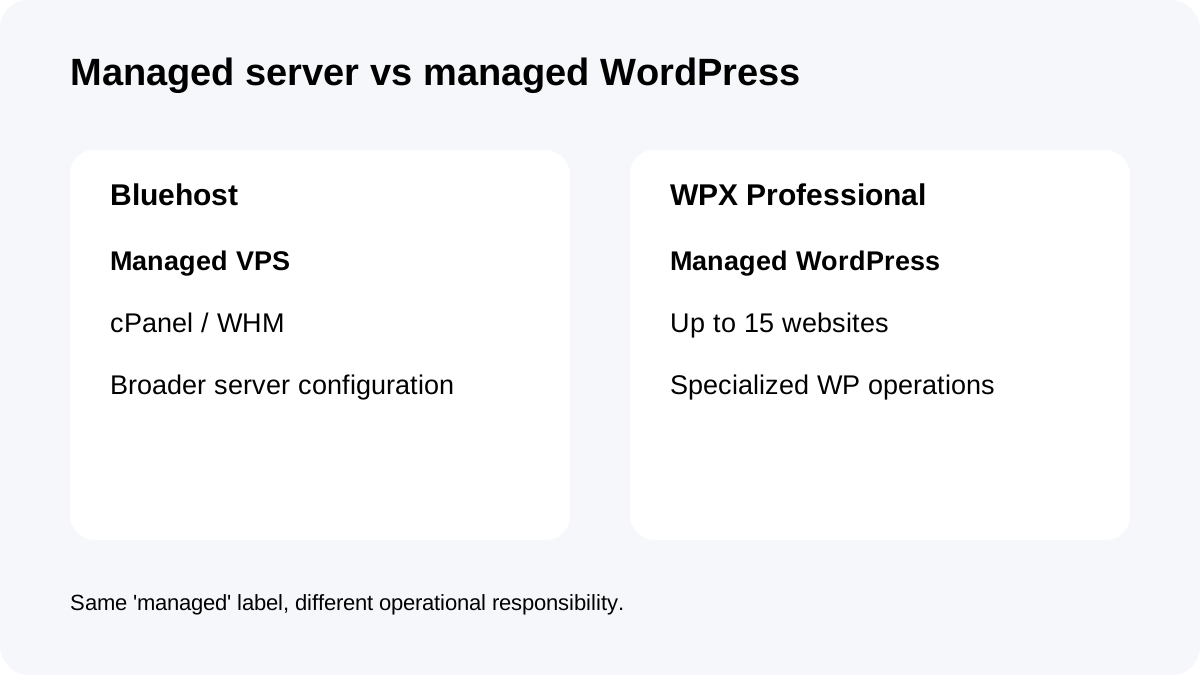
Bluehost Standard NVMe 4 is a **managed VPS** with cPanel/WHM and dedicated CPU/RAM/storage. Bluehost handles infrastructure tasks such as OS setup, security patches, monitoring and server-related support, while the environment remains a VPS with broader configuration control.
WPX Professional is a **WordPress-only managed platform**. WPX's scope includes server security, malware removal, backups, migrations and WordPress-oriented support.
The purchase question is therefore not simply “which has more RAM?” Bluehost gives a server-shaped environment; WPX gives a specialized WordPress operating layer.
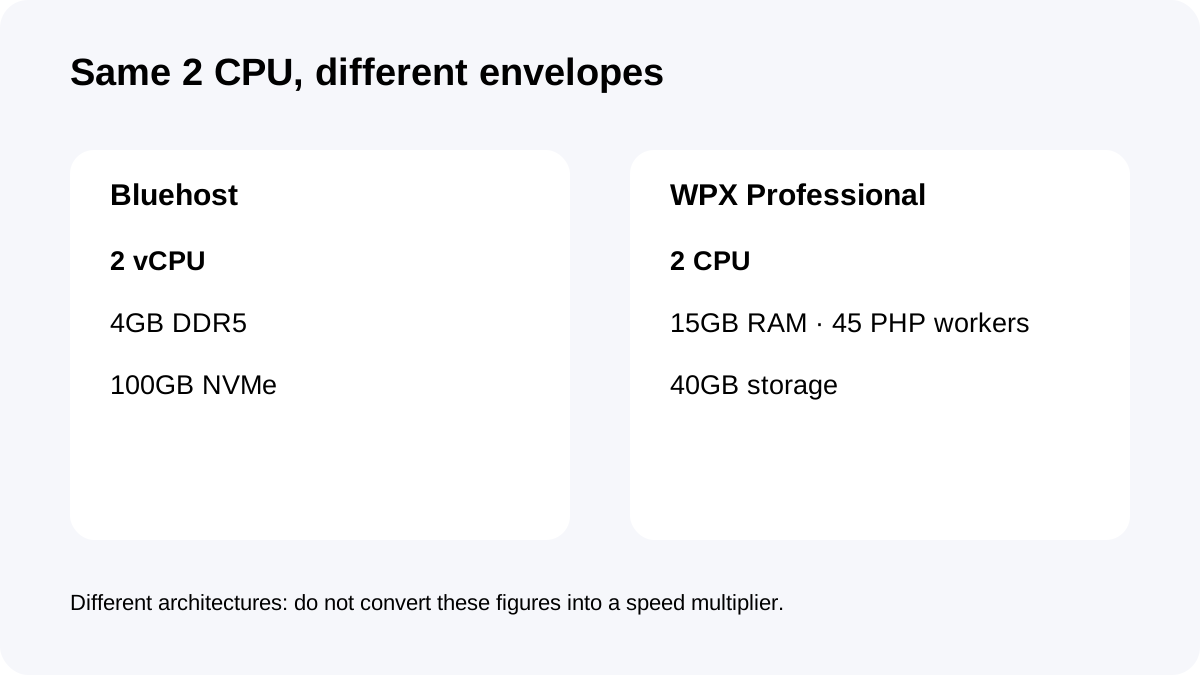
Same 2 CPU headline, very different memory model
Both products publish **2 CPU cores**. Bluehost lists **4GB DDR5 RAM**; WPX Professional lists **15GB RAM and 45 PHP workers**.
That does **not** prove WPX is almost four times faster. VPS RAM and a managed WordPress platform's RAM/worker limits are different resource models, affected by software stack, caching, traffic shape and application behavior.
Use the numbers as capacity boundaries. Bluehost is easier to reason about when you want server resources and cPanel control. WPX is easier to reason about when the workload is specifically WordPress and PHP-worker concurrency matters.
Storage and portfolio shape: 100GB server versus 15 sites/40GB
Bluehost gives **100GB NVMe** and does not frame Standard NVMe 4 around a fixed WordPress site-slot count.
WPX Professional gives **40GB storage** and **up to 15 websites**, plus 400GB bandwidth and unlimited visitors.
A media-heavy or mixed-application server can value Bluehost's larger local storage. An agency with 10–15 WordPress sites may value WPX's explicit portfolio limit and managed workflow more than raw disk capacity.
Backups: the biggest operational difference
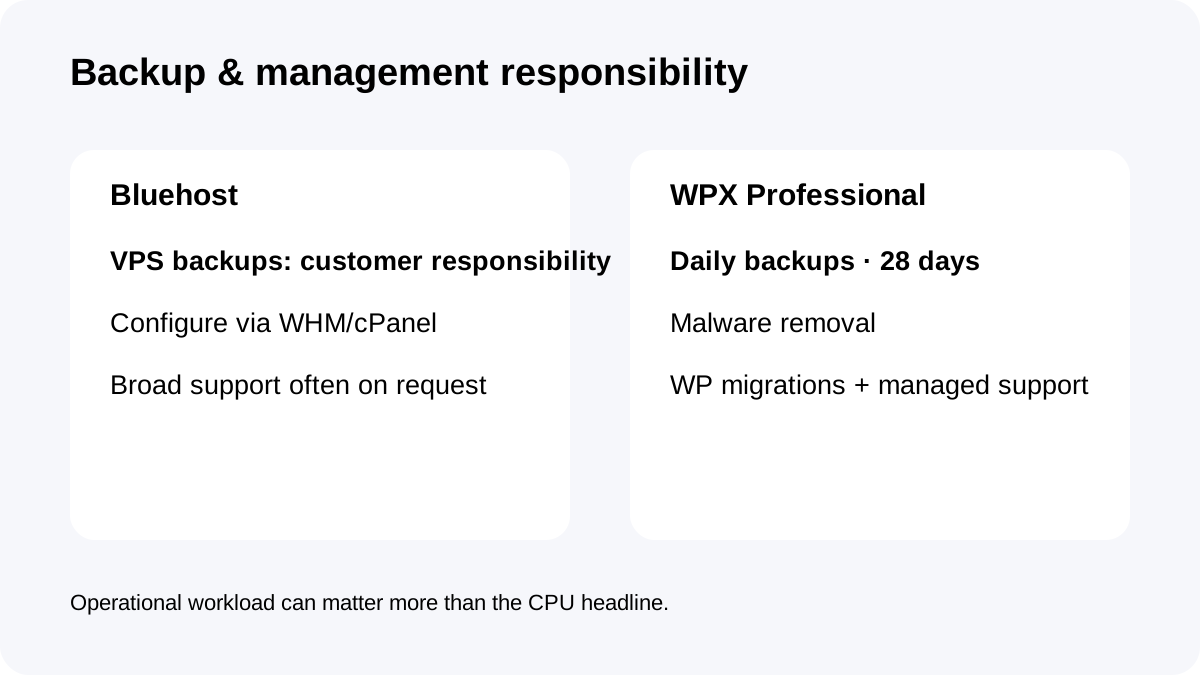
Bluehost says **KVM VPS customers are responsible for their own backups** because courtesy VPS backups are no longer maintained. WHM/cPanel backup configuration is available, but the customer must design and monitor the backup strategy.
WPX creates **daily automatic backups retained for 28 days** on a separate server.
For teams without a disciplined backup process, this difference can outweigh CPU or storage. A Bluehost buyer should price backup storage, offsite copies, monitoring and restore testing into the real operating cost.
“Managed” means different work on each platform
Bluehost's managed support can help with network issues, firewalls, DNS, email, package upgrades, migrations and backup configuration. But Bluehost also states that many Managed VPS tasks are done **on request**, not continuously/automatically, because customers can change the server configuration.
WPX narrows the scope to WordPress, then takes on more of that specific operating burden: malware removal, server-level security, backups, eligible migrations and technical support.
If your team wants server flexibility, Bluehost's model is a feature. If your team wants fewer server decisions, WPX's narrower model is the feature.
Who should buy which?
**Choose Bluehost Standard NVMe 4** when you need cPanel/WHM, a managed VPS, 100GB NVMe, dedicated server resources and flexibility beyond a WordPress-only platform—and you are comfortable owning the backup plan.
**Choose WPX Professional** when your portfolio is up to 15 WordPress sites and you value 15GB RAM, 45 PHP workers, daily 28-day backups, malware removal and a more opinionated managed workflow.
Do not choose based on the shared “2 CPU” headline alone. The operating model is the bigger distinction.
Checkout checklist
For **Bluehost**, confirm the exact 36-month total, the **renewal price shown in checkout**, cPanel/WHM, 2 vCPU, 4GB DDR5, 100GB NVMe, data-center location, backup plan and which support tasks require a request.
For **WPX**, confirm Professional, the **$2,399.60 five-year prepayment** or chosen billing mode, 15-site limit, 40GB storage, 15GB RAM, 2 CPU, 45 PHP workers, backup retention and migration/support scope.
**Bottom line:** Bluehost is the better fit when you want a managed server; WPX Professional is the better fit when you want managed WordPress. The two products share a 2-CPU headline, but they should not be treated as interchangeable hosting plans.