TOOLNAVIA / BUYING GUIDE
UltaHost VPS Reinstall: Back Up Before You Wipe the Server
The short answer
At a glance
- Best for
- Small VPS owners who can rehearse an off-server restore before a clean OS rebuild.
- Price model
- Current two-year public reference $132.48 before tax, licenses and options; live checkout controls.
- Check first
- Snapshot survival, image availability, IP retention and final price require exact account confirmation.
The decision: reinstall only after you can prove a restore
An operating-system reinstall is not routine maintenance. It is the moment you choose a clean machine over the state already on disk. UltaHost's own existing-VPS instructions begin with backing up website files, databases and documents, then finish with restoring sites, databases and email after networking and security are rebuilt. Its separate Ubuntu guide likewise sends important files to an external disk, cloud account or NAS before reinstallation.
That leads to a hard buying rule: **do not treat “free backup” or a dashboard snapshot as permission to click Reinstall.** The public snapshot guide explains how to take one, but it does not say that the snapshot survives an OS reinstall. A restore-ready copy must be outside the server and independently readable. If you cannot name the copy, its date, encryption key and last successful restore test, you do not yet have a backup plan.
UltaHost VPS Basic can be a sensible small managed VPS, but the 1GB RAM and 30GB NVMe plan is still one stateful server. Reinstalling does not add capacity. It exchanges the current system for a blank operating-system baseline.

First choose repair, rescue, or rebuild
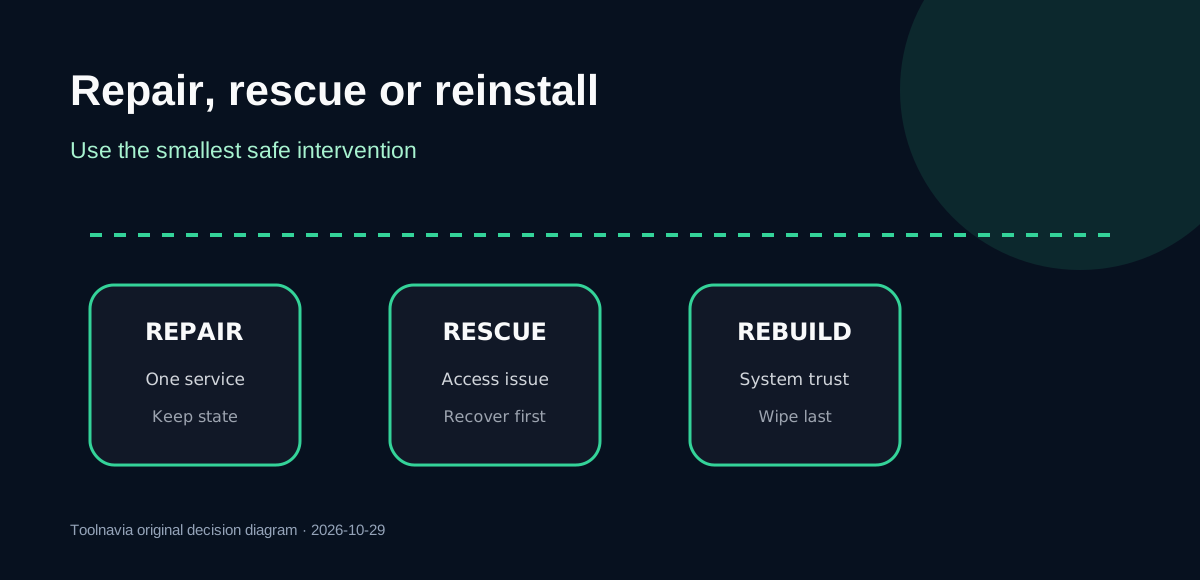
Use the smallest intervention that solves the actual problem.
| Situation | Safer first move | Reinstall only when | |---|---|---| | One service will not start | Read logs, roll back its config, or restore that service | Package and system state are broadly corrupted | | Lost SSH access | Use provider console/rescue access and repair keys or firewall rules | Access cannot be recovered without rebuilding | | Malware suspicion | Isolate the server, preserve evidence, rotate credentials | You have a clean restore source and a fresh-trust plan | | Moving Linux distribution or panel | Build an inventory and compatibility map | The target image and license are confirmed | | Unknown drift after years of changes | Rehearse a restore on a temporary target | The rehearsal proves data and dependencies are complete |
UltaHost's account documentation shows that operating system and control-panel options can be modified, but availability is selected in the account flow and may lead to payment. Do not assume every image, version or panel is included on every Basic order. cPanel also has its own operating-system, RAM, disk and license requirements; the official UltaHost cPanel guide is a setup boundary, not a promise that one particular panel choice is free or compatible with every build.
Build an off-server evidence set
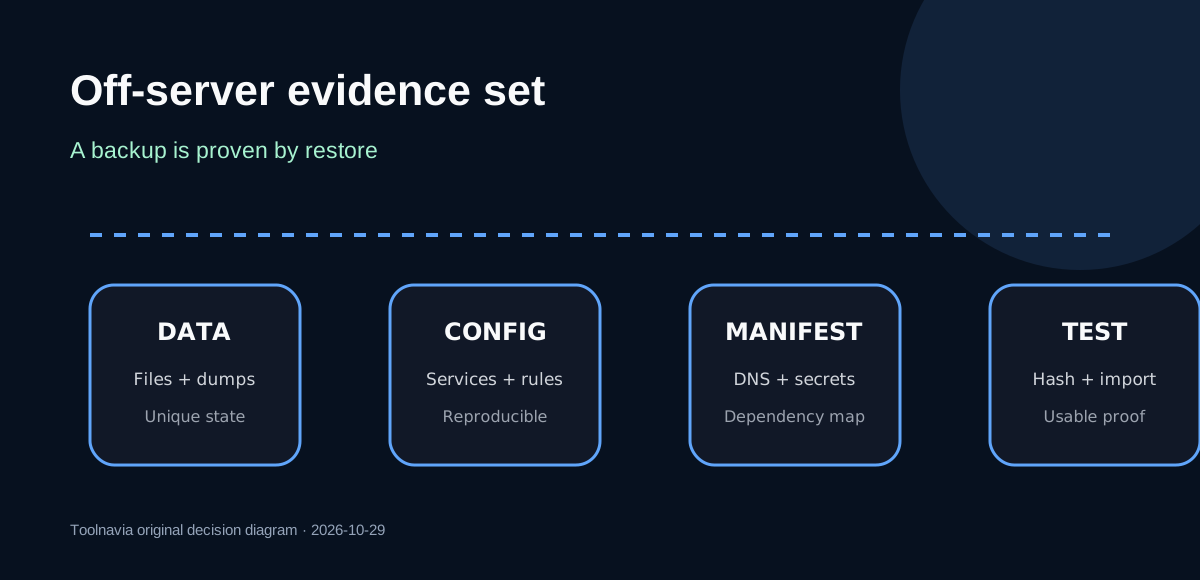
Back up recoverable **data**, reproducible **configuration**, and the **map that joins them**:
1. Export databases logically while they are consistent; do not rely on copying live database directories. 2. Copy application uploads, user homes, mailboxes, object-store keys and any Docker volumes that contain unique state. 3. Save web-server sites, PHP/runtime settings, environment files, systemd units, cron jobs, firewall rules, package lists and repository keys. 4. Record DNS A/AAAA/MX records, reverse DNS, IP allowlists, TLS renewal paths, monitoring endpoints and every external integration. 5. Store SSH authorized keys and administrator recovery credentials locally. Keep secrets encrypted and separate from the manifest. 6. Calculate hashes for archives and database dumps, then restore representative files and import a database into a disposable environment.
A provider snapshot is useful for a quick rollback, but it is not an independent recovery copy until the provider confirms its failure domain and reinstall-retention rules. Hostinger explicitly deletes its snapshot during an OS reinstall, while its retained backups are a different product. Another Hostinger reinstall workflow can delete data, backups and snapshots together. Those rules do **not** prove what UltaHost does; they prove why you must ask rather than infer.

Freeze the destructive boundary before you click
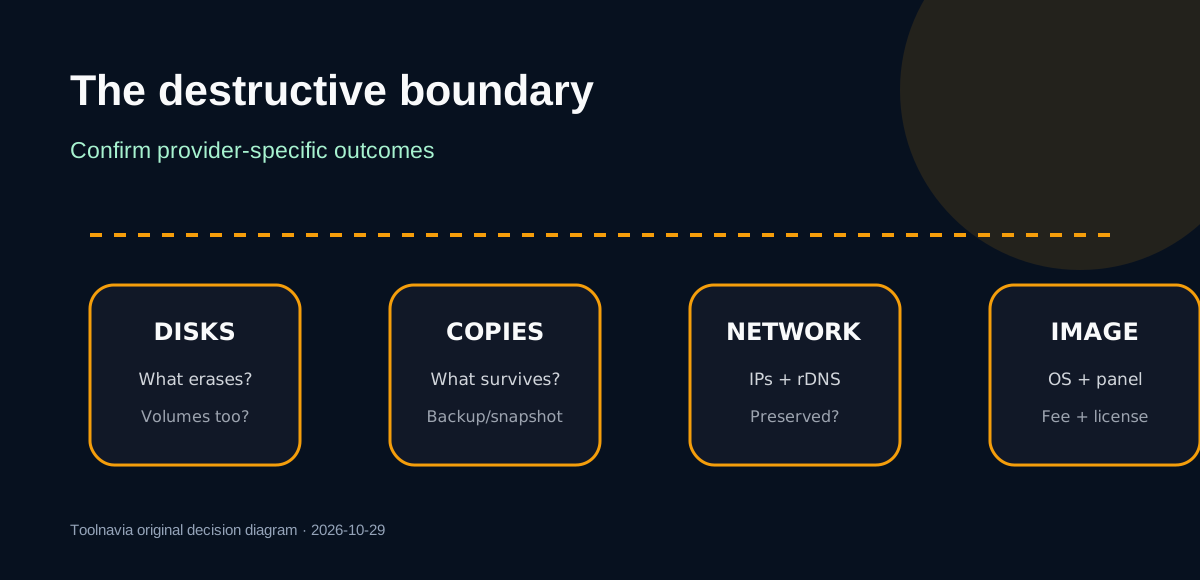
Open a support ticket or capture the exact account screen and answer five questions for this specific VPS:
- Which disks and attached volumes will be erased? - Do provider backups and snapshots remain available after the selected reinstall action? - Are IPv4, IPv6 and reverse-DNS values preserved or reassigned? - Which operating-system image, version, architecture and control panel will be installed? - What new credentials, SSH keys, license charges and estimated maintenance window apply?
Do not import another provider's behavior. DigitalOcean documents an irreversible disk wipe and a changed SSH host fingerprint during rebuild; its IP-retention behavior belongs to DigitalOcean. VPSDime likewise warns customers to back up before its portal reinstall, but its interface is not UltaHost's.
Schedule a maintenance window, lower DNS TTL in advance if a possible address change matters, stop writes, take final database dumps, sync the last changed files, and verify their hashes off-server. Only then confirm the destructive action. Save the confirmation screen and ticket reference with the manifest.

Restore in dependency order, not by file size
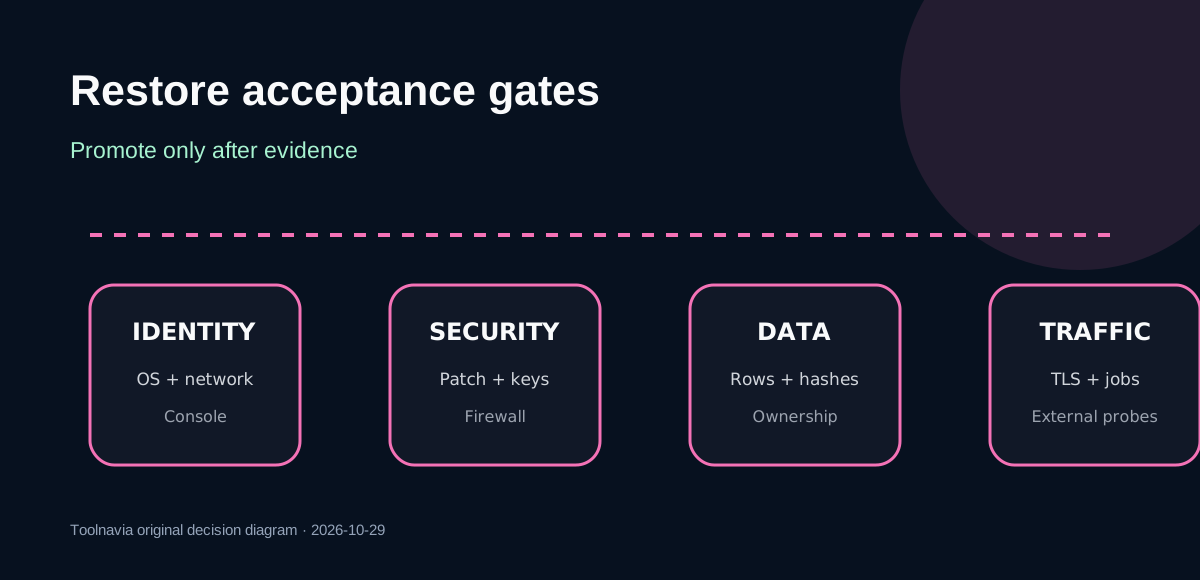
After the new image boots, verify its identity before copying production data: operating-system release, architecture, storage layout, network addresses, console access and a new SSH host key. Patch the base image. Create a non-root administrator, harden SSH, apply the firewall, configure time synchronization and monitoring, and only then install runtimes, databases, web services and the chosen panel.
Restore in this order:
1. accounts, permissions and secrets; 2. database engine and tested logical imports; 3. application code and unique files; 4. web, queue, scheduler and mail configuration; 5. TLS certificates or fresh issuance; 6. DNS and external allowlists; 7. background jobs and traffic.
A restore action can overwrite the target disk, so rehearse it before the production window when possible. Compare row counts, checksums, file ownership and application health rather than accepting a green dashboard status. A backup is not proven by successful creation; it is proven by a usable restore.

Price and plan checks before the wipe
The current public VPS page displays VPS Basic at **$5.52 per month in the visible two-year/40%-off context**, with a crossed $9.19 figure, 1 CPU core, 1GB DDR5 RAM, 30GB NVMe, one IPv4 and four IPv6. The page also exposes multiple term selectors. I could not capture a completed checkout, so $5.52 is a current public reference, not a guaranteed month-to-month invoice. Taxes, control-panel licenses, add-ons, region and the selected term can change the total.
Before buying or reinstalling, confirm the live checkout total and whether the target OS/panel adds a fee. If the reinstall is meant to fix a server that already exceeds 1GB, a clean image will not fix the capacity mismatch. Price the recovery time too: an untested restore can cost far more than the plan.
Verdict: buy for a rehearsed small workload, not for a reset button
Choose UltaHost VPS Basic when the workload fits its small published resources, the exact OS and panel are confirmed, and you can maintain an encrypted off-server backup plus a tested restore. The managed positioning and documented reinstall sequence can reduce uncertainty, but they do not transfer responsibility for unique data.
Avoid reinstalling today if the only copy is on the VPS, the snapshot's survival is unknown, you cannot export the database consistently, or no one has tested the application after restore. In that case, repair the current server or build a parallel replacement first.
Affiliate disclosure: Toolnavia may earn a commission if you purchase through the UltaHost link, at no additional cost to you. The exact approved URL is associated with VPS Basic, but no merchant purchase or commission-payout test was performed for this review.