TOOLNAVIA / BUYING GUIDE
Pressable Signature 1 Managed WordPress: $25 Monthly vs $250 Annual
The short answer
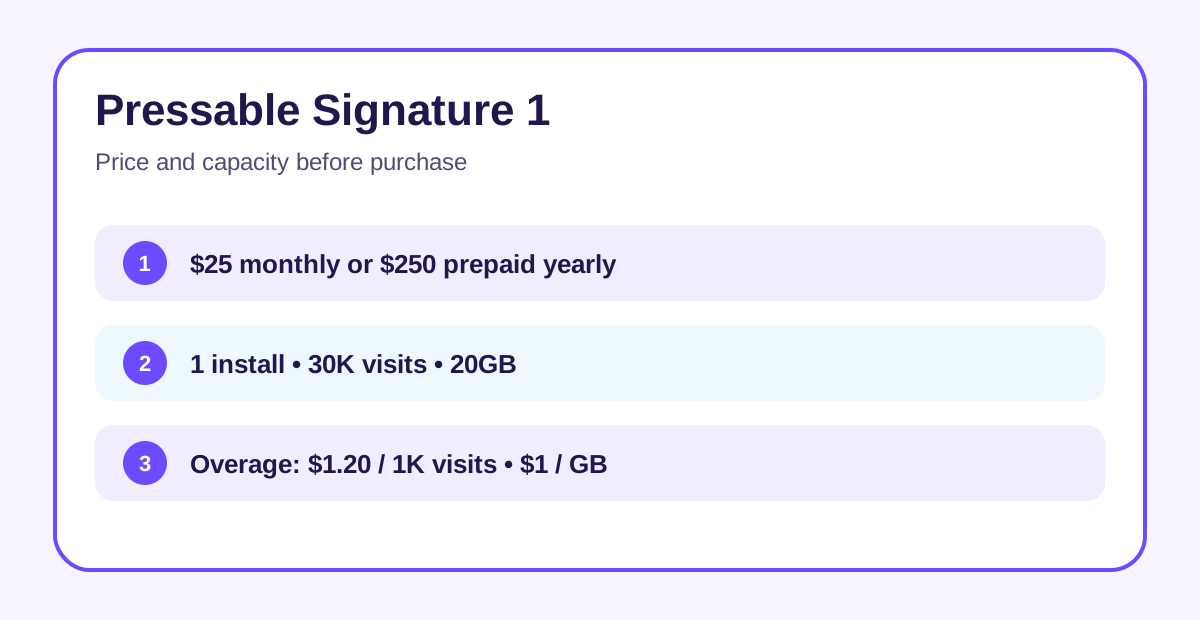
Pressable Signature 1 is worth considering when one WordPress or WooCommerce site matters enough that staging, managed security, frequent backups and specialist support can replace recurring operations work. The decision is not simply “$25 hosting.” Pay month to month for $25, or prepay $250 for a year, which Pressable displays as $20.83 per month. Buy it for reduced maintenance, not for the lowest possible hosting bill.
At a glance
- Best for
- One important WordPress or WooCommerce site that values managed security, staging, frequent backups, migrations and specialist support.
- Price model
- $25 monthly or $250/year ($20.83 monthly equivalent)
- Check first
- One install, 30K visits and 20GB; no phone support; budget sites or multi-site portfolios should compare alternatives.
Price: monthly flexibility or annual savings
Signature 1 includes one WordPress install, up to 30,000 visits and 20GB of storage. The annual option saves $50 against twelve $25 monthly payments, but it converts flexibility into a $250 upfront commitment. Pressable's billing explanation says renewal follows the rate selected at signup rather than using a temporary first-term discount, while also reserving the possibility of future operating-cost changes. Save the checkout terms before paying.
Usage can change the practical price. Pressable lists overages of $1.20 per 1,000 visits and $1 per extra GB of storage. A site reaching 45,000 visits would add about $18 for that month before any storage overage. That is transparent, but it means “30K visits” is a budgeting boundary, not decorative plan copy.
What the managed layer actually replaces
The plan bundles an edge cache and global CDN, a web application firewall, malware monitoring, managed WordPress updates and Jetpack Security. This can remove several separate tools and routine checks from a small team's workload. It does not make every WordPress stack fast or safe automatically: poorly chosen plugins, external scripts and database work can still dominate performance.
Pressable also provides staging and a sandbox environment, plus SSH, Git and WP-CLI. The practical benefit is controlled change: clone or stage the site, apply updates, test the main user path, then decide whether to deploy. That is more useful than a feature checklist if your store or lead form cannot tolerate an improvised production update.
Backups, migration and recovery work
Official plan materials list hourly database backups, daily full backups and on-demand backups. Those layers create useful restore choices after a failed release or content mistake. They should not be your only copy. Keep an independent export for business-critical data and test one restore before deciding the migration is complete.
Unlimited managed migrations can reduce transfer labor, especially when the old host uses an unfamiliar panel. Still verify DNS, mail routing, scheduled tasks, redirects, forms, checkout, analytics and cache behavior. A “completed migration” is not the same thing as an accepted production site.
Support and important boundaries
Pressable offers around-the-clock WordPress support, but its current site says phone support is not offered. That is acceptable for teams comfortable with live chat and tickets; it is a poor fit when a contract requires telephone escalation. Domain registration and conventional mailbox hosting are also separate decisions, and Signature 1 permits only one production WordPress install.
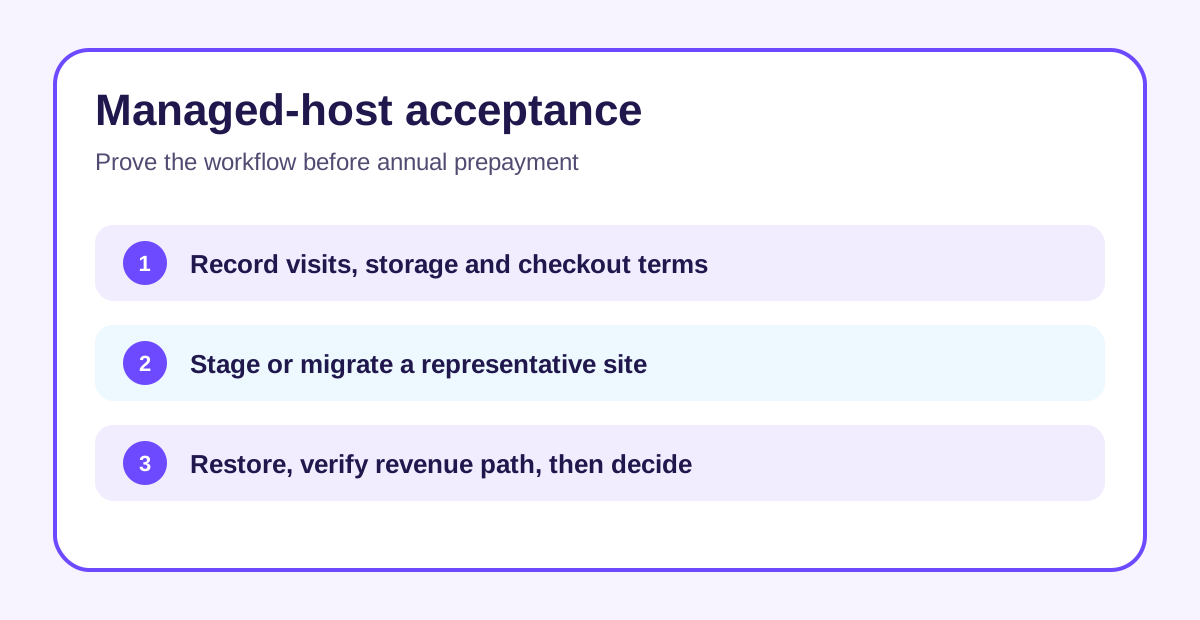
The 30-day money-back guarantee lowers initial commitment, but it is not a free trial. Run representative plugin, admin, restore and checkout tests early enough to make the refund window useful.
Who should choose Signature 1
Choose it for one business site when the value of managed updates, security, staging, backups and migration assistance exceeds the premium over budget hosting. Prefer month-to-month billing while fit is uncertain. Annual billing makes sense after the site stays within the 30K/20GB limits and the workflow proves reliable.
Skip it for a hobby site where cost dominates, for several production sites, or when your traffic and storage make recurring overages likely. Compare the next plan before accumulating overage charges.
Pressable's public Impact affiliate program is open and pays cash, but Toolnavia has no approval, so this article shows no tracked link.
Next step
Export a current backup, record one normal week of visits and storage, then price both billing options with realistic overages. Migrate or clone a representative site, test staging, restore a backup, verify the revenue path and contact support once. Only then decide whether to keep monthly flexibility or prepay the year.