TOOLNAVIA / BUYING GUIDE
Namecheap Stellar Git: Does a Push Actually Publish Your Site?
The short answer
Namecheap Stellar includes Git support, but pushing code to GitHub does not automatically publish a cPanel website. The destination and deployment method matter. Stellar can suit a small project when its owner controls those steps; it is not a managed release pipeline merely because a Git menu exists. This guide is based on documentation, not a paid-account deployment test.
At a glance
- Best for
- Small code-managed sites with a deliberate release process.
- Price model
- Published Stellar renewal:$5.88/month,$55.88/year or$102.88/two years; first invoice unverified.
- Check first
- Git support is not managed CI; account access,build capacity and application recovery need verification.
Choose where a push goes
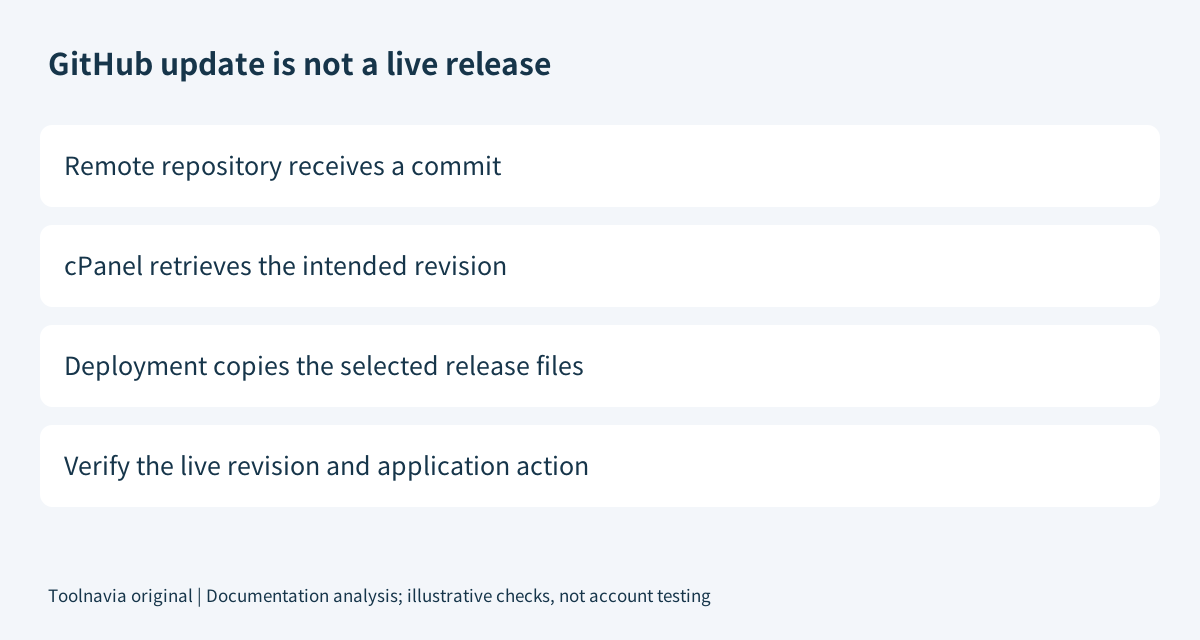
A cPanel-managed repository and the public website directory are separate parts of the workflow. With direct push deployment, a push to the cPanel repository can trigger its deployment hook. With a cloned remote repository, the documented manual route first updates the local copy and then deploys the selected commit. A push to GitHub alone does not execute those two panel actions.
Write down the repository, selected branch, destination directory and expected live revision. This simple release map prevents a successful upload from being mistaken for a successful website change. For a modest brochure site, deliberate manual deployment may be an advantage: the owner decides when visitors receive the revision.
Four useful included controls
| Control | Benefit | Boundary | |---|---|---| | Create or clone repositories | Keep a versioned code copy in the hosting account. | Creation alone does not publish the website. | | Branch and commit display | Identify which revision is selected. | A selected commit is not proof of the live application's state. | | Manual pull and deployment | Separate retrieving code from making it public. | Both actions must succeed for the intended release. | | Deployment instructions | Define which files go to the destination. | The owner must maintain correct paths and valid instructions. |
cPanel requires a committed top-level .cpanel.yml, a branch and a clean working tree for deployment. Private-repository setup also requires appropriate SSH/Terminal access; verify the actual account configuration rather than interpreting an accessible menu as sufficient permission.
Copy a release, not everything in the account
Namecheap's older guide includes a wildcard-copy example. Current cPanel deployment documentation advises against copying everything with a wildcard because inappropriate repository content may be exposed. Follow the narrower current guidance: explicitly identify the release files and target path instead of copying a tutorial verbatim.
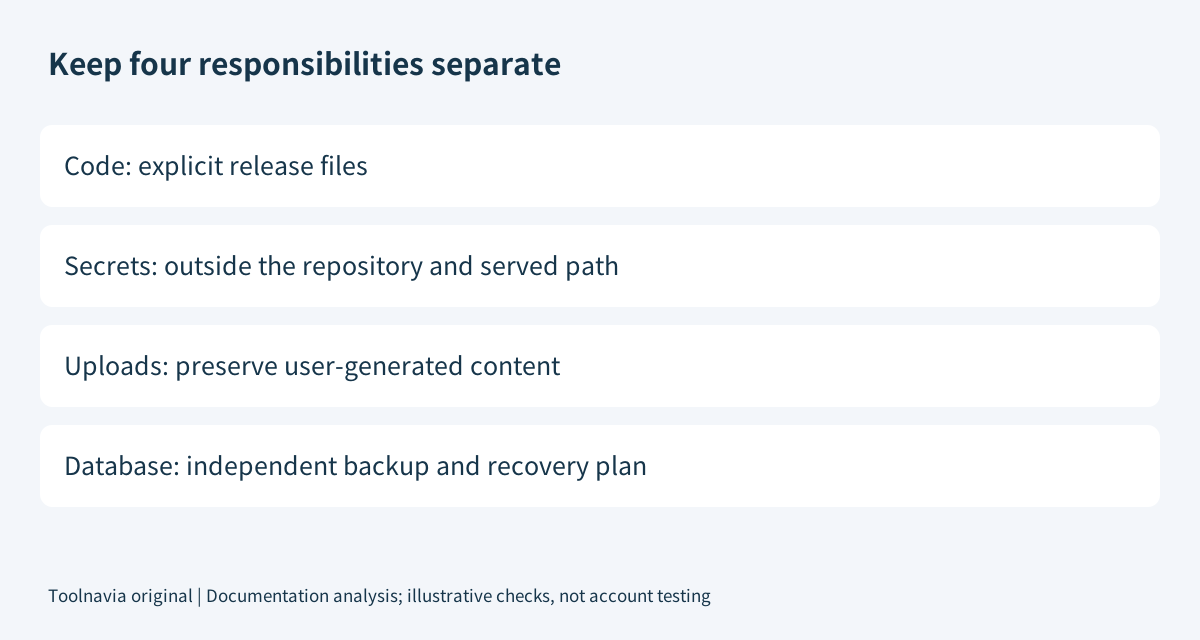
Our recommended separation is deployable code, private configuration, user-generated content and database state. Keep repository metadata and private keys outside the served directory. Do not overwrite live uploads merely because they were absent from a developer's checkout.
For WordPress, a repository containing a theme is not a complete site backup. WordPress documents separate file and database recovery needs. Returning code to an older commit does not reconstruct new orders or comments, and application data may not be compatible with an older code version. Plan that recovery separately.
Give a private repository only the access needed
GitHub deploy keys are scoped to one repository and read-only by default. A server that only retrieves code generally does not need repository write permission. Protect its private key and record how to revoke it: deploy keys do not expire automatically and remain active independently of the creator's organization membership.
Keep credentials out of committed files. Adding a filename to .gitignore does not stop Git tracking a file that is already tracked; it is not retroactive secret removal. Review the staged contents before committing, rather than assuming an ignore file has protected everything.
Verify production before calling a release complete
Our suggested acceptance record contains the intended commit, deployment result, live revision and one meaningful application action. Check a deep page, required assets and a form or login, not only the homepage. These are proposed checks, not outcomes we measured.
Before releasing, preserve a recoverable copy and define rollback ownership. If the build requires unavailable packages, excessive memory or long-running workers, verify those requirements with the host before buying. The published software list confirms Git support, but it does not establish a dedicated build runner or unlimited shared resources.
A failed deploy button should first lead to checking the repository prerequisites, credentials and paths—not automatically purchasing a larger server. Recurring measured resource constraints are a different upgrade decision; see the [Stellar limits guide](/en/hosting/namecheap-stellar-resource-email-limits).
Budget the service and the release work
Checked November 6, 2026, Namecheap's renewal schedule lists Stellar at $5.88 monthly, $55.88 yearly or $102.88 every two years. Twelve monthly renewals total $70.56, versus $55.88 for one annual renewal: a $14.68 arithmetic difference before tax or changes. These are renewal references, not the first invoice.
The current sales-page read did not expose a reliable initial charge, so this guide does not reuse an older introductory rate. Confirm the first payment, term, renewal and extras at checkout.
Choose Stellar when a small workload fits and you can own deployment, secrets and recovery. Pay for a more managed service when its verified release features solve a specific operational need, not because a GitHub push was mistaken for a live deployment.
Affiliate disclosure: Toolnavia may earn a commission from an eligible Namecheap purchase through its approved direct referral link.