TOOLNAVIA / BUYING GUIDE
Hostinger Premium Error Logs: An Empty File Is Not a Healthy Site
The short answer
At a glance
- Best for
- WordPress owners with a defined diagnostic and maintenance workflow.
- Price model
- US$95.52 prepaid48mo;renewUS$10.99/mo same term beforeVAT;maintenance effort separate.
- Check first
- PHP logs have a limited scope;recording,screen display and file access are separate.
Verdict: diagnose before buying more capacity
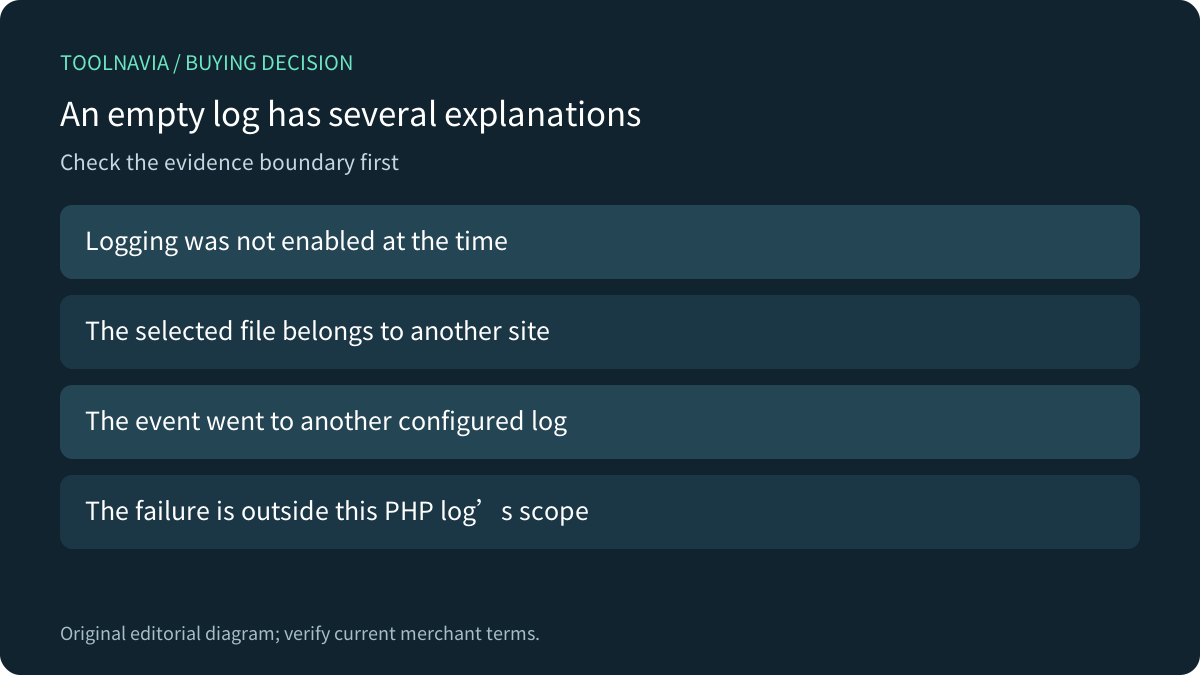
An empty Hostinger Premium PHP log does not certify that a WordPress site is healthy. First establish whether logging was enabled, whether you selected the correct file, and whether that channel could record the incident. A bigger plan is justified by a demonstrated capacity need, not by the absence of a message.
Premium supports WordPress, and Hostinger documents host-level PHP logs and a separate WordPress debug route. These can support a maintainable small site when someone owns diagnosis and follow-up. This is official-document analysis; no site, account, configuration or log was operated.
Start with the incident time and log scope
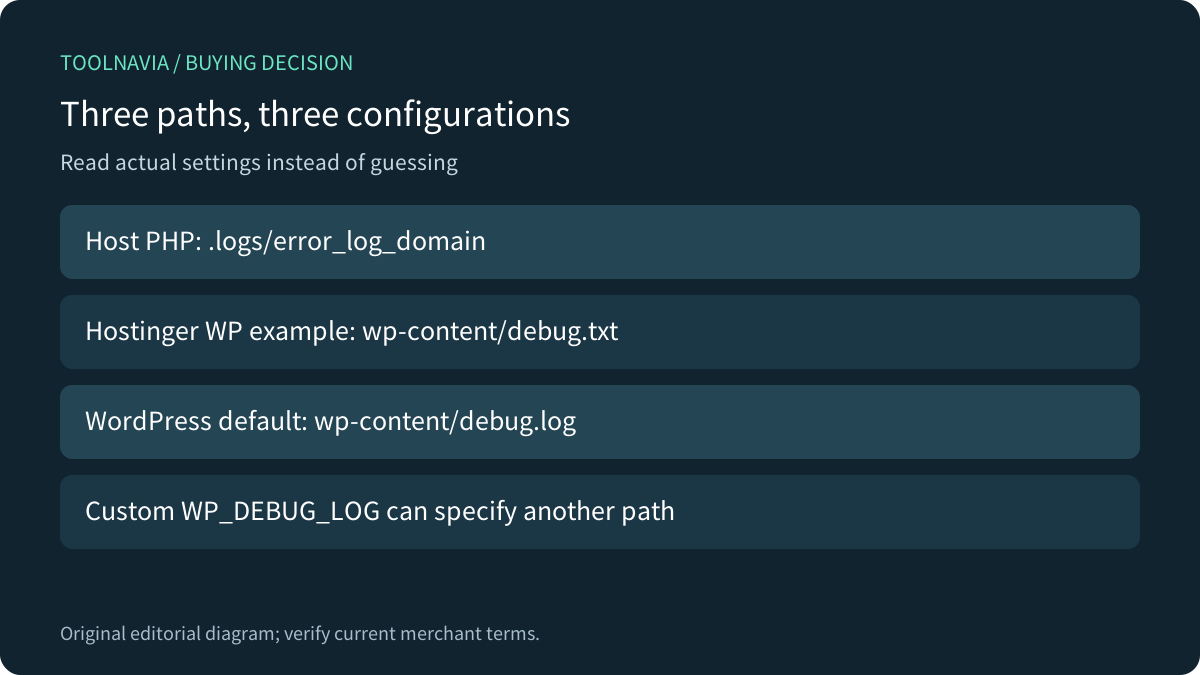
Hostinger places the PHP error files in the plan home's .logs folder, with a filename formed from error_log_ and the domain or subdomain. Its guide says recording starts after PHP logging is enabled; earlier errors are not backfilled. It also limits this channel to PHP errors rather than a complete server, resource, database or domain incident record.
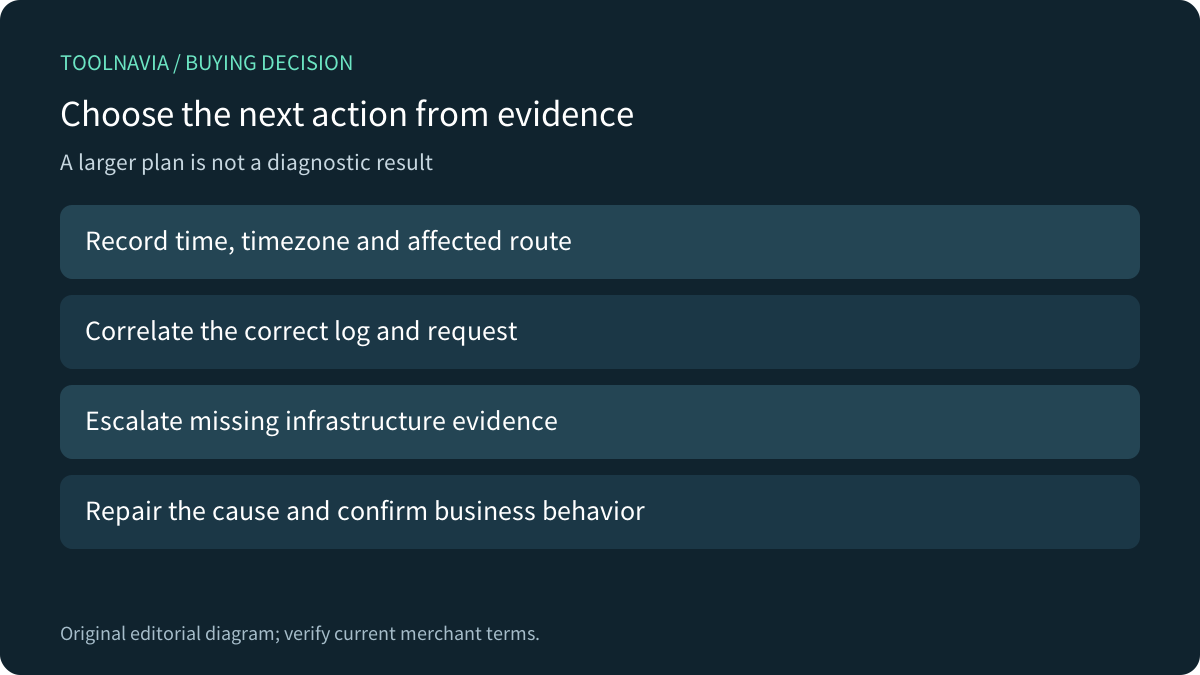
Record the affected URL, time, timezone and visible symptom. Match the intended site and time window before drawing a conclusion from an empty file. A DNS or upstream failure may prevent the request reaching the PHP code you hoped would log it; ask the host for the appropriate infrastructure evidence when needed.
Read the configured WordPress destination
Hostinger's WordPress example explicitly sets WP_DEBUG_LOG to wp-content/debug.txt. WordPress documents debug.log when that constant is simply true, and also permits a valid custom path. These filenames describe different configurations; searching only for the default filename can miss the provider's example destination.
The four useful workflow capabilities are a documented plan-home route, domain-specific PHP file names, a custom WordPress log destination, and separate visitor-display control. None removes the need to inspect the actual installed configuration and supported account permissions. Do not duplicate constants blindly or assume another site's settings apply.
Separate recording, display and file access
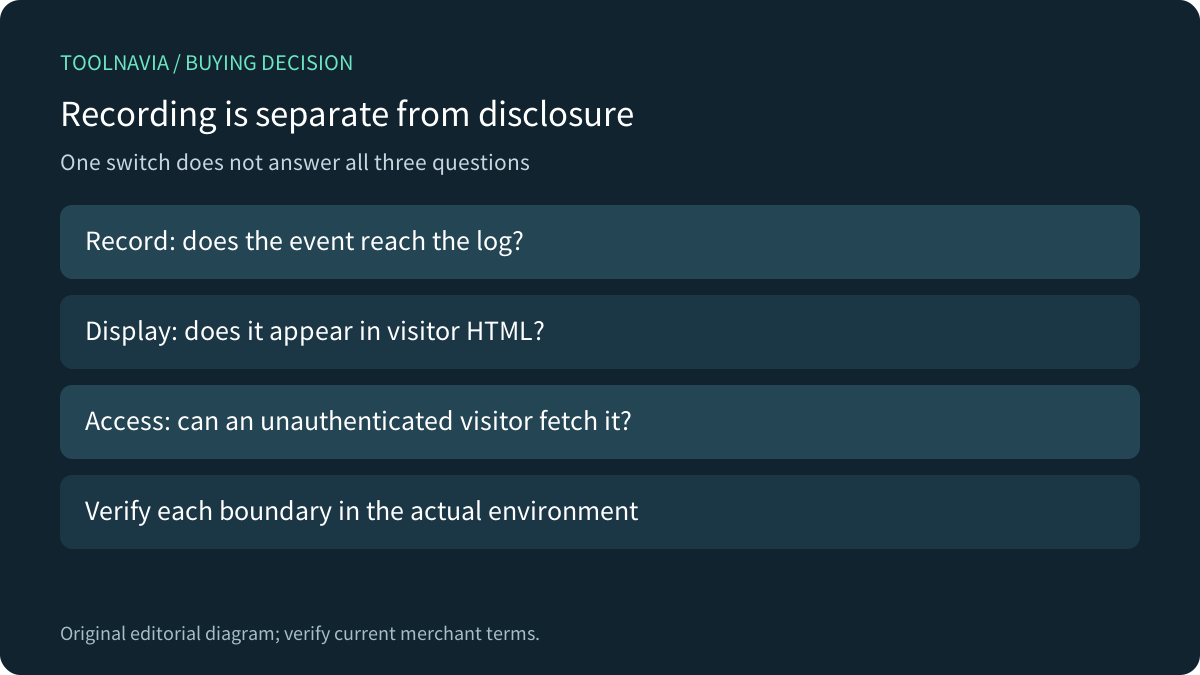
PHP distinguishes log_errors from display_errors and recommends logging instead of displaying errors on production websites. WordPress separately controls debugging, log capture and visible display, and recommends local or staging debugging. Hiding diagnostic text from rendered pages is a different question from whether a log file can be downloaded over HTTP.
Have an authorized maintainer confirm a suitable log destination and access restrictions. Limit collection and sharing of sensitive data, and remove or retain diagnostic material according to the actual need. We did not test any file's public accessibility, so this guide makes no claim that a particular path is protected by default.
Another host's log behavior is not yours
Kinsta separates error, access and cache-performance logs. Its documentation also says its WordPress debugging tool can capture errors instead of the ordinary error.log. This is a concrete example of why the selected channel matters, not a promise that Hostinger has the same interface, precedence or retention.
PHP also notes that a runtime display setting cannot take effect when a fatal error prevents that code from executing. A failed experiment with one snippet therefore does not prove the absence of an error. Prefer the provider-supported diagnostic route and ask for help when the failure occurs before the application can record it.
Accept the capture and the repaired function
In an authorized isolated environment, use a harmless identifiable diagnostic event, confirm the timestamp and destination, and verify that visitors do not receive diagnostic output or unauthorized log access. Preserve the original settings and return temporary diagnostics to the intended steady state afterward.
These are proposed checks; none was executed here. After addressing the cause, verify the affected business function rather than only checking that the log stopped growing. Suppressing a message is not the same as fixing the behavior that produced it.
Price hosting and maintenance separately
The current US Premium display is US$95.52 prepaid for 48 months, equivalent to US$1.99/month, renewing at US$10.99/month for the same term before VAT. Confirm the actual invoice and any separate developer or maintenance work. Ordinary log access does not establish a guaranteed application-repair service.
Choose Premium when its documented environment and your maintenance workflow fit. Upgrade after evidence establishes a resource gap; repair configuration or code when that is the cause. Hostinger has an open cash affiliate program, but our exact Premium offer remains unapplied with tracking disabled. This neutral guide uses ordinary official sources.