TOOLNAVIA / BUYING GUIDE
hosting.com Starter Email in Spam: Fix DNS or Pay for Better Mail?
The short answer
hosting.com Starter includes domain email, but a message landing in spam does not automatically mean you need a larger hosting plan. First identify the service that sends the message and the DNS provider that publishes its authentication records. This guide uses current documentation, not a delivery-rate test on a paid account.
At a glance
- Best for
- Small teams diagnosing sender authentication
- Price model
- Included mail; verify current hosting checkout
- Check first
- No inbox guarantee; exact renewal quote not obtained
What the included email tools solve
The exact cPanel Starter matrix lists ten mailboxes, 10GB per mailbox, a 2,400-message daily limit and SPF/DKIM/DMARC support. Its useful benefits are included domain mail, visible authentication controls, record recommendations and the option to connect external mail. These reduce setup work; they do not guarantee acceptance or inbox placement.
For mailbox quantities and the separate five-mailbox product presentation, use our [Starter email limits guide](/en/hosting/hosting-com-starter-email-mailbox-limits). Here the decision is whether authentication repair is enough before paying for another service.
Repair the authoritative DNS, not an unused copy
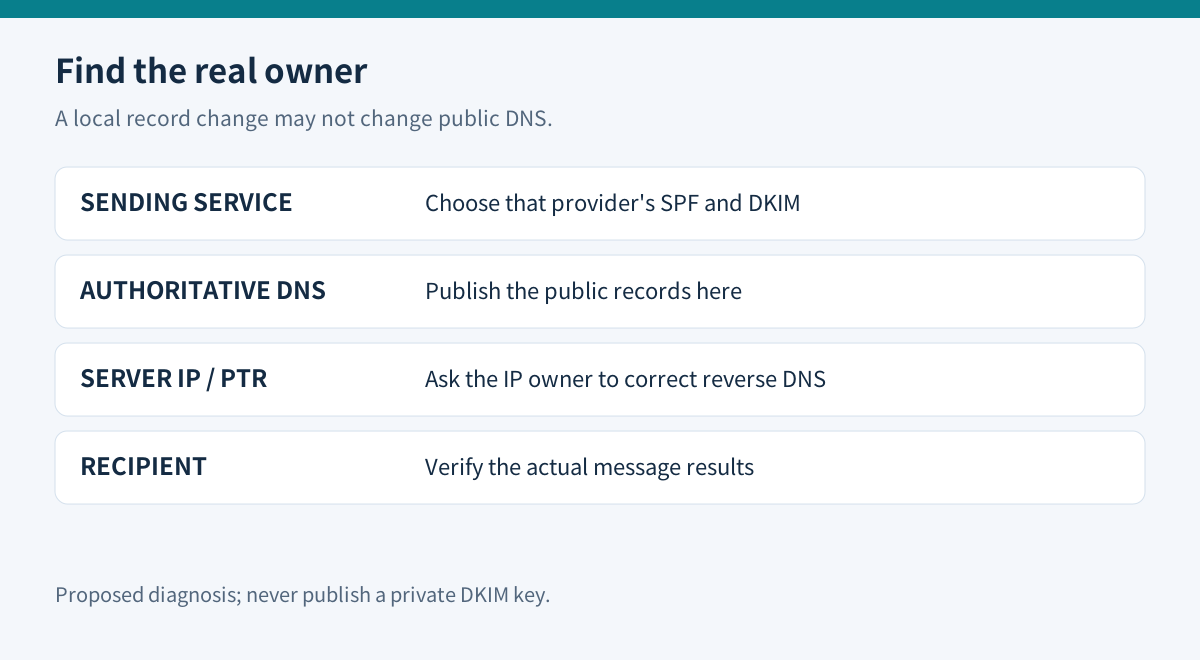
Open cPanel → Email Deliverability and inspect the affected domain. cPanel can recommend and repair records, but automatic repair is unavailable when it does not control the domain's DNS. If Cloudflare or another provider hosts authoritative DNS, copy the suggested public record name and value there. Publishing only a local cPanel copy does not finish the job.
Keep the old records before changing anything. Inventory staff mail, website forms, receipts and newsletters: several services may send for the same domain. Follow each sender's documentation and preserve authorized sources when updating SPF. Use the public DKIM DNS value, never the private signing key.
Do not replace mail-routing records merely to fix outbound authentication. A website can remain on Starter while mail is supplied elsewhere. The provider that actually sends your messages determines the appropriate SPF and DKIM configuration.
Check the message that actually left your site
SPF authorizes sending infrastructure; DKIM signs messages; DMARC connects authentication with the visible sender domain and a handling policy. A passing panel indicator is useful, but inspect the authentication results on a real test message from each sending path.
Google requires SPF or DKIM for all senders to personal Gmail and both plus DMARC for bulk senders. It recommends all three more broadly. These are recipient requirements, not an allowance to exceed Starter's daily sending cap. Authentication also does not erase complaints, poor content or IP reputation.
Start with a monitoring policy while confirming legitimate senders, then strengthen enforcement deliberately. Do not copy a reject policy into production before checking which business services rely on the domain. This is a proposed rollout sequence, not a configuration we applied to your account.
Know which problems belong to the host
The sending server's reverse DNS is another part of the path. cPanel says that if you do not control the IP address, its owner must handle PTR changes. A shared-host customer cannot repair that by adding an ordinary TXT record. Give support the message timestamp, recipient domain, sending IP and full bounce response, with private message content removed.
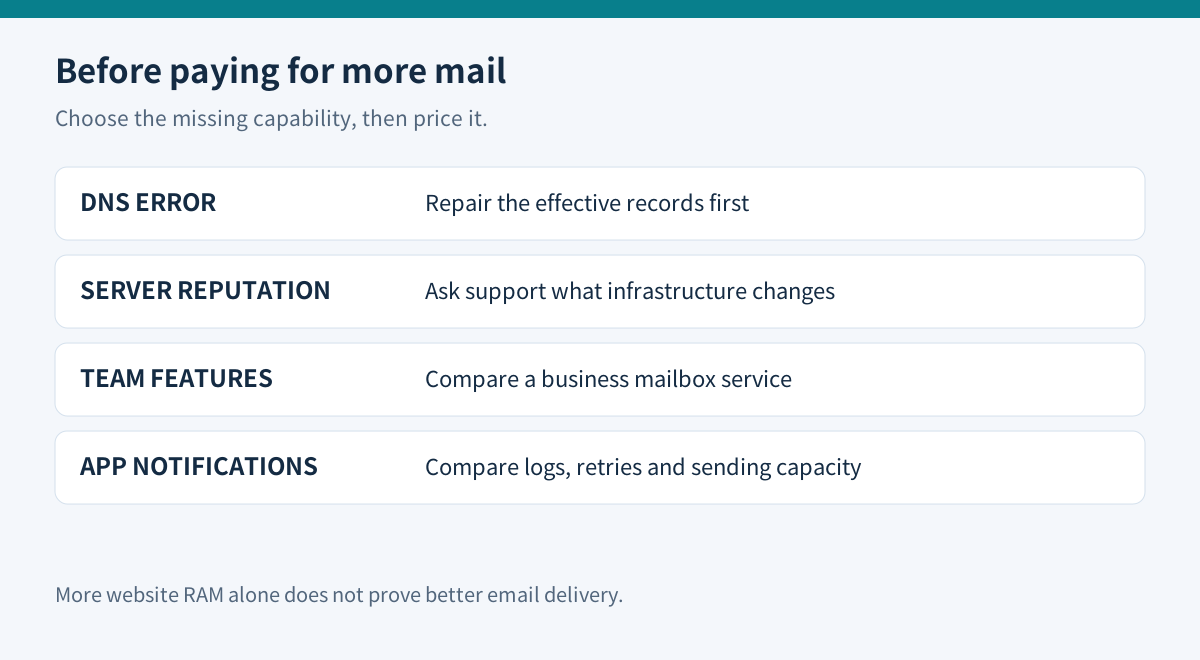
hosting.com also explains that customers sharing an IP can affect each other's reputation. That is a reason to investigate the sending service, not proof that buying more web RAM or a dedicated IP fixes everything. Preserve evidence and ask what infrastructure would actually change.
Spend only when the missing capability is clear
The official A2 comparison still shows Starter at $3.99/month on a one-year term, or $47.88 before tax. Treat that as a comparison-page reference: the cPanel page did not expose a readable current charge, and we did not obtain a cart or renewal quote. Confirm the exact cPanel product, term and renewal before buying.
Keep included mail when normal correspondence works after authentication repair and support resolves server-side issues. Consider a separate business mailbox for collaboration or administration needs, or a transactional service when application messages require suitable logs, retries and sending capacity. Price that actual service; a web-hosting upgrade may leave the mail problem unchanged.
Before switching, test one mailbox message, one website notification and one reply at the recipients that matter. Record authentication, delivery location and bounce details. Change providers only after the replacement passes those tests. Toolnavia may earn a commission from an eligible purchase through its hosting.com link.