TOOLNAVIA / BUYING GUIDE
hosting.com Starter: 1 Site or 5, and What Renews?
The short answer
**Quick answer:** hosting.com Starter suits one modest site only after you confirm whether checkout uses Hosting Panel or cPanel. Current official pages show 5 sites on the general panel but 1 site plus 5 aliases on cPanel, and the regular renewal price is not consistently public.
At a glance
- Best for
- One modest site whose owner verifies the exact Hosting Panel or cPanel route, renewal terms and backup plan.
- Price model
- Official route-specific reference: $3.99/month for one year; confirm cart and renewal
- Check first
- Public pages currently differ on route and site count; no universal public renewal amount is confirmed; 15GB and shared-resource limits require workload planning.
First decide which Starter you are buying
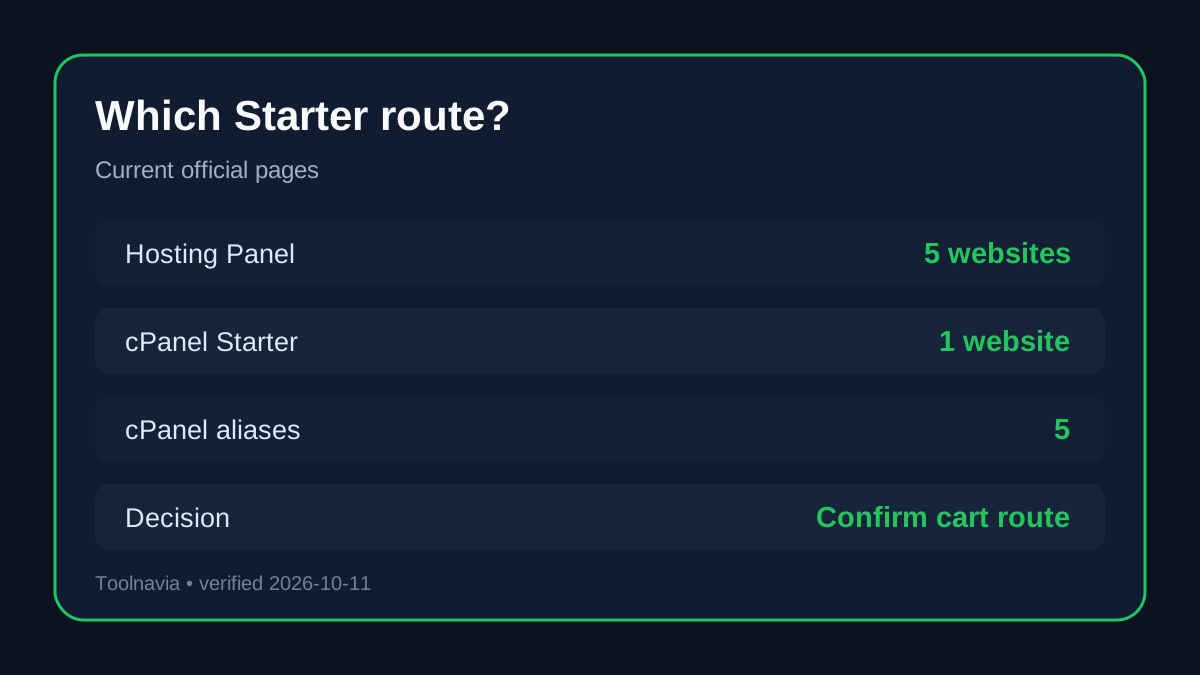
The word “Starter” appears across more than one current hosting.com route. The general shared-hosting card uses the Hosting Panel and lists 5 websites, 15GB NVMe, email, security, migration, SSL and daily backups. The cPanel page describes a different control-panel route and lists 1 website plus 5 domain aliases.
Those are not interchangeable allowances. A domain alias points another domain at a site; it is not automatically a separate website with its own files, database and workload. If you expect two to five independent sites, the route shown in checkout changes the decision. For conservative planning, assume one independent site until the cart or support confirms otherwise.
The $3.99 reference is not a universal checkout price
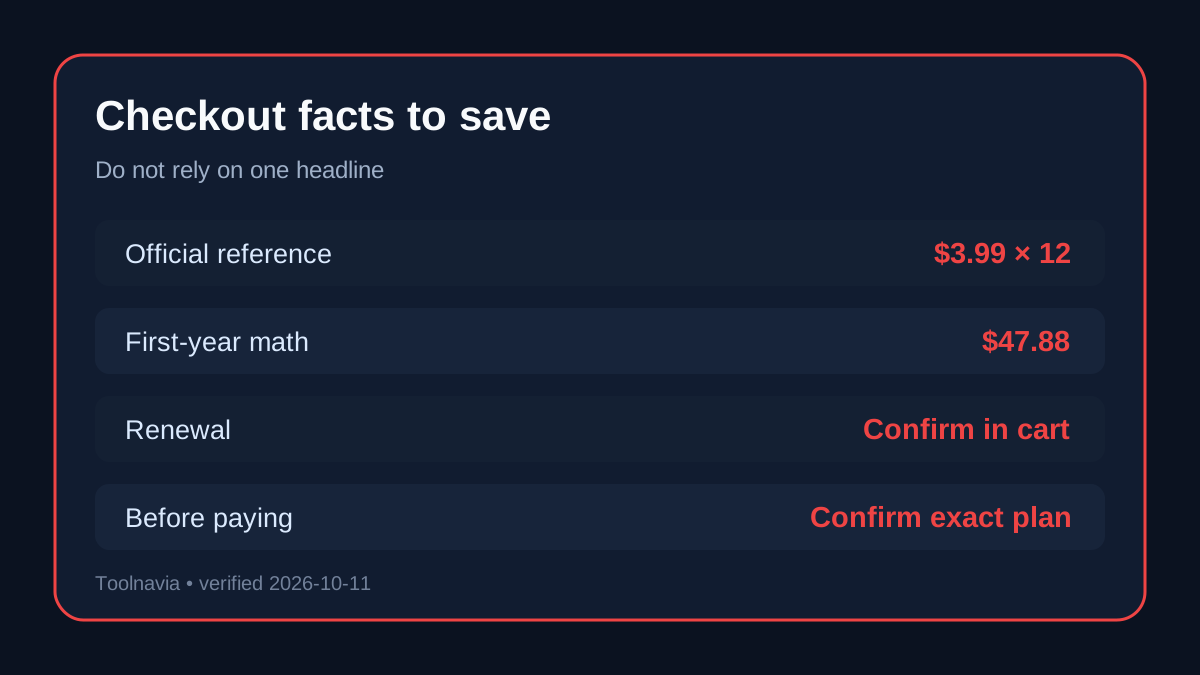
The current official A2 migration comparison maps old Startup to hosting.com Starter at **$3.99/month on a one-year term**, or **$47.88 before tax and add-ons**. It also identifies one website, 15GB NVMe, 2GB RAM and 2 virtual CPUs.
Other current independent pages show different campaign and term snapshots, including $1.99 on 48 months or $2.99 on one year. These are useful evidence that price varies by campaign, route and term, but they do not override the cart you see. The official renewal page only says promotional prepaid plans renew at regular pricing; it does not provide one stable public Starter renewal amount.
Before paying, record the exact product route, billing term, amount due today, renewal amount and date, tax, and optional add-ons. If the renewal amount is absent, ask support and keep the transcript.
Resource limits are clearer than the billing page
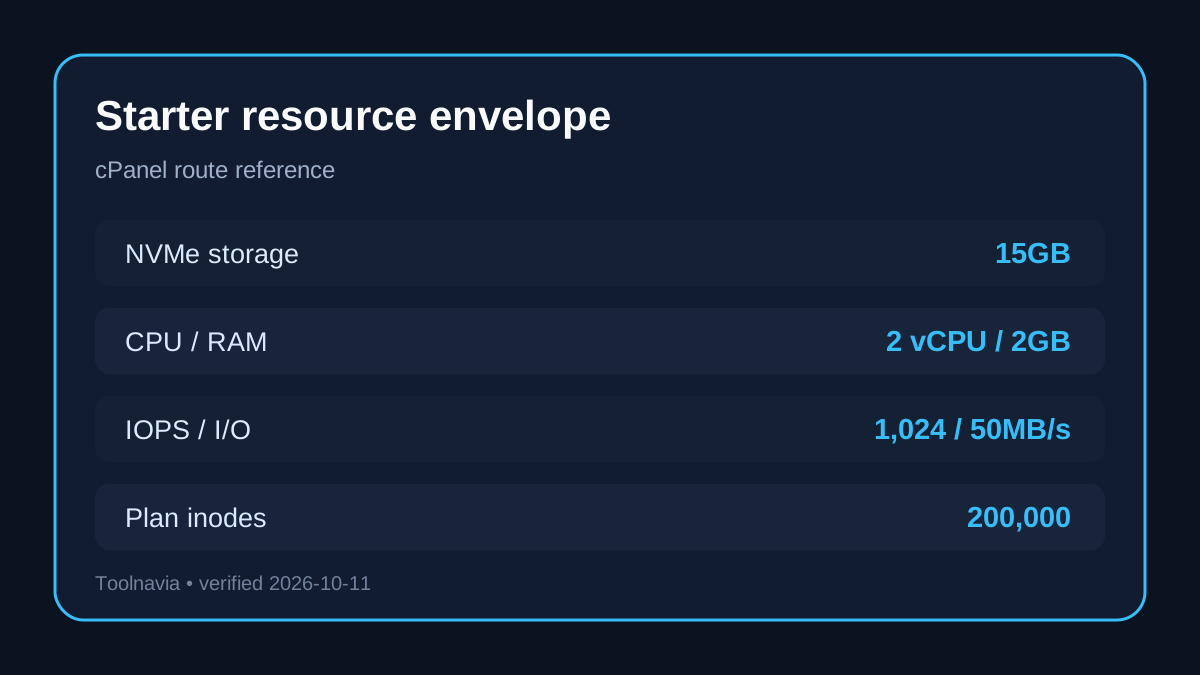
The cPanel Starter table publishes a concrete workload envelope: **15GB NVMe, 2 virtual CPUs, 2GB RAM, 1,024 IOPS, 50MB/s I/O, 30 entry processes, a 200,000-inode plan limit and a 50,000 monthly page-view capacity guide**. The page calls the traffic figure guidance rather than a hard visit allowance.
These figures are planning boundaries, not a Toolnavia speed test. A brochure site or modest blog may fit comfortably; a large media library, busy store or high-concurrency application can hit storage, inode, process or database limits before traffic reaches a headline estimate. Independent benchmark articles are useful for questions to test, but their account, route and location may differ from yours.
Backups are included, but keep another copy
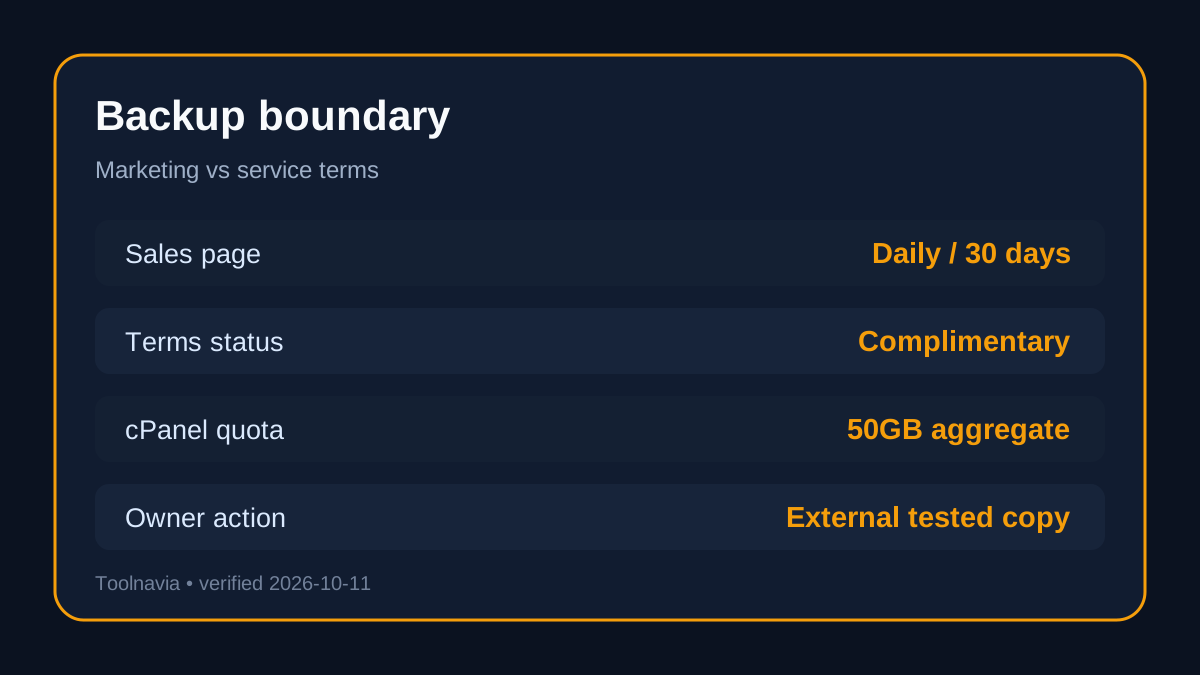
Current sales material advertises daily backups and 30-day restore. The service terms narrow that promise: cPanel shared backups are complimentary, may omit some files including email because of technical constraints, and stop when aggregate disk use exceeds 50GB. Locally stored backup files may also be removed when they consume excessive space.
Treat the provider copy as a recovery convenience, not the only copy of a business site. Keep an external backup, test one restore, and preserve the old host until migration, forms, email, SSL and DNS have been verified.
Who should choose Starter?
Choose Starter when you need one modest site, 15GB is enough, you value managed migration and included email/security, and you can confirm the route and renewal terms in checkout. The cPanel route is especially relevant when full cPanel tooling is a requirement.
Pause when you need several independent sites, a fixed renewal budget, a large media library, or guaranteed resources beyond shared hosting. Five domains on a general card do not prove that a cPanel Starter cart includes five separate sites.
Checkout checklist
1. Confirm **Hosting Panel or cPanel**. 2. Save the website count and distinguish sites from aliases. 3. Record the total due today and the prepaid term. 4. Record the regular renewal amount and renewal date. 5. Confirm 15GB storage and the resource limits fit the workload. 6. Remove unwanted add-ons. 7. Keep an independent backup and test restoration.
**Bottom line:** hosting.com Starter can fit a small site, but the purchase decision is route-specific. The safest current reading is one site for cPanel Starter, five sites on the general Hosting Panel card, and no universal public renewal figure.