TOOLNAVIA / BUYING GUIDE
HostArmada Web Warp PHP: Account Defaults and One-Site Upgrades
The short answer
HostArmada Web Warp is worth considering when several websites need different PHP upgrade schedules. Its shared-hosting documentation describes directory-specific versions, but the available controls and installed branches need confirmation on the actual account. This guide connects those checks to the annual commitment. It is documentation-based, without a paid-account experiment or a performance benchmark.
At a glance
- Best for
- Several modest sites needing separately scheduled, provider-confirmed PHP maintenance.
- Price model
- 12-month display: $3.36 initial/$18.65 regular monthly equivalent. Arithmetic $40.32/$223.80, not cart quotes.
- Check first
- Account interface and branch availability remain unverified; directory PHP is not account isolation.
Four controls that can make upgrades easier
| Control | Practical benefit | Boundary | |---|---|---| | Account default | Establish a common PHP baseline. | Map every site that inherits it before changing it. | | Directory version | Move one application on its own schedule. | Confirm the provider-supported handler and target directory. | | Extensions | Enable preinstalled application modules. | Availability and compatibility depend on the selected branch. | | PHP options | Adjust permitted settings such as memory_limit. | Script settings do not increase account RAM or CPU. |
Think of these as maintenance controls, not separate servers. A directory override is not evidence of independent account security isolation. The practical benefit is being able to plan a scoped change rather than moving every application simultaneously.
Confirm the interface and available branch
Two official descriptions need reconciliation. HostArmada's shared-hosting knowledge base describes .htaccess handlers, while its developer page describes MultiPHP Manager for domains and subdomains. These may coexist, but neither page proves what a particular newly provisioned account exposes.
The version lists also differ: the knowledge base gives PHP 8.4 and 8.5 examples, whereas the plan matrix ends at 8.3. Ask support to confirm the desired branch, interface and target-directory procedure for the assigned server before paying or editing configuration.
Do not treat the knowledge base's older latest-8.2 wording as current lifecycle advice. PHP 8.2 receives upstream security fixes only through December 31, 2026. Choose an application-compatible, supported branch that the host actually supplies. Generic cPanel recipes are not interchangeable: its per-directory AddHandler procedure excludes PHP Selector sites and is restricted to a particular handler.
Prepare one change with a recovery path
WordPress recommends backups, updated application components and compatibility checks before a PHP change. Our suggested preparation is to record each site's URL, document root, actual web PHP version, required modules and one important working action. This turns an ambiguous account change into a list of testable outcomes.
Save the current configuration and a recoverable application backup. Confirm the exact directory before editing; where available, test a controlled copy first. For copying application files and databases, use the separate [HostArmada staging guide](/en/hosting/hostarmada-start-dock-softaculous-staging-push-live-risk).
When only one application should change, avoid changing the account default. Use the provider-confirmed local method instead. Keep a note of the previous mapping and a restoration procedure. These are editorial recommendations, not operations we performed on a customer's account.
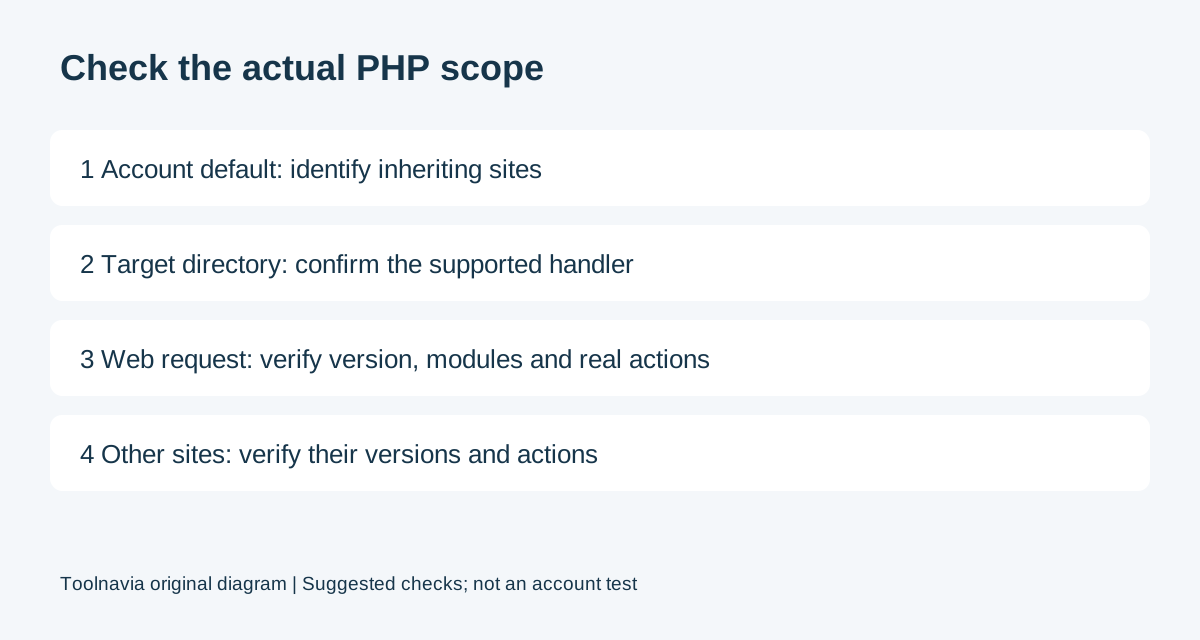
Verify the target and neighboring sites
WordPress exposes the effective web PHP version in Tools, Site Health, Info, Server. cPanel also recommends noting the previous version, checking the site after changing it and reverting when necessary.
| Suggested check | Passing result | |---|---| | Target site | Intended supported runtime; login, form or test order succeeds. | | Other sites | Their intended versions and representative actions still work. | | Modules and options | Effective values meet each application's requirements. | | Recovery | Previous mapping and configuration are recorded and restorable. |
These are proposed acceptance criteria, not measured results. A homepage alone cannot demonstrate that a checkout or scheduled task works. For a runtime-only rollback, restore the previous mapping and recheck affected URLs. Do not automatically overwrite a production database merely because a PHP change failed; application-data recovery is a separate decision.
Budget the annual term and renewal
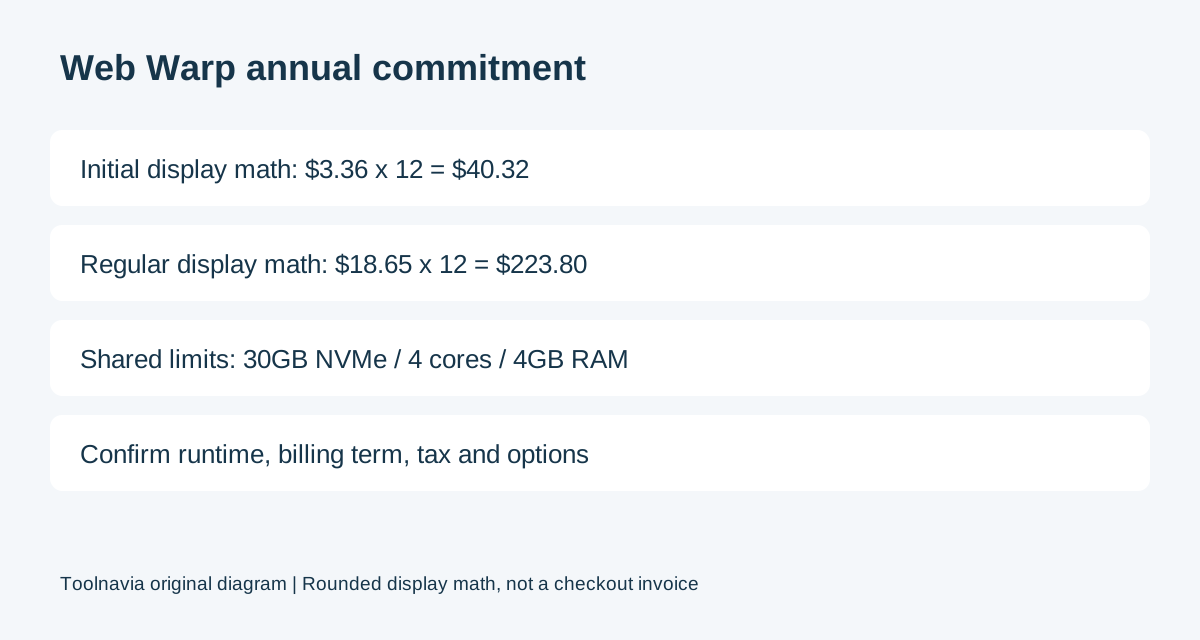
Checked November 2, 2026, the public Web Warp page shows payment every twelve months, with a $3.36 initial monthly equivalent and an $18.65 regular monthly equivalent. Discounts apply to the initial term.
Multiplying those rounded display values gives $40.32 and $223.80 respectively for twelve months. These are arithmetic estimates, not observed checkout invoices. Confirm the actual term, eligibility, tax, optional services and renewal amount before ordering.
The same page lists 30GB NVMe, four CPU cores and 4GB RAM. Unlimited website count does not turn that into unlimited capacity. Check the [multisite capacity guide](/en/hosting/hostarmada-web-warp-multisite-density) when several busy applications will share the account.
Buy for confirmed control, then test the result
Shortlist Web Warp when its resources fit and support confirms the runtime and procedure your applications need. Retain a satisfactory existing setup while investigating compatibility; postpone buying when the required branch remains unconfirmed.
The decisive evidence is a working target application and working neighboring sites after a scoped change. A dropdown displaying a version is only the start of that verification.
Affiliate disclosure: Toolnavia may earn a commission from an eligible purchase through the HostArmada referral link. The final price and account-specific PHP capabilities still need confirmation.