TOOLNAVIA / BUYING GUIDE
Cloudways Migration Cost 2026: Free, Unlimited or $99?
The short answer
**Quick answer:** the Cloudways WordPress Migrator plugin is the clearest **$0, unlimited-site** path. One expert WordPress move is also consistently free. For additional expert-led WordPress sites, confirm the quantity because current Cloudways pages disagree. Non-WordPress work can cost **$99 per app** beyond the plan quota. [Check migration options](/go/cloudways-wordpress-migration-official).
At a glance
- Best for
- WordPress buyers who want a repeatable free plugin path and teams that can confirm expert migration quantity before checkout.
- Price model
- WordPress plugin $0; non-WordPress $99/app beyond quota
- Check first
- Current official pages conflict on whether additional expert-led WordPress migrations are unlimited; non-WordPress apps can cost $99 beyond plan quota.
Three paths, three cost rules
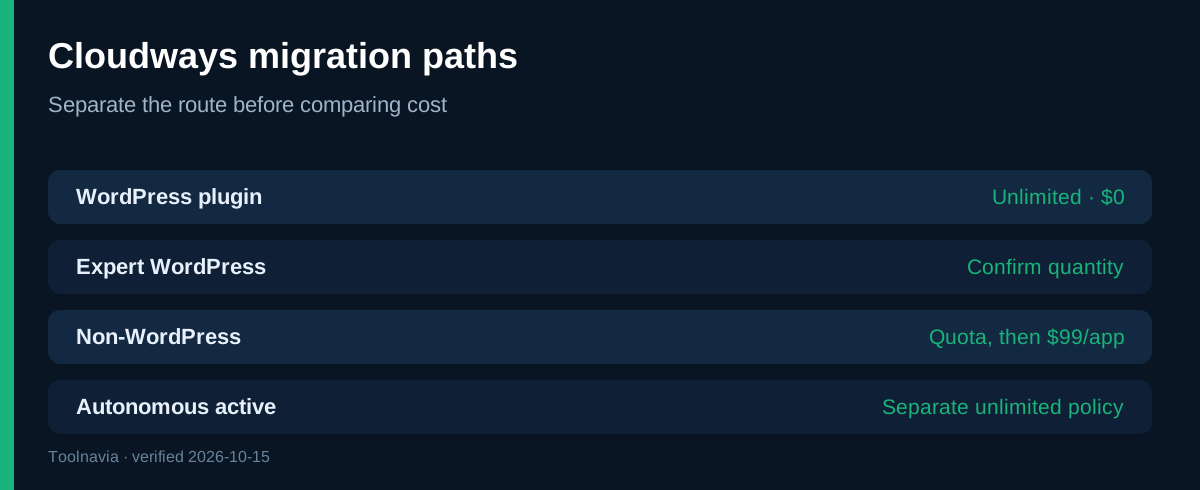
The options are the self-service WordPress plugin, an expert-managed WordPress/WooCommerce transfer, and managed migration for non-WordPress apps such as Magento, Laravel or custom PHP.
The plugin runs from the old WordPress site, copies to Cloudways, and lets you test before changing DNS. Its current guide says it is free and unlimited.
Expert migration transfers the work to Cloudways. The dedicated guide says WordPress and WooCommerce are free even with experts. Non-WordPress services use plan quotas and a published per-app fee.
What is definitely free
Official sources consistently describe the WordPress Migrator plugin as free for unlimited WordPress and WooCommerce sites.
That covers the transfer tool—not the whole move. You may still pay for Cloudways and the old host during overlap, developer fixes, premium licenses, DNS or email work, and verification time. Keep the old site live until the copy passes acceptance checks.
Why expert wording conflicts
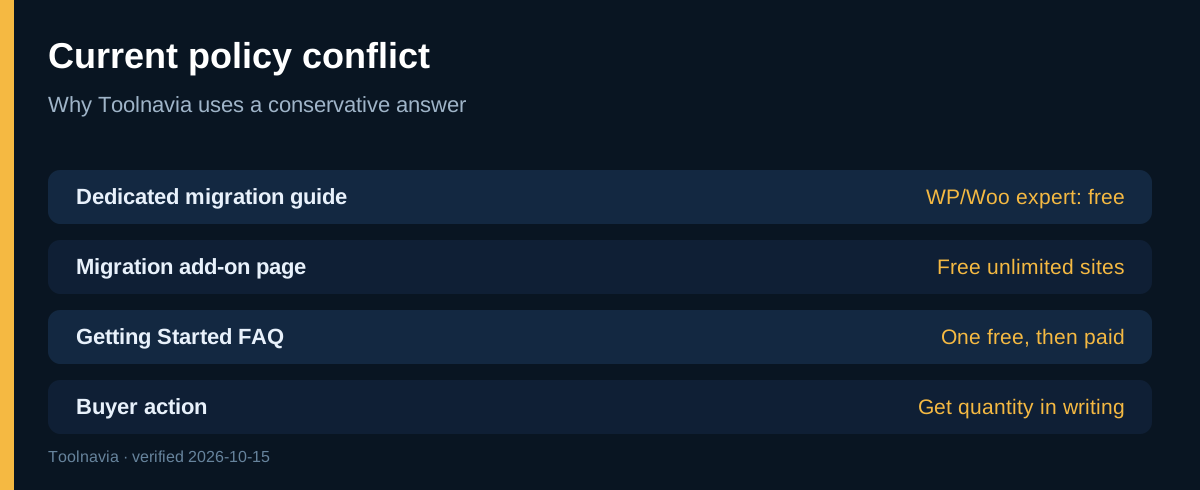
The dedicated Help article says expert WordPress/WooCommerce migrations are free. The migration add-on page labels them “Free Unlimited Sites,” and Cloudways’ current cost guide uses the same no-limit interpretation.
Yet the Getting Started FAQ says one managed migration is free and later ones are paid; the WordPress onboarding guide also says only the first expert move is free. Independent reviews split similarly: EXPERTE found the conflict and received a more generous support answer; CHOICEA, MoreSupport and NorthVetted budget around one expert move, while WPSymposium follows the newer free-migration wording.
Safe buying rule: count one expert WordPress migration as free. Before budgeting a second or twentieth at $0, get the exact quantity confirmed in the Application Migration panel or a support ticket. The unlimited plugin remains the fallback.
When $99 applies
The dedicated policy prices non-WordPress migration at **$99 per application**. Standard includes one such migration, while Agency includes up to five; later moves are $99 each.
Have Cloudways classify Magento, Laravel, Joomla, LMS or custom PHP before assuming it qualifies for WordPress treatment. A Standard customer moving three custom PHP apps might have one included and two paid: 2 × $99 = **$198** before overlap, repairs or tax. This is a planning example, not a quote.
Autonomous uses a separate policy: active accounts explicitly get unlimited free managed migrations, while trial accounts do not. Do not mix Flexible and Autonomous terms.
Four buyer scenarios
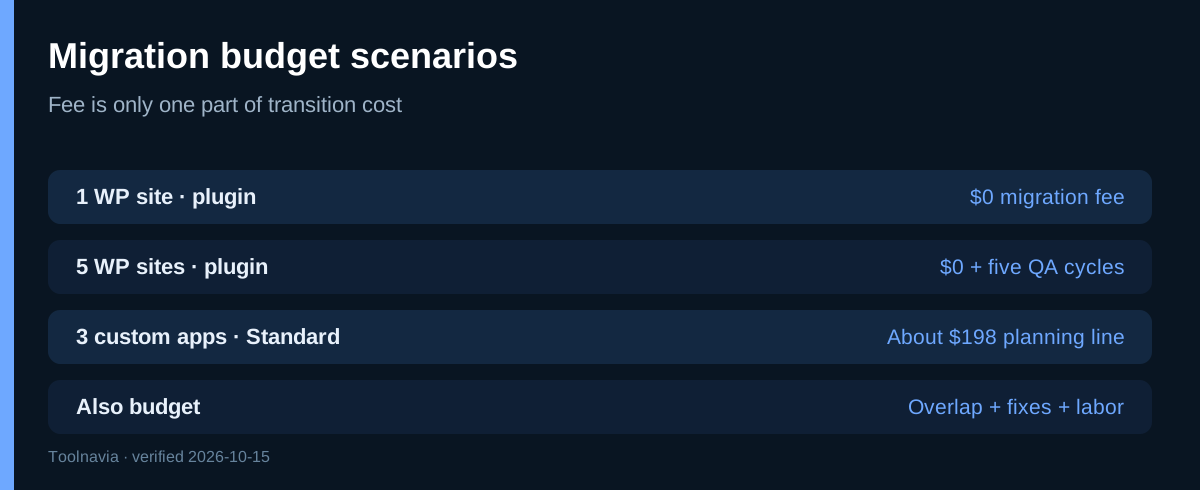
**One WordPress site via plugin:** $0 migration fee, plus overlap and testing.
**Five WordPress sites via plugin:** still $0 under the unlimited policy, but five verification and cutover cycles.
**Several WordPress sites with experts:** current dedicated pages suggest $0; onboarding pages disagree. Confirm the site count in writing.
**Three non-WordPress apps on Standard:** one may be included and two may create a $198 planning line.
Compare total transition cost: fee, overlap, validation labor and failed-cutover risk.
Preflight before checkout
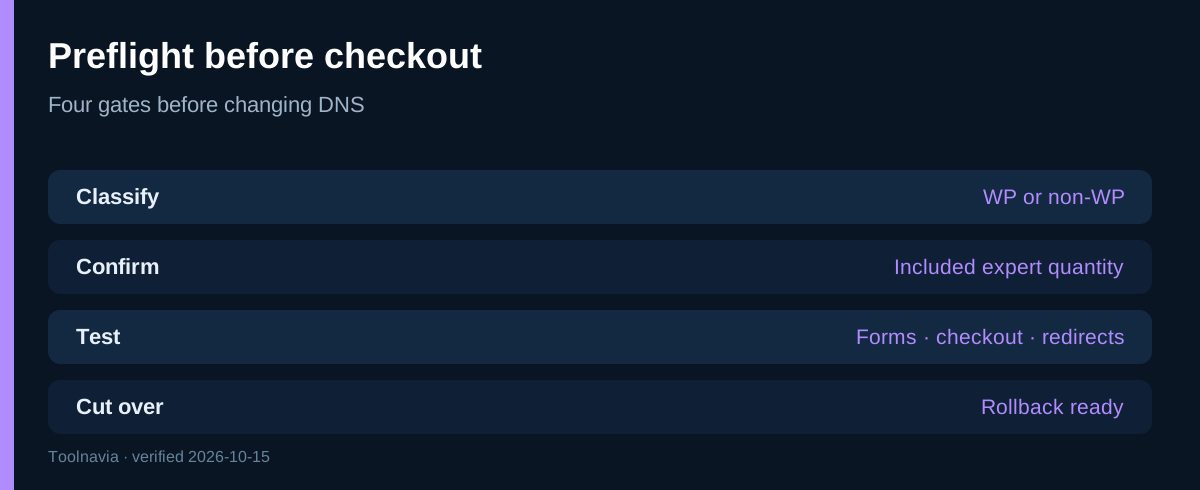
List each site, app type, database and disk size, email dependency, DNS provider and critical integration. Decide which sites can use the plugin and which need experts.
Ask Cloudways to confirm the included expert count, whether unlimited WordPress expert moves apply to your account, the non-WordPress fee, special handling for multisite or large libraries, and queue time.
Test pages, media, admin login, forms, checkout, scheduled jobs, redirects and SSL on the temporary URL. Keep a rollback copy and lower DNS TTL before the switch.
Who should choose each route
Use the plugin for standard WordPress when your team can follow a checklist. Use experts for complex stores, large databases or teams that cannot own the cutover.
If the purchase depends on unlimited expert labor, get confirmation before checkout or budget only the first move as free. Non-WordPress portfolios should treat migration as a quota decision.
Final decision
The dependable claim is **unlimited free self-service WordPress migration**. One expert WordPress move is also safely budgeted at $0; additional expert quantity remains confirmation-required. For non-WordPress apps, use the quota and $99 rule.
**Bottom line:** choose the plugin for a clear repeatable $0 path; choose experts for risk reduction but confirm quantity; budget $99 per extra non-WordPress app beyond the included quota.