TOOLNAVIA / BUYING GUIDE
Cloudways Staging Push: Keep Live Orders, Not an Old Database
The short answer
Cloudways Flexible staging is useful for testing a store redesign, but its database push is not an order-merging service. Choose it when someone can separate code changes from live business data; keep your current release workflow when it already does that reliably. This documentation-based guide proposes checks, not results from a paid hosting account.
At a glance
- Best for
- Teams able to rehearse scoped code/data releases.
- Price model
- Existing-server staging has no separate staging fee; new server charges and $0.033/GB backup storage rounded up by $0.50 may apply.
- Check first
- No automatic order merge or universal exclusion list.
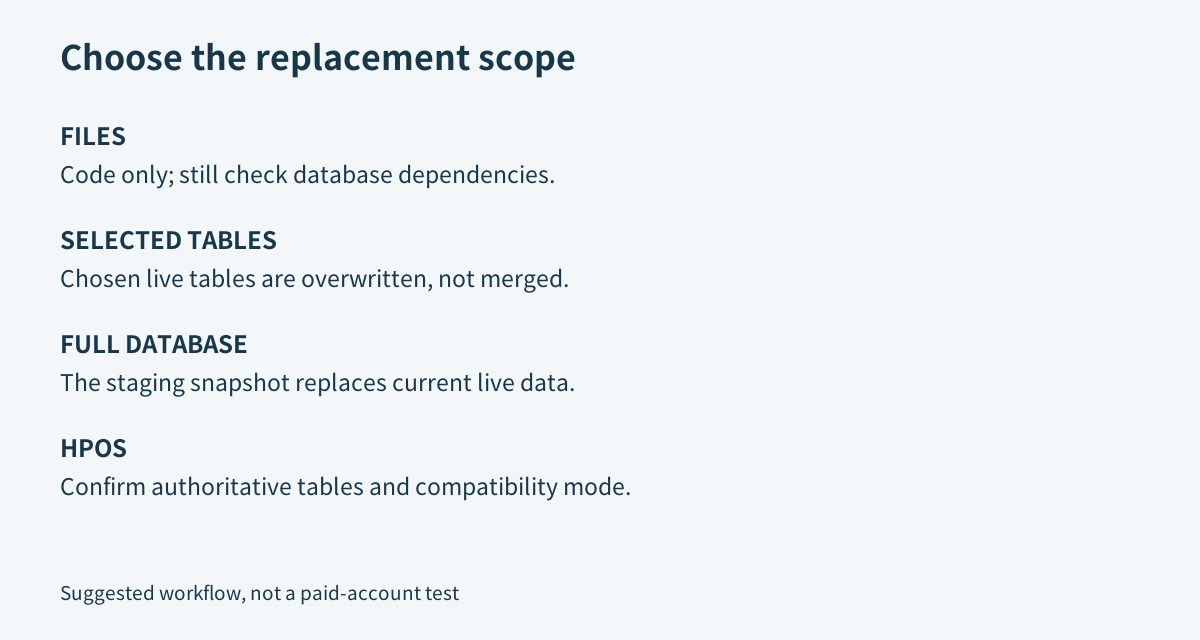
Select the replacement scope, not just Push
Cloudways lets you push application files and database content separately. Full DB replaces the live database; Selected Tables overwrites the chosen live tables. Neither option promises record-by-record reconciliation.
Our illustrative timeline makes the consequence visible: staging is copied at 10:00, a customer orders at 10:05, and the old database is pushed at 10:10. That new order is absent from the snapshot being copied. A successful deployment notification cannot prove the order survived.
Four controls have practical value: file-only selection avoids an unnecessary database copy; selected tables narrow replacement; an optional pre-push backup provides a recovery point; and deployment logs record Push/Pull history. Their boundaries matter: code can depend on database changes, selected tables are still overwritten, a backup does not prevent loss, and a log is not a business-data audit.
Check HPOS before choosing tables
WooCommerce can use legacy posts/postmeta storage or High-Performance Order Storage, called HPOS. HPOS separates order information into dedicated tables, with authoritative and backup roles determined by the active configuration. Compatibility mode synchronizes those stores within a site; it is not a staging-to-production merge.
Therefore, an old instruction to exclude only posts and postmeta is not a complete current order-preservation plan. WP STAGING's legacy guidance itself points HPOS users elsewhere and warns that shared content tables can also contain layouts and pages. Its plugin-specific procedure should not be copied into Cloudways blindly.
Record the actual table prefix, authoritative order store, compatibility setting and extension dependencies. Orders are not the entire shop: customer data, stock, refunds, subscription state and scheduled actions also need a release plan. Ask the relevant extension developers which data must remain untouched. Do not toggle HPOS just to simplify a deployment.
Rehearse a smaller release
For CSS or template changes with no database dependency, test a file-only release. For database-stored page-builder layouts or settings, identify a supported export/import or repeatable configuration change rather than copying a mixed-purpose table wholesale. WP Engine's separate deployment guide makes the same distinction between files, settings and destructively copying a database; its interface is not Cloudways' interface.
Use synthetic transactions to rehearse the exact release on a controlled copy. Confirm what gets copied and what stays unchanged. Plan payment callbacks, recurring jobs and integrations deliberately; a maintenance page alone is not proof that every writer has stopped.
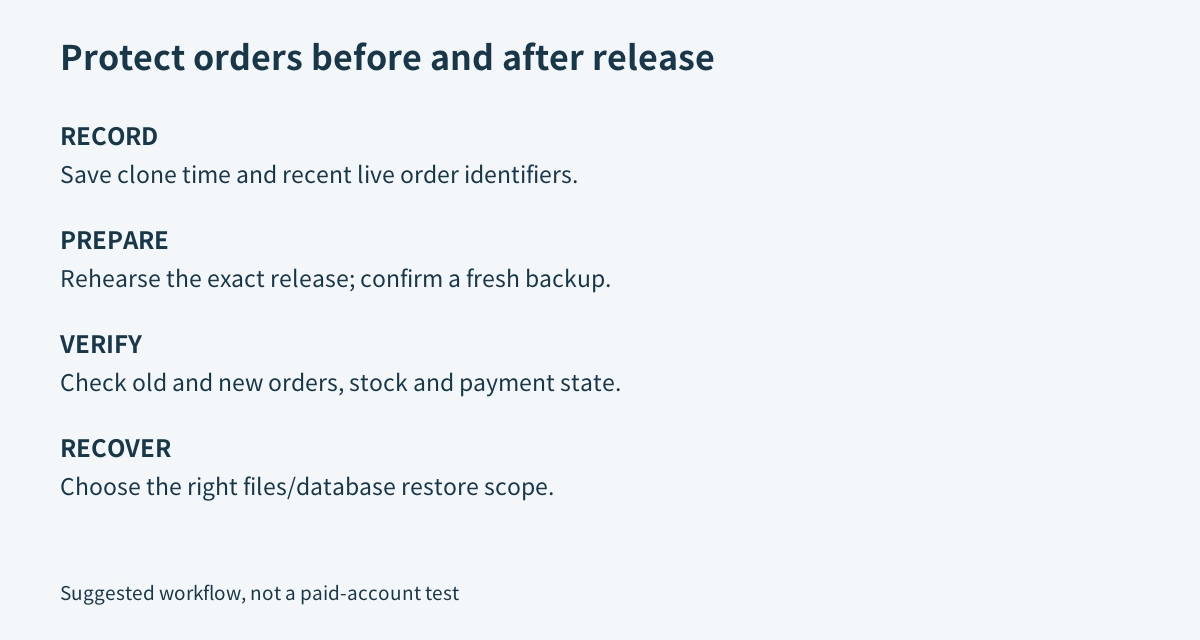
Before production, record clone time and recent live order identifiers, statuses and stock values. Confirm a fresh backup completed, assign a recovery owner and agree the release window. These are editorial acceptance recommendations, not a claim that Toolnavia performed the operations.
Verify both old and new business records
After deployment, inspect orders from before and after the staging copy, plus a safe new test transaction. Compare identifiers, payment status, line items, stock and customer access—not just the number of rows or whether the homepage opens. Reconcile external payment and fulfillment records separately.
If recovery is needed, Cloudways Flexible supports files-only, database-only or complete restore. Restore points use UTC, and Cloudways recommends free disk space of at least 2.5 times the application-data size. Its Rollback option reverses the preceding restore scope, not every deployment ever performed.
Restoring an older database can remove newer transactions again. Preserve relevant incident evidence before choosing that action. The separate [backup guide](/en/hosting/cloudways-flexible-backup-frequency-retention-restore-economics) covers retention and portable copies.
Budget infrastructure, not a zero-cost store
Staging on an existing Flexible server has no separate staging charge; launching another server incurs its normal charges. Both copies still need capacity. The pricing page offers different provider and server configurations, so no single headline rate is a quote for your store. Confirm the selected configuration, recurring rate, taxes and extras.
Flexible off-site backups are additionally $0.033 per stored GB, rounded upward in $0.50 increments. Actual retained backup data controls that charge. Developer work and a tested release process are separate costs; a bigger server does not turn table overwrite into transaction merging.
When this is worth using
Choose Flexible for its scoped deployment and recovery controls when your team can validate the data path. Retain a satisfactory existing setup when migration adds no concrete benefit. Postpone the move when nobody can explain which current records a push would replace.
Affiliate disclosure: Toolnavia may earn a commission from an eligible purchase through its Cloudways referral link.