TOOLNAVIA / BUYING GUIDE
Cloudways Billing Explained: Backups, Stopped Servers and Add-ons
The short answer
Cloudways' headline server price is not always the final invoice. Flexible uses pay-as-you-go billing, but the bill can also include off-site backups, bandwidth overage and any paid add-ons you enable. The most important surprise is simpler: stopping or leaving a server idle does not necessarily stop the charge. Cloudways says you must delete unused servers and deactivate paid add-ons to fully stop billing.
Affiliate disclosure: Toolnavia may earn a commission from qualifying Cloudways purchases made through links on this page. This does not change the billing rules or cost examples below.
At a glance
- Best for
- Cloudways buyers who want a real monthly budget and a clear cancellation/cleanup checklist.
- Price model
- Base server + backups + bandwidth/overages + enabled add-ons + tax
- Check first
- Actual bill depends on provider, usage, add-ons and taxes; prices can change.
Start with the server, then add the charges that actually apply
Cloudways' billing guide says Flexible servers are charged hourly and rolled into a monthly invoice. Depending on the underlying provider and how long the server exists, there is a monthly cap or provider-specific hourly behavior. The account Billing section shows current usage and estimated cost.
That means a $14 or $28 server price is a useful starting point, not automatically the whole budget. Your real bill can add backups, excess bandwidth, email, CDN, DNS, premium support or other services you intentionally enable.
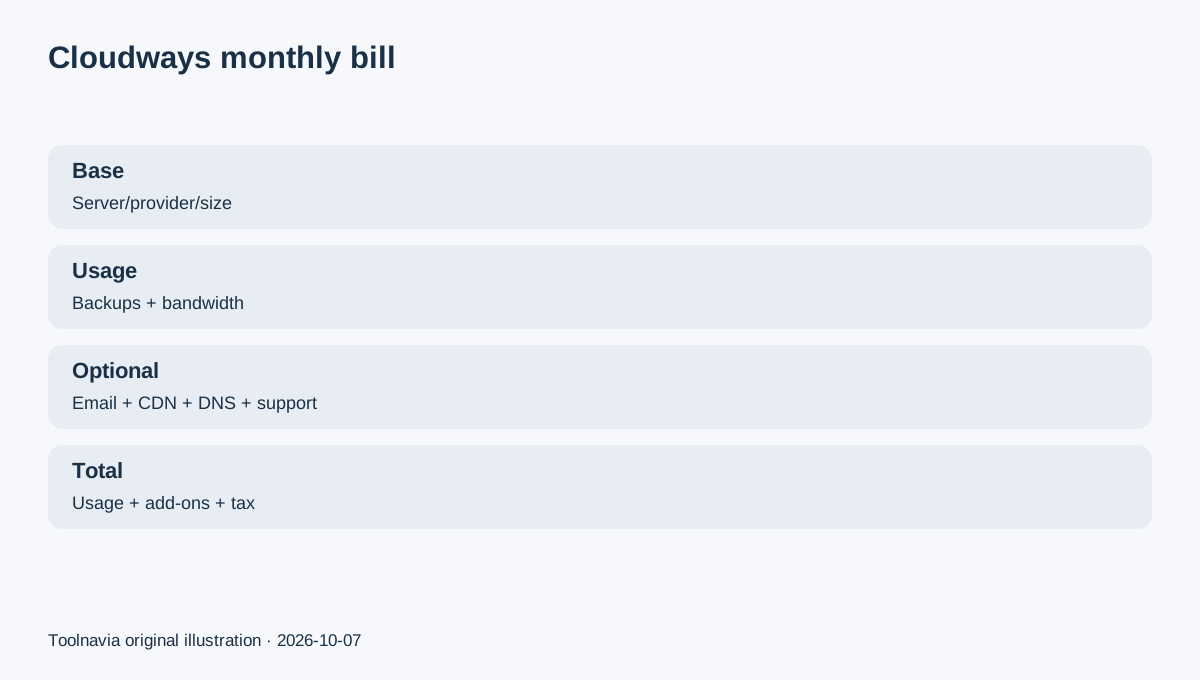
The right budgeting formula is: server + backups + bandwidth/overages + enabled add-ons + applicable tax.
Off-site backups are separate on Flexible
Cloudways currently charges Flexible off-site backup storage at $0.033 per GB, regardless of provider or location. The monthly amount depends on the backup storage consumed, which can change with application data and retention. Cloudways rounds backup charges in $0.50 increments.
A site using 100GB of billed backup storage would therefore start with $3.30 of raw storage calculation before the rounding rule. A small site may pay less; a frequently changing or larger site may pay more.
This is why “server price” and “hosting total” should not be treated as synonyms.
A stopped server can still cost money
Cloudways explicitly warns that simply stopping or leaving a server inactive does not stop billing. To fully stop further charges, you need to download any data you need, delete unused servers and deactivate paid add-ons.
For DigitalOcean, Linode and Vultr, Cloudways also explains that the server can still bill while stopped because the allocated cloud resources remain reserved.
If a project is temporary, budget the deletion date—not merely the date you plan to stop working on it.
Bandwidth pricing depends on the infrastructure provider
Bandwidth is not billed the same way across every Flexible provider. Current Cloudways documentation lists DigitalOcean and Linode overage at $0.02 per additional GB. Vultr varies by location: $0.01/GB in North America and Western Europe, $0.025/GB in Singapore/Tokyo and $0.05/GB in Sydney.
AWS is different: bandwidth is charged on usage at $0.12/GB in the current Cloudways help article. GCE ranges from $0.11 to $0.17/GB depending on region.
That makes bandwidth a provider-selection issue, not just a website-traffic issue. A media-heavy site on AWS/GCE can have a very different transfer-cost shape from a DigitalOcean or Linode server.

Common add-ons can turn a small server into a larger monthly bill
Cloudways' current pricing page lists optional add-ons separately from the server. Examples include Cloudflare Enterprise from $4.99/domain/month, Site Manager from $3/app/month, Malware Protection from $4/app/month, Advance Support at $100/month and DNS Made Easy at $0.50/domain/month.
Rackspace Email is currently $1.50 per mailbox per month. Cloudways' September 2026 help article says that mailbox charge is prorated daily based on the fixed monthly rate.
Cloudflare Enterprise has its own usage boundary: 1–4 subscribed domains are $4.99/domain/month, with lower per-domain pricing at higher volumes, and bandwidth overage is $0.02/GB after the included trial/allowance conditions described by Cloudways.
None of these add-ons are a reason not to buy Cloudways. They are a reason to write down which ones you actually need before comparing Cloudways with a host that bundles email, CDN or DNS into one plan.
A realistic small-site example
Suppose you choose a $14 Flexible server, use 30GB of off-site backup storage and add one Rackspace mailbox. The raw backup calculation is $0.99, which Cloudways' $0.50 rounding rule would round to $1.00. Add the $1.50 mailbox and the simple subtotal becomes $16.50 before tax, bandwidth overage or any other add-on.
If you also enable one Cloudflare Enterprise domain at the current $4.99 entry price, the same illustrative subtotal becomes $21.49 before tax and any usage overage.
These are arithmetic examples, not a quote. Your invoice depends on actual usage, provider, region, enabled services and tax.
How to avoid an unexpected final invoice
Before upgrading from trial, save the exact server/provider/region and note every add-on that is enabled. During the month, check Billing for estimated usage and look separately at backups and bandwidth.
Before deleting a project, download what you need, remove the server, turn off paid add-ons, and then check the final billing view. Cloudways is postpaid, so the last invoice can still contain usage from the previous billing period.
The useful buying question is not “Does Cloudways have hidden fees?” The better question is “Which costs sit outside my chosen server price, and which of those will my site actually use?”