TOOLNAVIA / BUYING GUIDE
Bluehost Starter Email: Is 100MB Per Mailbox Enough?
The short answer
At a glance
- Best for
- A buyer deciding whether to manage a light 100 MB inbox or pay for larger email capacity.
- Price model
- Starter $3.99/mo for 36 months, $9.99 renewal; Business $6.99/$13.99; Pro Email 10 GB $19.99 first annual term, $29.99 renewal.
- Check first
- No paid mailbox or migration test; 100 MB is unsuitable for unattended or attachment-heavy critical mail.
Short answer
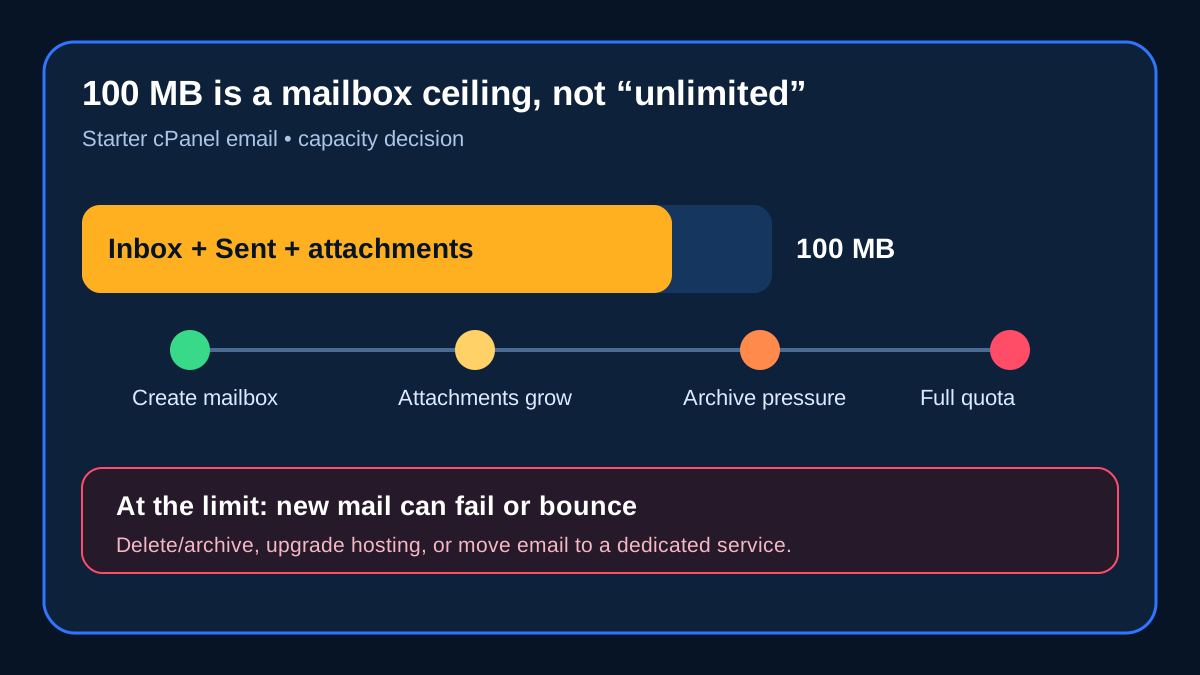
Bluehost Starter's included cPanel email is a poor fit for a busy or business-critical inbox because the current Bluehost help documentation caps each mailbox at **100 MB**. That quota covers the mailbox's stored messages and attachments; it is not a daily sending allowance. Once the mailbox is full, new mail can fail or bounce until space is released or the mailbox is moved to a larger option.
For a forwarding address, a lightly used contact form inbox, or a mailbox that is archived and tested regularly, 100 MB may be workable. For an owner, sales, support, billing, or compliance mailbox, choose a larger mailbox before it becomes operationally important.
Bluehost's current pricing page describes Starter as “Unlimited mailbox storage (100MB).” Those words conflict. The operational help pages are more specific: Starter/Basic cPanel mail is limited to 100 MB per mailbox, and a higher quota requires a hosting upgrade or a separate email product. This guide therefore treats 100 MB as the enforceable planning ceiling, not as “unlimited.”

> **Affiliate disclosure:** Toolnavia may earn a commission if you buy through the approved Bluehost Starter link. That does not change the price and does not replace your own checkout and mailbox test. We did not buy the plan or operate a production mailbox for this review.
What the 100 MB quota actually measures
The quota is stored mailbox data: inbox, sent mail, trash that has not been purged, and attachments. It is separate from Bluehost's sending-rate and mailbox-count limits. A different Bluehost help page discusses a 200-emails-per-hour starting limit and a small mailbox count; neither number expands the 100 MB storage ceiling.
The practical capacity depends on message size. One hundred megabytes might hold thousands of short text messages, but only a few hundred messages with 300–500 KB attachments. A workflow receiving invoices, design files, photos, logs, or form attachments can consume the quota quickly. Do not size a mailbox by message count alone: measure the current used space and the largest weekly attachment burst.
What happens when the mailbox is full
Bluehost warns that a full mailbox may stop sending or receiving. SiteGround and DreamHost describe the same general mail-system behavior: mail arriving at a full mailbox can be rejected or returned rather than kept indefinitely. That is why “we will delete old mail later” is not a safe continuity plan.
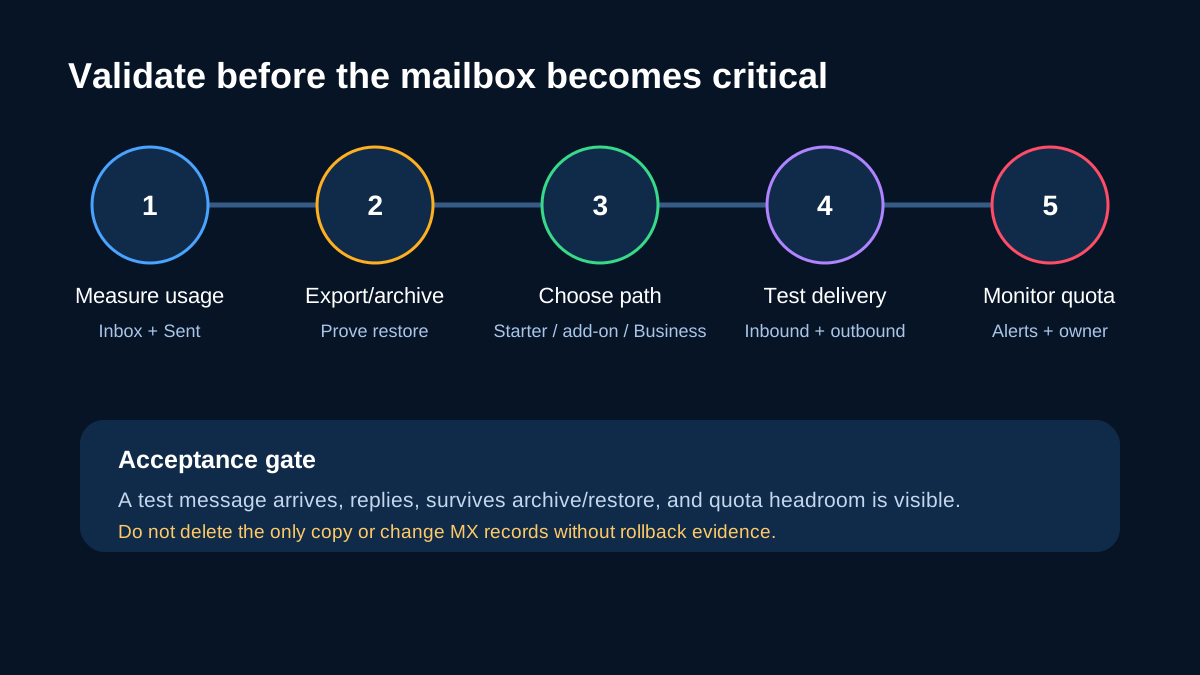
Before relying on Starter email, test four things:
1. Send a message into the mailbox and reply from it. 2. Export or archive older mail, then restore a sample into a test client. 3. Confirm that quota usage falls after cleanup and that trash is actually purged. 4. Set a visible warning threshold and assign an owner who will act before 100 MB.
An archive is useful only if it is readable and recoverable. Deleting the only copy of business mail merely moves the risk from “full mailbox” to “lost record.”
Three valid paths beyond 100 MB
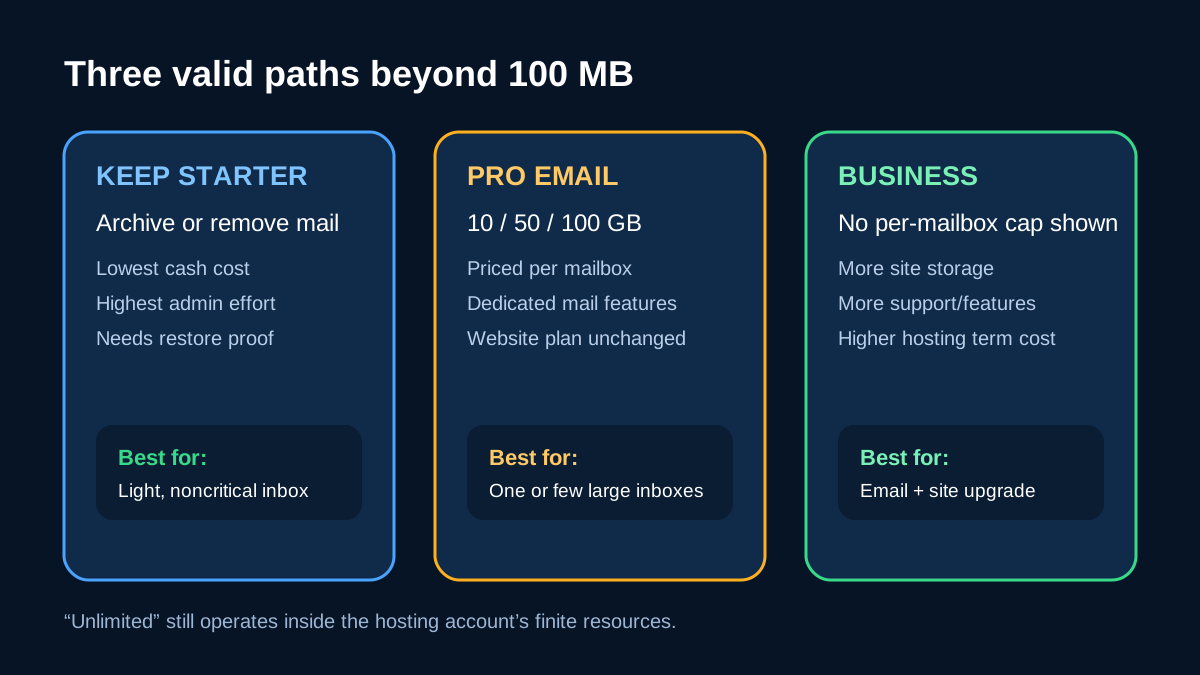
1. Keep Starter and manage the quota
This is the lowest-cash-cost path. It suits a noncritical address with low attachment volume, a proven archive routine, and someone willing to monitor it. The administrative cost is the tradeoff. If no one owns the quota, Starter email is not really free; it is an unpriced interruption risk.

2. Add Bluehost Professional Email
Bluehost's current Professional Email page lists Pro at **10 GB per mailbox**, $19.99 for the first annual term and $29.99 at renewal; Plus provides 50 GB, and Ultra 100 GB. A dedicated email product can be rational when one or two important mailboxes need more storage but the website itself does not need a larger hosting plan.
Treat each mailbox as a separate recurring unit. Three Pro mailboxes cost three times the per-mailbox amount, and later renewals matter more than the first-year label. Email features and migration procedures also differ from cPanel mail, so validate inbound and outbound delivery, aliases, mobile clients, and rollback before changing MX records.
3. Upgrade the hosting plan
The current official page shows Starter at **$3.99/month for 36 months, renewing at $9.99/month**, and Business at **$6.99/month for 36 months, renewing at $13.99/month**. Business is labeled as having unlimited mailbox storage, while the hosting account still has a finite 50 GB storage allocation and ordinary resource policies. “Unlimited per mailbox” therefore should not be read as infinite storage.
Business can make sense when several mailboxes need headroom and the website also benefits from the larger storage, site allowance, support, or other plan features. It is an expensive fix if email storage is the only problem and only one mailbox is affected.
Break-even: price the mailbox problem separately
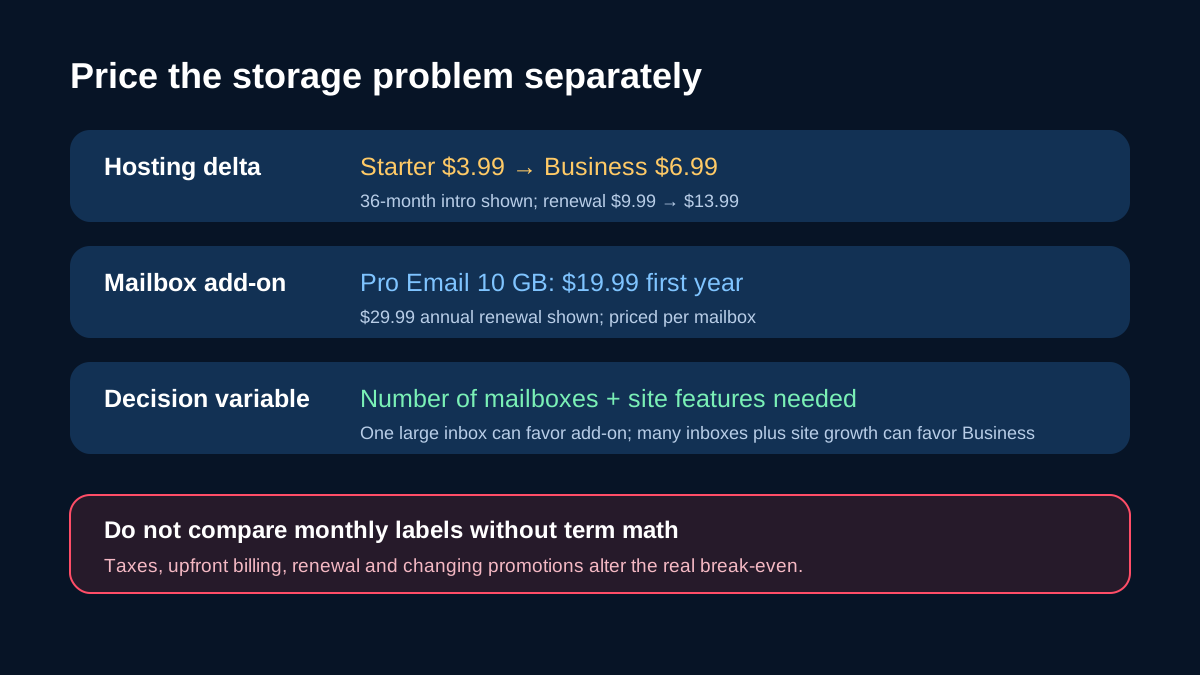
At the current displayed terms, the Starter-to-Business introductory delta is **$3/month**, or $108 across 36 months before tax and add-ons. The displayed renewal delta is **$4/month**. One Pro Email mailbox is $19.99 for its first annual term and $29.99 at renewal.
That creates a useful decision rule:
| Situation | Usually the cleaner path | Why | |---|---|---| | One small, noncritical inbox | Keep Starter with tested archive | Lowest cash cost; requires active administration | | One or two important large inboxes | Professional Email or another dedicated provider | Buys mailbox storage without changing website capacity | | Several mailboxes plus site-growth needs | Compare Business with per-mailbox add-ons | Hosting delta may cover more than email | | Regulated or continuity-critical mail | Dedicated email with retention, recovery, security and admin controls | Storage size alone is not enough |
Do not compare only monthly labels. Starter and Business prices shown here require a 36-month commitment, taxes are excluded, renewal prices are higher, and promotions can change. Re-open the exact checkout before purchase.

A safe migration and acceptance gate
Export the current mailbox before changing anything. Record the existing MX, SPF, DKIM, aliases, forwarders, and client settings. Create the destination mailbox, import a sample, then test inbound mail, outbound mail, replies, attachments, spam handling, mobile access, and archive restore. Keep rollback evidence until the new route has remained stable through a normal business cycle.

Do not change MX records and delete the original mailbox in one step. If the move fails, that removes both the live route and the easiest rollback copy.
Who should buy, keep, or wait
**Keep Starter** if the mailbox is genuinely light, noncritical, monitored, and backed by a tested archive. **Add dedicated email** if storage and reliability are the problem but the website plan still fits. **Compare Business** if multiple mailboxes and website capacity are growing together. **Wait** if you cannot yet verify message growth, number of required mailboxes, retention needs, or migration ownership.
The decision is not whether 100 MB is “a lot.” It is whether the cost of active mailbox maintenance is lower than the cost of a separate mailbox or hosting upgrade—and whether a missed message would be acceptable.
[Check the current Bluehost Starter terms through the approved direct link](https://bluehost.sjv.io/7XkALd).