TOOLNAVIA / BUYING GUIDE
MailerLite Time-Zone Delivery vs Smart Sending: Which Should You Pay For?
The short answer
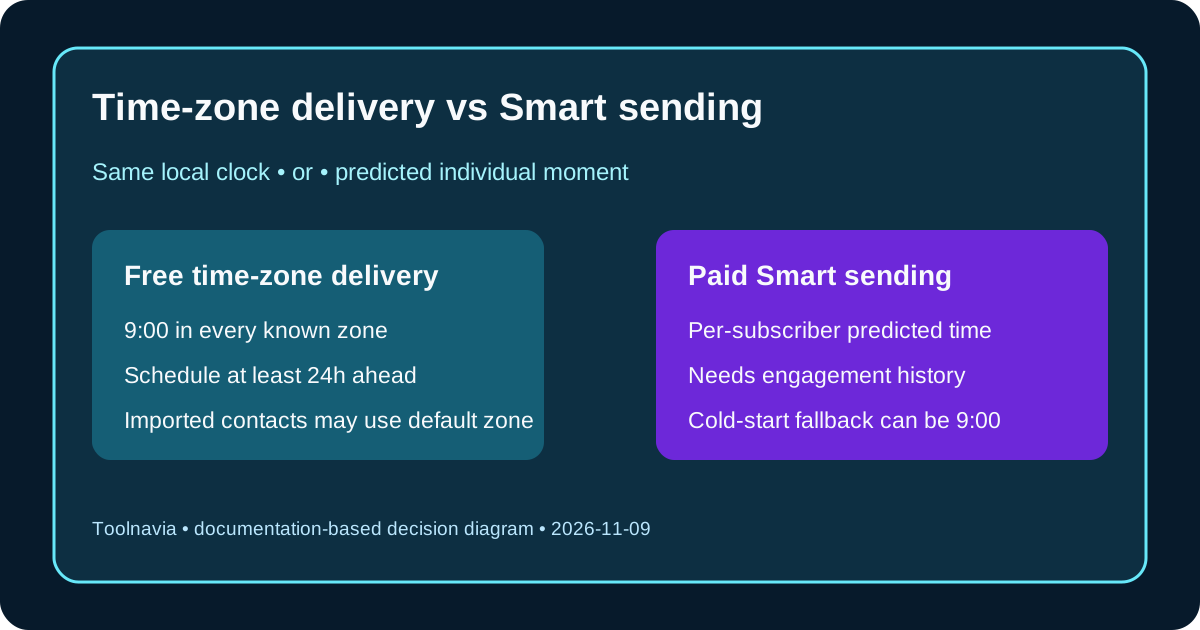
MailerLite offers two very different ways to avoid sending a global newsletter at the wrong hour. Free deliver-by-time-zone sends at one chosen local clock time in each known subscriber zone. Paid Smart sending predicts an individual send time from past interactions, signup dates and time-zone data. Pay for Smart sending only after your list has enough reliable history and a controlled test shows useful lift; otherwise the free option is the more auditable choice.
At a glance
- Best for
- Global newsletter teams with auditable subscriber time zones and enough history to test individual timing.
- Price model
- Verify live Comfort or Power checkout; subscriber tier, billing cycle, tax and region vary.
- Check first
- No live account test; subscriber zone data, plan limits and lift require buyer verification.
Start with the decision, not the AI label
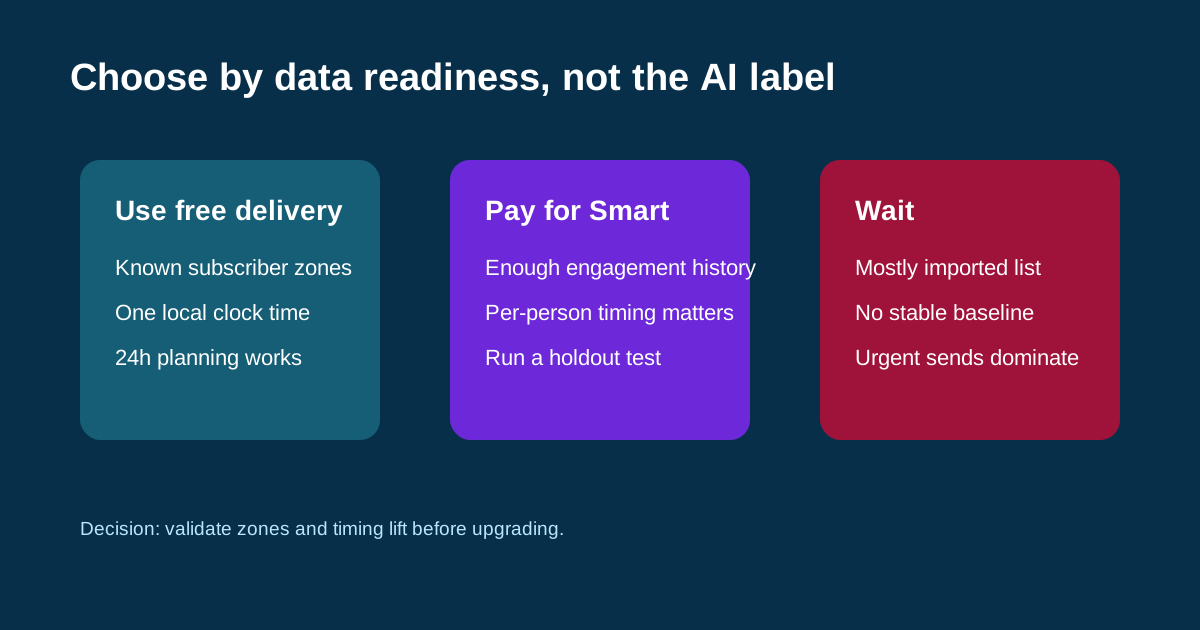
Choose free time-zone delivery when the business rule is simple: “deliver at 9 a.m. locally,” your contacts have trustworthy time zones, and the team can schedule at least 24 hours ahead. It is available without a paid plan and is easier to explain, test and repeat. Choose Smart sending on Comfort or Power only when per-subscriber timing matters and historical engagement is deep enough for a model to learn.
This distinction matters because the two controls solve different problems. Time-zone delivery normalizes the clock. Smart sending attempts to predict a person’s preferred moment. Neither feature repairs weak consent, poor content, domain authentication or inbox placement, and neither is a delivery guarantee.
Audit time-zone data before scheduling
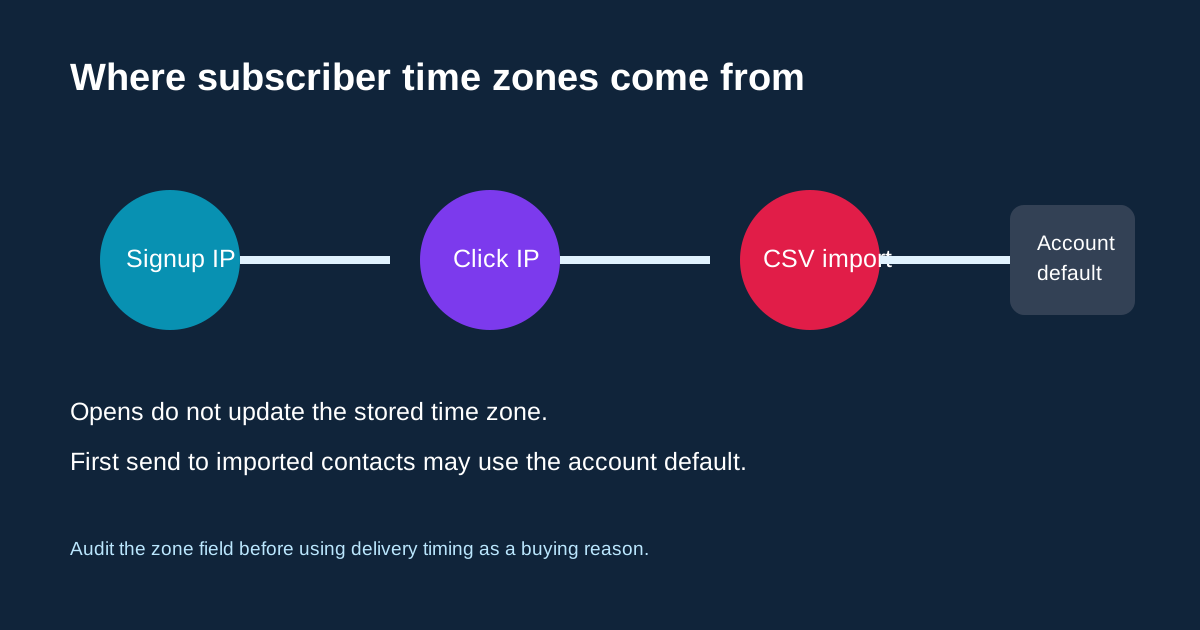
MailerLite derives a subscriber time zone from signup IP or click IP. Opens do not update the stored zone. Manually imported contacts can initially fall back to the account default time zone, which means an imported list may receive its first “local 9 a.m.” campaign at one account-based time instead of each person’s true local time.
Before a paid upgrade, export a sample and classify contacts by source: native form signup, recent click, API/integration or CSV import. Check at least three known zones with seed addresses. If the list is mostly imported or inactive, collect more reliable signals before treating either feature as personalization. Independent reviewers describe MailerLite’s time-zone and Smart-send capabilities, but they cannot validate your account’s subscriber data.
Respect the 24-hour scheduling rule
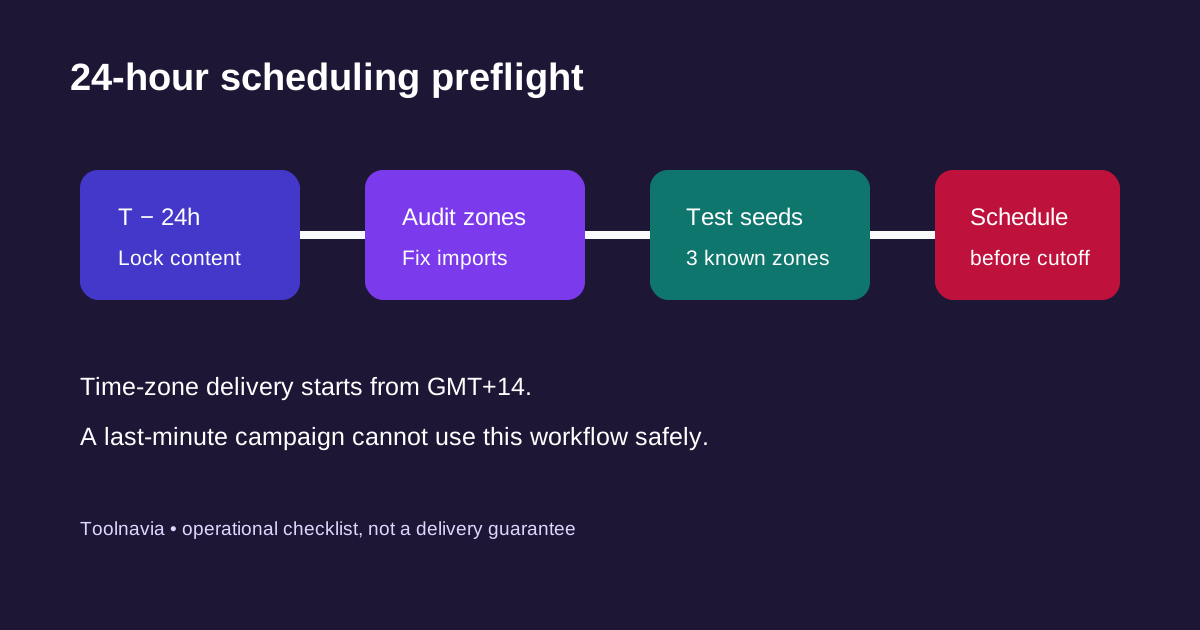
Free time-zone delivery must be scheduled at least one day ahead because MailerLite begins sending from GMT+14 and moves through the world’s time zones. The Outbox can show the time of the first zone relative to the account time zone, not simply the local hour typed into the scheduler.
Create an operational cutoff: lock content, links and suppression lists before T−24 hours; audit zone data; run seed tests; then schedule. If most campaigns are last-minute alerts, a feature that requires advance scheduling is a workflow mismatch. “Free” is not automatically economical when missed cutoffs force manual rescheduling.
Understand Smart sending cold starts
Smart sending is a paid Comfort and Power feature. It analyzes past interactions, signup dates and time zones to select a send time for each subscriber. New accounts and subscribers without enough data can receive a fallback send at 9 a.m. in the account time zone until sufficient history exists.
Best-send-time detection is related but narrower: MailerLite says it applies to regular campaigns with 1,000 or more subscribers after at least one Smart sending campaign, and currently shifts a small experiment group around its predicted time. That experiment can extend the campaign’s completion window. Do not present an experiment setting as a promise that every contact receives an individually optimized send.
Run a controlled buying test
Use the same audience definition and similar campaign type for a practical holdout. First, send two or more comparable campaigns with free time-zone delivery at a fixed local time. Then test Smart sending on a representative campaign while retaining a fixed-time holdout if the account tools and audience size permit. Compare delivered volume, unique clicks, conversions, unsubscribes and revenue per delivered email—not opens alone, because privacy protections can distort open data.
Record list maturity, imported-contact share, campaign type and send window. A one-campaign win is not enough. Independent reviews confirm both capabilities exist, while also warning that platform limits and broader automation depth should be evaluated separately.
Buy, use free delivery, or wait
**Use free time-zone delivery** when the goal is a consistent local hour, the zone field is reliable and 24-hour planning is realistic. **Buy Comfort or Power for Smart sending** when the approved plan also fits your subscriber/send limits, the list has meaningful engagement history, and repeated tests show a business lift larger than the upgrade cost. **Wait** when the audience is mostly imported, the baseline is unstable, or urgent campaigns dominate.
The current pricing page places Smart sending on paid plans and shows plan limits that can change by subscriber tier, billing cycle and region. Verify the live checkout and renewal terms instead of copying a static price. EmailToolTester, TechRadar, GetResponse and other independent reviews help confirm the feature category, but only your controlled test can justify paying for it.
*Affiliate disclosure: Toolnavia may earn a commission if you subscribe through its approved MailerLite referral link. That does not change the recommendation to verify subscriber time zones, current plan limits and measured results before upgrading.*