TOOLNAVIA / BUYING GUIDE
MailerLite Comfort vs Power: Will 50 Automations Save You an Upgrade?
The short answer
At a glance
- Best for
- Teams needing several reusable nurture journeys without paying for Power before its multi-trigger benefit is necessary.
- Price model
- Current USD: Comfort from $12/month; lowest annual display $10.80/month equivalent; final price varies by subscriber tier/tax
- Check first
- Teams needing more than50 active workflows or multiple direct entry triggers in each workflow.
Your next lead magnet may not require Power
You have a checklist, a webinar and a newsletter signup. Each needs a welcome sequence, and every new offer seems to create another automation to maintain. The tempting answer is a bigger plan. A better first purchase decision is to sketch how people enter, what they receive and when they should stop.
MailerLite Comfort allows 50 active automations. Power adds up to three triggers per workflow, which can let several entry events share a journey. These are different benefits: workflow capacity versus entry-path flexibility. Comfort is a strong starting point when your journeys are distinct; Power becomes more interesting when maintaining repeated versions creates real work.
This is a documentation-based buying guide, not a deliverability or sales test. Toolnavia may earn commission through the referral buttons; no extra discount is promised.
Count workflows, steps and entrances separately
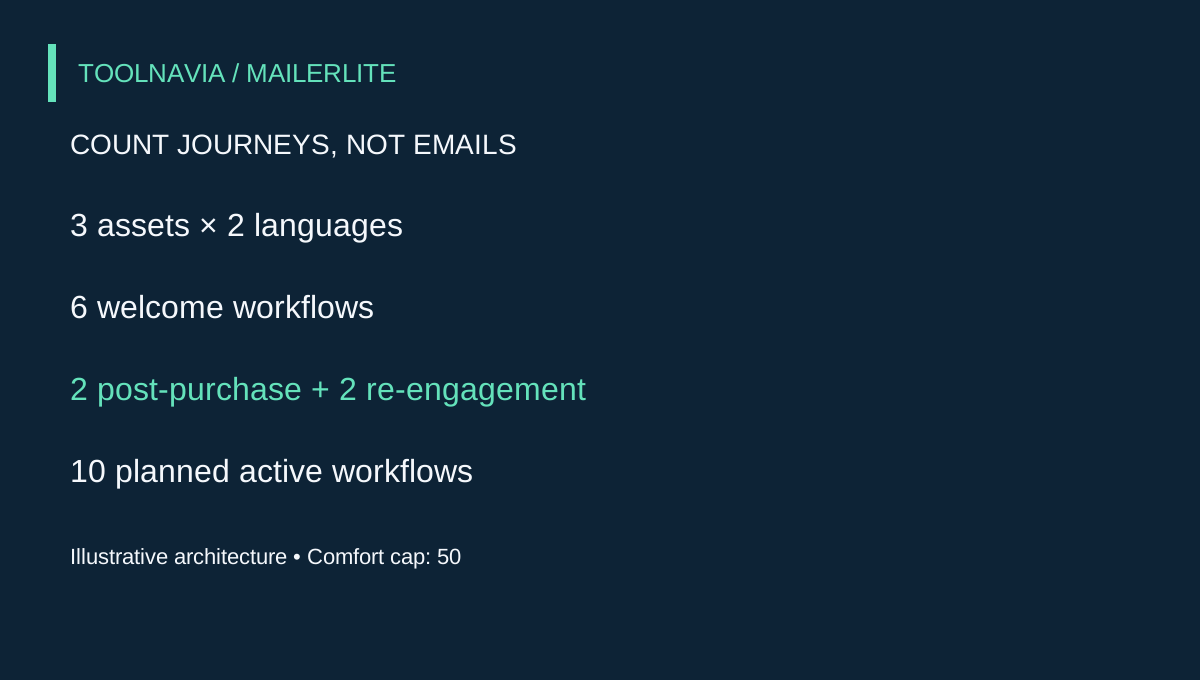
Imagine a small education business with three lead magnets and two audience languages. Its proposed design has six welcome workflows, two post-purchase workflows and two re-engagement workflows: ten active workflows. This is an editorial planning example, not a MailerLite template or a tested account configuration.
A five-email welcome sequence is not automatically five workflows. The journey can contain email, delay and condition steps. Comfort and Power both support workflow A/B splits for email and delay variations, so buying Power merely to test two subject approaches inside a journey would misidentify the requirement.
There is a separate step ceiling: the official automation page lists 100 automation steps for both Comfort and Power. Power's unlimited workflow count should not be read as unlimited steps.
Make a worksheet with one row per proposed workflow: entry event, audience, promised asset, stop condition, owner and last review date. Count only journeys you intend to activate. MailerLite excludes draft resources from its active feature-use calculation. Keep a spare-capacity buffer for launches, but choose that buffer from your own calendar rather than an invented universal target.
Where Power changes the design
Power's multiple triggers are useful when different entry events should genuinely lead to the same sequence. Three separate lead magnets do not automatically qualify: if each promises a different download, joining everyone into identical delivery emails can create a poor experience.
A shared journey makes more sense after the promised asset has been delivered, when the same product education applies to several entry paths. Conversely, separate workflows can be easier to audit when timing, language or buyer exclusions differ. The feature reduces some duplication; it does not decide your segmentation strategy.
Before upgrading, draw the desired shared journey and label each entrance. Then test a person who meets two entrances, someone already in the journey and someone who has purchased. Define the desired behavior before configuring the controls. This is a proposed acceptance exercise, not a claim that Toolnavia ran those tests or that every combination has identical re-entry behavior.
Put a price on the maintenance you expect to remove
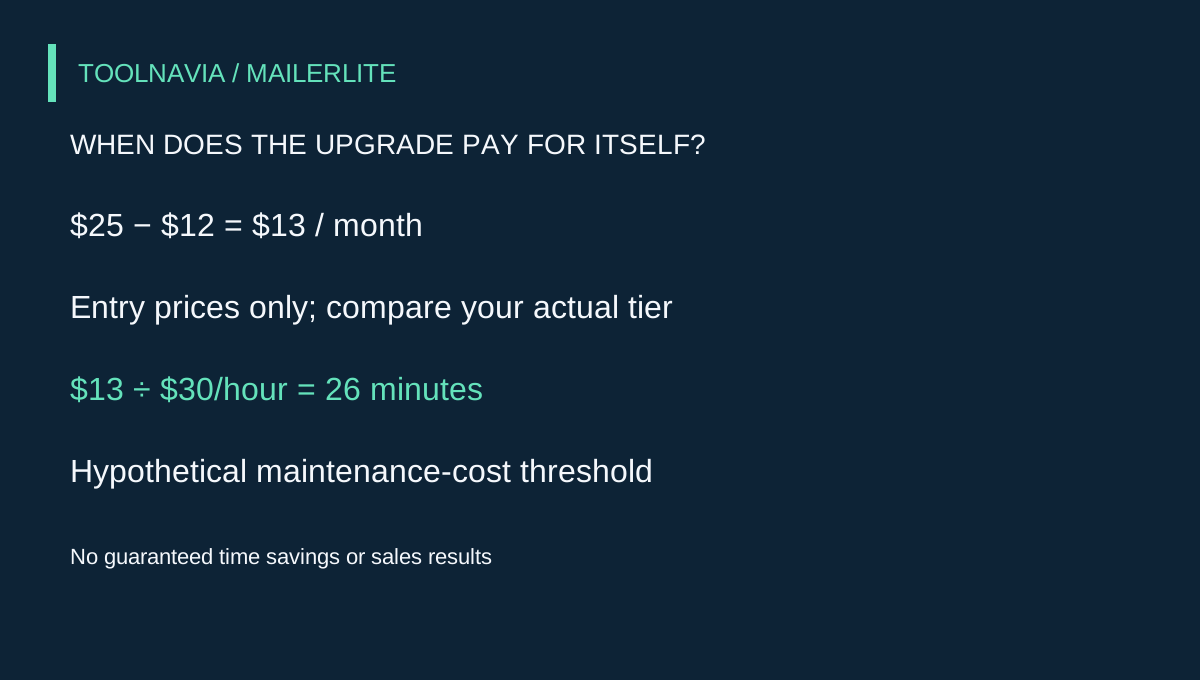
The current monthly starting prices are $12 for Comfort and $25 for Power. That creates a $13 entry-price difference, before tax; your actual subscriber-tier quotes may create a different gap. Power also includes broader unlimited feature use and live chat, so its value can extend beyond automation design.
Use this planning equation: monthly upgrade gap divided by your internal hourly cost equals the maintenance time that must be saved. At a hypothetical $30 per hour and a $13 gap, the result is about 26 minutes per month. This is arithmetic, not a savings forecast. If Power removes no repeated editing, its multi-trigger feature has not earned that time saving.
Record the time spent on one ordinary offer revision: changing copy, updating conditions and checking each live journey. Compare that observed workload with the real same-list-size quotes in your account. If the upgrade needs optimistic future revenue to look attractive, start with the simpler architecture and revisit after one operating cycle.
A bigger plan cannot repair a bad journey
Before increasing the plan, inspect why a workflow is blocked. MailerLite distinguishes feature limits from subscriber and send thresholds: exceeding feature-use limits can prevent creation, activation or editing, while paid subscriber/send thresholds can cause automatic tier changes. An automation-capacity problem and a sending-budget problem therefore need different remedies.
Also examine timing. A condition immediately after an email may evaluate before the reader has had time to act; MailerLite advises placing a delay before such a condition. Our suggested launch check is to walk through a fresh subscriber, an existing buyer and a person who unsubscribes, recording the expected next action for each.
Changing platforms also changes the unit you must count. Brevo Free and Starter permit 2,000 unique contacts to enter active automations, rather than presenting the same 50-workflow decision. Klaviyo separates event trigger filters from profile filters and checks profile eligibility again before actions. Shopify Messaging has native marketing automations and uses Flow for custom or third-party workflows. These are architecture differences, not a ranking of conversion performance.
The purchase decision to make today
Choose Comfort when your active workflow inventory fits and the journeys are easy to maintain. It offers a practical way to build several lead-magnet paths and test email variations without immediately paying for Power.
Consider Power when the desired multi-entry architecture is clear, the actual feature capacity is insufficient, or measured maintenance effort plus support needs justify the account-specific price gap. Do not upgrade just because one workflow has many steps.
Open the official plan options through the referral button, compare the quote for your actual list size, and keep your workflow inventory beside it. The useful outcome is a plan that supports your next launch with an understandable bill—not the largest feature list.