TOOLNAVIA / BUYING GUIDE
CorelDRAW AI Credits: Budget for Usable Designs, Not Just Generations
The short answer
A large credit allowance can still be a poor deal if the results need repeated regeneration. When evaluating CorelDRAW Graphics Suite for generative work, budget for concepts you can actually use. Start with model rates, then add your observed attempts and editing time. This guide supplies arithmetic, not an image-quality benchmark.
At a glance
- Best for
- Users needing both the graphics suite and recurring concept generation with a measurable brief.
- Price model
- Localized suite cart plus renewals/upgrades, extra credits and editing labor; no current per-credit dollar quote.
- Check first
- Buyers attracted only by a large credit number or expecting every generation to be deliverable.
Establish the unit you are buying
Corel's September FAQ lists Vector Spark at 10 credits per generation, Vector Craft at 25 and Vector Master at 40. Model availability and rates can change, so inspect the displayed cost before running a batch. These names describe options, not a guarantee that the highest rate produces your best result.
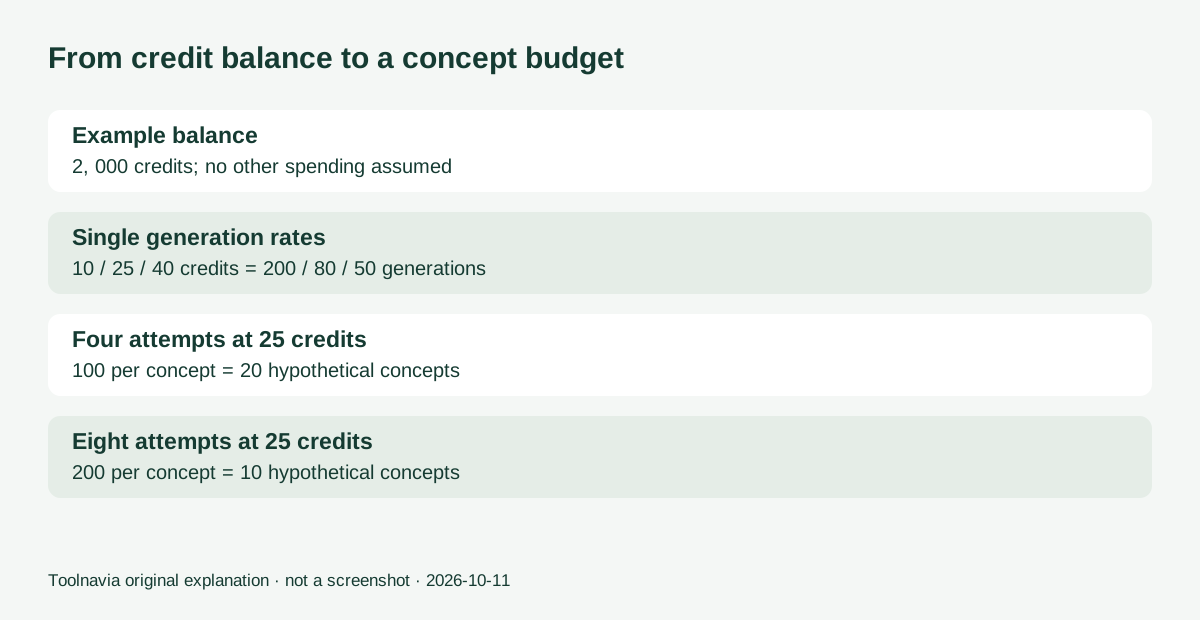
For a 2,000-credit planning balance, the theoretical single-rate limits are 200, 80 and 50 generations respectively. Those divisions assume no other spending. They say nothing about accepted artwork, required revisions or the time to check a result.
Suppose one concept needs four attempts at 25 credits each. That is 100 credits per concept, leaving room for twenty such concepts in the example balance. At eight attempts, the same balance supports ten. These are explicit scenarios, not typical user results.
Four controls that make the workflow useful
Model choice with visible spending lets you match each experiment to a budget. The Generate interface shows model-related credit use. Check this before creating a set of alternatives rather than discovering the charge afterward.
Prompt and style exploration gives a structured way to compare creative directions inside the application. Set a brief before generating; a growing gallery without an acceptance criterion is not progress.
Remixing a reference can help explore how an authorized design might appear in a presentation mockup. Inspect the original design details after transformation. A plausible mockup is not proof of an actual manufactured product.
Account-level balance visibility helps track spending across eligible Corel products. Corel documents the shared balance in the application and account. Record usage per project if several workflows draw from it; the displayed total is not automatically a budget for this one client.
Monthly and one-time credits behave differently
Official help distinguishes recurring credits, which reset monthly without carrying unused amounts forward, from non-recurring credits, which remain until used. A prepaid annual service term is not the same as a bank of a year's credits available whenever you want.
Match the purchase to timing. A steady stream of weekly concepts is different from one concentrated seasonal project. Before adding credits, inspect the account's existing balance, upcoming reset and actual pack terms. The official pack page describes both one-time and recurring options; readable current cash prices were not available, so no per-credit dollar figure is asserted here.
Use the trial as a small production study
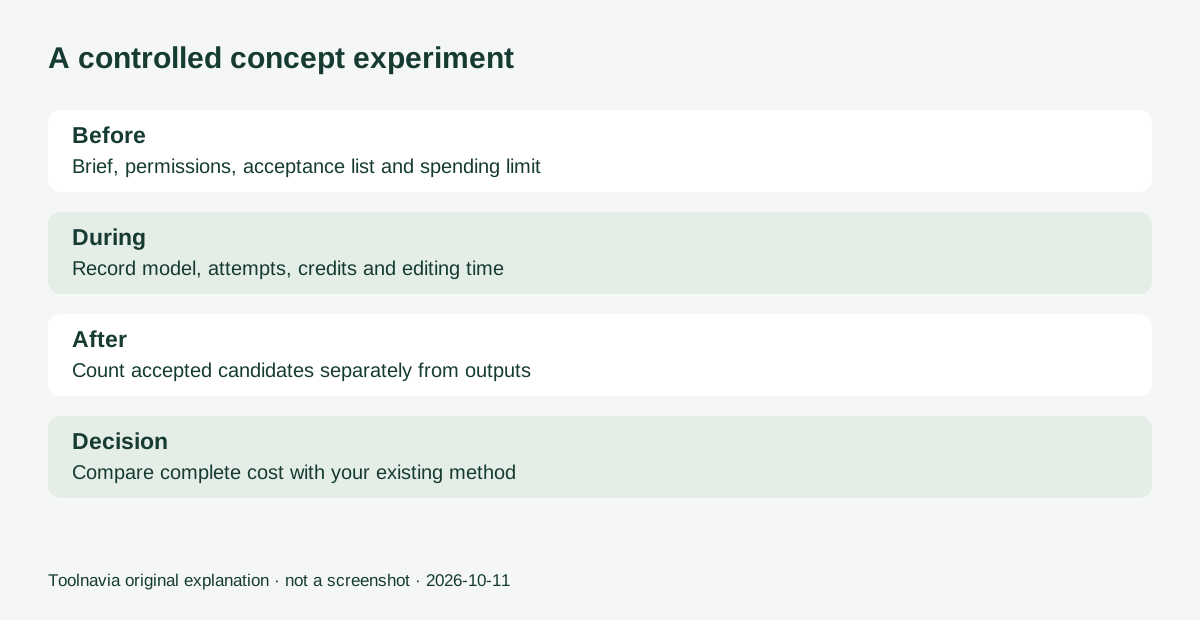
Choose one authorized brief, one output size and a written acceptance list. Generate a limited set, preserve selected candidates before replacing previews, and note the model, attempts, credits consumed and editing time. Check spelling, brand details and suitability for the intended placement.
Count accepted candidates separately from generated candidates. If four out of twenty are usable, the observed acceptance rate for that specific exercise is twenty percent; do not generalize it to every client or model. Compare the entire exercise with your existing creation method. This is a suggested test, not a result Toolnavia obtained.
Set a stopping rule in advance: after the planned credit allowance or time limit, revise the brief or return to manual work. Unlimited experimentation can make even cheap generations costly.
Buy the suite only if the wider workflow fits
The official page offers a fifteen-day no-card trial. Select the full desktop trial when testing companion applications, since browser access has a narrower scope.
Include the localized suite price, tax, renewals or future upgrades, extra credits and human editing in total cost. A large included balance does not justify a graphics suite you otherwise do not need. Choose it when the drawing, layout and revision workflow also earns its place.
The purchase link here is the approved Graphics Suite offer for US and Canada, not a guaranteed discount or separate credit-pack offer. Toolnavia may receive a commission on qualifying purchases.