TOOLNAVIA / BUYING GUIDE
WPX Superstore Review 2026: 3 Stores for $2,999.60?
The short answer
At a glance
- Best for
- Owners of one to three revenue-producing WooCommerce stores who value defined resources, daily 28-day backups and managed operations enough to justify a long prepaid term.
- Price model
- $74.99 monthly; $2,999.60 prepaid for 5 years ($49.99/mo equivalent)
- Check first
- Five-year price requires $2,999.60 upfront; actual store performance depends on workload; resources remain finite; independent backups still recommended.
Verdict
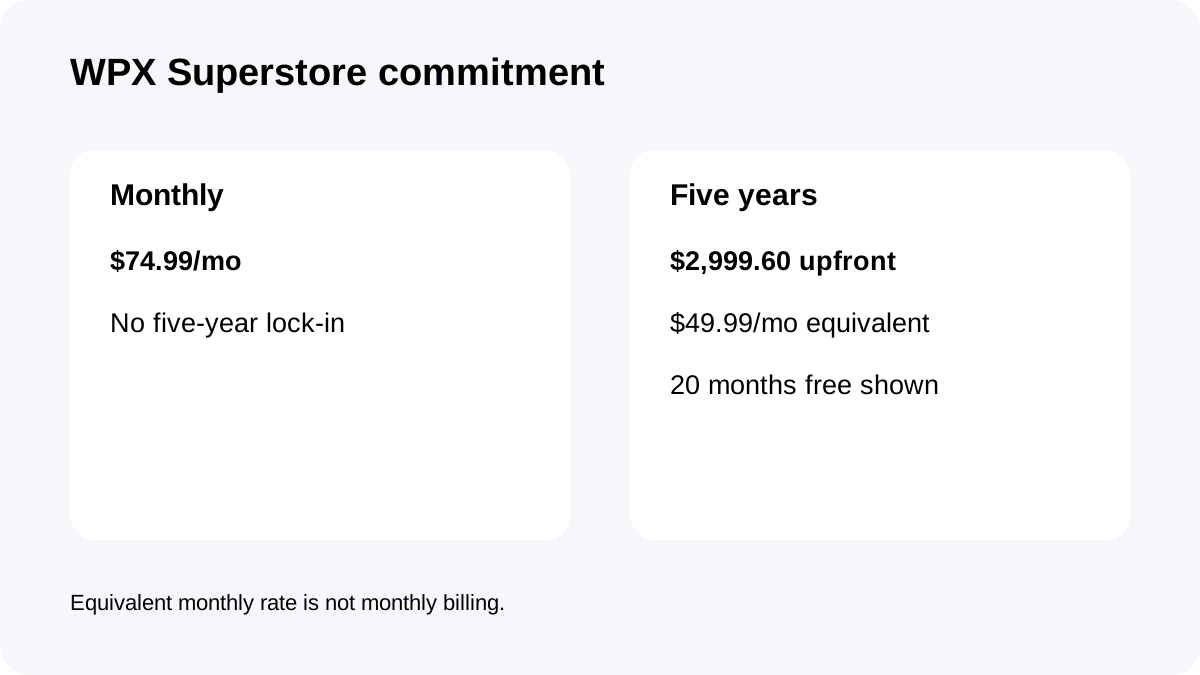
WPX Superstore is best for **one to three revenue-producing WooCommerce stores** that can use a large managed resource envelope and value daily recovery/support. Current pricing is **$74.99 month-to-month** or **$2,999.60 prepaid for five years**, shown as $49.99/month equivalent.
Price and commitment: the real decision
The five-year offer is not a $49.99 monthly bill. It requires **$2,999.60 upfront**. The regular monthly route is $74.99; if that monthly price stayed unchanged for 60 months, the arithmetic would be $4,499.40.
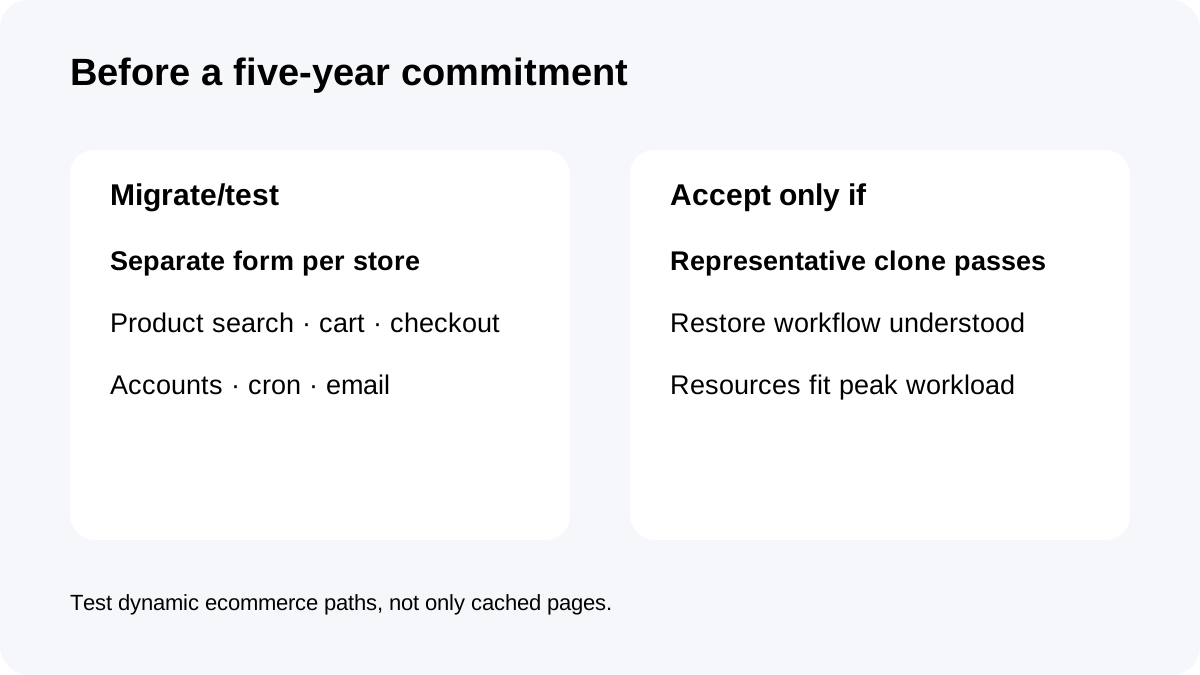
So the prepay discount is meaningful, but the lock-in is equally meaningful. Before committing, test a representative clone with the same theme, plugins, payment gateway, shipping/tax setup and database size as production.
The most useful acceptance test is not a generic homepage speed score. Test product search, add-to-cart, coupon logic, checkout, customer-account pages, scheduled actions, imports/feeds and transactional email. A five-year discount is only valuable if the store actually fits the platform.
Resource envelope: 3 stores, 36GB RAM and 40 workers
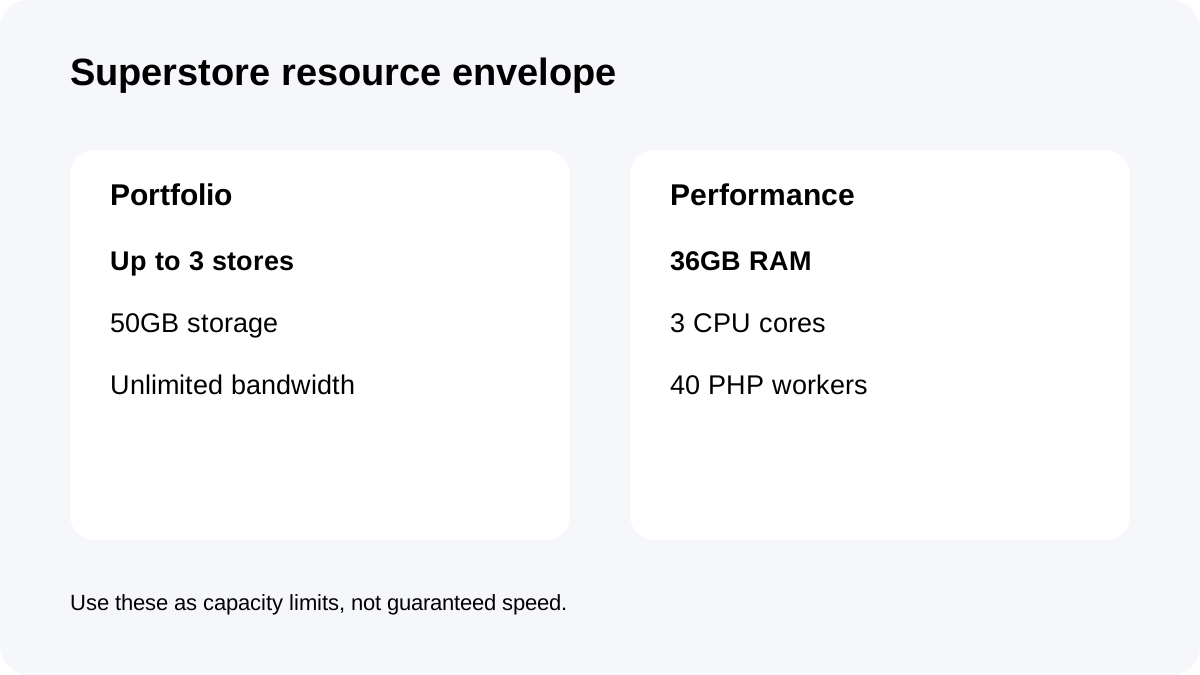
Superstore supports **up to 3 WooCommerce stores**, **50GB storage**, unlimited bandwidth, **36GB RAM**, **3 CPU cores** and **40 PHP workers**.
Those are plan-level resource boundaries, not guaranteed real-world throughput. Three small catalogs can be easier than one large store with many logged-in users, variable products, dynamic filters and third-party API calls.
PHP workers matter because WooCommerce checkout, account pages, many search/filter actions and admin tasks are dynamic. When all workers are busy, additional PHP requests can queue. Forty workers are a useful disclosed capacity figure, but plugin behavior, database queries, cron jobs and external APIs determine how quickly the pool is consumed.
WPX also documents CPU limits. Managed hosting does not mean unlimited compute; large imports, feed syncs, flash-sale traffic and heavy plugins can still hit finite resources.
Backups and recovery: strong host layer, not a full continuity plan
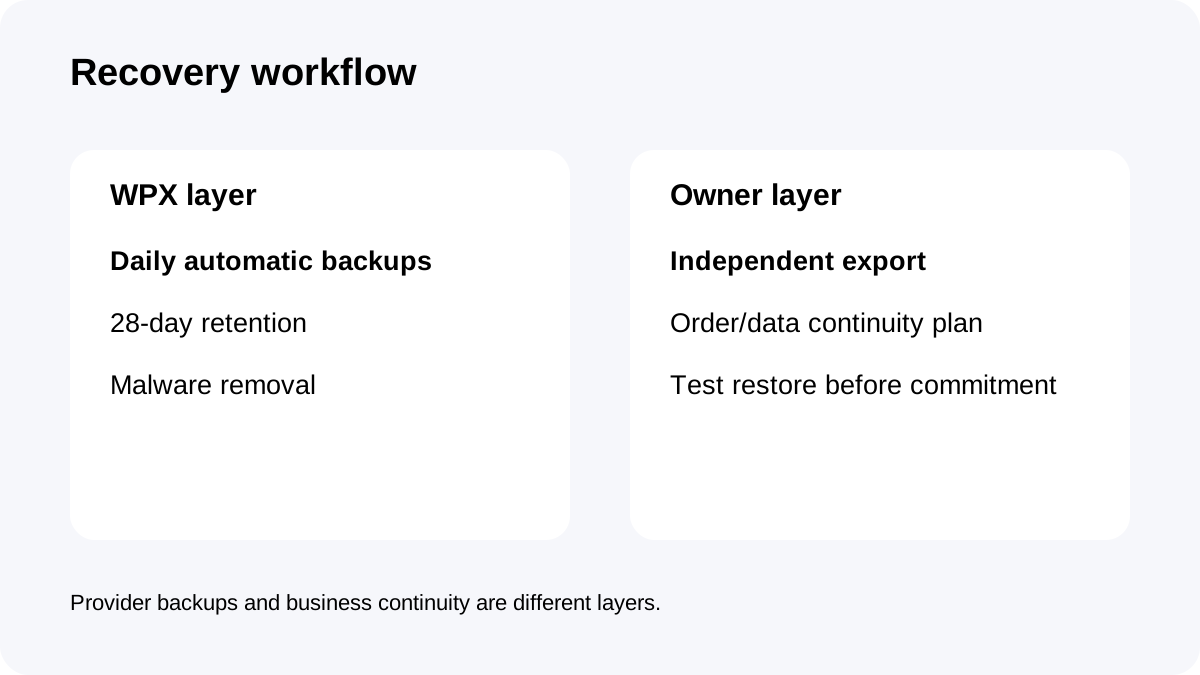
WPX creates **daily automatic backups retained for 28 days** on a separate server.
That is especially useful for ecommerce because orders, inventory, accounts and plugin configuration change continuously. But the host-side backup layer should not be the only copy of critical business data. Keep an independent export/off-platform backup strategy for orders, media and databases.
A practical restore drill matters before a long commitment. Verify what the restore includes, how long a restore request takes, and how you would recover from a database problem without overwriting newer orders. The value of 28 days is not just the number of restore points; it is the ability to identify a known-good point when a problem is discovered late.
Managed operations, security and migration
Superstore runs on WPX's managed WordPress/WooCommerce platform. WPX includes server-level security, malware scanning/removal, eligible migration and technical support.
Each site/store requires a separate migration form, so consolidating three stores is a multi-step migration project, not one bulk button.
The managed layer can reduce admin work, but its boundary matters. WPX does not own your theme/plugin code, payment gateway configuration, tax/shipping logic, SEO, advertising or business continuity policy.
For a serious store portfolio, document responsibilities before migration: what WPX fixes, what the plugin vendor fixes, who owns DNS/email changes, and how you roll back a failed release.
Who should buy Superstore?
Superstore fits best when most of these conditions are true:
- You run **1–3 active WooCommerce stores** and expect to keep them on the same platform for years. - 50GB storage is enough for product media, database growth, logs and staging overhead. - 36GB RAM / 3 CPU / 40 PHP workers fit a realistic clone under your busiest dynamic workflow. - Daily 28-day backups, malware removal, migration and technical support reduce meaningful staff time. - Paying **$2,999.60 upfront** is comfortable and the savings versus $74.99 month-to-month are worth the commitment.
A single modest store may be overbuying. More than three stores, rapidly expanding media, or workloads that repeatedly exceed the published limits should trigger a comparison with Hyperstore or another architecture before checkout.
Checkout checklist
Confirm the exact plan is **Superstore**, not Powerstore or Hyperstore; verify the billing term and full checkout total; confirm 3 stores, 50GB storage, 36GB RAM, 3 CPU and 40 PHP workers; review the current refund terms; and verify daily 28-day backups plus migration scope.
Then run one representative clone through search, cart, checkout, account pages, scheduled tasks, email and a full restore. Keep the five-year plan only if that acceptance test passes.
**Bottom line:** WPX Superstore is a managed ecommerce operations purchase, not a bargain-hosting purchase. It is strongest when up to three stores can actually use the resource envelope and the managed recovery/security/support layer enough to justify a $2,999.60 five-year commitment.