TOOLNAVIA / BUYING GUIDE
WP Engine Startup Managed WordPress Hosting: 25K visits and $2/1K overages
The short answer
WP Engine Startup is a managed WordPress hosting option for one business site when 25,000 monthly visits, 10 GB storage and 75 GB bandwidth leave comfortable headroom. The value is the managed workflow—separate environments, backups, migration and support. The pricing caveat matters: current WP Engine pages do not present one universal Startup checkout or renewal number.
At a glance
- Best for
- One business WordPress site that fits 25K visits, 10GB storage and 75GB bandwidth and will use managed environments, backups and support.
- Price model
- Paid managed WordPress hosting · dynamic checkout and then-current renewal
- Check first
- Public pricing is channel-sensitive; save the actual cart and Order. Visitor overage is $2/1K; domain and email are separate.
Four managed capabilities that change the workflow
Keep Production separate from Staging and Development
A WP Engine Site can contain independent Production, Staging and Development environments, so plugin, theme and code changes can be checked away from the live site. On shared plans, Staging and Development cannot use custom domains, and all environments contribute to account resource usage.
Keep 30 days of restore checkpoints
WP Engine creates automated and manual backup checkpoints, stores them offsite, and keeps 30 days of backups. Long-term archives or compliance copies still need a separate plan.
Use the included managed platform instead of assembling every baseline service
Essential/shared hosting includes 24/7 support, Production/Staging/Development environments, CDN, SSL and automated migration. WP Engine does not sell domains or provide email hosting, so those remain separate services.
Absorb a traffic spike without automatic bandwidth throttling
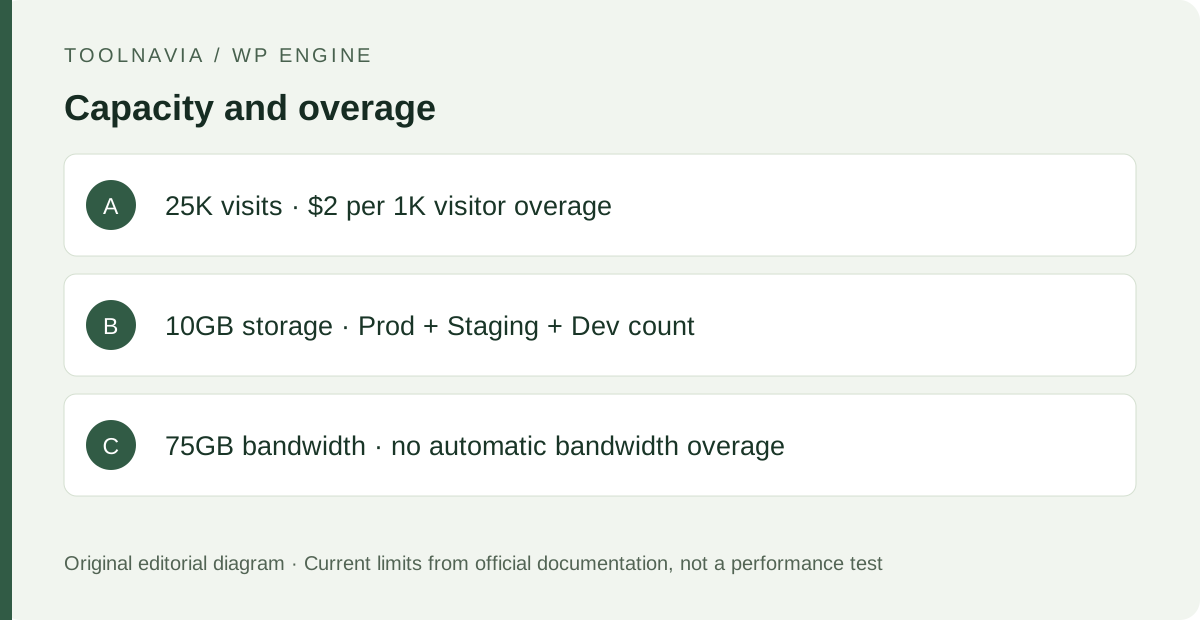
Startup’s current shared-plan bandwidth allocation is 75 GB. WP Engine says shared plans do not receive automatic bandwidth overage charges or automatic throttling; sustained high usage can trigger an upgrade discussion. Visits are different: exceeding the monthly visitor allowance costs $2 per 1,000 extra visits.
Cost: treat checkout and the Order as the controlling price
WP Engine’s current Plans page groups the shared offer under Essential, lets the buyer choose capacity such as one site with 25,000 visits and 10 GB storage, and warns that first-year pricing or coupons are for new Essential customers only, taxes and overages may apply, and renewal pricing can change. A different current official page still uses “Startup at $30/mo” as an affiliate-commission example.
Those two official presentations are not safe to collapse into one guaranteed price. This guide therefore does **not** promise that $30 is your checkout or renewal rate. Record the actual cart total and Order before paying. WP Engine’s Terms say fees are generally due in advance unless the Order says otherwise, and renewal uses then-current rates after notice of an applicable increase.
Usage can also change the bill. Startup visitor overages are $2 per 1,000 extra monthly visits and are charged monthly even when the hosting subscription is annual. Essential plans can buy additional storage in published increments, while additional visits and bandwidth are handled by upgrading the hosting plan rather than buying a visit extension.
When the 25K / 10 GB / 75 GB entry capacity is enough
The one-site capacity is easiest to justify when recent traffic stays comfortably below 25,000 billable visits, total account storage across Production/Staging/Development leaves room below 10 GB, and 75 GB bandwidth is not routinely stressed. Automated backups are excluded from the storage calculation, but the other environments count.
WP Engine’s billable visits are based on its own server-log rules, not Google Analytics sessions. If the site only occasionally crosses the visit limit, the overage may be cheaper than upgrading. If it crosses the limit month after month, WP Engine itself says a larger plan may make more sense. Startup also does not allow the Multisite product extension.
What is separate from the hosting purchase
Bring a domain from another registrar and point its DNS to WP Engine; WP Engine does not sell domain names. Email hosting is also separate, so budget for an external mail provider if the site needs branded mailboxes. SSL is part of the managed hosting platform, but domain registration and email are not.
A lower-cost host may still be the better fit when the site is small and the managed WordPress workflow is not used regularly.
A safer migration and first-month acceptance checklist
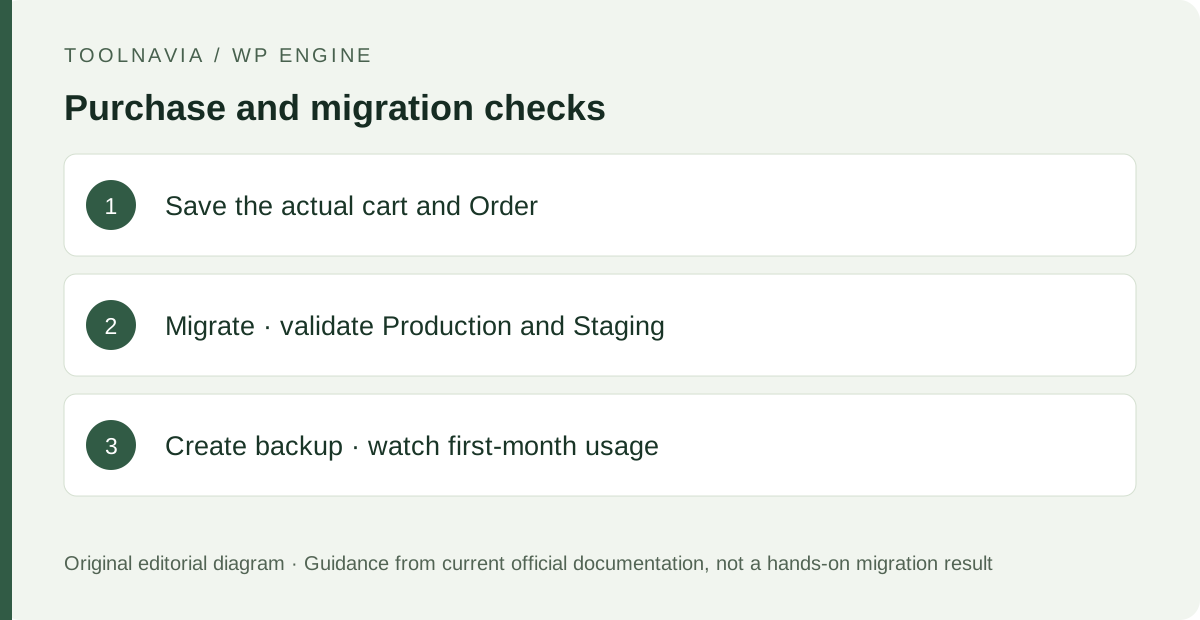
Before ordering, record current storage, a representative month of traffic, the busiest campaign month and any email/domain dependencies. Keep the old host active while the automated or manual migration is validated.
After the copy, check representative pages, forms, logins, SSL and DNS. Create a fresh backup checkpoint, test one harmless change in Staging, and watch the Usage page for storage, bandwidth and billable visits. Save the actual Order and renewal notice with the site’s runbook because the public price presentation can change.
What to do next
Shortlist WP Engine Startup when one WordPress site fits the 25K/10 GB/75 GB envelope and the managed environments, backups and support will replace real operational work. Upgrade when repeated visitor overages or resource pressure become normal. Skip it when price certainty, bundled email/domain service or non-WordPress server control matters more than the managed workflow.