TOOLNAVIA / BUYING GUIDE
Namecheap Stellar Plus: When AutoBackup Stops at 25GB
The short answer
Namecheap Stellar Plus can suit small accounts that need self-service backup history. Check its 25GB AutoBackup limit before buying for unmetered hosting space: new backup copies can stop while hosting remains usable.
This review uses official documentation, not a test of a live Namecheap account.
At a glance
- Best for
- Small accounts needing self-service backup history
- Price model
- Public trial card: $2.98/mo display; annual renewal $85.44
- Check first
- 25GB AutoBackup threshold; support also states200K inodes; no on-demand snapshot
Separate hosting capacity from backup eligibility
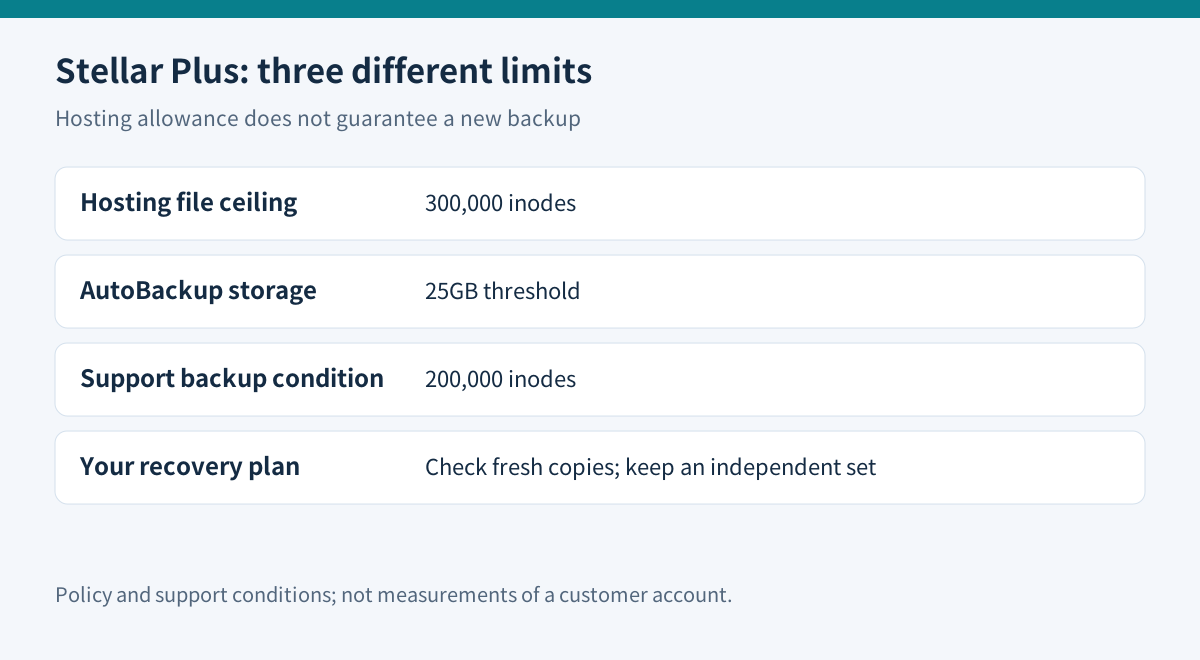
Plus lists unlimited websites, unmetered SSD space and 300,000 inodes. Those are hosting allowances, not a promise to preserve unlimited historical data. The AUP sets a 25GB AutoBackup storage boundary for Plus; its support article also says new Plus backups stop above 200,000 inodes.
The AUP explicitly associates 200,000 inodes with weekly system backups, while the support page applies that condition to Plus AutoBackup too. Use the stricter support condition for planning and ask Namecheap to confirm your account's eligibility. Do not assume that staying below the 300,000 hosting ceiling guarantees fresh backups.
For a hypothetical account at 220,000 inodes, deleting a few gigabytes may leave the file-count problem unresolved. At 24GB and modest file count, growth still deserves attention. These are screening examples, not measured accounts. The policy also restricts particular file categories, so unmetered storage is not an invitation to use hosting as a general archive.
Check what history actually exists
AutoBackup advertises six daily, three weekly and five monthly copies. That describes a schedule with fourteen possible points, not fourteen daily copies or six months of continuous transaction history. New accounts accumulate history over time; they do not start with old monthly snapshots.
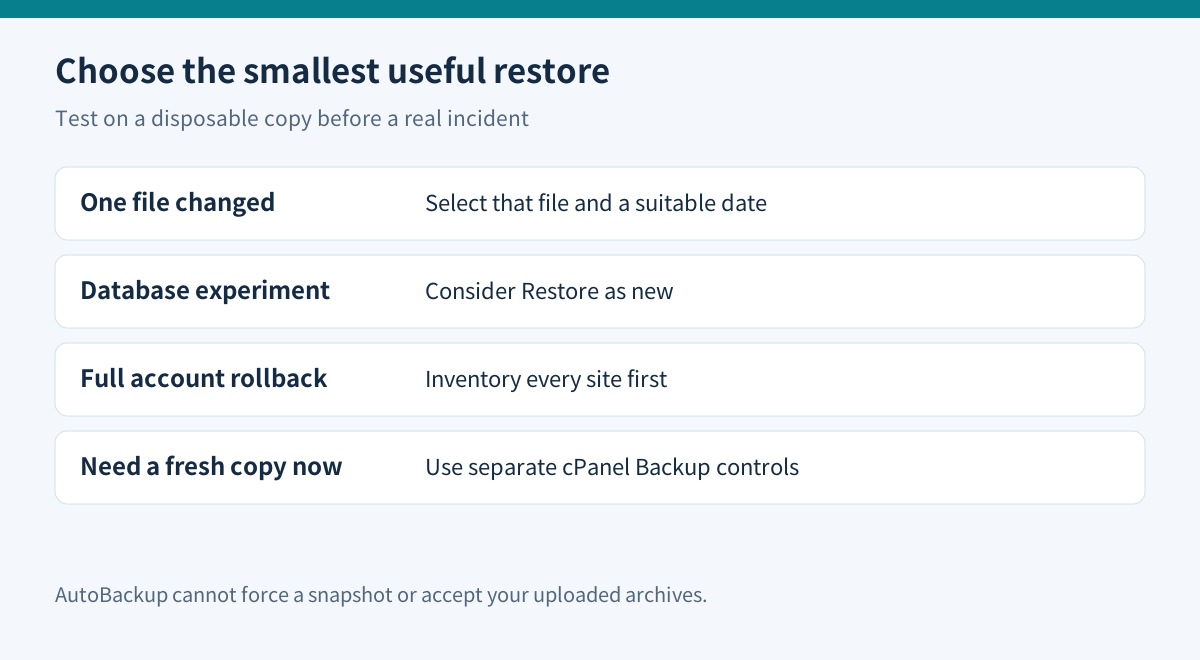
The interface can restore an account, selected files or an individual database. Only one restoration can run at a time. It cannot accept your uploaded backup files or force an immediate new snapshot. For an on-demand copy, use the separate cPanel Backup interface. Retrieved download files remain available for fifteen days.
These controls are useful after an accidental edit, but a daily point can still miss later orders. Decide the maximum data loss you can tolerate before choosing the plan.
The marketing FAQ mentions history up to one year, while the plugin guide specifies a six-month list. Rely on the dates actually available in your account and obtain confirmation; neither wording guarantees continuous history.
A restore button does not prove application consistency
WordPress recovery normally needs both files and the database. A database stores posts and other application records; copying only the web directory does not capture it. Keep a matching backup set and an independent copy outside the hosting account.
Before a real incident, restore a disposable copy and check administrator login, media, a recent post and any order or form records. For a database experiment, the documented “Restore as new” option can help avoid immediately replacing the live database. A full-account operation can affect several sites, so inventory everything in the account first.
Generic cPanel documentation says its ordinary interface cannot automatically restore a full-account archive without provider/WHM assistance. Namecheap's AutoBackup is a separate provider plugin with its own restore controls. That distinction explains why the two interfaces behave differently; it is not proof that an uploaded archive can be restored through AutoBackup.
Plus adds memory, not unlimited processing
The resource table gives Plus 2GB physical memory, thirty entry processes and a 50% baseline CPU limit. Entry-level Stellar has 1GB, twenty entries and the same 50% CPU baseline. Business raises CPU to 100% and entries to forty, while retaining 2GB memory.
CloudLinux documents entry-process, memory and CPU limits as different controls. Thirty entries are not a thirty-visitor capacity promise. Check Resource Usage faults and the actual slow task before assuming Plus fixes a CPU bottleneck.
Price the renewal and the alternative
The US-facing card shows a thirty-day trial followed by a $2.98/month display. Several billing periods are offered; the page says advertised discounts apply to annual and biennial purchases. Do not turn that headline into a verified monthly invoice or multiply it into a guaranteed annual bill.
| Regular renewal | Stellar Plus | |---|---:| | Monthly | $7.88 | | Yearly | $85.44 | | Two years | $146.44 |
The dedicated renewal notice confirms those amounts. A yearly trial's first payment uses the quoted after-trial price; subsequent renewals use the renewal schedule. Tax, region and add-ons still need checkout review.
Business renews at $128.88/year, $43.44 more than Plus. The AUP gives Business a different AutoBackup storage allowance, but this does not make it an unlimited hosting or real-time recovery service. Compare that premium with an independent backup arrangement that meets your recovery needs.
The trial and refund guarantee are separate: the sales page excludes trial-started accounts from the additional thirty-day money-back guarantee.
Choose Plus when the account fits its backup thresholds and historical restore controls solve a recurring problem. Keep Stellar if an existing independent recovery process already suffices. Reconsider the tier when file growth, CPU pressure or transaction recovery requirements exceed what Plus documents.
Toolnavia may earn a commission through its approved direct Namecheap affiliate link.