TOOLNAVIA / BUYING GUIDE
Namecheap Stellar Hosting: Choose a Datacenter Before the Trial
The short answer
Namecheap Stellar lets a small site choose a datacenter near its audience, but choose before starting the free trial: trial packages can change only after renewal. This official-documentation guide separates region, storage, billing and migration decisions; it does not report regional speed tests.
At a glance
- Best for
- Small sites choosing an audience-appropriate origin before a Stellar trial, or planning a supported region change.
- Price model
- Displayed trial: $0 for 30 days, then $2.28/mo; verify first invoice. Renewals: $5.88/mo, $55.88/year or $102.88/2 years, before tax and changes.
- Check first
- Trial changes require renewal; transfers can interrupt sites and email, and final regional charges need confirmation.
Choose a location and check its storage
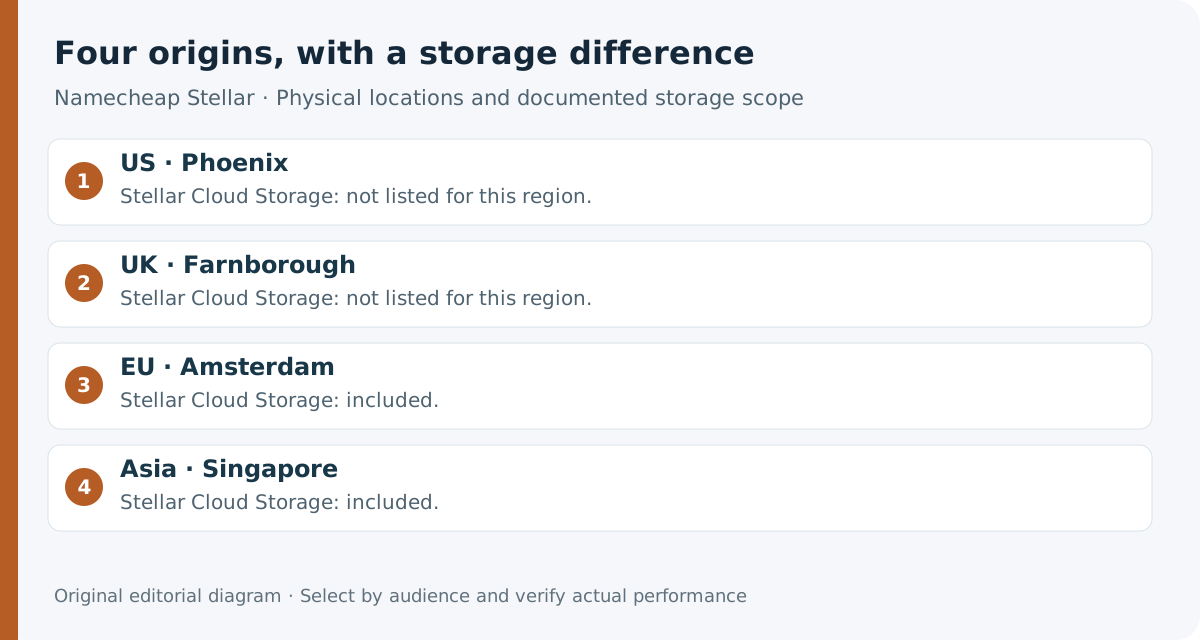
Namecheap lists Phoenix in the US, Farnborough in the UK, Amsterdam in Europe and Singapore in Asia. Start with where customers use the site. An EU-focused store can shortlist Amsterdam; an Asia-Pacific service can shortlist Singapore, then test representative requests. Geography alone establishes no speed ranking.
EU and Singapore also include Cloud Storage with entry-level Stellar. That gives buyers a regional infrastructure option without choosing Stellar Business solely for this feature. It remains shared hosting, and mirrored storage is not an independent backup. Check workload fit in our [Stellar resource-limit guide](/en/hosting/namecheap-stellar-resource-email-limits).
Use a CDN alongside the origin
A CDN can serve cached content closer to visitors. Requests that miss its cache still need the origin, so check both a cached page and a representative origin-dependent action, such as a login. A fast static page alone cannot establish that every customer journey works well.
Namecheap offers Supersonic CDN alongside hosting. Our [Stellar CDN guide](/en/hosting/namecheap-stellar-supersonic-cdn-50gb-subdomain-limit) explains its separate traffic and eligibility limits.
Separate the trial charge from renewal
The current public Stellar card displays **$0 for 30 days, then $2.28/month**. Multiple billing terms are offered: verify the selected term and actual first charge before paying, rather than treating the monthly display as a complete invoice.
The official renewal schedule is:
| Renewal term | Stellar renewal | | --- | --- | | One month | $5.88 | | One year | $55.88 | | Two years | $102.88 |
For a yearly trial, the first payment after the trial uses its quoted After Trial price; later annual renewals use the renewal schedule. The first annual charge and annual renewal therefore need separate confirmation.
Include tax and optional extras in your budget. The reviewed pages do not establish a current universal location surcharge or transfer fee. Ask Billing for the destination price and any move charge; equal headline cards do not prove equal final invoices.
Confirm trial eligibility before committing
The sales card limits the trial to one subscription per account across Shared Hosting plans. Its disclaimer also limits trials by term and household. Both restrictions can apply; neither establishes a right to restart trials in different locations. Confirm eligibility for your account instead of planning a second trial as a region-switch method.
The 30-day money-back guarantee is separate: the page limits it to first-time Shared Hosting customers who start without the trial. Do not add another guaranteed refund period after using a trial.
Schedule a move and follow the correct DNS route
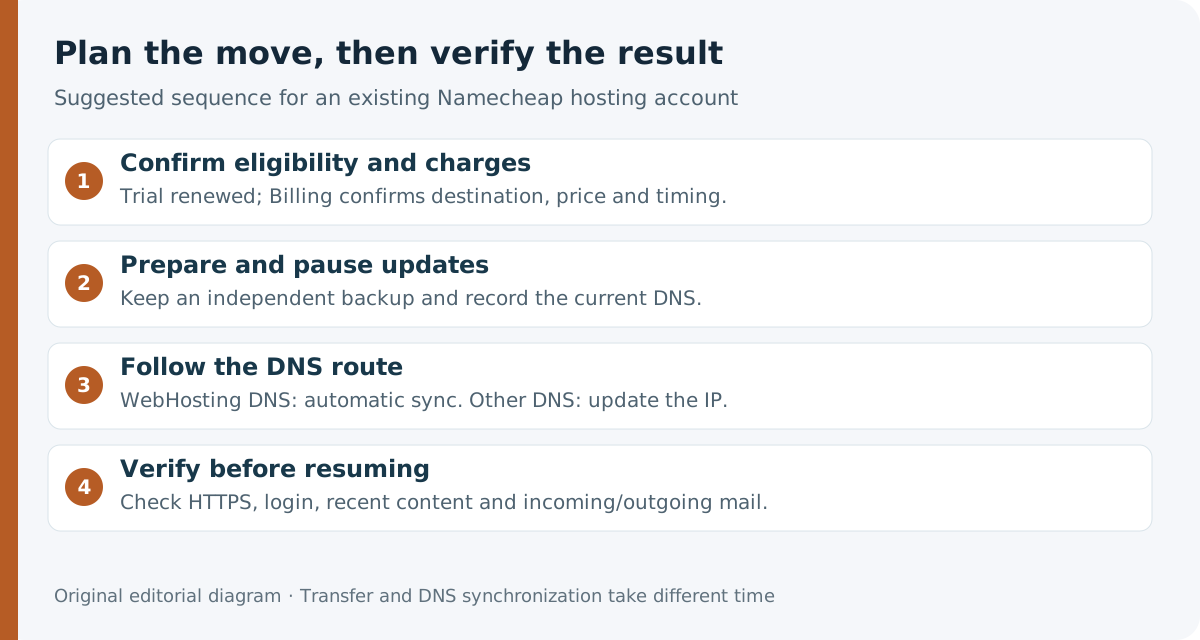
Billing can arrange an existing account's datacenter change and estimate a suitable window. This gives a growing regional audience a supported relocation route while keeping the provider. Ordinary account transfers typically take several hours, and changing datacenters usually takes longer.
Before requesting the move, make an independent backup, record your DNS settings and agree when updates will stop. Namecheap says changes during transfer will not carry across; temporary website interruption and inconsistent email delivery are possible. Schedule around orders, submissions and publishing activity.
**Using Namecheap WebHosting DNS?** Keep `dns1.namecheaphosting.com` and `dns2.namecheaphosting.com`. There is no nameserver replacement to coordinate, but the automatic DNS-zone synchronization takes 5–30 minutes after migration, with website unavailability during that interval. This is not the total transfer time.
**Using other nameservers?** Update DNS to the new IP supplied after transfer. Propagation depends on the DNS provider; do not apply the 5–30-minute WebHosting DNS window to every configuration.
Before resuming updates, check HTTPS, administrator login, recent content and email delivery in both directions. For a shop, include a safe test of its checkout workflow. Keep the backup until those checks pass.
Make the choice against a real workload
Stellar is worth considering when its shared resources fit your site and one of these origins suits your audience. Keep a satisfactory existing location if representative customer journeys already work well; geography alone is not a reason to accept migration disruption.
Before starting the trial, record the selected region, billing term, first charge and renewal. For an existing account, obtain eligibility, the migration window and any charges from Billing before scheduling the change.
Affiliate disclosure: Toolnavia may earn a commission from an eligible purchase through its approved direct Namecheap referral link.