TOOLNAVIA / BUYING GUIDE
Namecheap Quasar vs Cloudways Premium 2GB: $61.76 vs $28 Monthly
The short answer
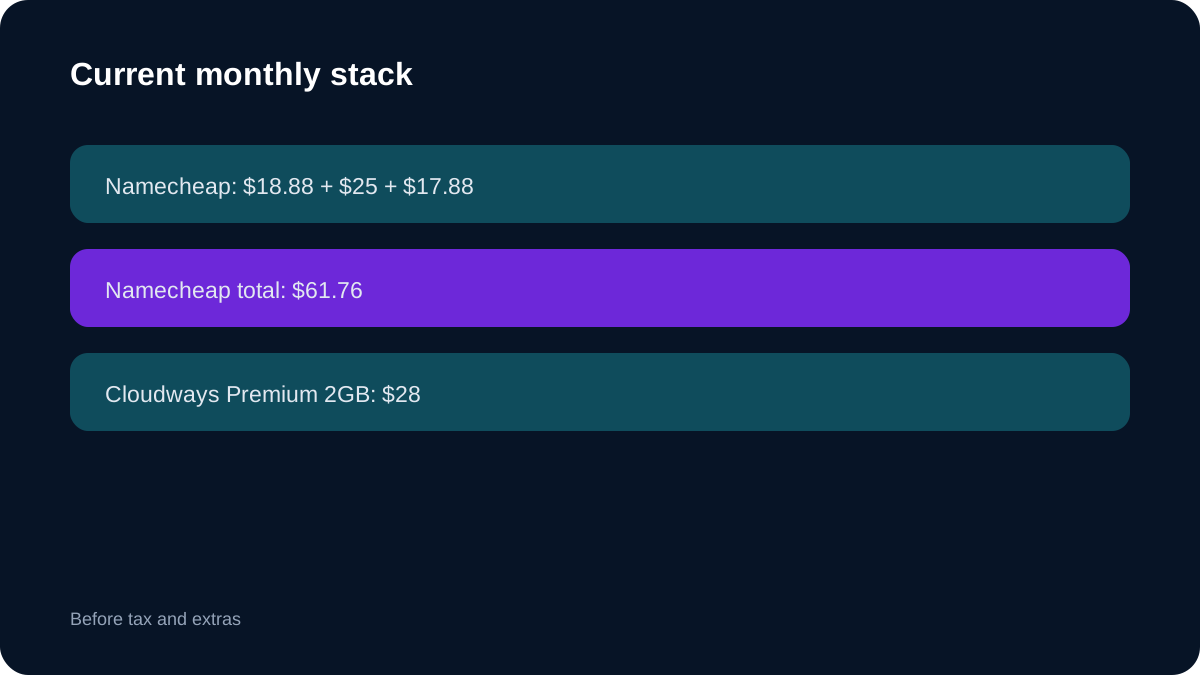
Namecheap Quasar with **Complete management + cPanel Solo** and **Cloudways DigitalOcean Premium 2GB** solve different problems. The complete Namecheap stack currently totals **$61.76/month**: $18.88 for Quasar at the current monthly renewal rate, $25 for Complete and $17.88 for cPanel Solo. Cloudways Premium 2GB is **$28/month or $0.0417/hour**.
**Quick verdict:** choose Namecheap when 4 cores, 6GB RAM, 120GB SSD, 3TB transfer and cPanel compatibility justify the larger bill. Choose Cloudways when a 1-core/2GB workload fits and you value a managed application console, hourly billing and lower recurring cash. Neither selected configuration provides root access. This is not a speed test.
At a glance
- Best for
- Buyers deciding whether larger cPanel capacity is worth $33.76 more per month than a managed 2GB platform.
- Price model
- Current monthly stack: $61.76 vs $28
- Check first
- Planning totals assume current prices; taxes and usage extras vary; specifications are not benchmarks.
1. The real monthly price is $61.76 versus $28
Using the bare Quasar price understates the exact product. Complete and cPanel Solo are separate recurring components: **$18.88 + $25 + $17.88 = $61.76**. Cloudways publishes Premium 2GB at **$28/month**, excluding tax.
Cloudways is $33.76 cheaper per full month, or $405.12 over twelve months if prices and usage stay unchanged. Namecheap also publishes three more CPU cores, triple the RAM, 70GB more storage and 1TB more transfer. Decide whether the workload can use that headroom.
2. Three-year planning model: a $1,215.36 gap
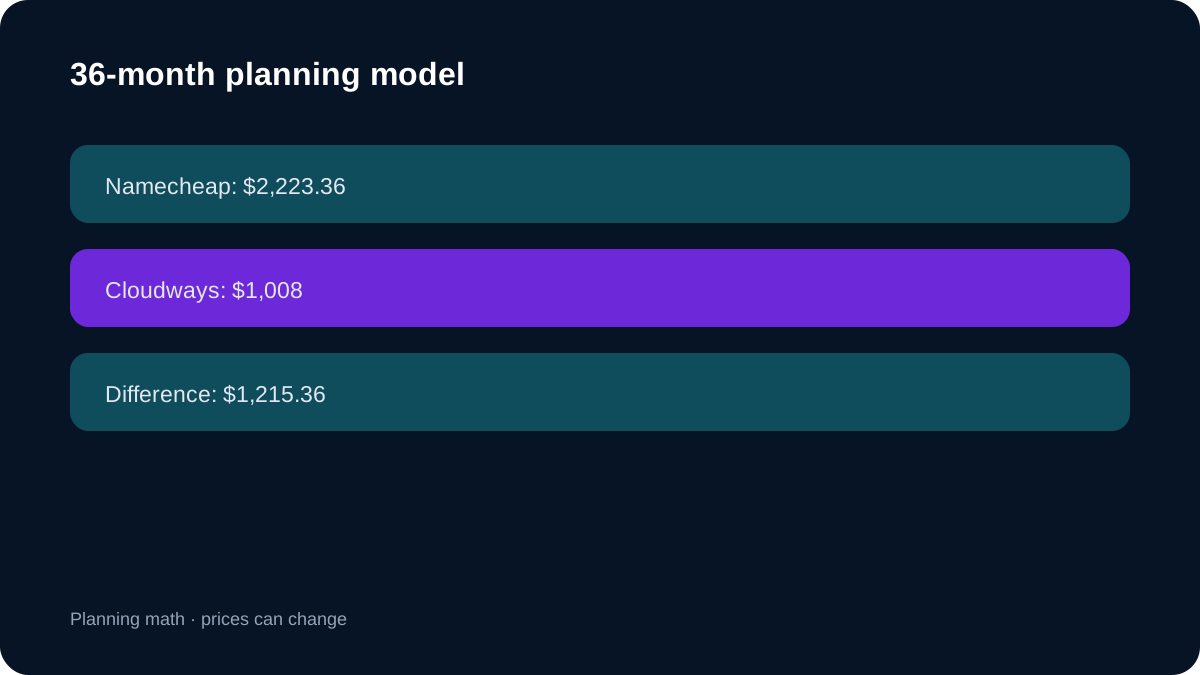
At today's components, Namecheap models to **$741.12/year** and **$2,223.36 over 36 months**. Cloudways models to **$336/year** and **$1,008 over 36 months** at the monthly cap. The gap is **$1,215.36**. This is planning math, not a fixed quote; prices, tax and usage extras can change.
Cloudways' hourly rate helps temporary sandboxes and seasonal projects. A continuously running server approaches the monthly figure. Export data and account for retained backups or add-ons before treating deletion as a complete exit.
3. Resources: Namecheap buys much more capacity
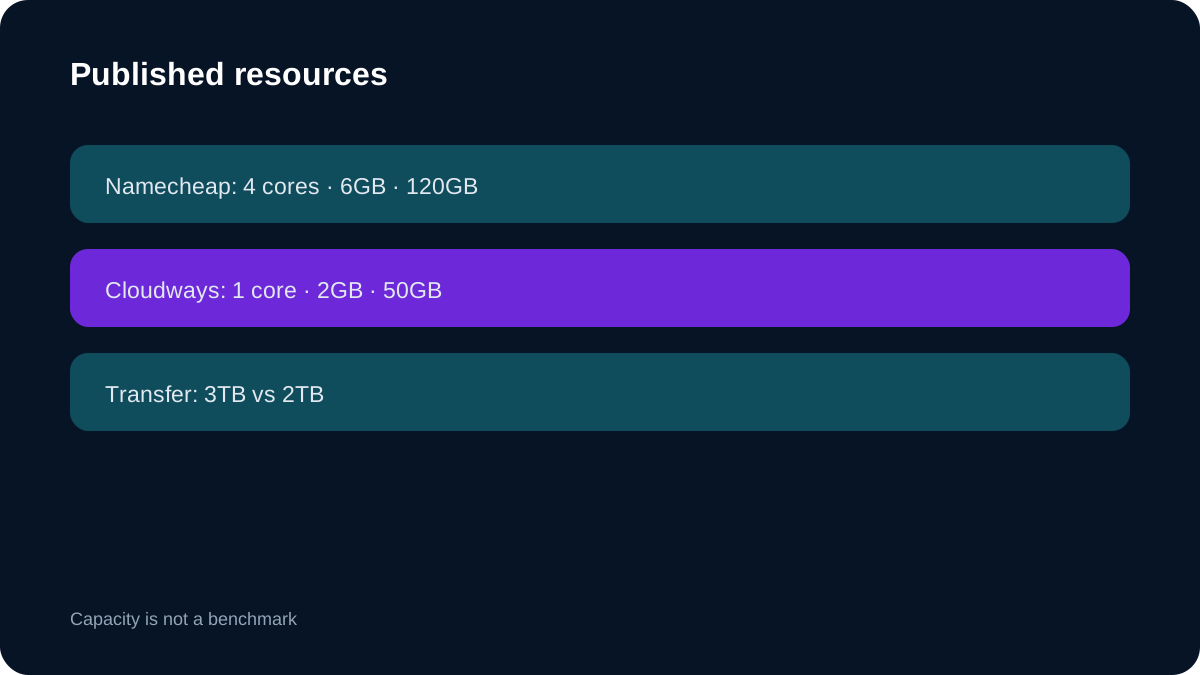
Quasar publishes **4 cores, 6GB RAM, 120GB SSD and 3TB monthly bandwidth**. Cloudways Premium 2GB publishes **1 core, 2GB RAM, 50GB storage and 2TB bandwidth**.
Namecheap is stronger on paper for several cPanel accounts, a heavier database or memory-hungry plugins. These numbers do not prove faster pages: CPU generation, contention, caching, database design and location can matter more. Test the real workload.
4. Both remove root—but operations differ
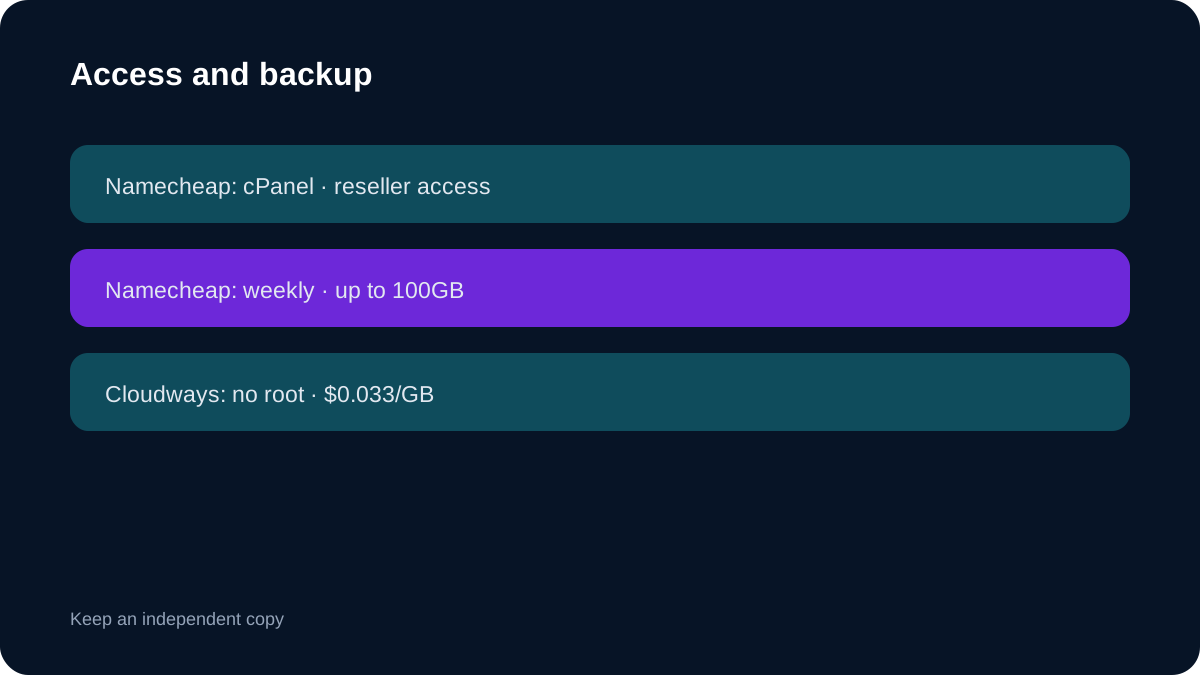
Complete management changes the raw-VPS assumption. Namecheap provides reseller-level WHM/cPanel access and manages core software, incidents and recovery, but Complete users lack root, reboot and SolusVM access.
Cloudways also withholds root. Its value is a managed application/server console, not cPanel ownership or unrestricted system administration. Arbitrary OS packages and every system setting are unavailable.
Choose Namecheap for cPanel transfers, WHM familiarity or cPanel tooling. Choose Cloudways when an application workflow is preferable and root/cPanel are unnecessary.
5. Backups and variable charges
Namecheap Complete includes weekly offsite backups and up to **100GB for Quasar**. Weekly recovery may be too coarse for stores or frequently updated sites, so keep an independent tested copy.
Cloudways Flexible charges **$0.033/GB** for offsite backup storage and rounds in $0.50 increments. Extra bandwidth and cloned servers can also add cost. The $28 figure is a server base, not a guaranteed final invoice.
6. Commitment and exit economics
Namecheap combines three recurring components. Verify Quasar, Complete and cPanel Solo with the intended cycles; changing one changes the total. Cloudways is easier to unwind for experiments, but production migration still has labor, DNS, email, backup and rollback costs.
If a stable workload genuinely needs 6GB and cPanel, Namecheap may cost less than forcing 2GB and then upgrading. If 2GB is enough, buying unused Namecheap headroom for three years is the larger risk.
7. Migration and checkout checklist
Before Namecheap: confirm **$18.88 + $25 + $17.88**, billing cycles, tax, cPanel account limit, Complete access, backup retention and migration scope. Before Cloudways: confirm **DigitalOcean Premium 2GB**, region, hourly/monthly price, backup estimate, bandwidth, add-ons and application support.
Run the same staging workload in the target region. Record peak RAM, CPU saturation, database latency, storage growth and outbound traffic. Model the next upgrade before buying.
8. Which should you choose?
Choose **Namecheap Quasar + Complete + cPanel Solo** when cPanel, 6GB RAM, four published cores and a larger disk are requirements and reseller access is enough. Use Toolnavia's approved exact Namecheap route.
Choose **Cloudways Premium 2GB** when the workload fits 2GB, root/cPanel are unnecessary, and lower monthly cost plus hourly billing matter more. Use Toolnavia's approved exact Cloudways route.
Search intent is confirmed by direct provider-pair comparisons and independent reviews; those pages do not control the exact plan facts used here.
**Bottom line:** Cloudways wins on recurring cash and reversibility; Namecheap wins on published capacity and cPanel fit. Recheck both official carts before payment.