TOOLNAVIA / BUYING GUIDE
HostPapa Growth vs WPX Professional: $574 vs $2,400 Over 5 Years
The short answer
HostPapa Growth and WPX Professional publish the same headline **2 CPU cores**, but they are built for very different portfolio sizes. HostPapa Growth is **$5.95/month for 36 months**, with 5 sites, 100GB NVMe and 1GB RAM. WPX Professional is **$39.99/month equivalent only when $2,399.60 is prepaid for five years**, with 15 sites, 40GB storage, 15GB RAM and 45 PHP workers.
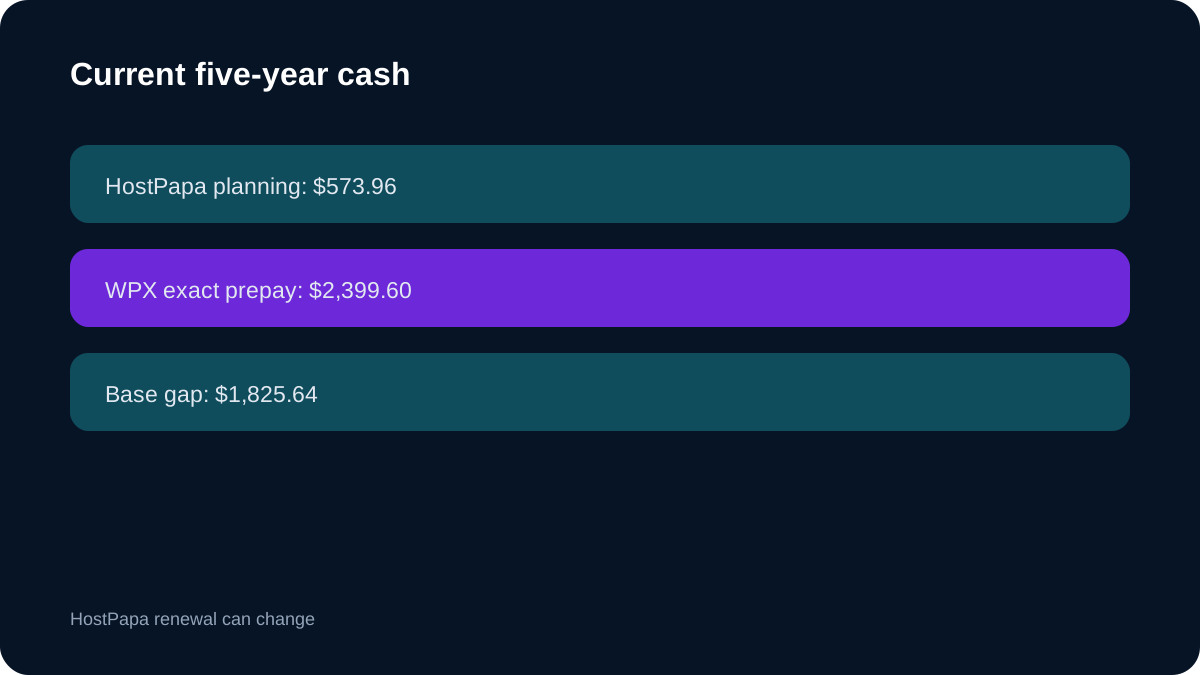
Using today's HostPapa prices, a five-year planning model is **$214.20 for the first 36 months + $359.76 for a current two-year renewal = $573.96**. That is **$1,825.64 below** WPX Professional's exact current five-year prepayment.
At a glance
- Best for
- Multi-site buyers deciding whether five sites/100GB/low cost are enough or whether 15 sites/15GB RAM/45 workers managed WordPress justify about $1,826 more over current five-year planning.
- Price model
- HostPapa current 5y planning $573.96 vs WPX exact 5y prepay $2,399.60
- Check first
- HostPapa five-year total is planning; WPX requires five-year prepay; plan sizes differ; no benchmarks.
Five-year cost: $573.96 planning versus $2,399.60 exact prepay
HostPapa Growth's current 36-month opening cost is **$214.20**. Adding today's two-year renewal price of **$359.76** produces a current five-year planning total of **$573.96**.
WPX Professional's current five-year prepayment is **$2,399.60**, or $39.99/month equivalent.
The gap is **$1,825.64**. HostPapa's number is planning math and can change at renewal; WPX's is the current prepaid offer.
Five sites/100GB versus 15 sites/40GB
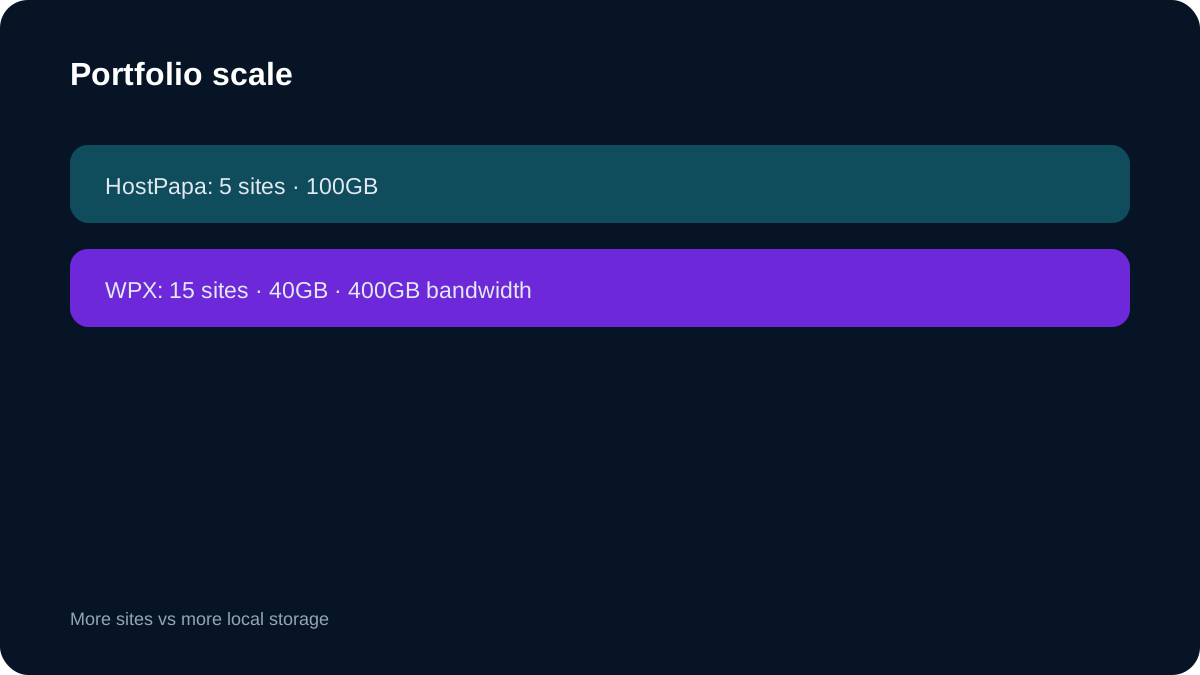
HostPapa Growth supports **5 sites and 100GB NVMe**.
WPX Professional supports **15 sites and 40GB storage**, plus 400GB bandwidth.
HostPapa gives 2.5 times the local storage, while WPX gives three times the site slots.
If the portfolio is five media-heavy sites, HostPapa's storage can be more useful. If the business genuinely manages 6–15 WordPress sites, HostPapa Growth cannot match the site-count ceiling without another account or plan.
Same 2 CPU, 1GB versus 15GB RAM
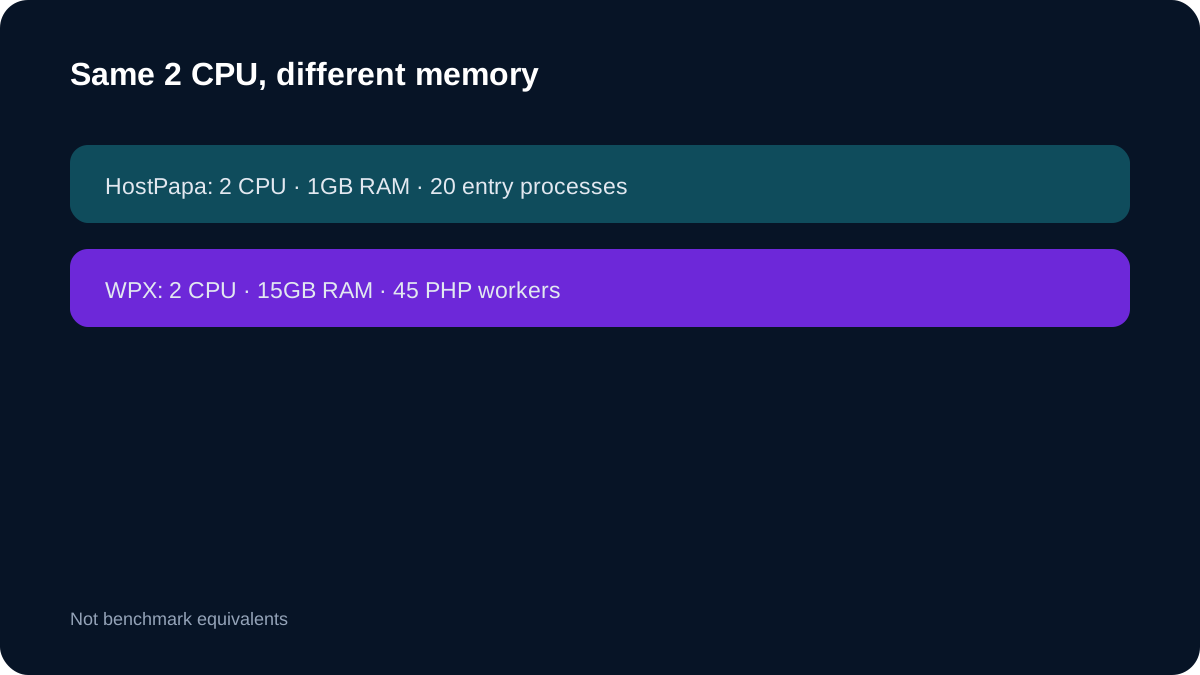
Both plans publish **2 CPU cores**.
HostPapa Growth publishes **1GB RAM, 20 entry processes and 300K inodes**. WPX Professional publishes **15GB RAM and 45 PHP workers**.
That is a 15× RAM difference at the same CPU headline. It does not prove WPX is 15× faster, but it radically changes the memory/concurrency envelope for dynamic WordPress workloads.
General shared hosting versus managed WordPress
HostPapa Growth is general shared hosting with staging, migration and cPanel-style workflows.
WPX Professional is WordPress-only managed hosting. Its scope includes server security, malware removal, backups, standard migrations and support.
HostPapa is cheaper and more general-purpose. WPX charges a large premium to increase resources and remove more WordPress-specific operational work.
Backup economics
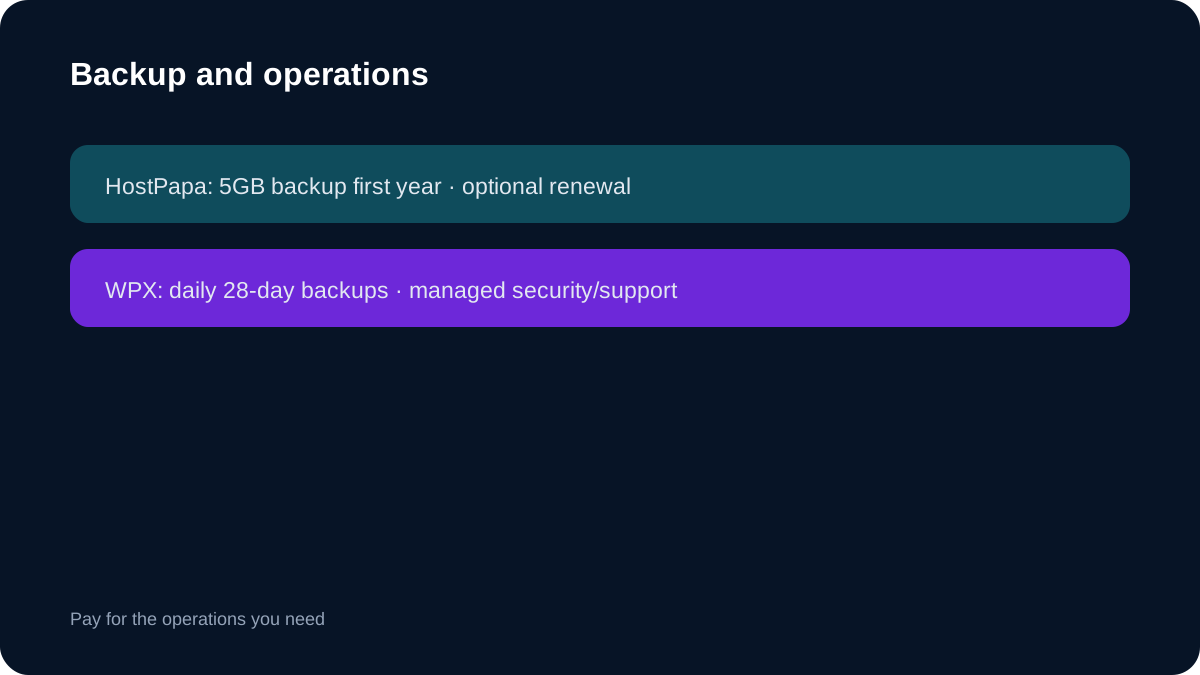
HostPapa Growth includes a **5GB automated-backup entitlement for the first year on eligible terms**, with the current 5GB backup product renewing at **$71.99/year**.
WPX includes daily automatic backups with **28-day retention**.
If a business needs larger or longer backup coverage on HostPapa, it should price that separately. WPX's recovery workflow is more bundled, although automatic copies are not directly downloadable.
Migration and portfolio operations
HostPapa Growth includes free migration and staging.
WPX says approved migrations are normally completed within **24 hours**, but each website needs a separate migration request.
Moving 10–15 sites is therefore a real project even on managed hosting. WPX's hands-on process can reduce technical work, while HostPapa's five-site ceiling keeps the migration scope smaller.
When WPX Professional is worth the premium
WPX Professional becomes easier to justify when the buyer actually needs **more than five sites**, far more than 1GB RAM, 45 PHP workers, managed malware/security and ongoing WordPress support.
If a business has only three to five modest sites, buying 15GB RAM and 15 site slots can be expensive unused headroom.
The upgrade should be driven by workload and operational labor, not the bigger spec card.
Checkout checklist
For **HostPapa**, confirm Growth, 36 months at $5.95, total due today, expected renewal term, 5 sites, 100GB NVMe, 2 CPU, 1GB RAM, 300K inodes, staging and first-year 5GB backup eligibility.
For **WPX**, confirm Professional, **$2,399.60 prepaid for five years**, $59.99 regular reference, 15 sites, 40GB, 400GB bandwidth, 15GB RAM, 2 CPU, 45 PHP workers, backup retention and migration terms.
Who should buy which?
**Buy HostPapa Growth** when five sites, 100GB and a much lower current five-year planning cost meet the business need.
**Buy WPX Professional** when 6–15 WordPress sites genuinely need 15GB RAM, 45 PHP workers and a deeper managed operating layer worth roughly $1,826 more in current five-year base cash.
**Bottom line:** the CPU headline ties; portfolio scale, memory and managed labor explain the price gap.