TOOLNAVIA / BUYING GUIDE
Cloudways 3-Day Free Trial Checklist: What to Test Before You Pay
The short answer
A Cloudways 3-day trial is useful only if you treat it as a short acceptance test, not three days of browsing the dashboard. Flexible and Autonomous both currently offer a no-credit-card 3-day trial, but they let you test different things: Flexible exposes the managed server-and-application workflow, while Autonomous exposes the WordPress/WooCommerce application and autoscaling workflow.
Affiliate disclosure: Toolnavia may earn a commission if you later buy Cloudways through links on this page. The trial itself is not a paid Toolnavia offer, and the checklist below is designed to help you reject Cloudways as easily as accept it.
At a glance
- Best for
- Buyers who want to validate a real site, migration workflow and first-month cost before upgrading.
- Price model
- 3-day trial · no card required under current new-trial flow
- Check first
- Three days cannot prove long-term reliability; Autonomous can auto-upgrade when a payment method already exists.
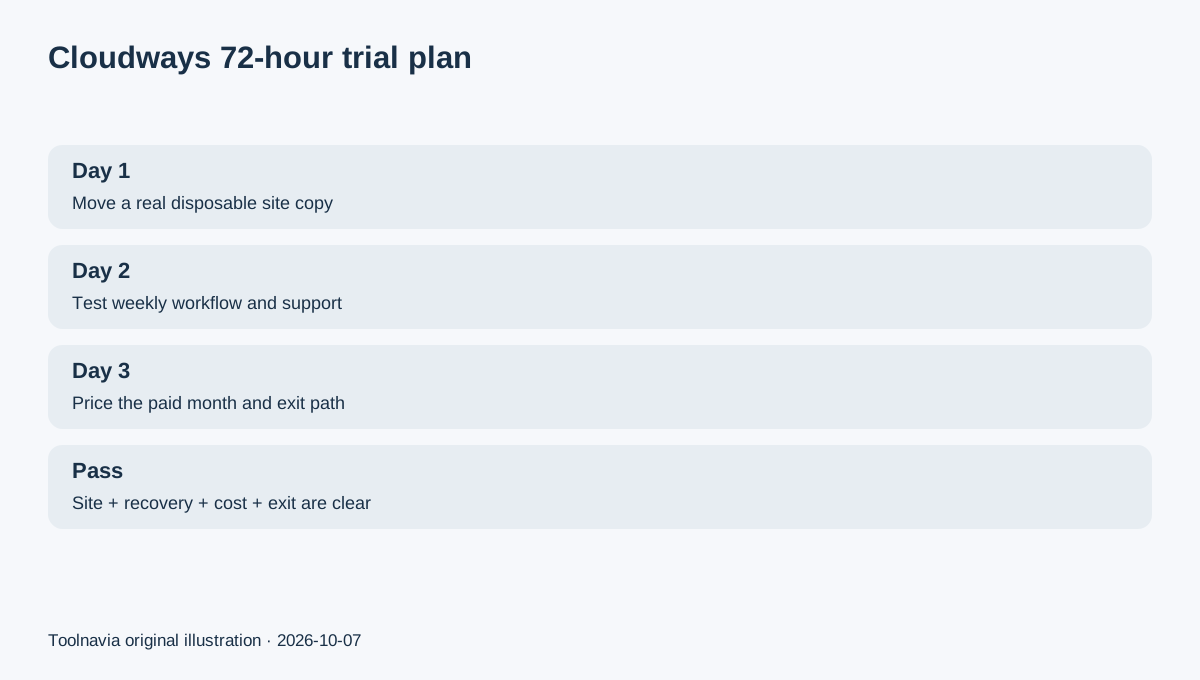
Day 1: move something real, not a blank demo
On Flexible, Cloudways says the trial lets you launch a server, deploy an application and even migrate an existing site. A blank WordPress install proves very little about your plugins, database, cron jobs, forms or admin workflow.
Use a disposable copy of a real site. Keep the old host untouched. Confirm that WordPress admin opens, plugins activate, media loads, scheduled tasks run and the public site works on the temporary Cloudways URL. If the site is WooCommerce, include cart and checkout in the test.
Autonomous also allows a WordPress or WooCommerce trial application. Cloudways currently runs the trial app on a Cloudways domain; custom domains and several paid-plan capabilities are not available until upgrade.
Day 1: prove the migration path before you care about speed
Cloudways' current WordPress Migrator documentation says the plugin can move WordPress and WooCommerce sites for free, and the Flexible trial can be used as the destination.
Before migrating, make an independent backup of the source site. After migration, compare page count, recent posts, media, user login and forms. For a store, also compare products, stock, orders and payment-sandbox behavior.
The acceptance rule is simple: if you cannot explain how you would repeat or recover the migration, do not upgrade just because the homepage looks fast.
Day 2: test the workflow you will use every week
On Flexible, check server/application separation, staging or cloning, SSL setup, PHP controls, logs, monitoring and backup configuration. Try one real maintenance task such as a plugin update on staging and verify what must happen before pushing a change live.
On Autonomous, inspect the application controls, resource view and autoscaling settings. Cloudways' 2026 trial announcement suggests testing the real application rather than only a blank install and notes that resource data updates periodically in the dashboard.
Do not turn one synthetic speed test into a hosting verdict. A short trial is better for discovering operational friction: missing access, a plugin incompatibility, confusing recovery steps or a workflow your team dislikes.
Day 2: ask support one question you genuinely need answered
The goal is not to manufacture a response-time score. Ask a concrete question you would otherwise need after purchase: migration edge cases, DNS cutover, backup retention, an unsupported plugin or how billing stops.
Record the answer and whether it gives you a reproducible action. A fast but vague reply is less useful than a slower answer that resolves the operational risk.
Day 3: calculate the first paid month before adding a card
Cloudways is not a permanent free service. Current getting-started documentation says the 3-day trial is followed by pay-as-you-go billing after upgrade, based on product, server plan, bandwidth and subscribed paid add-ons.
For Flexible, write down the selected cloud provider and server size, then add expected backup storage and any paid add-ons. For Autonomous, record the base plan and the possible autoscaling, disk and bandwidth overages.
If you upgrade Flexible, Cloudways says card verification may create a temporary $1-$10 authorization that is automatically reversed. This is not the hosting charge itself.
Know the Autonomous auto-upgrade warning
Cloudways specifically warns that if a payment method was already added before starting an Autonomous trial, the trial can automatically upgrade to the paid entry plan when the three days end unless you delete the application or unsubscribe first.
That is the most important trial-exit check. Put the end time on your calendar, and choose deliberately: upgrade, unsubscribe/delete, or let the trial expire under the account conditions that apply to you.
A passing trial has five concrete answers
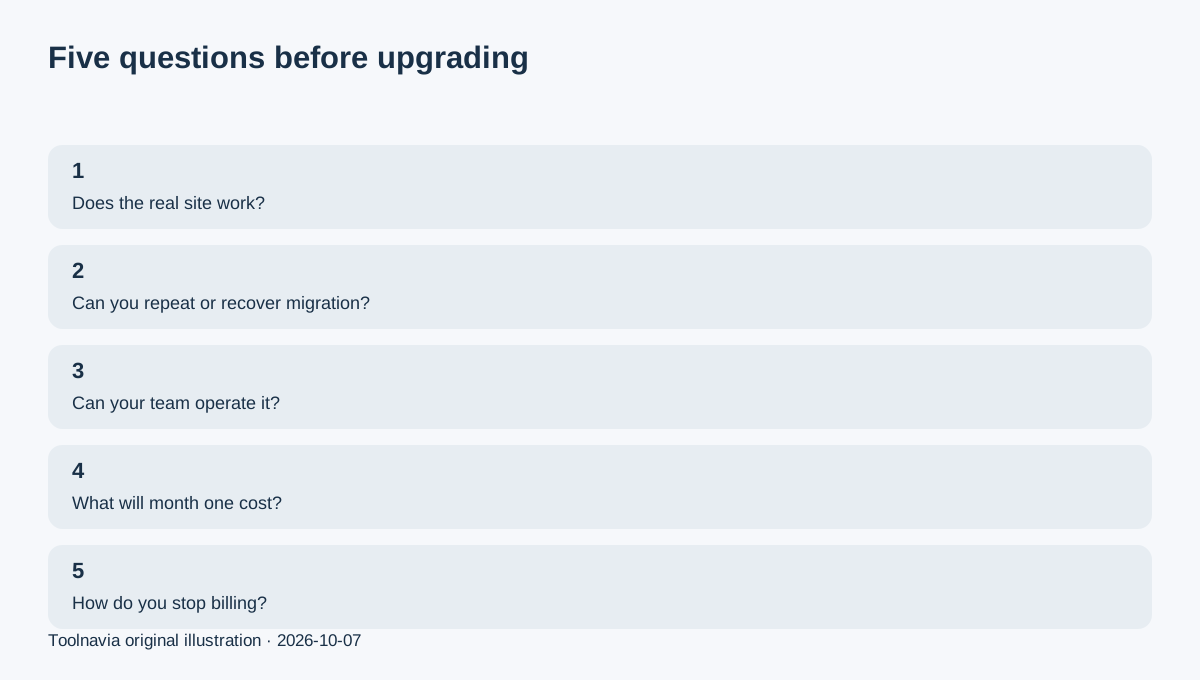
Upgrade only when you can answer five questions: Does the real site run correctly? Can you migrate and recover it? Can your team operate the control panel without avoidable friction? What will the first paid month cost? What exactly must you do to stop charges later?
Cloudways can be a good fit even if the trial exposes work you must do. The purpose is not a perfect three days; it is to replace uncertainty with a short list of known operating tasks and costs.