TOOLNAVIA / BUYING GUIDE
IObit Protected Folder: $19.95/Year—What Does the Folder Lock Actually Protect?
The short answer
At a glance
- Best for
- One-PC Windows users who need simple Hide, Deny Read and Deny Write controls for casual local privacy.
- Price model
- Current public USD $19.95/year for1 PC;60-day guarantee; standalone renewal not public
- Check first
- Not backup; core lock is not documented as encrypted storage; Windows11 support and standalone renewal are unverified.
Verdict
IObit Protected Folder is a simple Windows folder-access tool, not a backup service and not a documented encrypted vault. Its current public offer is $19.95 per year for one PC. Consider it only if you want quick Hide, Deny Read, and Deny Write controls on an older supported Windows PC—and test recovery before trusting it.
This is a documentation-based buying guide, not a Toolnavia security audit, penetration test, or recovery test.
Who this product fits
Protected Folder fits a narrow job: keeping selected local files or folders away from casual viewing or modification on one Windows PC. The product page describes password access, hiding, read blocking, and modification protection; the FAQ names the three underlying actions as Hide, Deny Read Access, and Deny Write Access.
That can be useful on a shared family PC, a reception computer, or a workstation where a user wants a fast barrier around ordinary folders without learning encrypted-container software. The paid license covers one PC for one year.
It is a weaker fit when the threat is theft of the physical drive, offline forensic access, ransomware recovery, hardware failure, or a wiped system disk. Those jobs require encryption, backup, or both.
What the lock actually does
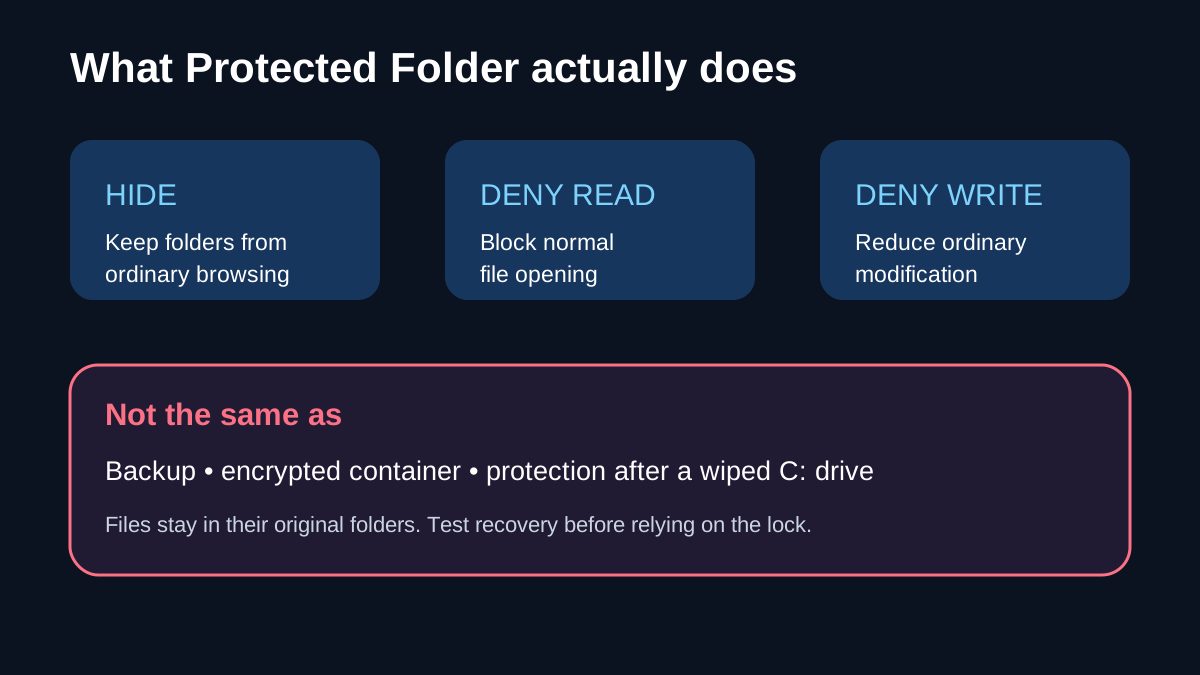
IObit's FAQ says files are not moved into Protected Folder. They remain in their original directories, while the software applies visibility, read-access, and write-access restrictions. That detail matters because the interface may look like a private box, but the official description is an in-place access-control workflow.
The current product page adds an Exclude List because applying protection to the wrong system files can cause errors. It also offers separate modes to hide content, block access, or prevent modification. These controls are practical, but none of the current official pages reviewed for this article describes the core lock as cryptographic encryption at rest.
Therefore, do not treat a locked folder as equivalent to a VeraCrypt container. VeraCrypt creates encrypted volumes and its current stable release supports modern Windows systems; that is a different workflow with a steeper setup burden.
The backup and reinstall boundary
Protected Folder is not backup. IObit explicitly says protected files outside the C: drive return to their original directories after a complete system reinstall. Files originally stored on C: can be wiped with the system partition. Reinstalling Protected Folder also removes the prior protection, so folders must be added again.
That means a buyer should keep an independent backup of important data and a separate recovery plan for the password and installation state. A folder can be inaccessible to another user and still be vulnerable to deletion, disk failure, operating-system reinstall, or ransomware.
Before protecting irreplaceable files, create a disposable test folder, apply every intended mode, restart the PC, remove and reinstall the app, and confirm that the backup can restore the data. This is a validation step, not a claim that every failure mode has been tested by Toolnavia.
Price, refund, renewal, and Windows support
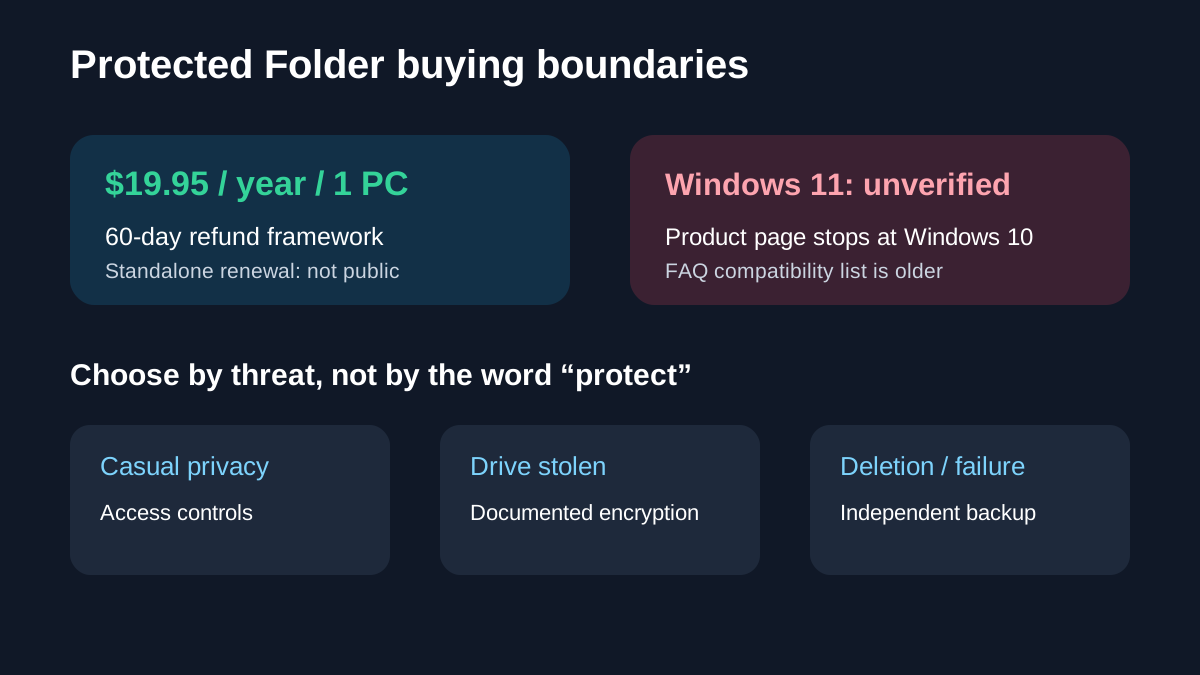
The current IObit product and Hot Deals pages show Protected Folder at $19.95 for one year on one PC, with a crossed-out $39.95 reference price. The official store also advertises a 60-day money-back guarantee. Use the live checkout as the final price because promotions and tax can change.
The exact standalone renewal amount is not public on the reviewed pages or the public renewal portal. A Driver Booster gift page mentions a next-year price for the bundled Protected Folder gift, but that is bundle-specific and should not be copied to the standalone license. Verify the renewal line in the actual cart or account before paying.
Windows support needs extra caution. The current product page lists Windows 10, 8.1, 8, 7, Vista, XP, and 2000, while the FAQ lists an older range ending at Windows 8. Neither current official page reviewed here explicitly confirms Windows 11 support. If the target computer runs Windows 11, treat compatibility as unverified and test before purchase.
Alternatives clarify the protection level
Wise Folder Hider Pro currently lists $14.97 per year for three PCs, with hiding, USB hiding, unlimited encryption, password recovery, updates, support, and a 60-day guarantee. Its Free edition includes hiding plus encryption up to 50 MB. That makes Wise the clearer value comparison when multiple PCs or explicit encryption are priorities.
GiliSoft File Lock Pro currently lists $39.95 per year for one PC, $59.95 lifetime for one PC, and $89.95 lifetime for three PCs. Its official pages explicitly describe locking, hiding, read-only controls, USB and shared-folder protection, encryption, monitoring, and secure deletion, with Windows 11 support. It costs more but documents a broader protection set.
Two same-intent comparison pages also separate IObit's access controls from Wise's explicit encryption features; they are useful discovery evidence, but official product pages control the factual claims here.
VeraCrypt is free and open source and creates encrypted containers, partitions, and drives. It is the stronger conceptual fit when data must remain unreadable without a key, including if the drive is examined outside the normal Windows session. It is not a one-click folder hider and requires more setup and recovery discipline.
A safer purchase workflow
First identify the threat. For casual privacy on one shared PC, test the free or trial path and confirm that Hide, Deny Read, and Deny Write match the job. For a lost laptop or copied drive, choose documented encryption. For accidental deletion, hardware failure, or ransomware recovery, maintain offline or versioned backups.
Second, use a disposable folder to test each protection mode, reboot behavior, uninstall/reinstall behavior, and recovery steps. Do not begin with the only copy of important documents.
Third, check the live $19.95 cart for renewal wording, tax, auto-renewal, and cancellation controls. Toolnavia has not verified a standalone numeric renewal. IObit's public affiliate program is open and advertises cash commission, but Toolnavia approval is unverified, so affiliate tracking remains disabled.
Common questions
**Does Protected Folder encrypt files?** The current official pages reviewed describe hide/read/write restrictions and password access, not the core lock as an encrypted vault. If encryption is required, choose a product that explicitly documents it.
**Will it save files after a Windows reinstall?** No. Files on C: may be wiped with the system partition, and protection must be configured again after reinstall. Keep a separate backup.
**Is Windows 11 officially supported?** Not on the current IObit pages reviewed here. The product page stops at Windows 10 and the FAQ is older. Treat Windows 11 compatibility as unverified.
Next step
Buy only after a disposable-folder test proves the access controls fit your PC and after the live cart reveals renewal and cancellation terms. If you need recovery, add backup. If you need protection against offline access, use documented encryption. Protected Folder is best understood as a convenient local access-control layer—not a substitute for either.