TOOLNAVIA / BUYING GUIDE
ClickFunnels Order Bump vs One-Click Upsell: Which Should You Use?
The short answer
An order bump and a one-click upsell are not interchangeable. In the current ClickFunnels® workflow, the bump sits on the checkout page beside the main product, while the one-time offer (OTO) appears after checkout. Use the bump for a small, obvious add-on that needs almost no explanation. Use the OTO for a larger follow-up offer that deserves its own page. If you cannot define a different job for each offer, start with one rather than stacking both.
The buying question is not whether Launch can display an extra offer. It is whether your product margin, fulfillment process and traffic volume justify a funnel platform that currently costs $97 month to month or $970 annually. ClickFunnels® publishes no separate numerical bump or OTO quota on the pricing page, so verify the live workspace before purchasing.
At a glance
- Best for
- A validated main offer with one simple companion product and one clearly different post-purchase next step.
- Price model
- Launch $97/month or $970/year; payment and fulfillment costs separate
- Check first
- Unvalidated offers, very low checkout volume, duplicate add-ons, or workflows whose tax, shipping, subscription and fulfillment paths have not been tested.
Fast decision: bump before payment, OTO after payment
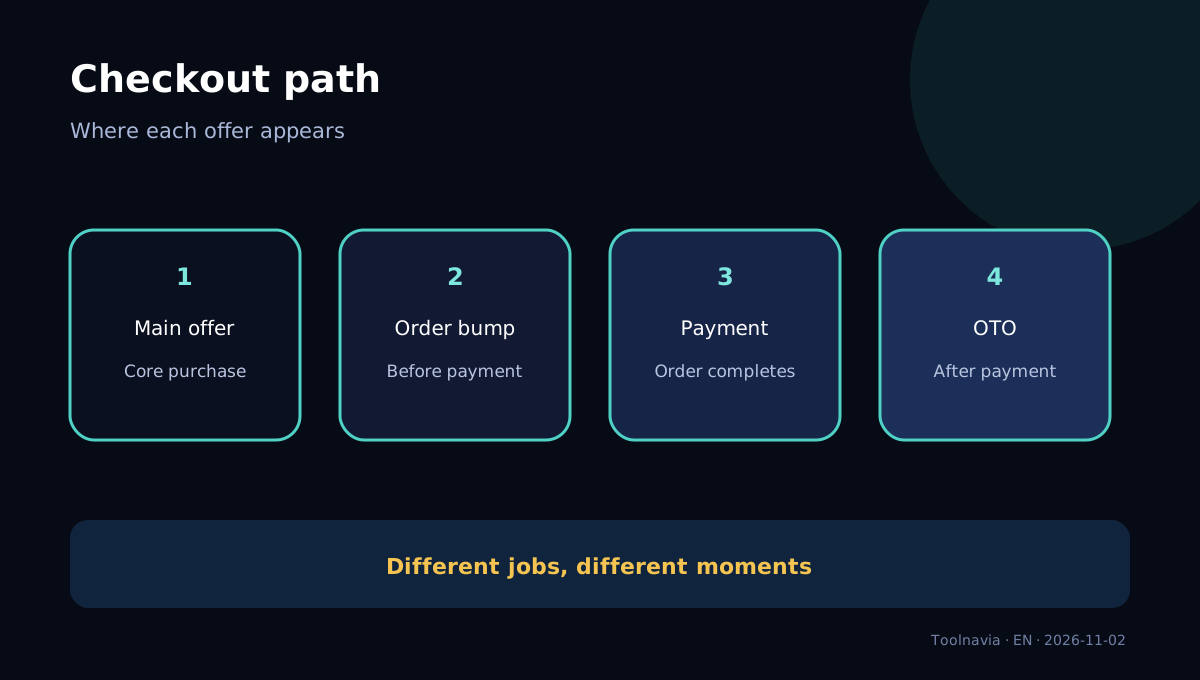
An order bump belongs to the checkout decision. The buyer is already paying for the main item and can add a complementary item without leaving the page. The official current documentation says the bump requires a main product and cannot stand alone. That makes it suitable for a template pack, an expedited service, a small accessory or another low-friction extension of the original purchase.
An OTO belongs to the post-checkout decision. ClickFunnels® places it after the initial order. If the buyer has just paid, the saved payment method can support a one-click acceptance; if there is no qualifying prior purchase, a checkout modal may appear. The official documentation also ties one product and price to an OTO button, so do not design the page as though every button can silently represent a different bundle.
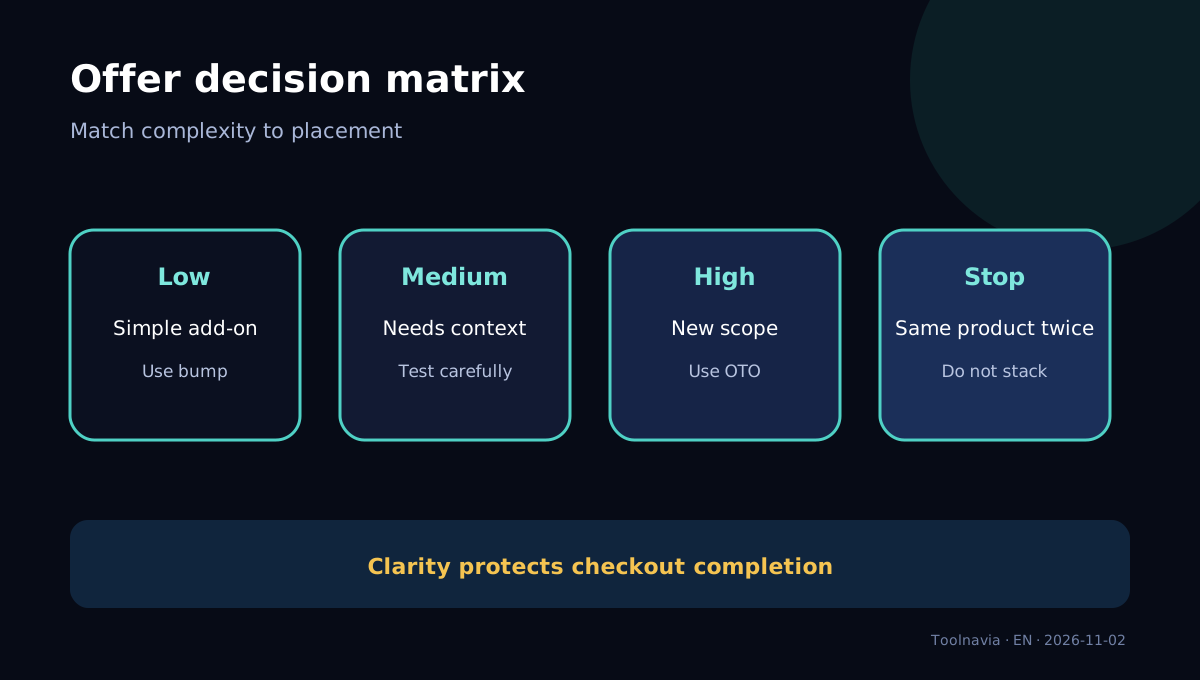
The practical distinction is cognitive load. A bump asks, “Would you like this small companion item too?” An OTO asks, “Now that the first purchase is complete, is this larger next step useful?” A high-priced or complicated bump can distract from the main checkout. A trivial OTO wastes a full post-purchase page and delays the confirmation path.
When an order bump is the better first test
Choose a bump first when the add-on is tightly related to the main product, fulfillment can occur with the same order, the price is low relative to the main offer, and the value can be understood in one sentence. The bump should not force buyers to compare packages again.
Examples include an implementation checklist added to a course, extra design files added to a template library, or priority setup added to a service. The exact product still needs its own refund, tax and delivery logic. “Same checkout” does not mean “same operational cost.”
SamCart, ThriveCart and Kajabi also describe bumps inside checkout, but their selection controls, limits and fulfillment behavior differ. Those competitor pages confirm the category pattern; they do not prove that ClickFunnels® has the same limits.
When a one-click upsell is the better first test
Choose an OTO first when the second offer needs a dedicated explanation, carries a meaningfully higher price, changes the scope of delivery, or should be considered only after the buyer owns the first product. An advanced course after an introductory course, a managed implementation after a self-service toolkit, or a larger license after a starter purchase can fit this pattern.
The post-checkout position protects the initial purchase from a second pre-payment decision. It also creates a responsibility: the acceptance, decline and next-step paths must be clear. For physical goods, verify address and shipping behavior. For subscriptions, verify billing frequency and cancellation language. For any offer, test the receipt and fulfillment event rather than assuming the button label proves the entire flow.
SamCart, ThriveCart and Kajabi each implement post-purchase upsells differently. SamCart documents confirmation options, ThriveCart describes multi-page upsell funnels, and Kajabi treats the upsell as a post-checkout offer. Use these as workflow comparisons, not as a universal limit table.
Should you use both?
Use both only when they solve two different buyer problems. A simple add-on can sit at checkout; a larger next-step product can follow after payment. Do not show the same product twice, disguise the same subscription behind two labels, or make the buyer wonder whether the first order was incomplete.
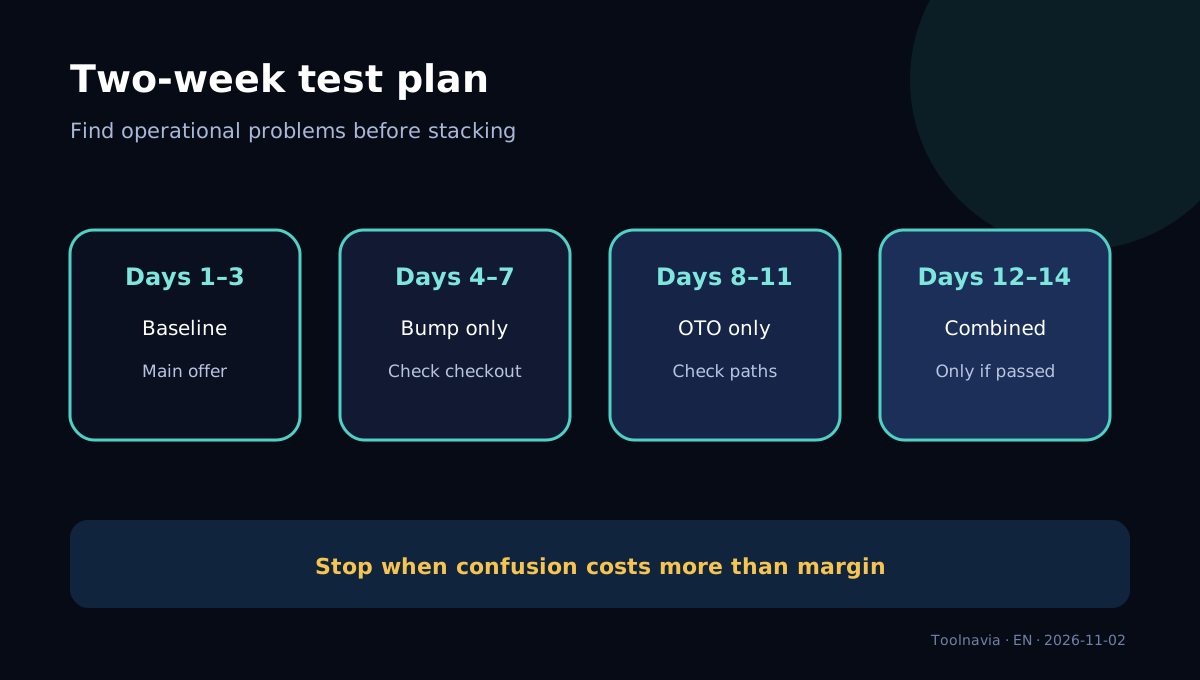
Start with a clean baseline. Measure completed checkouts, average order value, refund rate, support contacts and fulfillment errors. Add the bump for one test window, then add the OTO in a separate window. A combined test comes last. This sequence cannot prove causality as rigorously as a controlled experiment, but it makes operational failures easier to locate.
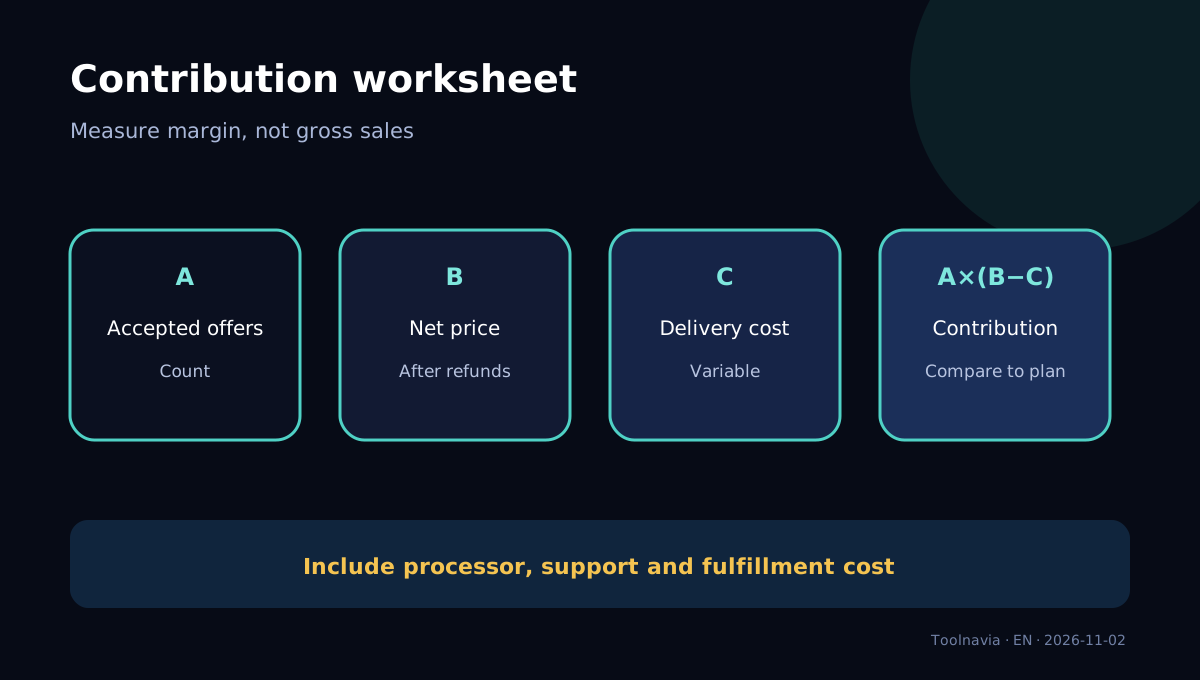
For each offer, calculate contribution rather than gross revenue:
**incremental contribution = accepted offers × (offer price − variable delivery cost − expected refunds − payment cost).**
Then compare that contribution with the $97 monthly subscription or the effective $80.83 monthly cost of a $970 annual invoice, plus any labor and tools you still need. Annual billing reduces the published equivalent monthly cost, but it increases upfront commitment.
**Launch plan context and limits.**
At the observed date, Launch lists one workspace, two team members, 10,000 contacts, 50,000 emails per month, three courses, five custom domains and unlimited visitors. These allowances matter because a funnel is not only a checkout page: email follow-up, team access, domains and contact growth can determine whether Launch remains the right tier.
The public pricing page does not separately state how many order bumps or OTO pages Launch permits. Do not convert the absence of a published cap into a promise of unlimited use. Open the current workspace, build a trial funnel and confirm the exact page, product and payment options before committing.
ClickFunnels® also says it does not take a percentage of sales, but your payment processor, refunds, disputes, taxes and optional services can still create costs. “One click” describes the buyer interaction after an eligible purchase; it does not mean a zero-cost transaction.
A two-week validation plan
Days 1–3: publish the main offer without a bump or OTO. Confirm payment, receipt, delivery, tax and refund handling. Record checkout completion and support issues.
Days 4–7: add one low-friction bump. Keep the main offer and traffic source stable where possible. Watch whether checkout completion falls and whether bump buyers receive the right item.
Days 8–11: remove or hold the bump steady and add one OTO. Test accept, decline and failure paths. Confirm that the original purchase remains complete even when the OTO is declined.
Days 12–14: use both only if each passed its separate test. Review net contribution, not just take rate. Stop an offer if it raises refunds, confusion or delivery cost more than it adds margin.
Who should buy Launch for this workflow?
Launch can fit a seller with one clear main offer, a complementary low-friction add-on, a larger post-purchase step and enough traffic to evaluate the funnel. It is also easier to justify when the same subscription replaces separate page, email, course or CRM tools that you would otherwise pay for.
It is a weak fit when the main offer is not yet validated, checkout volume is too low for useful testing, every add-on needs manual approval, or the buyer needs complex tax, shipping or subscription logic that has not been verified in the workspace. In those cases, a simpler checkout or more product discovery may be worth more than another funnel step.
**Current-vs-Classic documentation boundary.**
Search results still surface older ClickFunnels® support pages and Classic terminology. This guide uses the current support.myclickfunnels.com checkout and OTO workflow as the controlling implementation source. The older support.clickfunnels.com pricing page is retained only as context. Interface labels can change, so verify the current editor and payment settings on the day you build.
Bottom line
Pick the bump for a small companion purchase before payment. Pick the OTO for a larger, separately explained offer after payment. Use both only after each works alone and fulfillment is reliable. The feature is not the business case: your net contribution, checkout completion and support burden decide whether ClickFunnels® Launch is worth its published subscription price.
Affiliate disclosure: Toolnavia may receive compensation if you purchase through the approved ClickFunnels® link. That does not change the price facts, source boundaries or recommendation above.