TOOLNAVIA / BUYING GUIDE
ClickFunnels Appointments: Can It Replace a Scheduler Without Double-Booking?
The short answer
# ClickFunnels Appointments: Can It Replace a Scheduler Without Double-Booking?
ClickFunnels now presents Appointments as an app included in every plan. That sounds like an easy way to replace a separate scheduling subscription: let a lead choose a time inside the funnel, create the meeting and continue the follow-up in one platform. The purchase risk is not the booking-page design. It is whether the connected calendar blocks the right times, writes the event back, survives permission changes and stops two people from taking the same slot.
Treat “included” as permission to test, not proof of parity with Calendly, HubSpot, HighLevel, Google Calendar or Microsoft Bookings. Before committing to Launch for an appointment-led funnel, run a two-calendar, two-booker acceptance test. Buy only if the actual account prevents conflicts, produces the right meeting event and records every outcome you need.
At a glance
- Best for
- Solo operators or small teams that already need ClickFunnels and can prove the required calendar behavior in their own account.
- Price model
- November 6 reference: Launch US$97 monthly or US$970 prepaid annually; Appointments described as included in every plan.
- Check first
- No live booking, conflict race or reconnect was tested; public pages do not establish every multi-calendar or team behavior.
The short verdict
ClickFunnels Launch can be a practical choice for a solo consultant, coach or small sales team that already needs funnels and wants a branded booking step inside the same customer journey. The official pricing page and Appointments page currently say the app is included in every plan. The official Appointments page also describes on-page booking and Google Meet integration.
That establishes product availability. ClickFunnels’ official Help Center goes further: one connected calendar can be the Default (Bookable Calendar), each connected calendar can enable “Check For Conflicts,” and a detected overlap should block or warn before confirmation. Current setup guidance also lists Google Calendar, Outlook, iCloud and Office365 connections plus one-on-one, collective and round-robin event types. Those documents establish configurable controls, but not that your account has selected the right calendars, retained permission or synchronized every change without delay.
The approved Launch offer linked here is US$97 monthly or US$970 prepaid annually on the current official pricing reference. Verify the live checkout, tax and terms before paying because pricing can change. A separate scheduler may still be the safer choice when multiple calendars, staff rotation, resources, strict buffers or recovery after a broken connection are essential.

What “included in every plan” actually proves
The official ClickFunnels Appointments page says the app is included in every plan and lets visitors schedule from a branded page. That is useful for funnel continuity: the booking form can remain part of the experience instead of sending the lead to a visibly unrelated site.
But inclusion does not answer four buying questions:
1. Which external calendar is read for Busy events? 2. Which calendar receives the new appointment? 3. Are secondary calendars checked for conflicts? 4. What happens when permission is revoked, the token expires or an event changes elsewhere?
ClickFunnels’ current calendar-management guide answers part of the configuration question: only one connected calendar can be the Default (Bookable Calendar), additional connected calendars can be checked for conflicts, and deleting a connection leaves external events in place while upcoming ClickFunnels events become inactive and new bookings stop. Its getting-started guide describes one-on-one, collective and round-robin event types. ClickFunnels Classic documentation separately explains a third-party calendar embed through Custom JS/HTML. Keep the Classic embed route distinct from the native Appointments app because the embedded provider keeps its own availability engine.
This distinction changes the economics. If the native app passes your real calendar tests, avoiding another subscription may improve the value of Launch. If it fails a required conflict rule, “free” does not compensate for a missed sales call or duplicated service appointment.
Verify the complete calendar chain
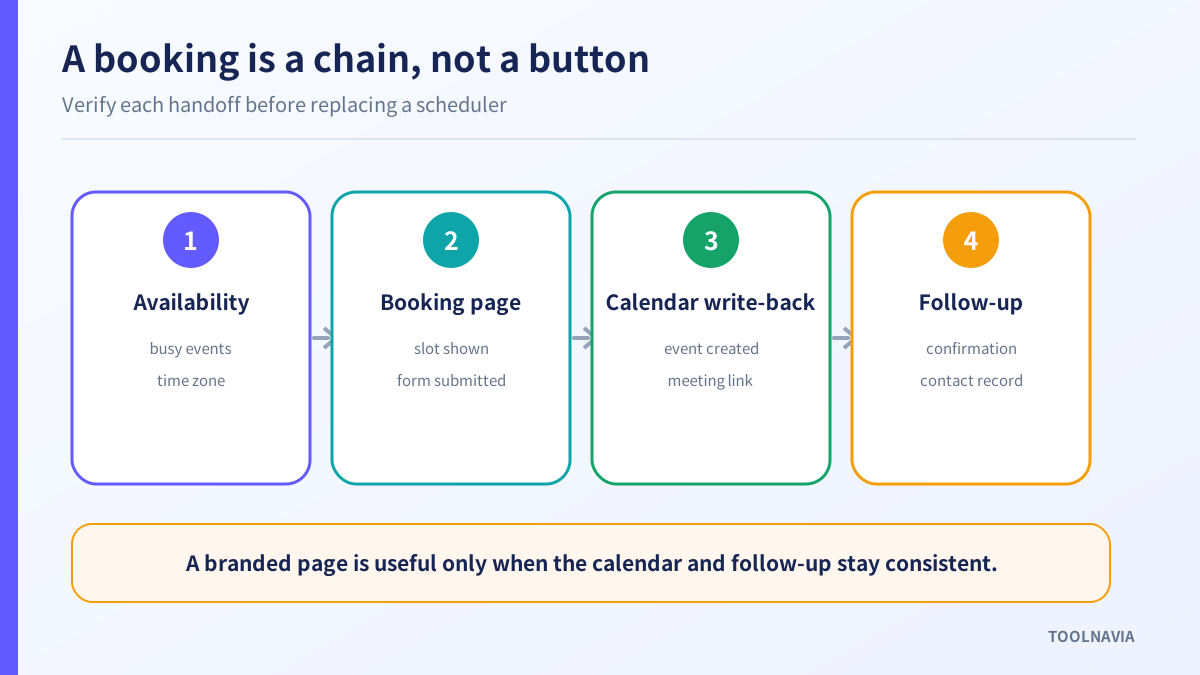
A booking is not finished when a confirmation page appears. It is finished when the same time is blocked, the event exists in the correct calendar, the meeting details are correct and the lead receives the expected follow-up.
Create one disposable appointment type and use a real but non-critical calendar. Test these four handoffs:
- Availability: add Busy, Free, tentative and all-day events; confirm which ones remove a slot. - Booking page: check time zone, duration, minimum notice and buffer behavior. - Write-back: verify event title, attendee, organizer, meeting link, cancellation and reschedule. - Follow-up: confirm email delivery, contact creation and any workflow trigger you intend to use.
HubSpot’s official meetings documentation makes the connection boundary explicit: a connected calendar is needed to check existing events and create booked events automatically; without it, the page can operate in an offline request mode. Its troubleshooting guide also identifies time zone, buffers, notice periods, booking limits and additional calendars as reasons availability can differ from expectation.
Those competitor controls do not prove that ClickFunnels works the same way. They show the questions a buyer should be able to answer before replacing a known scheduler.

Prove which calendars block a slot
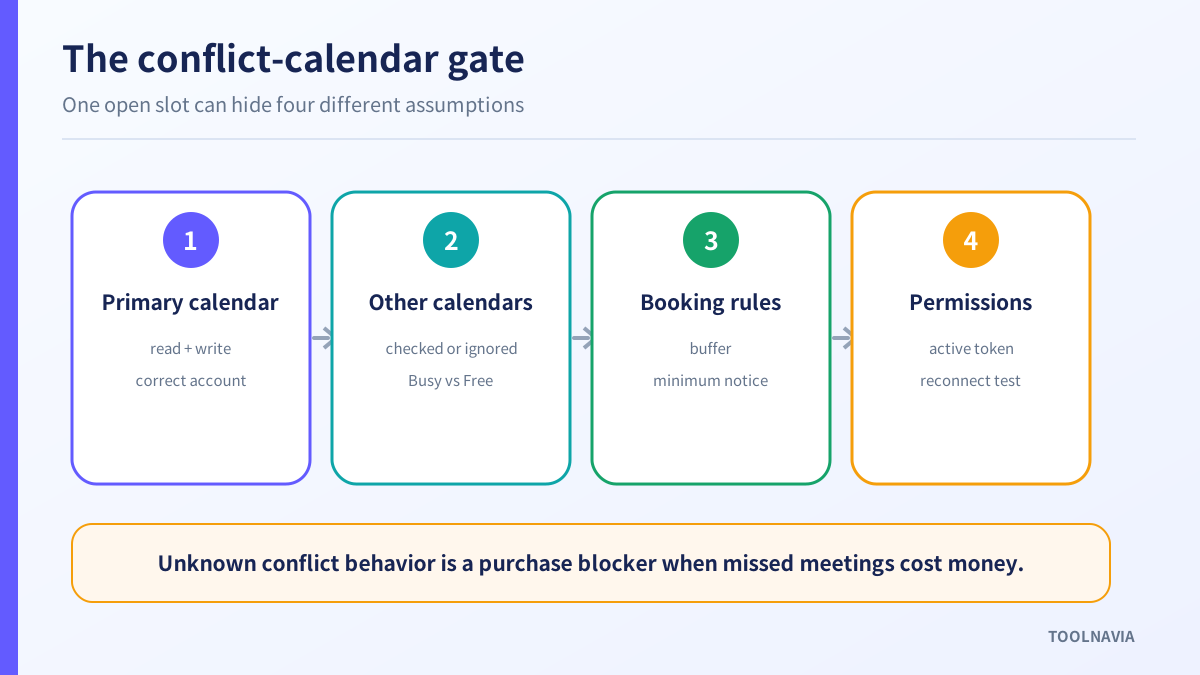
Use at least two calendars: the calendar intended to receive appointments and another calendar containing personal, travel or team commitments. Place a one-hour Busy event in each, then inspect the ClickFunnels booking page in a logged-out window.
Dedicated platforms document this distinction. HighLevel separates a primary read-write calendar from conflict calendars that are read to block unavailable times. Google Calendar lets the owner choose calendars to check for availability and warns that turning those checks off can expose time blocks even when another calendar is Busy. Microsoft Bookings ties service availability to staff free/busy state and provides buffers and date overrides.
Your ClickFunnels account passes this gate only when you can identify:
- the write-back calendar; - every calendar checked for conflicts; - how Busy, Free, tentative and all-day events behave; - whether buffers and minimum notice are enforced; - what the public page shows after an external event changes.
Enable “Check For Conflicts” on every connected calendar that must block time, then test it. Do not assume that connecting Google Calendar automatically enables conflict checking for every calendar visible to that account. If the account UI or a live test cannot establish a required behavior, mark it unknown.
Run a two-booker and reconnect test
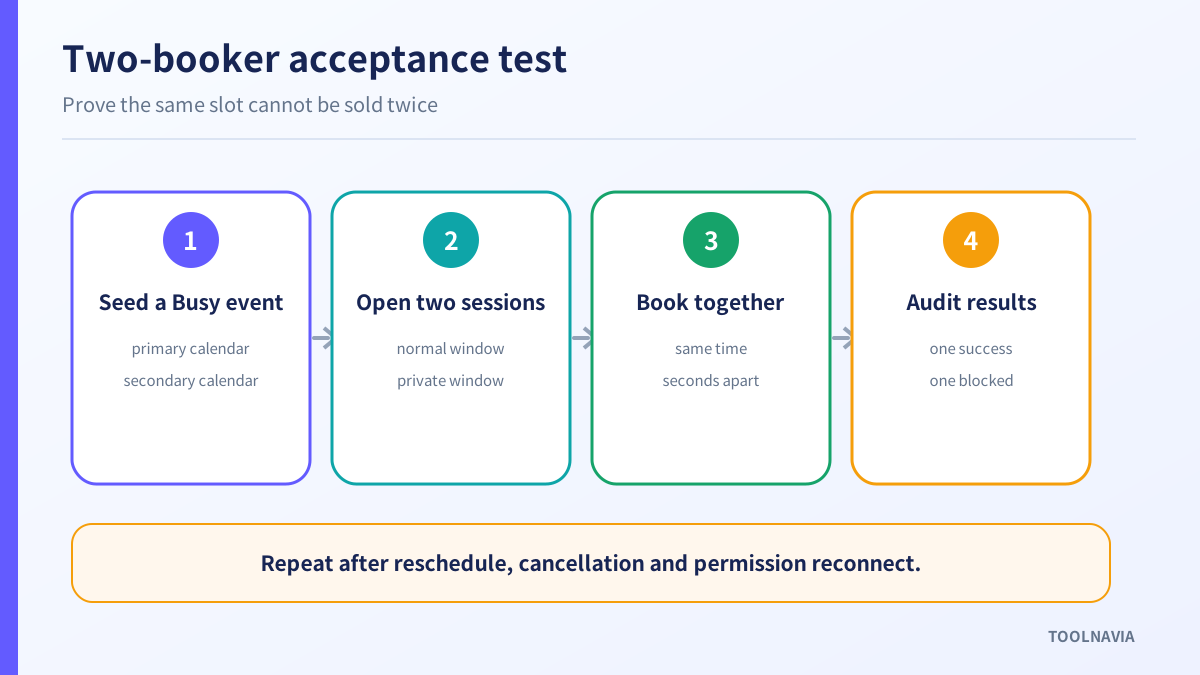
Open the same booking page in two separate sessions, such as a normal and private window. Select the same slot in both. Submit within seconds of each other.
A safe result is one confirmed booking and one blocked or refreshed attempt. Then verify the external calendar, the ClickFunnels contact record, the meeting link and both notifications. Microsoft Bookings says that when multiple people try to reserve the same appointment, only one can take the time. That is a useful acceptance benchmark, not evidence of ClickFunnels behavior.
Repeat the test after each of these changes:
1. Reschedule the confirmed meeting from the external calendar. 2. Cancel it from ClickFunnels, if the current account supports that direction. 3. Revoke calendar permission, wait for the booking page to update, then reconnect. 4. Change the account or browser time zone. 5. Add a buffer that leaves a visually open but too-short gap.
Record the result and time for every step. A stale page that accepts a now-busy slot, a cancellation that fails to write back, or a reconnect that leaves old availability is a purchase blocker when appointments carry revenue or travel cost.

Compare replacement value, not feature counts
A solo operator with one calendar and simple meetings may need only a branded page, correct write-back and reliable confirmation. In that case, ClickFunnels Appointments can reduce tool switching and make Launch more valuable.
A team may need pooled or round-robin availability, several conflict calendars per person, room or equipment resources, booking limits, staff reassignment, audit logs and recovery tools. ClickFunnels’ current getting-started guide names one-on-one, collective and round-robin event types, while its changelog describes three round-robin modes, five-minute slot holds and external cancellation sync. HighLevel, HubSpot, Google and Microsoft document other control surfaces. Confirm the exact behavior and entitlement in your account instead of comparing feature names alone.
Also price the switching cost. Moving away from an established scheduler means recreating links, confirmation emails, reminders, routing rules, analytics tags and calendar permissions. Keep the old system available until the ClickFunnels route has passed at least one complete booking, reschedule, cancellation and reconnect cycle.
The affiliate link in this article leads to the approved ClickFunnels Launch signup flow. Toolnavia may earn a commission if you buy through it, at no added cost stated here. The link does not guarantee the final local price, Appointments parity or a specific affiliate payout.
Who should buy, wait or keep a specialist?
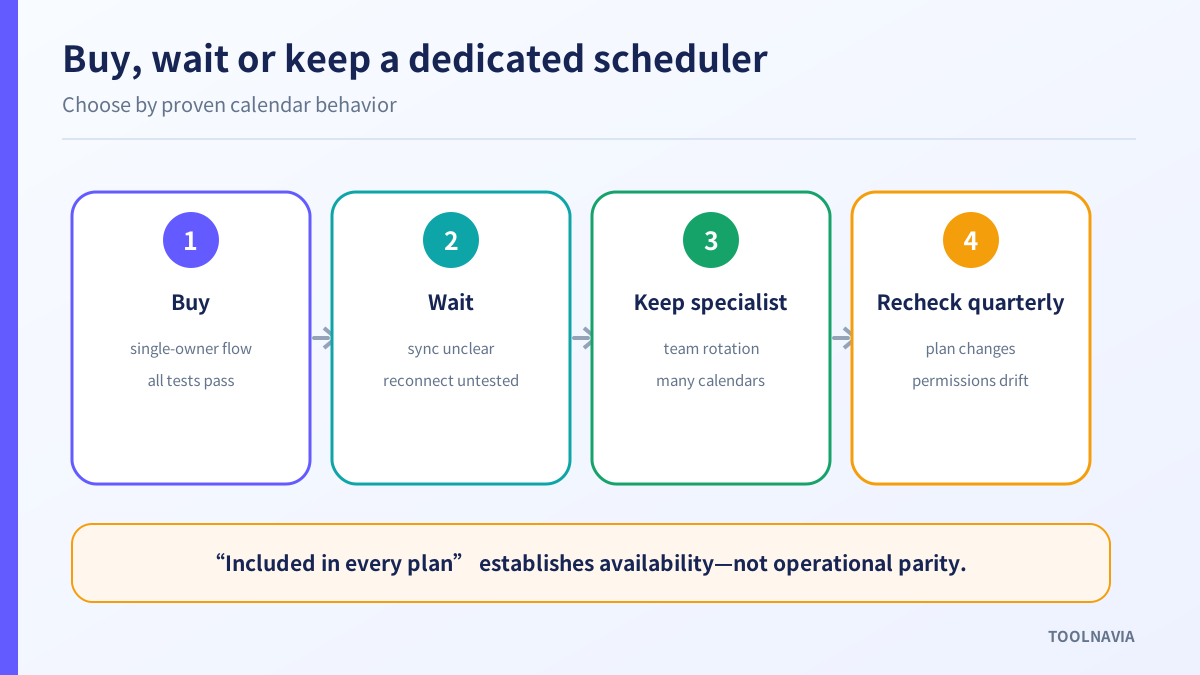
Buy Launch for this use case when you already need the funnel platform, one owner controls a straightforward calendar setup, and the actual Appointments flow passes every required test.
Wait when the public page promises the booking experience but your account has not yet proven secondary-calendar conflicts, cancellation direction, permission recovery or the two-booker race.
Keep a dedicated scheduler when multi-person rotation, many conflict calendars, rooms, equipment, strict service limits or documented recovery controls are essential. Using ClickFunnels for the funnel and embedding or linking a specialist scheduler can be more reliable than forcing one product to own every step.

Before paying, save a one-page evidence record: plan and live price, connected account, calendars checked, Busy/Free behavior, buffer result, simultaneous-booking result, write-back direction, reconnect result and contact/follow-up outcome. That evidence answers the buying question far better than “included in every plan.”
**Evidence map:** current ClickFunnels inclusion, pricing and Classic-route boundary are supported by S1–S4; current native default/conflict-calendar settings, event types and slot-hold/cancellation behavior are documented in S12–S14. Comparison controls come from HighLevel S5–S6, HubSpot S7–S8, Google S9–S10 and Microsoft S11. Competitor behavior is not transferred to ClickFunnels.